How to change the canvas background colour
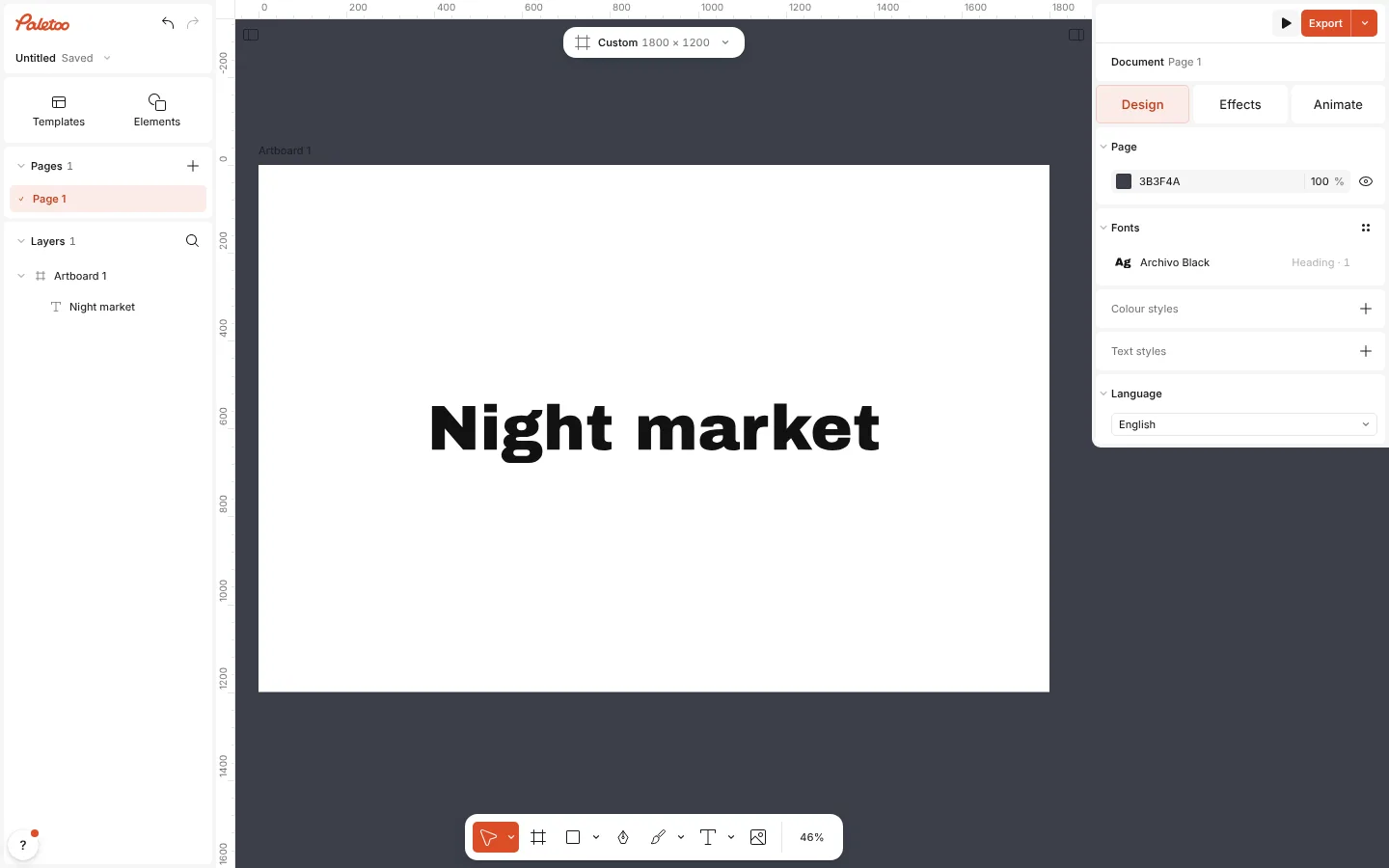
The canvas is the space around your artboards. Its colour is set per page in the Page section, and it is never exported: only what is on your artboards is.
A darker or a warmer canvas helps you judge a design’s colours the way it will be seen.
How to do it
- Click an empty part of the canvas, or press Esc, so that nothing is selected.
- In the right panel, on the Design tab, find the Page section at the top.
- Click the colour swatch and pick a colour, or type a HEX value and an opacity.
- To go back, open the section’s ⋯ menu and choose Default colour.
The artboard’s own background is a different thing: select the artboard to change its Fill.