Formulas in number fields: type 120/3 instead of counting
Every number field in the right panel understands arithmetic. Type 120/3, 1080-40 or (1080-40)/2, press Enter, and the field takes the result.
The number beside a slider goes one step further: *2, /2 or +5 on its own changes the value that is there now.
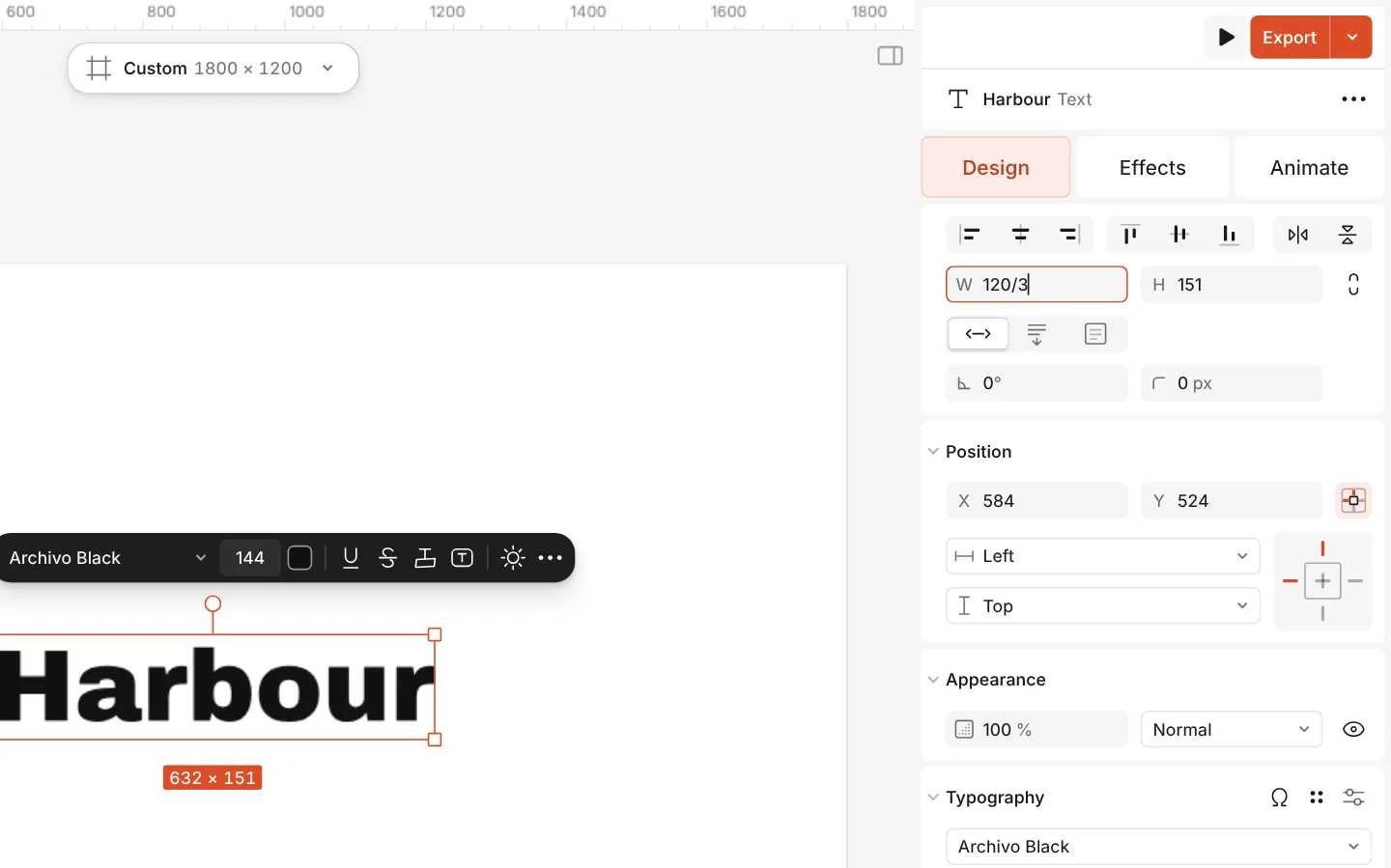
How to do it
- Select a layer and find Width (W) on the Design tab.
- Click into it, type
120/3and press Enter: the width becomes 40. - In a slider’s number, type
*2and press Enter to double the current value.
Units such as px, % and ° are ignored, and a decimal comma works like a point. Something that isn’t a sum keeps the old value.