Erase part of a photo, a shape or a text with the Eraser
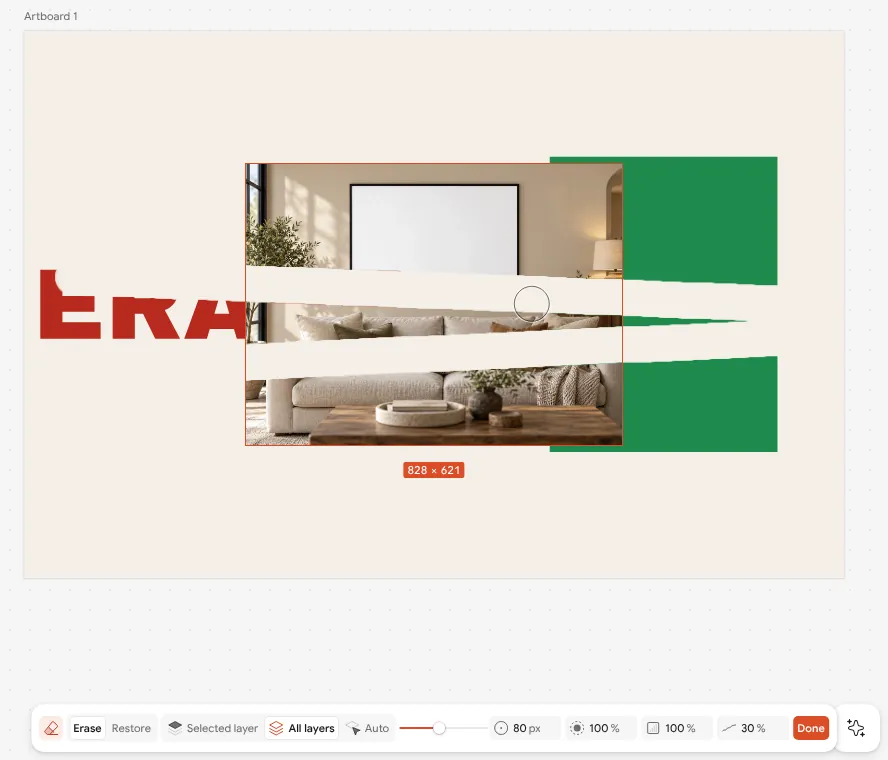
The Eraser works like a brush that takes away: on a photo, a shape, a text or a drawing. It never destroys anything — what you erase is kept in a mask, so you can paint it back or reset it any time, and a text stays editable.
How to do it
- Select a layer and press E, or press the Eraser button in the toolbar.
- In the Eraser's bar choose what it erases: Selected layer, All layers (each layer in its own mask) or Auto (the layer under the cursor). Size with [ ].
- Drag over the canvas to erase. Hold Alt (or choose Restore) to paint the erased part back.
- To bring a layer back whole, press Reset eraser in its panel. Ctrl Z takes back one stroke at a time.
Locked and hidden layers are never erased. Exports show exactly what the canvas shows.