A design editor with no sign-up: your file stays yours
You don’t need an account to make, save or export a design in Paletoo: open the editor and start. What you make is saved in this browser as you work.
You can also keep the design as a file of your own. A .paletoo file holds the whole document, with the pictures and any fonts you added, and opens again in Paletoo on any computer.
How to do it
- Open the editor and make something — no sign-in is asked for.
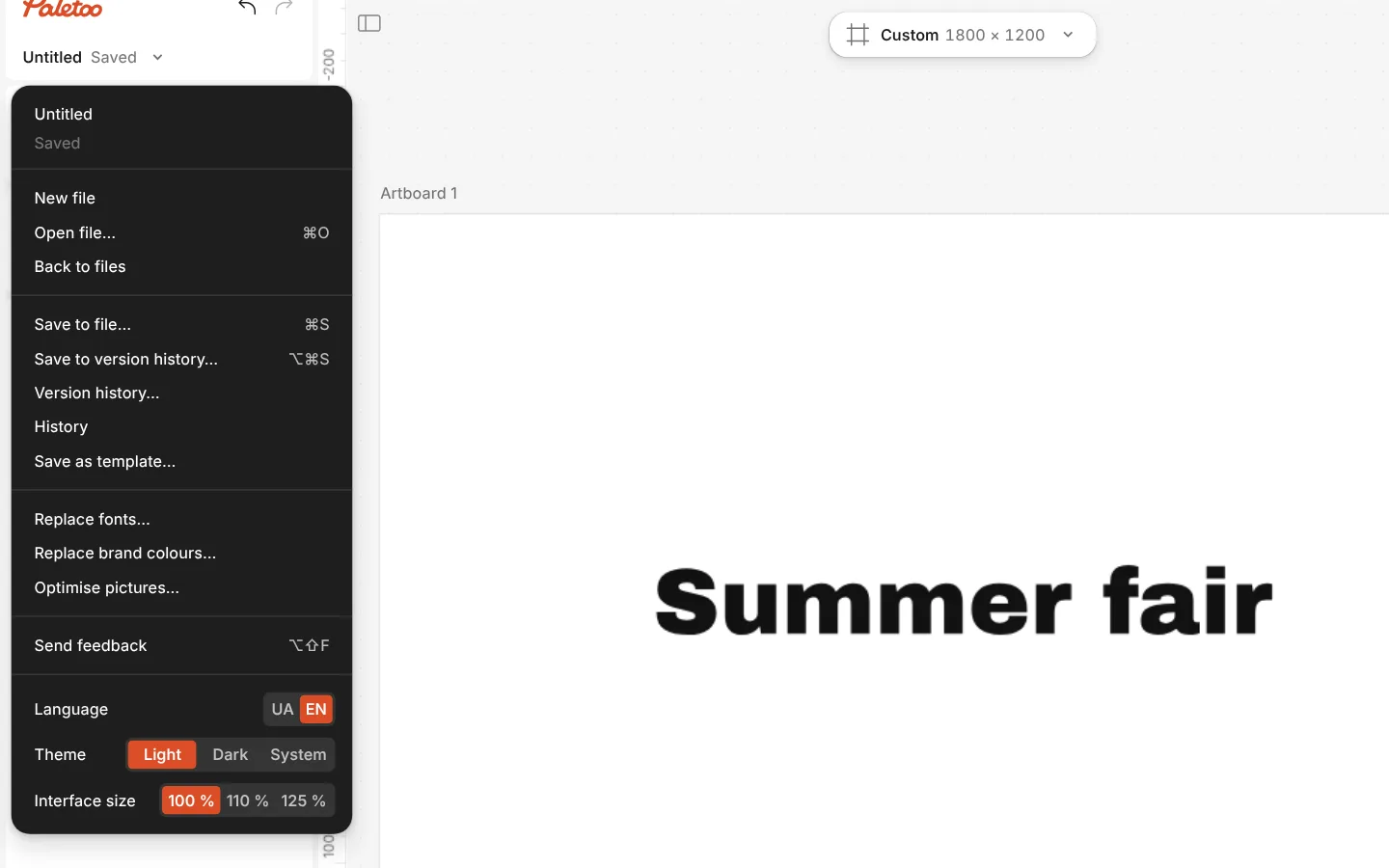
- Click the document’s name at the top left to open the Documents menu and choose Save to file… (Ctrl S, ⌘ S on a Mac).
- To always get a plain download instead, press Ctrl K and run Download .paletoo.
- To open it again later, choose Open file… in the same menu (Ctrl O) and pick the
.paletoofile.
In Chrome and Edge, Save to file remembers the file and saves over it next time; other browsers download a new copy. Older .mdtools files open the same way. If you sign in, new documents are kept in your cloud as well.