PDF for print with bleed and crop marks
Printers ask for a PDF with bleed (the design running past the cut) and crop marks. In Paletoo one preset sets all of it: PDF, bleed, crop marks and the best photo quality.
Fonts are embedded, so the text in the PDF can be searched and copied, and links stay clickable.
How to do it
- Press Export at the top right (Ctrl Shift E).
- Open the preset menu and choose PDF print with bleed.
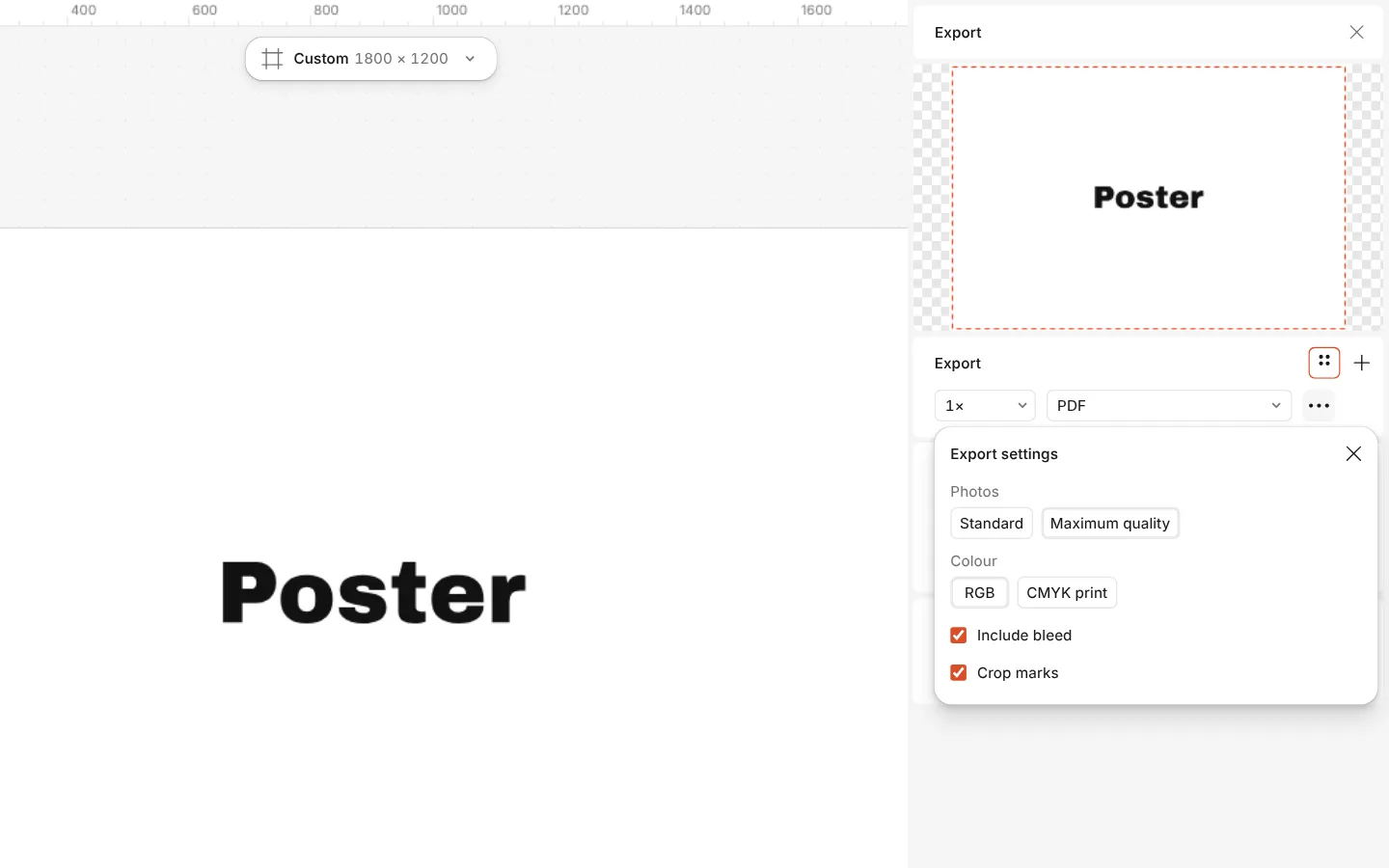
- To set it by hand instead, choose PDF, open the row’s Export settings and turn on Include bleed and Crop marks.
- Export, and send the file to the printer.
This PDF is in RGB, and the printer converts it to CMYK. For a CMYK file, choose PDF print CMYK (PDF/X-4), or set Colour to CMYK print; its profile is approximate, so ask your printer for theirs. Text is drawn as exact outlines with the real font embedded underneath for search and copy. Effects with no PDF equivalent are placed as pictures.