Free tools6 min readFreeUpdated 2026-11-24
Plaid Christmas designs: tartan cards, gift vouchers and posts
Red tartan, black-and-red buffalo check, soft gingham: the season’s pattern on a card, a voucher or a post, in your colours.
By the Paletoo team · steps tested in Paletoo on
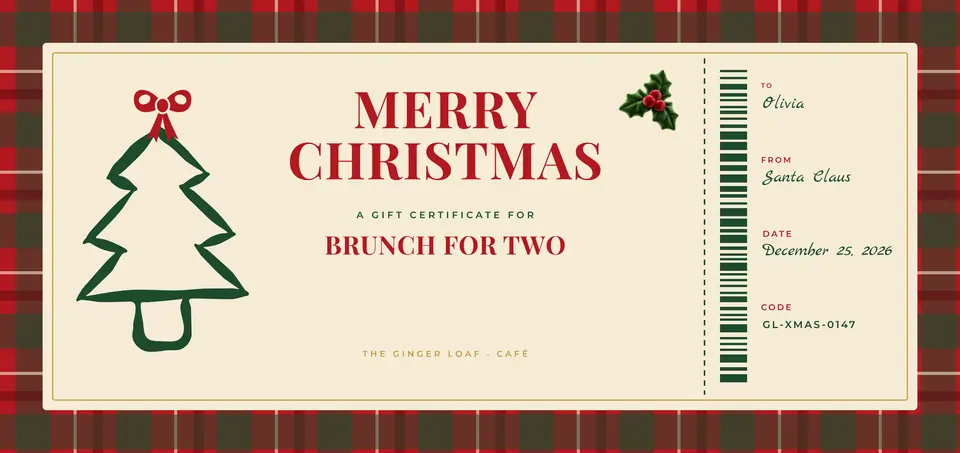
To make a plaid Christmas design, start from a template whose tartan is made of see-through bands, recolour the bands to the plaid you want — green and cream on red for a classic tartan, black on red for buffalo check — and leave one plain panel for the words. In Paletoo the «Café Christmas ticket voucher, tartan» template does exactly that; it is free, needs no sign-up and exports a print PDF or a PNG with no watermark.
Plaid is one of the Christmas looks rising on Pinterest this season, next to bows and whimsy. Below: the plaids and what each says, how a tartan is built from stripes, the colour sets that work, where plaid fits — cards, vouchers, posts and tags — how to keep the words readable on a busy pattern, and one tartan voucher made start to finish.
The plaids of the season
Not every check is the same. A tartan is the Scottish pattern of crossing stripes of different widths and several colours; the red Royal Stewart is the one most people picture at Christmas. Buffalo check is the simplest: big squares of two colours, usually red and black, the pattern of a lumberjack shirt. Gingham is small, even checks of one colour on white, softer and more cottage-like. Black Watch is dark green and navy, quiet and grown-up.
Each sets a mood. Red tartan is traditional and cosy; buffalo check is rustic and a little playful; gingham is light, good with pastel and the whimsy look; Black Watch suits a business card or a restaurant voucher that should not shout.
| Plaid | Colours | Best on |
|---|---|---|
| Red tartan (Royal Stewart) | Red, dark green, navy, thin yellow and white lines | Family cards, gift vouchers |
| Buffalo check | Red and black, or white and black | Rustic cards, café posts, gift tags |
| Gingham | Red, green or pink on white | Kids’ cards, whimsical posts |
| Black Watch | Dark green, navy, black | Business cards, restaurant vouchers |
| Pastel tartan | Pink, mint, cream | Soft feeds, bakery and beauty posts |
How a tartan is built
A tartan is not drawn square by square. It is a set of stripes laid across the ground one way and then the same set laid the other way; where two stripes cross, their colours mix into a third. That is why see-through stripes are the trick: a red ground, wide bands of dark green at half opacity, thin light lines and dark stripes, all running both ways — and the mixed squares appear by themselves.
The tartan voucher in Paletoo is built exactly like that: a red ground crossed by 15 wide bands, 15 thin lines and 15 dark stripes at 50–60 % opacity. Change the colour of one band and every square it crosses changes with it. Copy the tartan layers and paste them into a card or a post, and the pattern comes along — no image to stretch, no blur when you print it large.
Colour sets that read as Christmas plaid
Keep it to two or three colours plus the paper. Red #b3191f with dark green #1d4b2e and a thin cream #f6ecd6 line is the classic. Red #c0262d with black #1b1b1b is buffalo check. Navy #1d2a44 with green #2b5a3f and a thin gold #c9a14a is Black Watch with a touch of shine. For a soft feed, pink #f2b8c6 with cream and a mint #bfe3d0 line.
Under the selection’s colours in the editor, one change repaints every object that uses that colour, so trying three plaids takes a minute. Choose the words’ colour last: cream on a dark plaid, a deep red or black on a light one.
Words on a busy pattern
Plaid is loud, so the words need a quiet place. Put a plain panel — a cream ticket, a white circle, a band across the middle — over the pattern and set the greeting on it. The voucher does this with its ticket: the tartan shows round the edges, the text sits on cream. On a post, a plaid border of 60–80 pixels round a plain middle works the same way.
Use one serif or one bold sans for the words and a script only for a name. For a card, A6 (105 × 148 mm) prints four to a sheet of A4; the voucher is DL, 210 × 99 mm, three to a sheet. A plaid card made from the same bands is shown in how to make a Christmas card.
Made in Paletoo
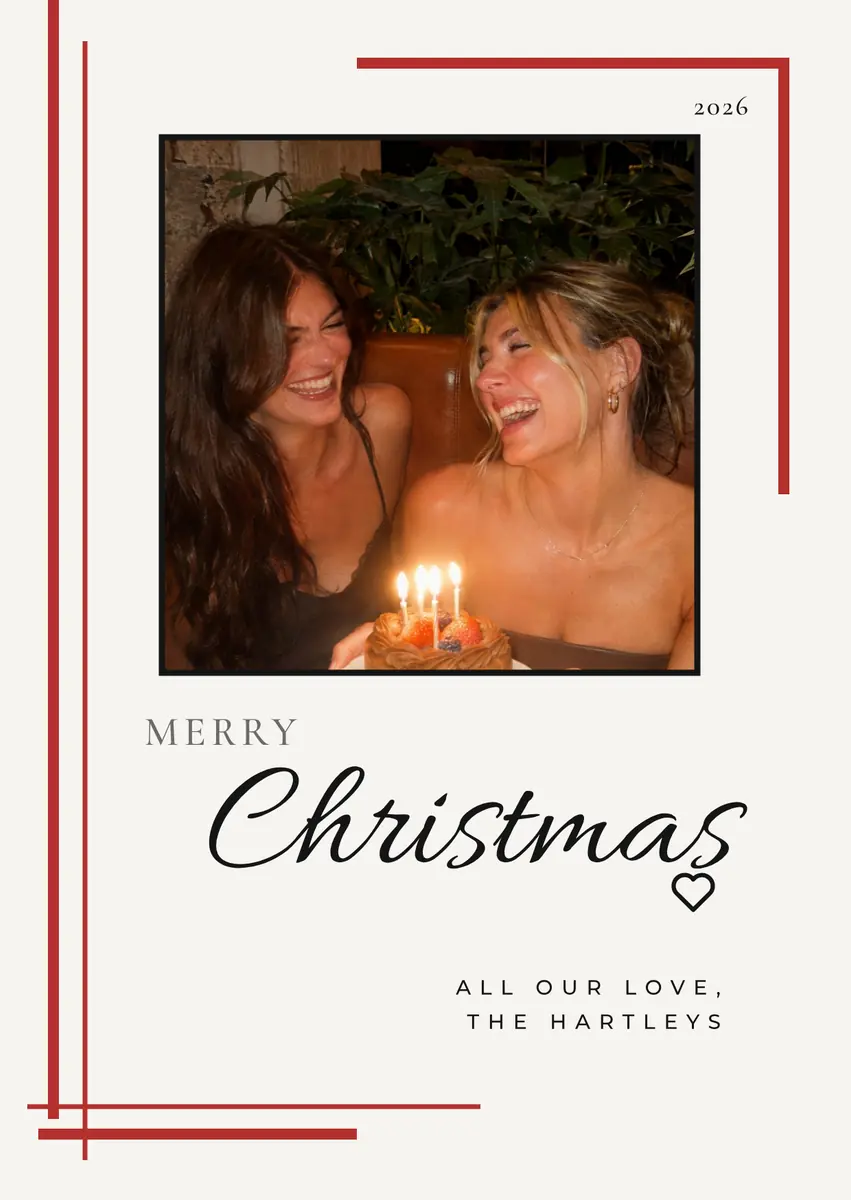
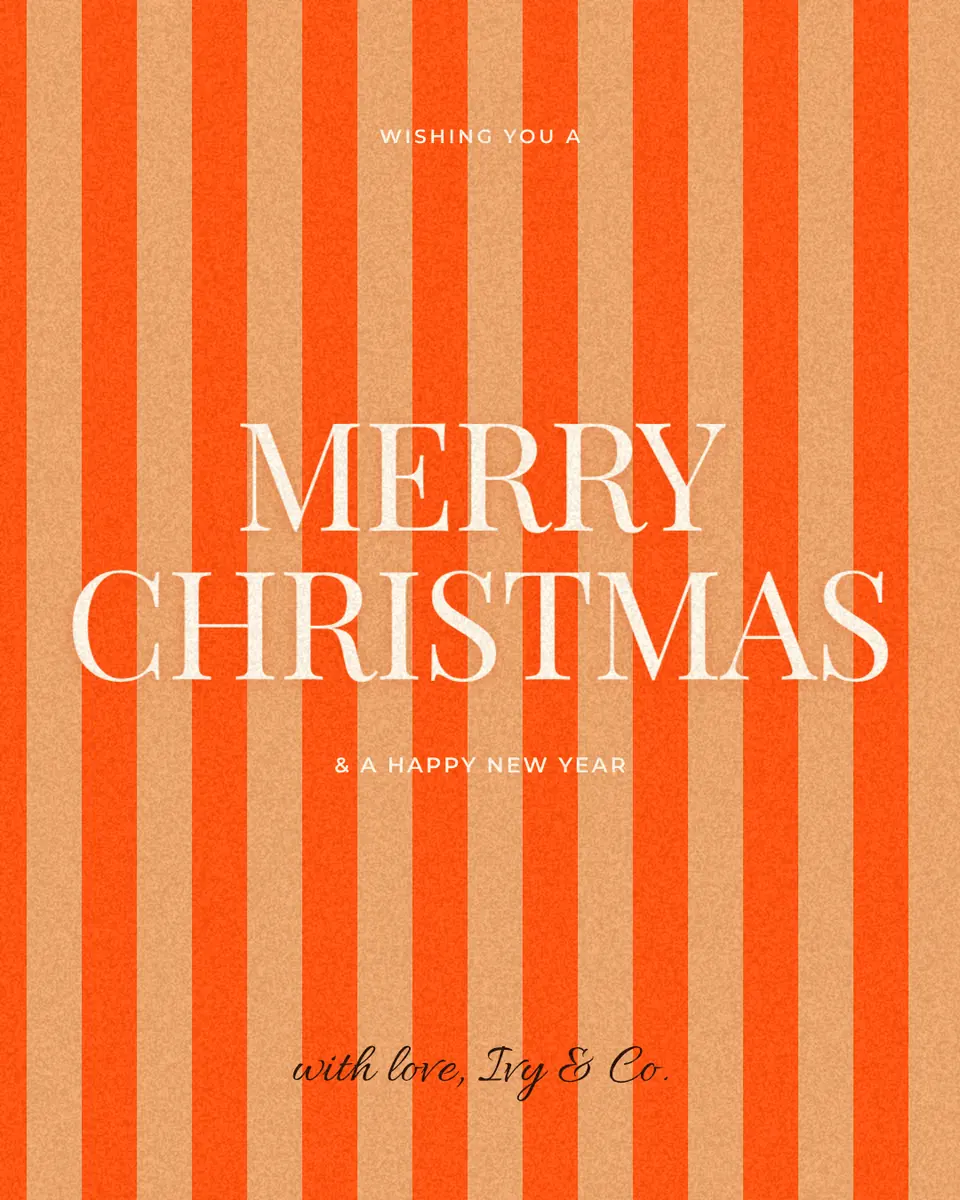
Every picture on this page was made in Paletoo — these three with the same steps on other templates:

Make it free in Paletoo
Press “Open in Paletoo” on this page. «Café Christmas ticket voucher, tartan» opens as your own DL voucher, 2480 × 1169 (210 × 99 mm at 300 dpi), with no account: a tartan of see-through bands, a cream ticket, a fir, a bow, holly and the voucher’s words, each its own layer.
Double-click the gift — the layer «Gift» — and write your own: «Brunch for two», «A haircut», «One evening of board games». Under Typography on the Design tab, keep the serif or pick another Font; then change the café’s name, the «To» and «From» names and the date.
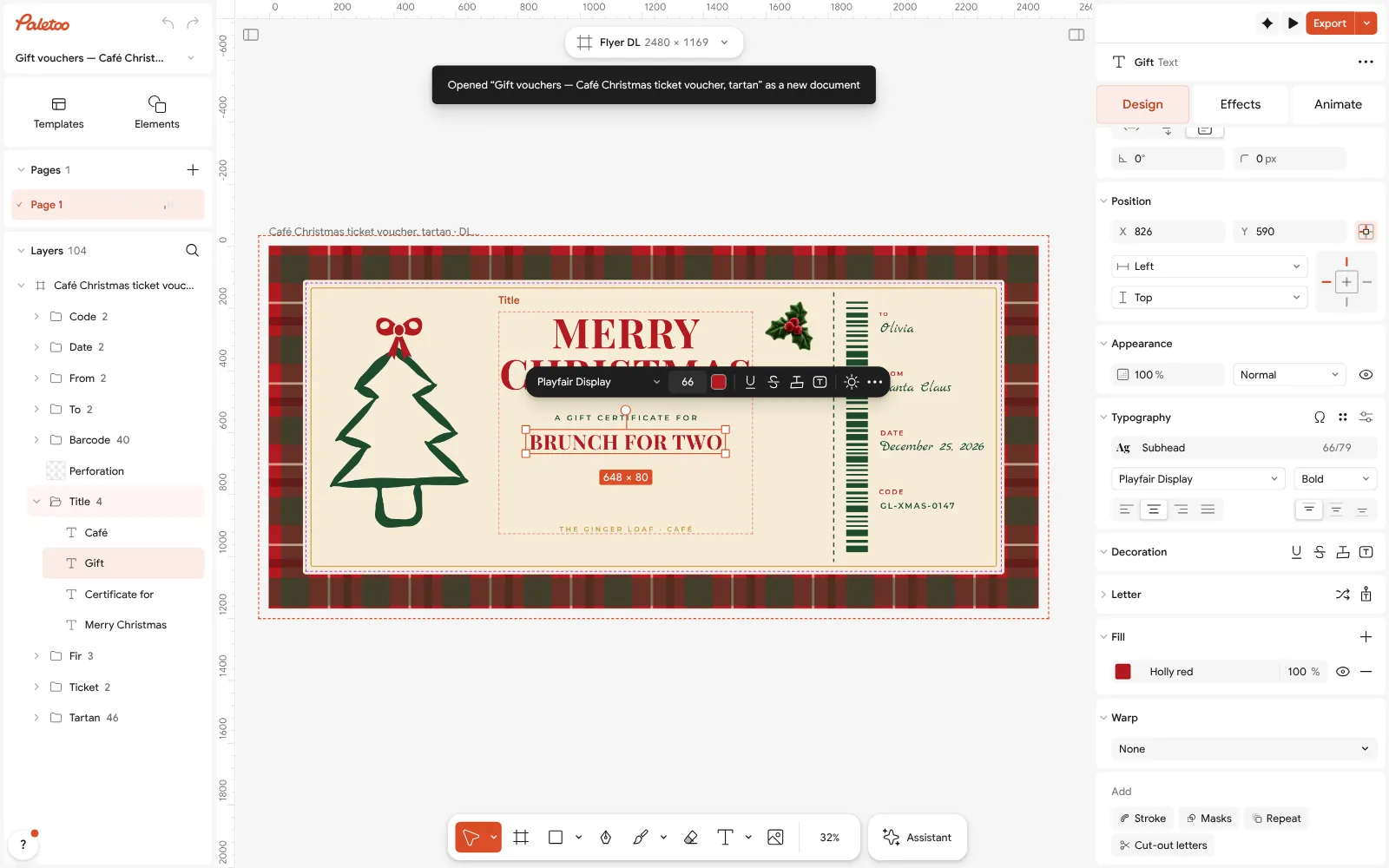
The tartan voucher open in Paletoo: the gift line selected, its font and size under Typography in the Design tab Make your plaid. Select all (Ctrl A) and open Selection colours: change the green of the bands to black for buffalo check or to navy for Black Watch, keep the red ground, and every band that used the colour changes with it.
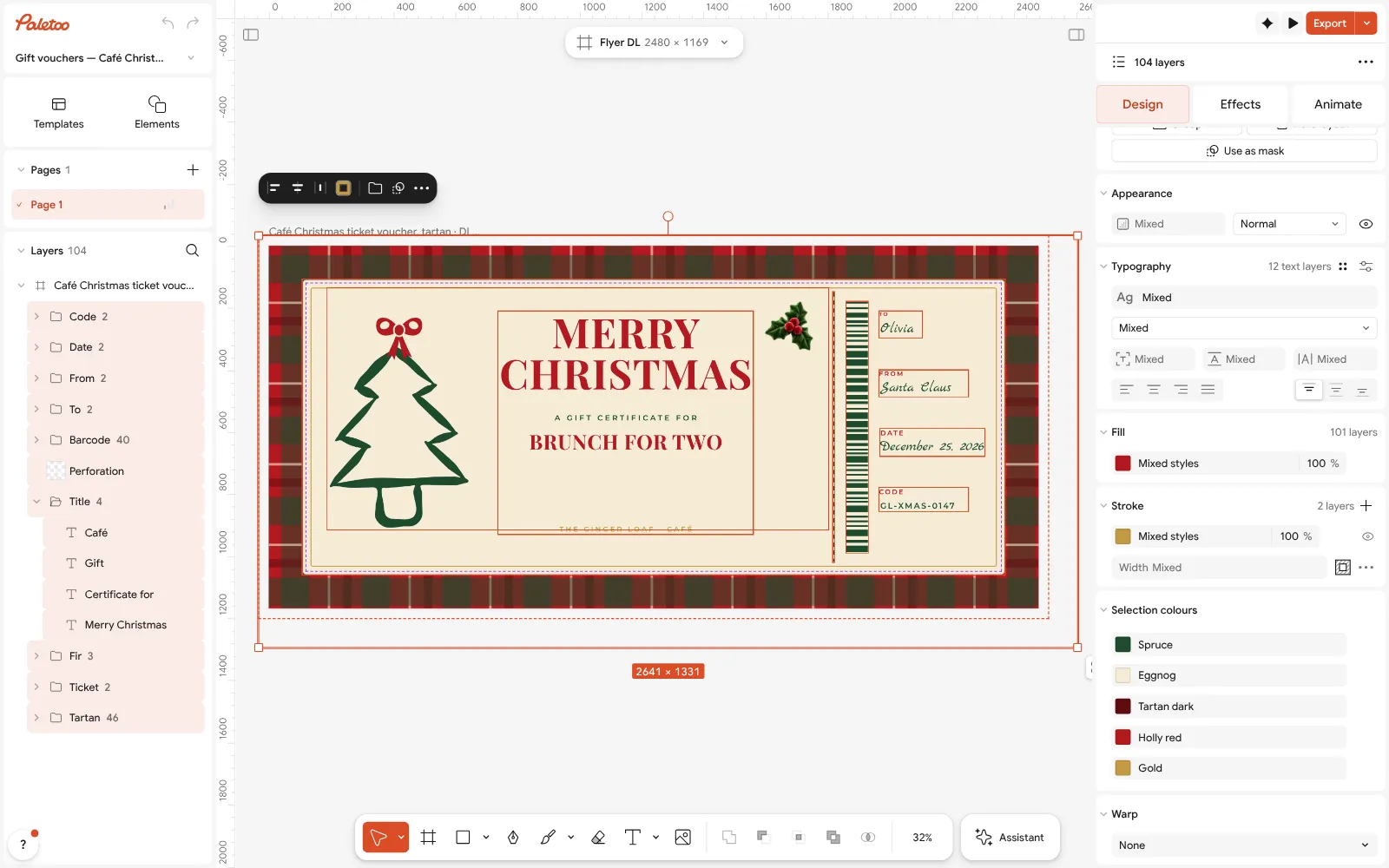
Everything selected: the tartan’s colours under Selection colours, ready to become buffalo check or Black Watch Change the code in «Code value» if you number your vouchers, so each one can be checked when it comes back.
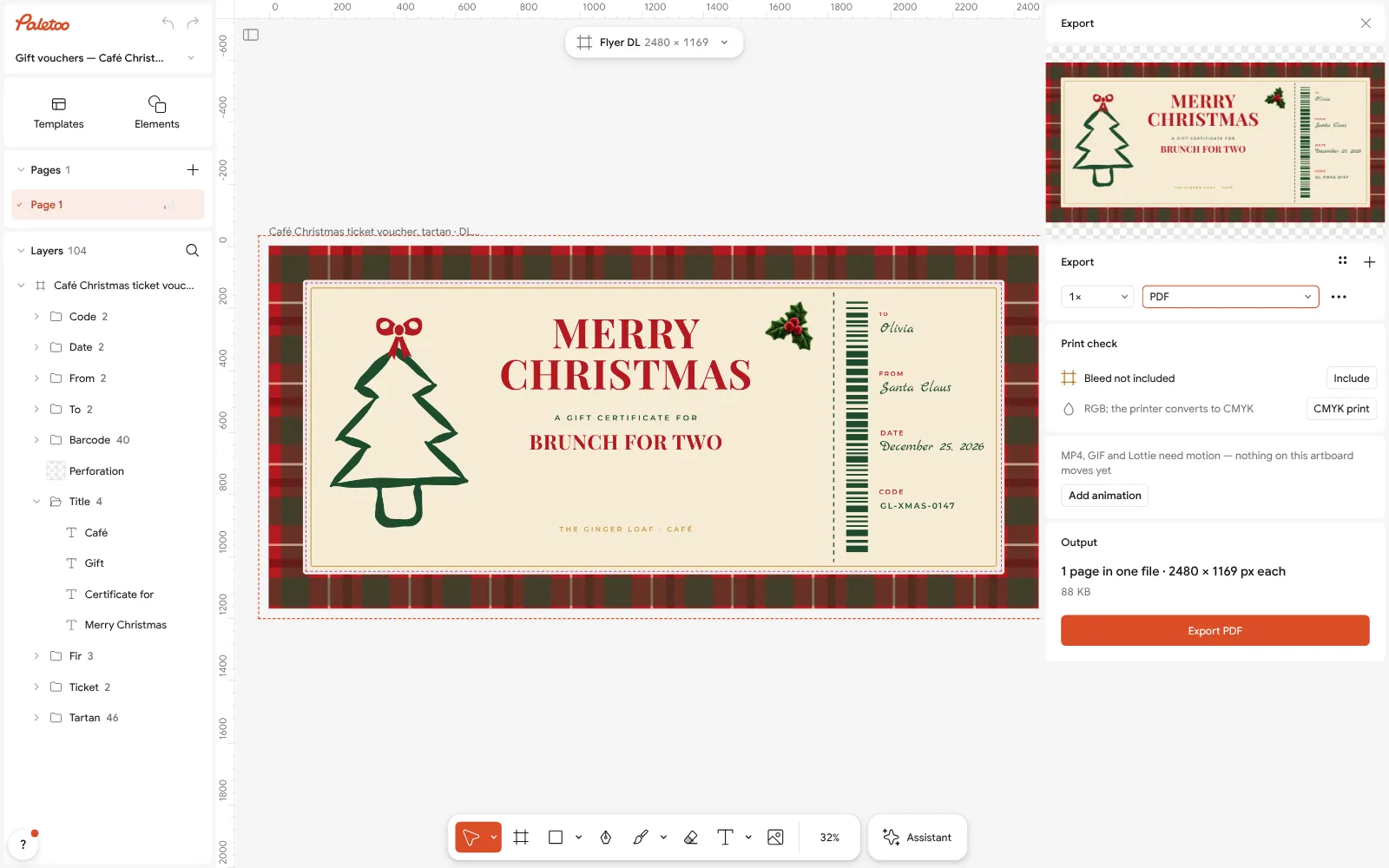
The Export window with PDF chosen for printing the voucher Want a card or a post in the same plaid? Select the tartan layers in Layers, copy them (Ctrl C), open a card template and paste (Ctrl V); put a cream panel over the middle for the greeting.
Press Export (Ctrl Shift E) and choose PDF to print — with Bleed and Crop marks if a print shop cuts it — or PNG to send by message. Nothing you export carries a watermark.
Make it your own
If the plaid fights the words, lower the bands’ Opacity on the Design tab a little: the pattern steps back, the ticket stays sharp.
For gingham, recolour the bands and lines to one colour and the ground to white.
Printing many vouchers? Export one PDF per voucher with its own code, or number them by hand after printing.
Questions
How do I make a plaid Christmas design online for free?
Open the tartan voucher template in Paletoo, recolour its see-through bands to your plaid, copy the tartan into a card template and put a plain panel for the greeting over it. Export a PDF to print or a PNG to send — free, with no sign-up and no watermark.
What is the difference between tartan, plaid and buffalo check?
Tartan is the Scottish pattern of crossing stripes in several colours and widths; in American English all such checks are called plaid. Buffalo check is a simple plaid of big two-colour squares, usually red and black; gingham is small even checks on white.
What colours are a Christmas plaid?
Red with dark green and a thin cream or yellow line is the classic tartan; red and black is buffalo check; dark green and navy is Black Watch. Keep two or three colours plus the paper.
What size is a gift voucher?
DL, 210 × 99 mm, fits a DL envelope and prints three to a sheet of A4; 2480 × 1169 pixels is DL at 300 dpi. A6 cards print four to a sheet.
Can I use the plaid on an Instagram post?
Yes. Copy the tartan layers into a post template, 1080 × 1350, put a plain panel in the middle for the words and export a PNG.
Make it online
- Make a gift voucher onlineFor a salon, a café or a shop: pick a gift voucher, type the amount and the code, and print it or send it as a picture — free, no sign-up, no watermark.
- Christmas and New Year cardsPick a card, write your own wish, add a family photo and send it as a picture, a story or a short animation — free.
- Instagram post makerDesign a post at the right size from a real template, then export a sharp PNG or JPG — free, in your browser.
Free design templates for posts, stories and posters: Sale and pricing templates · Holiday card templates · Social media post templates
Try it on your own design
Paletoo opens in your browser, with no sign-up. Every effect here is live: change the picture or the words and the effect follows.
Open in PaletooOpens this design as your own copy — every layer and effect editable, free.
 How to make a Christmas card online for free, with your photo