How to make a Y2K chrome text effect
Fat liquid chrome in pearly pastels, with a soft glow.
What it is
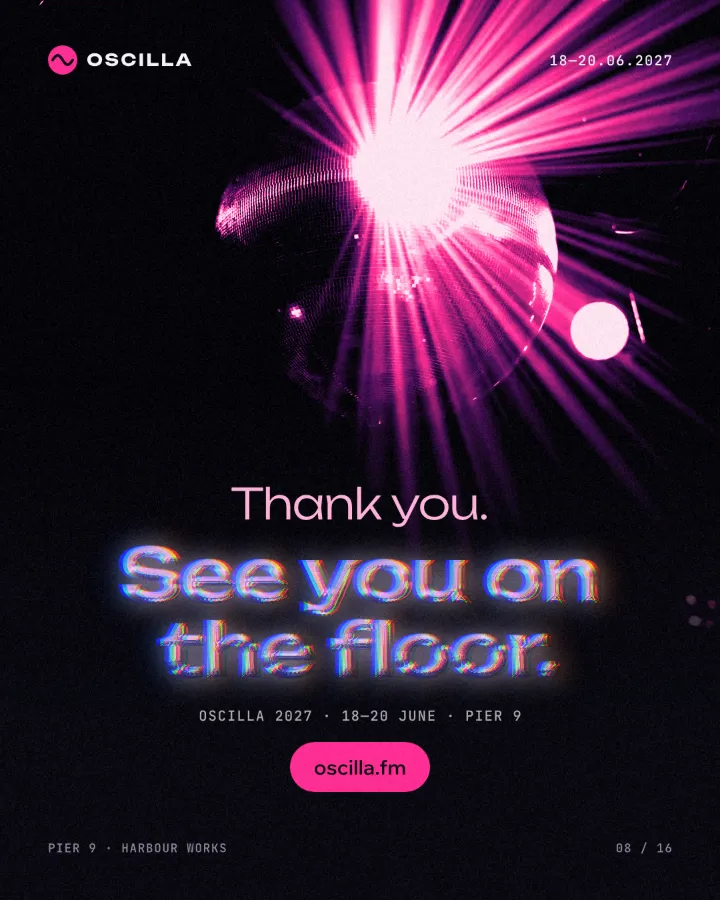
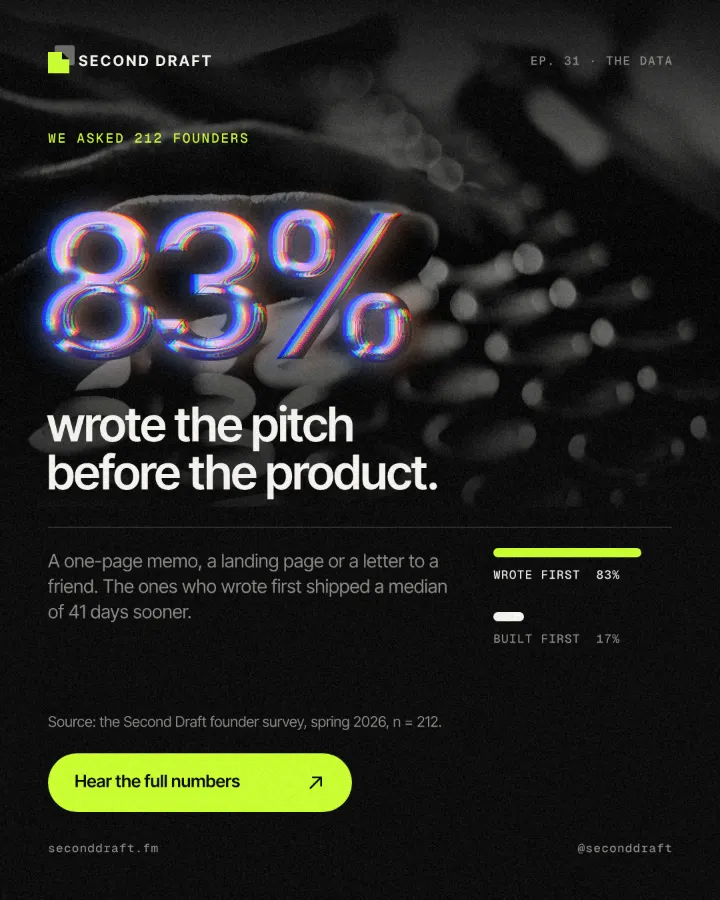
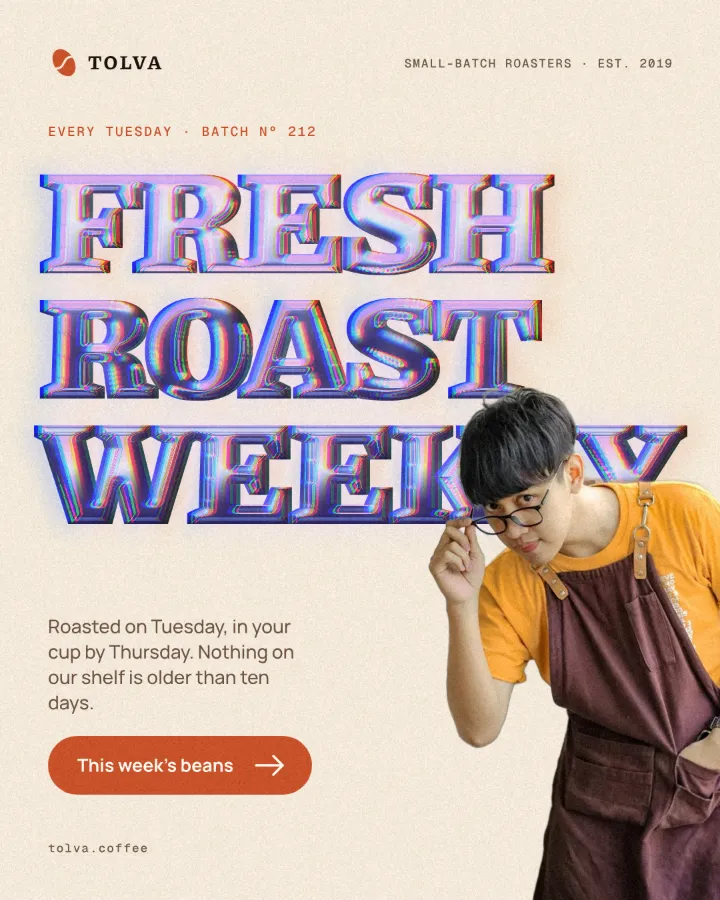
Y2K chrome is the metal of the turn of the millennium: rave flyers, CD covers, the first glossy websites and translucent gadgets. The letters look poured rather than cut — thick, rounded, mirror-bright — and instead of plain silver their reflections shimmer in pastels, from deep indigo through periwinkle and pearl white to pink and violet. A soft glow hangs around them, and the edges split slightly into colour, as if seen through a cheap lens.
The look came back with 2020s club culture, fashion drops and album art because it is the opposite of flat design: loud, shiny and a little synthetic. Building it by hand takes a 3D tool or a long stack of layer styles. Paletoo builds it in four steps on live text, so the words, the font and the size can still change.
Where it is used
Use it for club nights and festival line-ups, electronic and pop releases, fashion and beauty drops, gaming and streaming covers, and any post that wants a nostalgic, futuristic shine. It reads best on big, heavy, rounded type on a dark or deeply coloured background.
Made in Paletoo with this mix:
How to make it, step by step
Open your design and select the headline. Heavy, wide or rounded typefaces give the chrome room for its thick bevel; light weights turn thin and wiry.
Open the Effects tab and go to Mixes; press All if Y2K chrome is not in the first row.
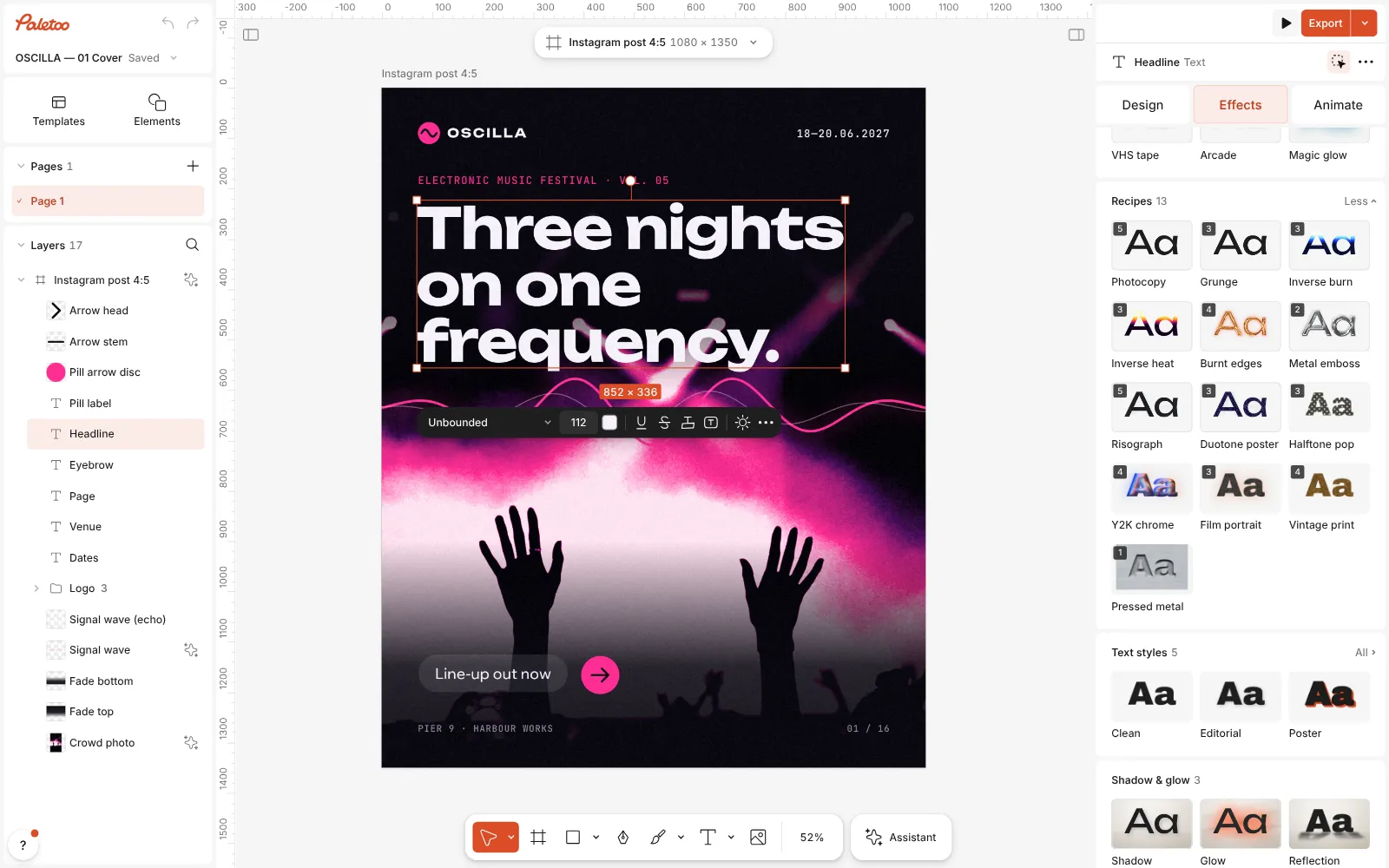
A festival cover open in Paletoo, the headline selected and the Mixes open Press Y2K chrome. Four steps go on under Applied: Metal with its Liquid chrome preset pours the letters in thick chrome, a Gradient map turns the reflections to pearly pastels at 75 %, Glow adds a soft lilac bloom and Colour split a faint colour fringe.
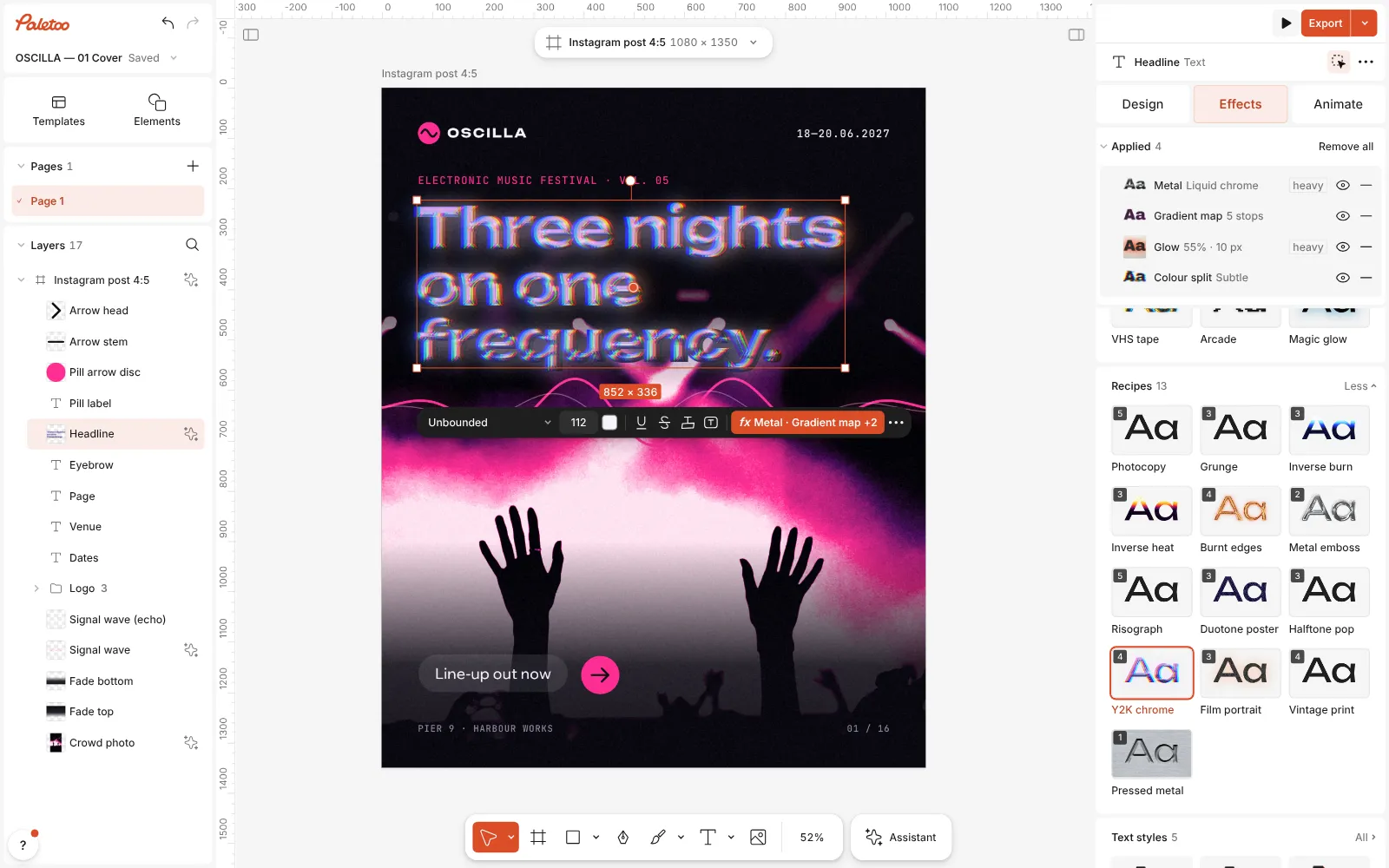
Y2K chrome pressed: four steps under Applied, the headline in iridescent liquid chrome Click the Metal row to open it. The presets are Chrome, Gold, Brushed and Liquid chrome; Light turns the light round the letters, Bevel sets how far the rounded edge reaches in and Shine how bright the highlights get.
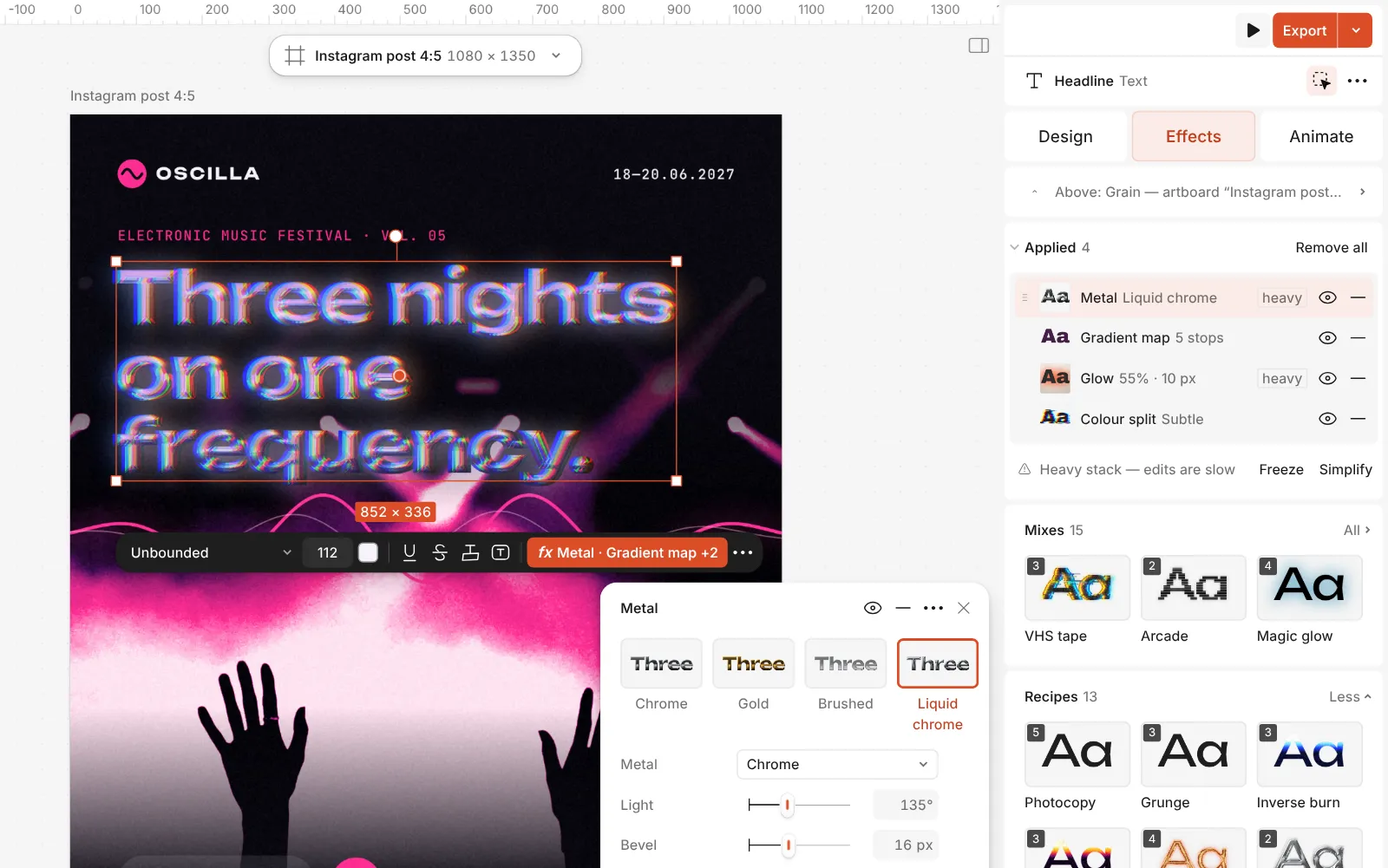
The Metal step open: Chrome, Gold, Brushed and Liquid chrome, with its controls Change the colours in the Gradient map step by dragging or recolouring the stops on its Gradient. In Glow, Brightness and Spread set the bloom; in Colour split, Distance sets the fringe.
Double-click the text to change the words — the chrome follows every letter. Then press Export.
Watch it
The one-click mix
In Paletoo the whole stack is one mix, Y2K chrome. One click puts every step on the selected object, one undo takes them all off, and each step stays an ordinary effect you can change, reorder or remove.
Its steps: Metal · Liquid chrome Gradient map · pearly pastels Glow · Bloom Colour split · Subtle
Open this mix in PaletooMake it your own
The liquid look comes from the bevel. Liquid chrome sets a wide Bevel and a tall Bevel depth, so every stroke is rounded all the way across. On smaller or thinner type, lower Bevel until the counters stay open — otherwise the letters melt into blobs. A low Roll-off keeps the highlights sharp and mirror-like; raise it for a softer, satin sheen.
The colour lives in the Gradient map. It runs indigo, periwinkle, pearl, pink and violet; swap the pink stop for mint or the indigo for a deep teal to make the palette your own. The step sits at 75 % Amount, so some neutral chrome shows through — raise it for candy colours, lower it for cooler, more silver chrome. Reverse swaps where the dark and light colours fall.
Keep Glow and Colour split as seasoning. On a light background, lower Brightness in Glow or it washes the letters out; on black, a wider Spread gives the club-flyer haze. Keep Distance in Colour split small: a pixel or two reads as lens fringe, more starts to look like a glitch.
Questions
How is Y2K chrome different from Metal emboss?
Metal emboss presses the shape into the sheet and turns it to plain chrome. Y2K chrome starts from the thicker Liquid chrome preset and colours it with pastels, a bloom and a fringe.
Can I get plain silver liquid chrome?
Yes. Turn off the eye on the Gradient map step, or lower its Amount: the Metal step underneath is neutral chrome.
Does it work on a logo or a shape?
Yes, on anything with clear edges. A flat logo works best; a detailed photo turns into a chrome plate instead of lettering.
Will the chrome survive editing?
Yes. All four steps are live effects on the text, so changing the words, font, size or spacing redraws the chrome.
More effects
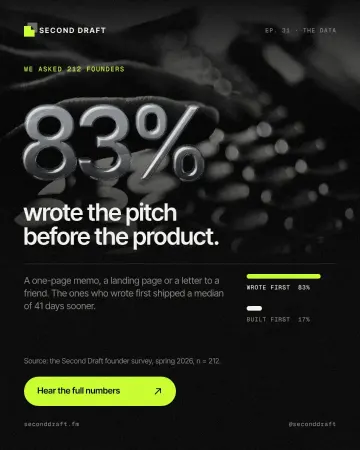
How to make an embossed metal effect
Live text pressed into the sheet and turned to chrome.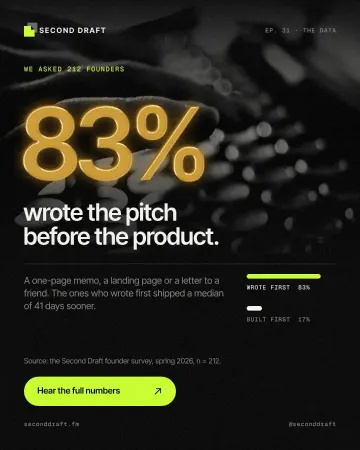
How to make a gold foil text effect
Stamped gold leaf: a pressed edge, warm metal bands and a soft shine.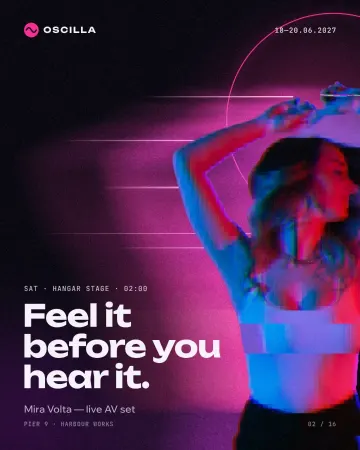
How to make a glitch effect
Blocky pixels, torn colour channels and a smeared trail.
Read the overview: graphic design trends 2026
Make it online: Text effects online · Social media post templates
Try it on your own design
Paletoo opens in your browser, with no sign-up. Every effect here is live: change the picture or the words and the effect follows.
Open in Paletoo