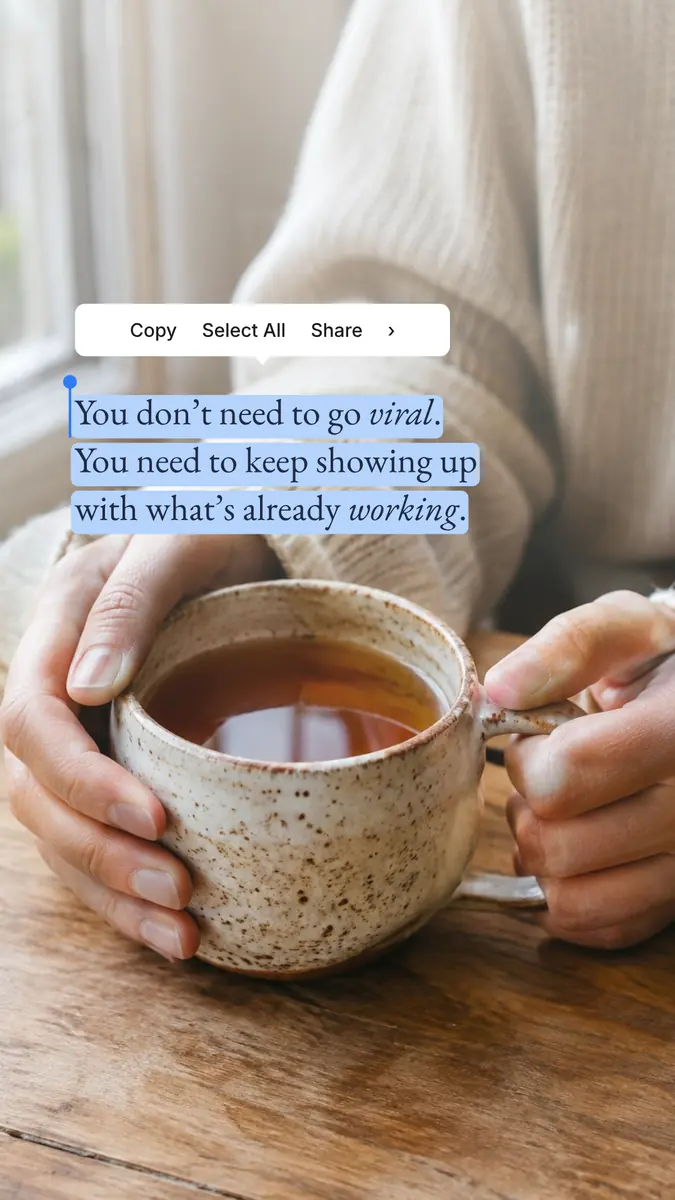
Selected words over a photo — Instagram story template
Selected words over a photo is an Instagram story template from the Quotes and big type series, 1080 × 1920 pixels. Its headline reads “You don’t need to go viral. You need to keep showing up with what’s…”, with smaller lines like “Copy Select All Share ›” — all of it live text you simply type over.
Use this templateFree · opens in your browser · no sign-upSave to Pinterest
Details
- Format
- Instagram story
- Size
- 1080 × 1920 px
- Fonts
- Inter, EB Garamond
- Series
- Quotes and big type
- Text
- English · also in Ukrainian
Colours
- Linen
#e9e3da - Ink
#1f2b45 - Selection blue
#b5d3fb - Handle blue
#2f7cf6 - White
#ffffff - charcoal
#1c1c1e
Type, colours and effects
Selected words over a photo is set in Inter and EB Garamond on a palette of cream, light blue and white (colour styles “Linen”, “Ink”, “Selection blue” and “Handle blue” in the file).
What is on the template
“Selected words over a photo” has 2 text layers and 1 photo, every one of them editable. The words on it now, to type over:
- Headline “You don’t need to go viral. You need to keep showing up with what’s already working.”
- “Copy Select All Share ›”
Make it yours in four steps
- Press “Use this template”: Selected words over a photo opens in Paletoo as your own copy, no sign-up needed.
- Double-click “You don’t need to go viral. You need to keep showing up with what’s…” and type your own; Inter, the size and the line spacing stay as they were.
- Drag your photo onto the picture.
- Export a PNG or a PDF at 1080 × 1920 pixels.