Techniques6 min readFreeUpdated 2026-11-15
Text effect ideas: 25 cool effects for posters and posts
Twenty-five ways to make a word do more than sit there, sorted by what they feel like and where they belong.
By the Paletoo team · steps tested in Paletoo on
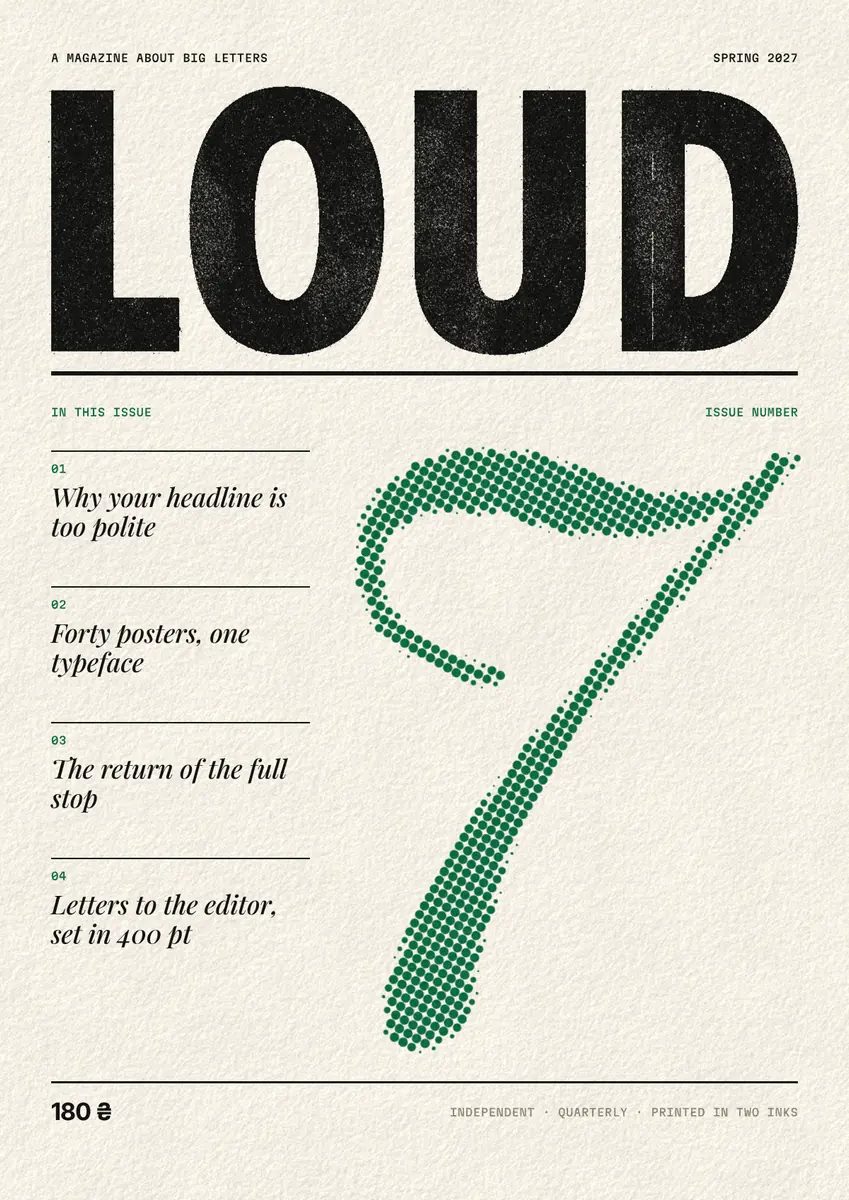
Good text effect ideas come from five families: depth (a 3D block, a long shadow, an echo stack), light (neon, chrome, gold foil), print (halftone dots, a photocopy, two misregistered inks), distortion (glitch, pixels, warps) and outlines (hollow, multi-line, knockout). Use one effect per design, put it on the biggest word only and choose it for the mood: the tables below give 25 ideas with the mood, the place each works and the name of the effect that makes it in Paletoo.
After the tables: how to keep an effect readable, and the steps on «Loud», a 1200 × 1697 magazine cover whose title is photocopied with a Xerox step and whose huge «7» is printed in halftone dots. A single word with one of five effects comes quickest from the free text effect generator; every effect in this list is in the editor, through the text effects page. Every step was run in Paletoo on 12 November 2026.
3D and shadow
Depth is the loudest family: it lifts a word off the page. It works best on heavy, wide letters with simple shapes, and one 3D effect per design is plenty — two fight for the same space.
| Effect | Mood | Where it works | In Paletoo |
|---|---|---|---|
| 3D block | Bold, playful, solid | Sale posts, thumbnails, kids’ events | 3D block › Block |
| Retro long shadow | 1970s, flat, sunny | Badges, retro posters, merch | 3D block › Long shadow |
| Striped extrusion | Varsity, sport, vintage | T-shirts, team posters | 3D block › Stripes |
| Hard offset shadow | Brutalist, comic | Headlines on flat colour, stickers | Shadow › Hard |
| Puffy inflated letters | Soft, toy-like, the clay trend | Stories, kids, beauty | Inflate › Puffy or Balloon |
| Echo stack | Music, motion, volume | Gig posters, event covers | Echo, with a gradient colour shift |
Light and shine
Light effects need a dark ground — neon on white is just a blurred word — and letters with even strokes. Shine (chrome, foil, holographic) wants the opposite of thin type: give it a wide, heavy face so the reflections have room.
| Effect | Mood | Where it works | In Paletoo |
|---|---|---|---|
| Neon tube | Night, bar, gaming | Dark posts, club flyers | Glow › Neon |
| Soft glow | Dreamy, romantic, calm | Quotes, wedding posts | Glow › Soft glow or Dreamy |
| Chrome | Y2K, fashion, music | Covers, merch drops | Metal › Chrome, or the Y2K chrome mix |
| Gold foil | Luxury, awards, weddings | Invitations, certificates | The Gold foil mix, or Metal › Gold |
| Holographic | Iridescent, Y2K beauty | Beauty, festivals | The Holographic mix |
| Light trail | Speed, night city | Sport, racing, motion posters | Light trail |
Print and texture
Print effects make screen type look made by a machine or by hand. They suit zines, newspapers and anything that wants to feel like paper, and they survive small sizes better than shine does.
| Effect | Mood | Where it works | In Paletoo |
|---|---|---|---|
| Halftone dots | Comic, newspaper, pop art | Magazine covers, pop posters | Halftone › Comic or Newsprint |
| Photocopy | Zine, punk, DIY | Flyers, gig posters, covers | Xerox › Zine or Office |
| Two-ink overprint | Risograph, indie print | Workshop posters, zines | Overprint › Pink + blue |
| Worn stamp | Vintage, rubber stamp | Labels, packaging, merch | Distress › Stamp |
| Pressed metal | Craft, premium, tactile | Business cards, logos | Emboss, or the Pressed metal mix |
Distortion and glitch
Distortion says energy, technology or play. Keep the word short — one to three words — because a warp or a glitch on a sentence makes it hard to read.
| Effect | Mood | Where it works | In Paletoo |
|---|---|---|---|
| Colour split glitch | Tech, broken signal | Music, gaming, tech events | Colour split › Glitch or VHS |
| Pixel letters | 8-bit, retro games | Game nights, Y2K posts | Pixel |
| Arch or wave warp | Retro sign, energy | Covers, shop signs, merch | Warp › Arch, Wave or Mesh |
| Living letters | Lively, hand-made motion | Reels, animated posts | Living letters |
| ASCII letters | Terminal, code | Tech posters, dev events | ASCII |
Outlines
Outlines are the quiet family: they turn a heavy word into a light one, let a photo show through, or echo a shape in lines. They work on almost any font, which makes them the safest choice when the type is already busy.
| Effect | Mood | Where it works | In Paletoo |
|---|---|---|---|
| Hollow outline | Minimal, sporty, light | Big background words, fashion | Outline, Hollow |
| Multi-line outline | 1970s, echoing | Retro posters, music | Outline, more Lines |
| Knockout outline | Cut-out, graphic | Text over photos | Outline, Knockout |
How to keep a text effect readable
One family per design. A 3D title with a neon subtitle and a glitched date is three posters on one sheet. Choose the family for the mood, put it on the one word that carries the message, and keep everything else plain; the plainer the rest, the harder the effect hits.
Match the effect to the letters. Depth, chrome and inflation need heavy, wide letters with room inside; on a thin font they come out as wire. Neon wants even strokes and rounded ends. Outlines and print textures work on nearly anything, scripts included.
Check it at its real size. A post is seen at about a third of its width on a phone, a poster across a room. Zoom out until the design is as small as it will be seen: if the word still reads, the effect is right; if it turns to texture, make the word bigger or the effect weaker.
Mind the alphabet. An effect is drawn on the font’s own letters, so a Ukrainian or Polish word looks exactly like an English one — as long as the font has ґ, є, ї or ą, ę, ł. In Paletoo the With Ukrainian filter in the font list shows only fonts with the Ukrainian letters.
Made in Paletoo
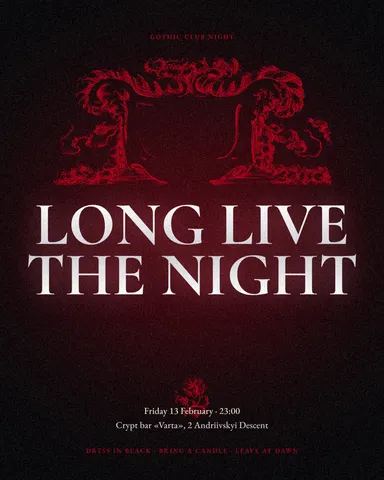
Every picture on this page was made in Paletoo — these three with the same steps on other templates:
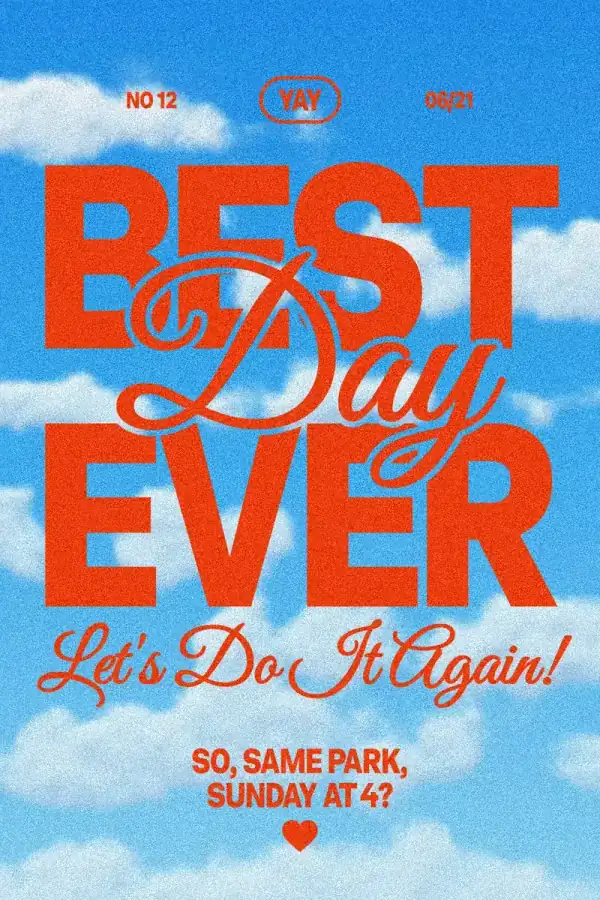
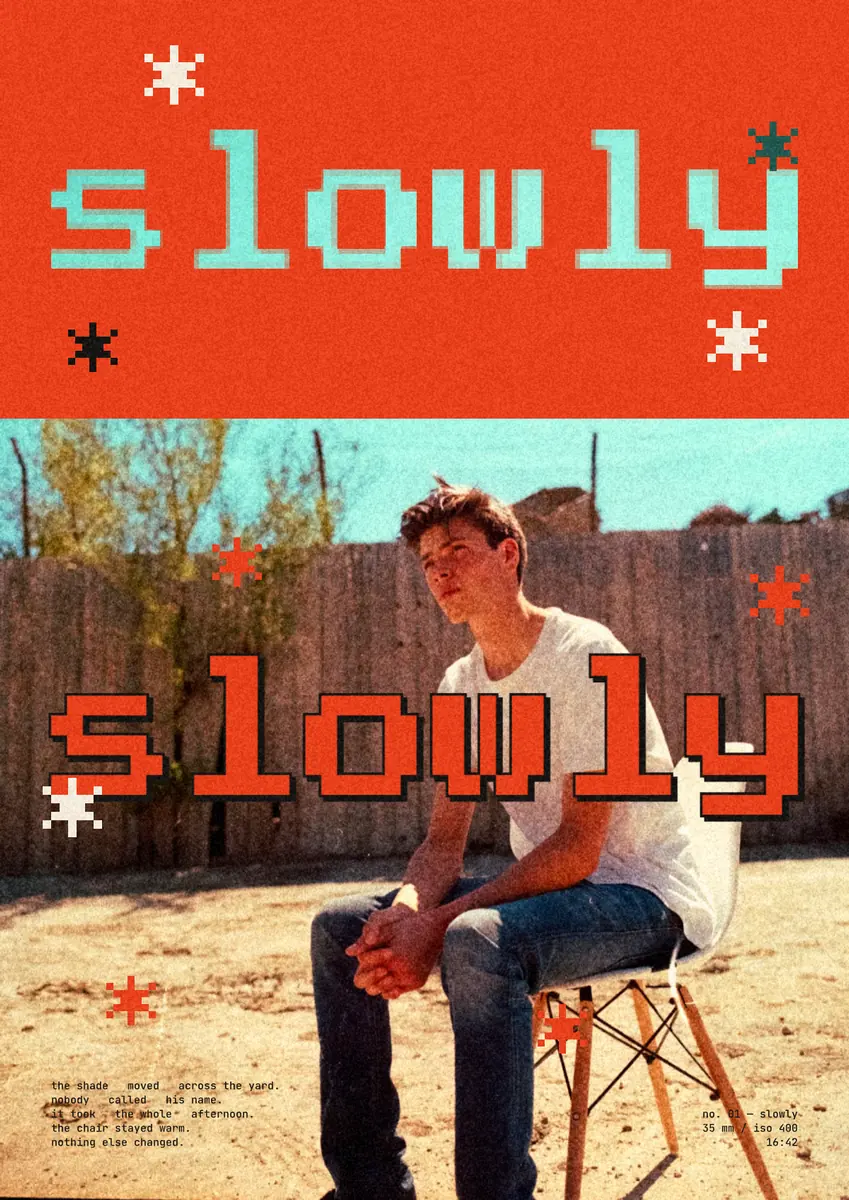
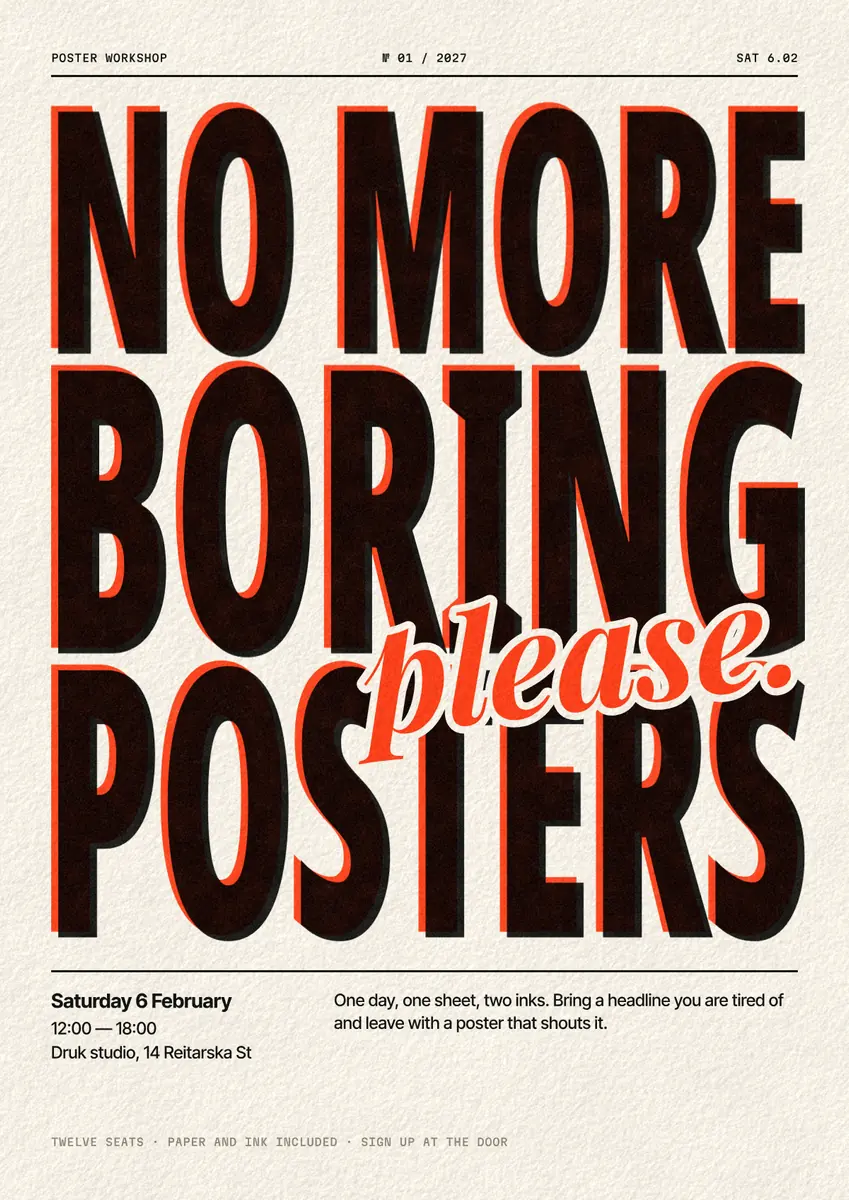
Step by step in Paletoo
Open the cover: press “Open in Paletoo” on this page, or start from the text effects page. It opens as your own 1200 × 1697 document on newsprint: «Loud» across the top in huge black capitals with a photocopied texture, a green halftone «7», four italic cover lines and a price, 180 ₴.
Select «Masthead»: under Typography in the Design tab it is Noto Sans Display, a variable font with Cyrillic, at 516 px. Double-click it and type your own title; the effect redraws on the new letters.
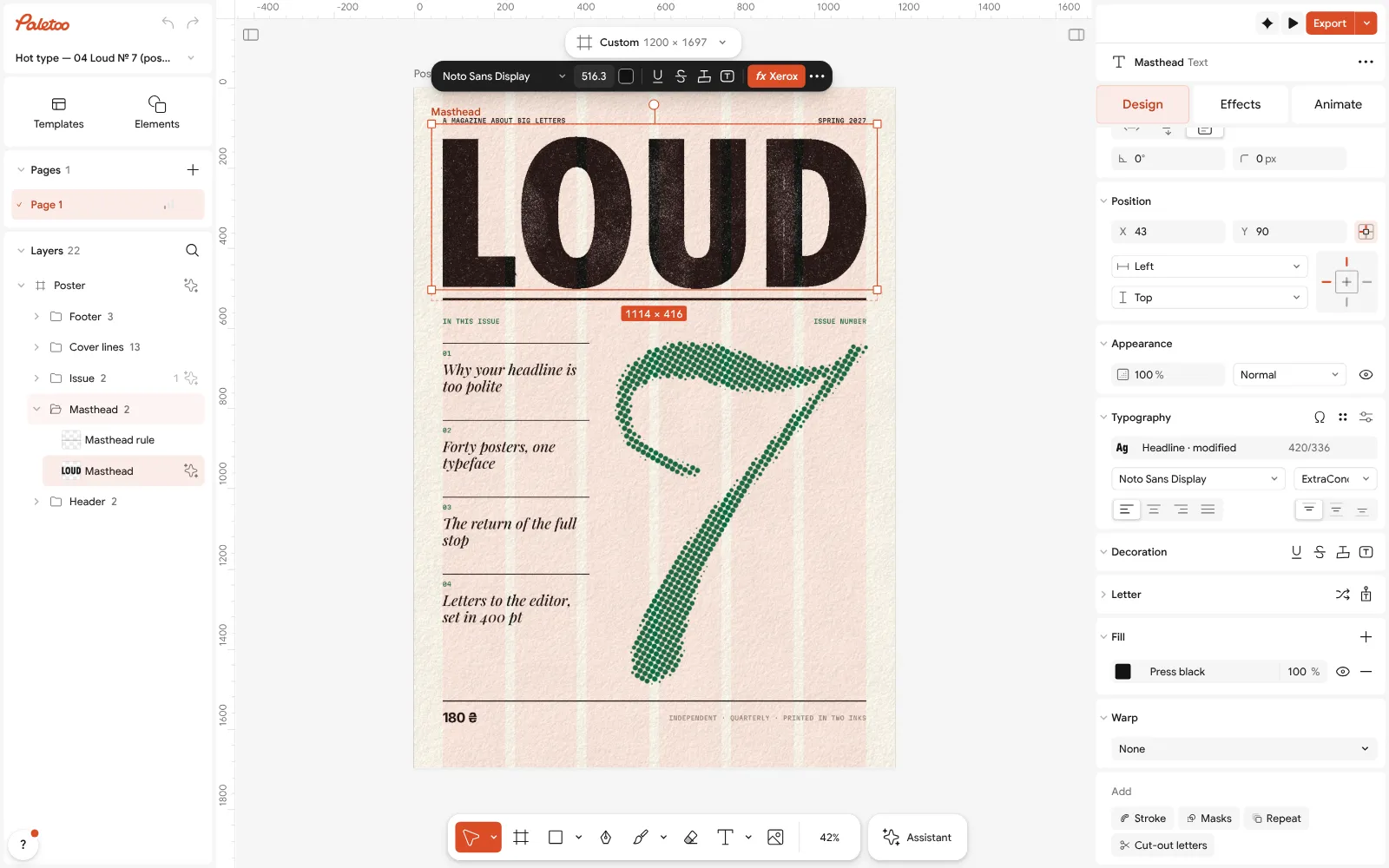
«Loud» open in Paletoo: «Masthead» selected — Noto Sans Display at 516 px under Typography in the Design tab Open the Effects tab: under Applied is one step, Xerox — the photocopy idea from the print table. Open it to see Threshold, Generation (a copy of a copy of a copy here), Specks and Streaks.
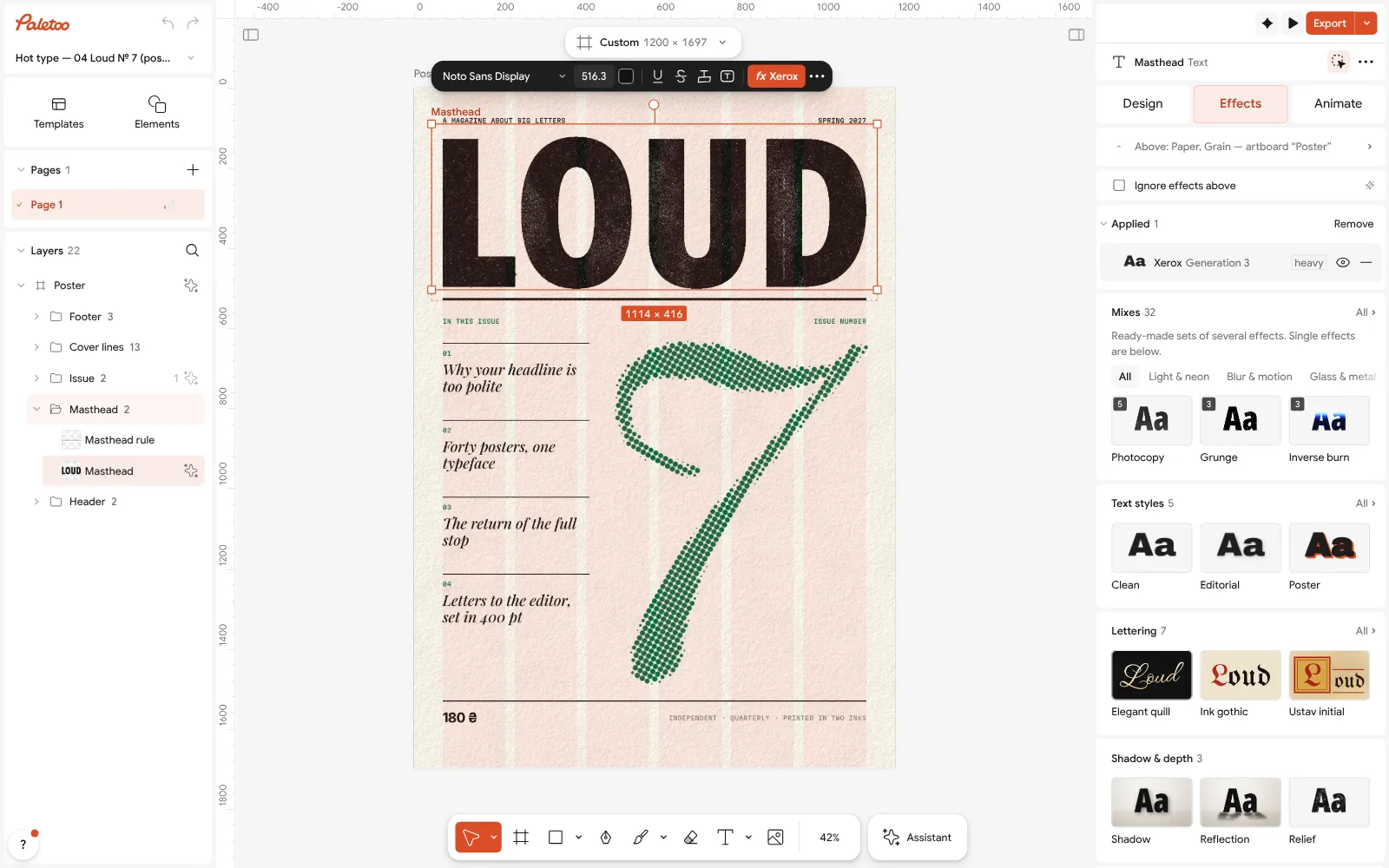
«Masthead» selected: its Xerox step under Applied in the Effects tab To try another idea on the title, press a card under Mixes — Y2K chrome, Gold foil, Halftone pop — or press Add effect and pick 3D block, Glow or Echo. Remove all takes every step off again; each step also has its own switch.
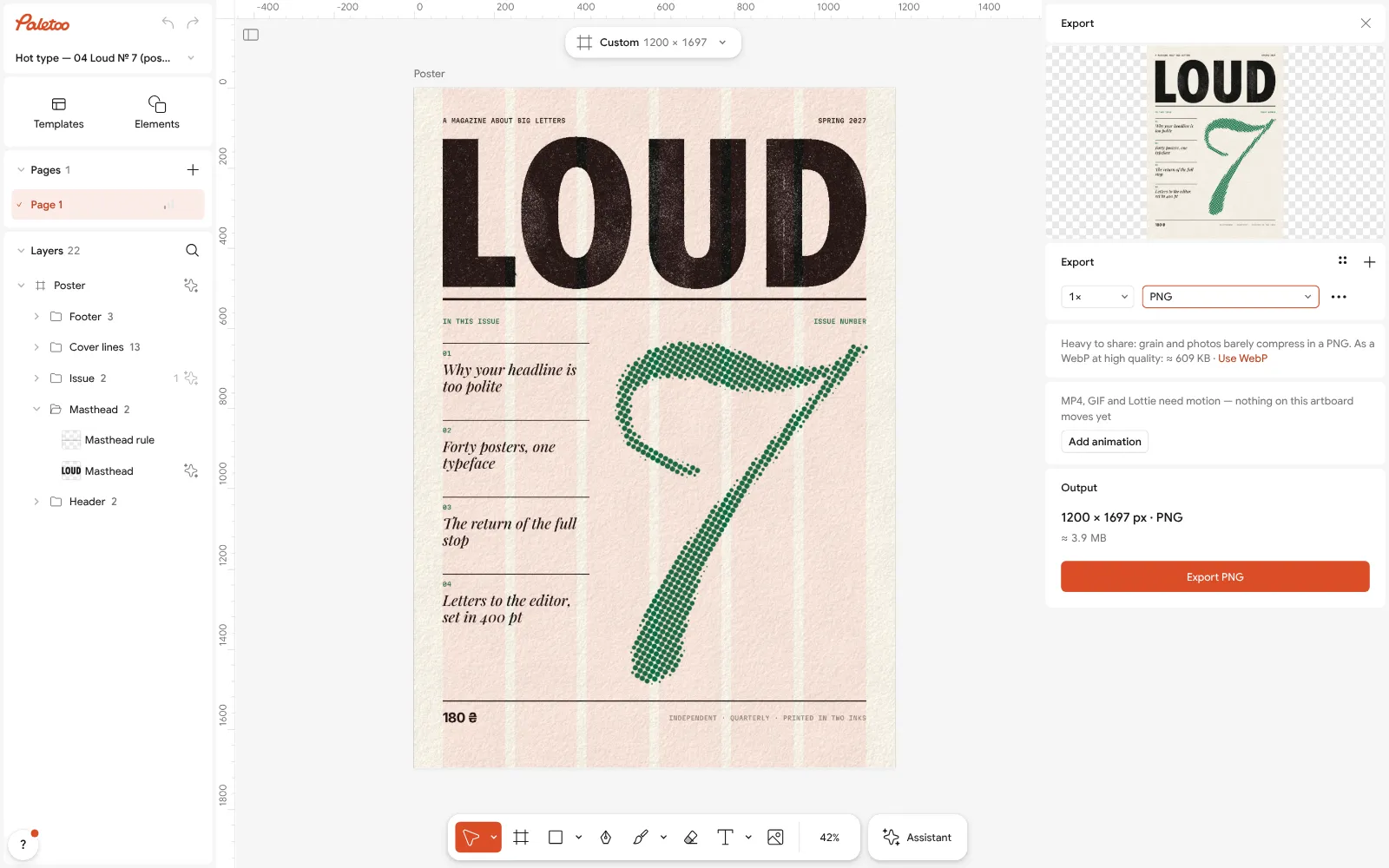
The Export window with PNG chosen Select «Issue number», the «7»: its Halftone step turns the italic numeral into green dots. The cover works because each loud word has one effect — a rough title, a dotted number — while the cover lines stay plain.
Press Export (Ctrl Shift E), choose PNG and export the 1200 × 1697 cover, or a PDF with Include bleed to print it. Nothing carries a watermark.
Make it your own
Push the Xerox Threshold up for a heavier, blacker title and down for a thin, broken one; a higher Generation wears the edges further, like copying a copy again.
For depth instead of texture, try 3D block on the title with a Depth small enough that the counters of «O» and «D» stay open.
An effect can move: open Animate on a step for a post that moves, and export MP4 or GIF. More on two families: 3D text effect and neon text effect; for free downloads and the Photoshop way, Photoshop text effects free.
Sources
Questions
What are some cool text effects?
The ones designers use most in 2026: a 3D block and a long shadow, neon glow, chrome, halftone dots, a photocopy texture, two-ink overprint, glitch, pixel letters, arch warps and hollow outlines. Pick one per design, for the mood you want.
Which text effect is best for an Instagram post?
One that reads at phone size: a 3D block, a hard shadow, a bold outline or neon on a dark ground. Fine textures such as photocopy specks and small halftone dots work better on posters seen large.
What text effects work on a poster?
Print effects — halftone, photocopy, overprint — and big 3D or echo stacks. A poster is seen from a distance, so the effect can be strong as long as the main word stays legible.
How many text effects should I use in one design?
One family, on one or two words. Two loud effects compete, and effects on small text make it hard to read.
Do text effects work in Ukrainian or Polish?
Yes, when the font has the letters: the effect is drawn on the font’s own glyphs. In Paletoo the With Ukrainian filter in the font list shows only fonts with ґ, є, і and ї.
Can I make these text effects for free?
Yes. Every effect in this list is free in Paletoo, stays live on editable text, and exports as PNG, JPG, SVG, PDF, MP4 or GIF with no watermark and no sign-up.
Make it online
Free design templates for posts, stories and posters: Social media post templates
Try it on your own design
Paletoo opens in your browser, with no sign-up. Every effect here is live: change the picture or the words and the effect follows.
Open in PaletooOpens this design as your own copy — every layer and effect editable, free.
Read next
- 03
 Free logo text effects: seven looks that work on a wordmarkSeven text looks for a wordmark, and how to keep them sharp at 32 px.
- 04
 Neon text effect: make glowing neon sign letters freeLetters that look like lit glass tubing — a white-hot core, a coloured halo, a dark wall — on text you can still retype.