Collage and scrapbook design trend 2027: cut-outs, tape and torn paper
Cut-outs, photocopies and masking tape: a handmade look for a feed full of polished pictures.
The collage trend is the look of a page someone actually made: a photo copied down to grey toner, a figure cut out with scissors, a strip of masking tape holding it all down, a word clipped from a magazine. Scrapbook and cut-out layouts have moved from zines and moodboards onto gig posters, album covers and the social feeds of fashion and food brands, and they are one of the design trends heading into 2027.
People reach for it because it reads as human. A layout where every piece looks stuck down by hand feels collected, personal and a little imperfect, which stands out next to smooth stock-style photography and generated images. It also solves a practical problem: a collage lets several photos, notes and words share one page without a strict grid holding them.
This guide covers where the look comes from, how to use it well, what to pair it with and the mistakes that make a collage look messy rather than made. Then it shows the quick way in Paletoo: one mix that copies a photo to grey and tapes it to the page, every step still editable.
Where the collage trend comes from
Cutting and pasting is older than any design software. The Dada artists of the 1910s and 1920s built photomontages from magazine pages, and in the late 1970s punk flyers and record sleeves took the idea to the street: letters clipped from newspapers like a ransom note, photos run through a copier until the greys broke up, everything held down with tape and glue. Zines kept that language alive for decades because it was cheap and fast — a photocopier, scissors and a glue stick were the whole studio.
Today the look comes back for a different reason. Most feeds are full of clean, sharp, perfectly lit pictures, and a scrapbook page is the opposite: visible edges, paper texture, a strip of tape that admits the image is a separate object. You see it on gig posters, album and podcast covers, fashion lookbooks, coffee and food brands, event invitations and behind-the-scenes posts — anywhere a brand wants to look as if people made it.
How to use the collage look well
Start with one hero piece. A collage still needs a hierarchy: one photo or cut-out clearly larger than the rest, a headline set clean, and smaller pieces around them. Give the pieces small turns of two or three degrees, not twenty, and let a few overlap, so the eye reads layers rather than a grid.
Keep the ground calm — an off-white, a kraft brown or one flat colour — and limit the palette to the photo’s greys plus a single accent. Mix kinds of material: a grey photocopy, a cut-out figure in colour, a word on its own scrap, a piece of tape. The contrast between rough pieces and crisp type is what makes the page look designed rather than thrown together.
Pairings and pitfalls
Collage pairs well with ransom-note lettering for a single word, torn paper edges between sections, halftone or risograph colour on a cut-out figure, and a typewriter face or a plain grotesque for the text. A cut-out person in colour standing on a taped grey photocopy is the classic combination: one piece warm, one piece cold.
The common mistakes are clutter and sameness. Too many pieces at the same size turn into noise; tape on every corner of every piece stops meaning anything; every element rotated makes the page look seasick. Dark photos copied to toner can lose the face, so check that the subject still reads. And keep body text on a clean surface — a collage is for the headline and the pictures, not for paragraphs set over torn paper.
Made in Paletoo
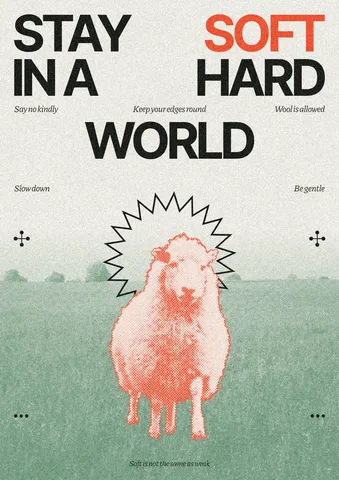
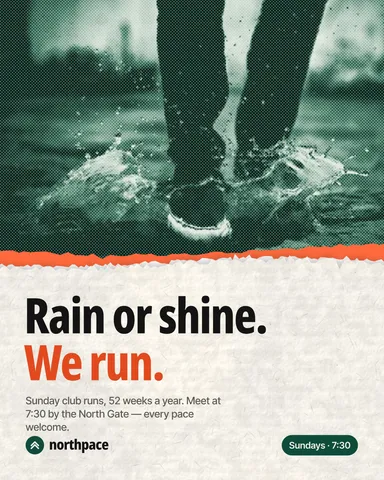
Every picture on this page was made in Paletoo — these three with the same steps on other templates:
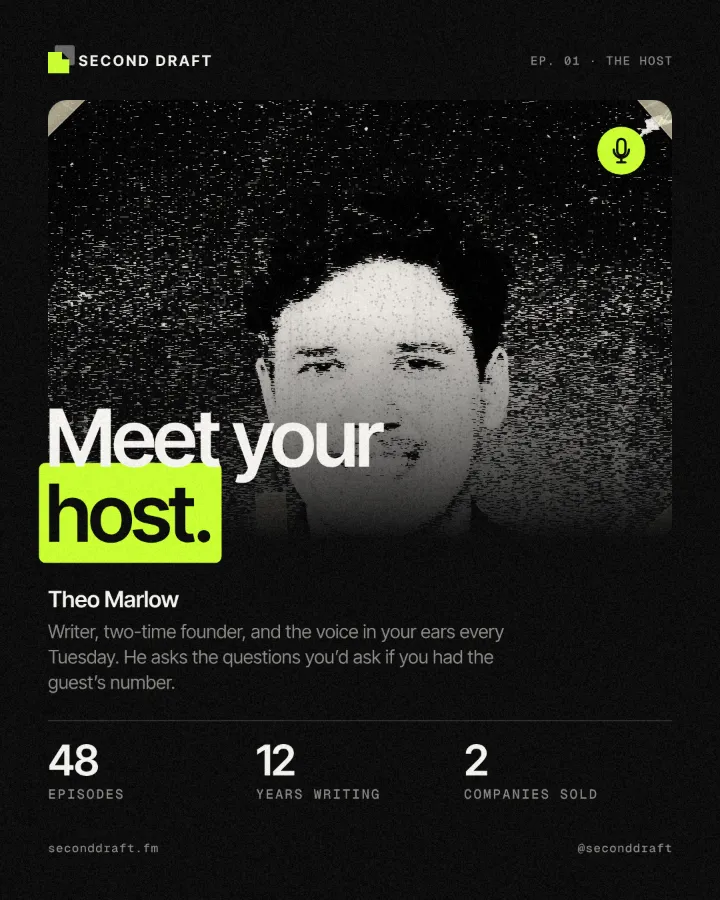
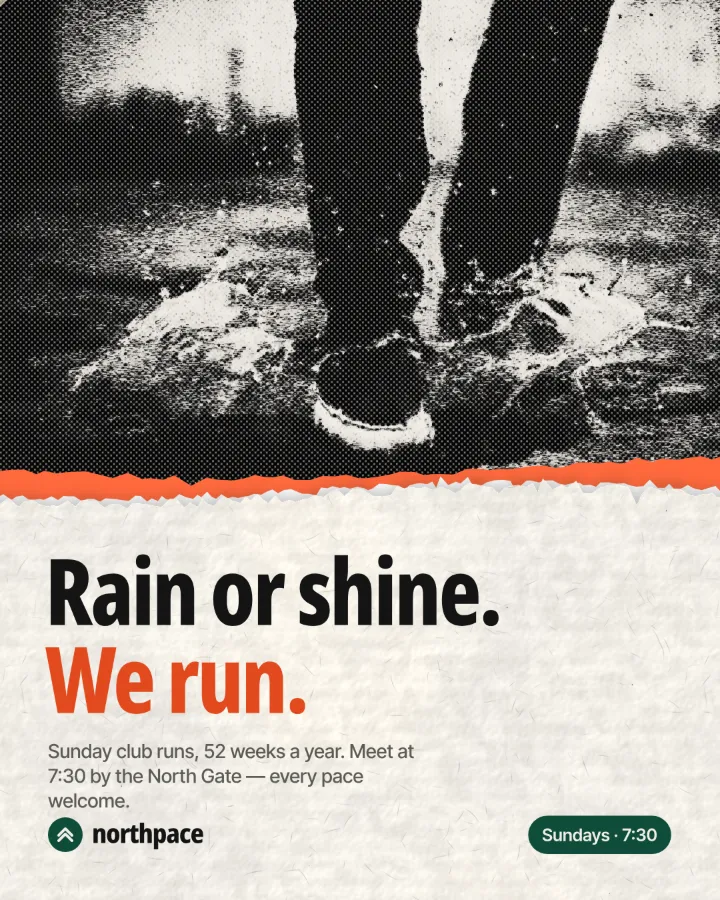
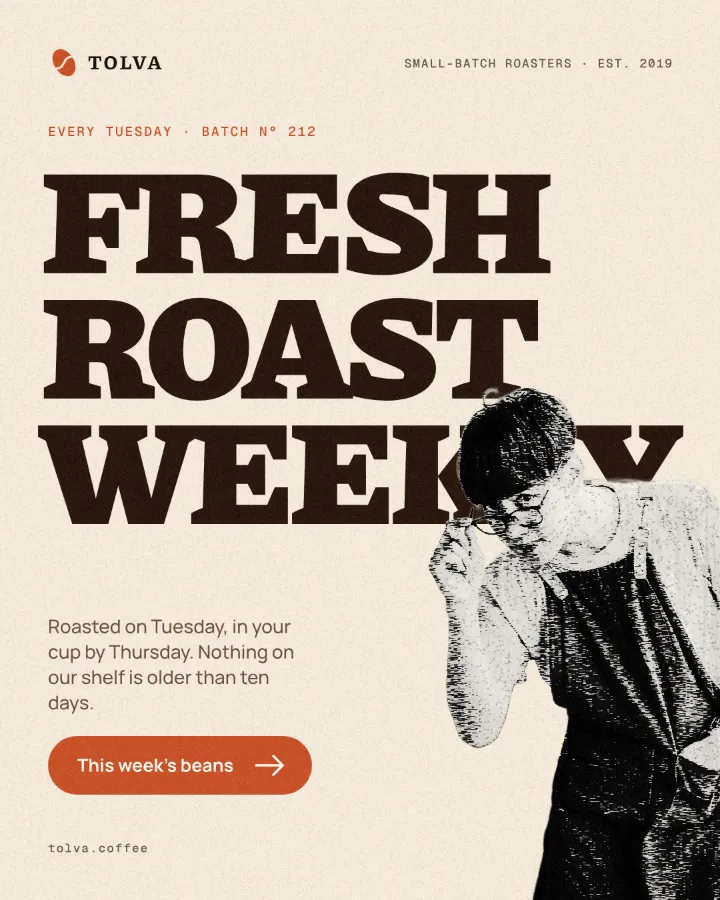
How to make it in Paletoo
Open your design and select the photo that should become a taped copy. A rectangular picture works best, because the tape goes on its corners. Here it is the green landscape under the sheep on a soft poster that reads “Stay soft in a hard world”.
Open the Effects tab in the right panel and look under Mixes. If Tape collage is not in the first row, press All.
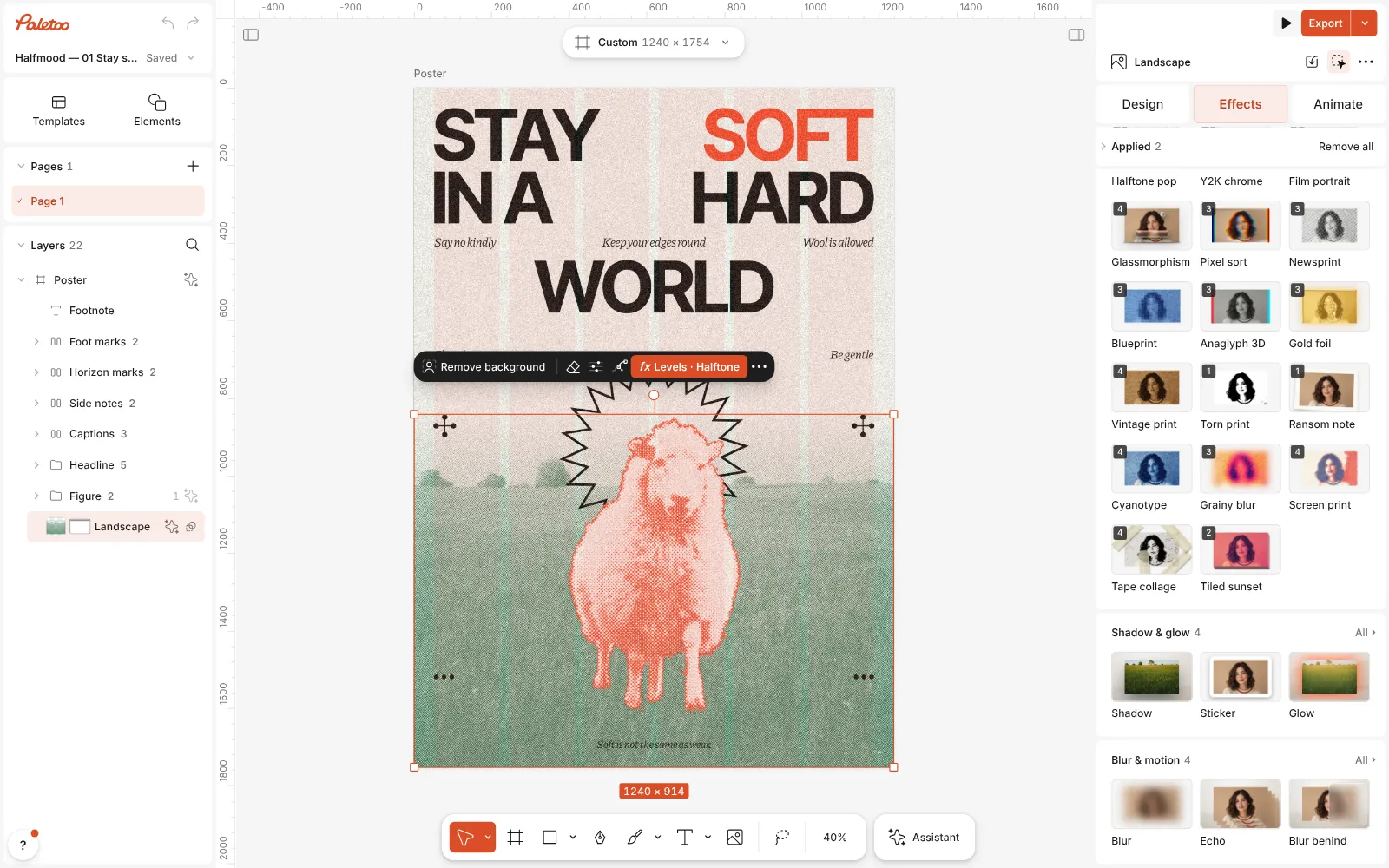
The soft poster open in Paletoo, the landscape photo selected and the Mixes open in the Effects tab, the Tape collage card in view Press Tape collage. Four steps go on under Applied: Basic turns the photo grey and adds contrast, Torn edges with its Photocopy preset cuts it into toner and paper at 75 %, a Texture from the Grunge kit adds copier noise, and Tape sticks strips of masking tape across the corners — four of them on a photo.
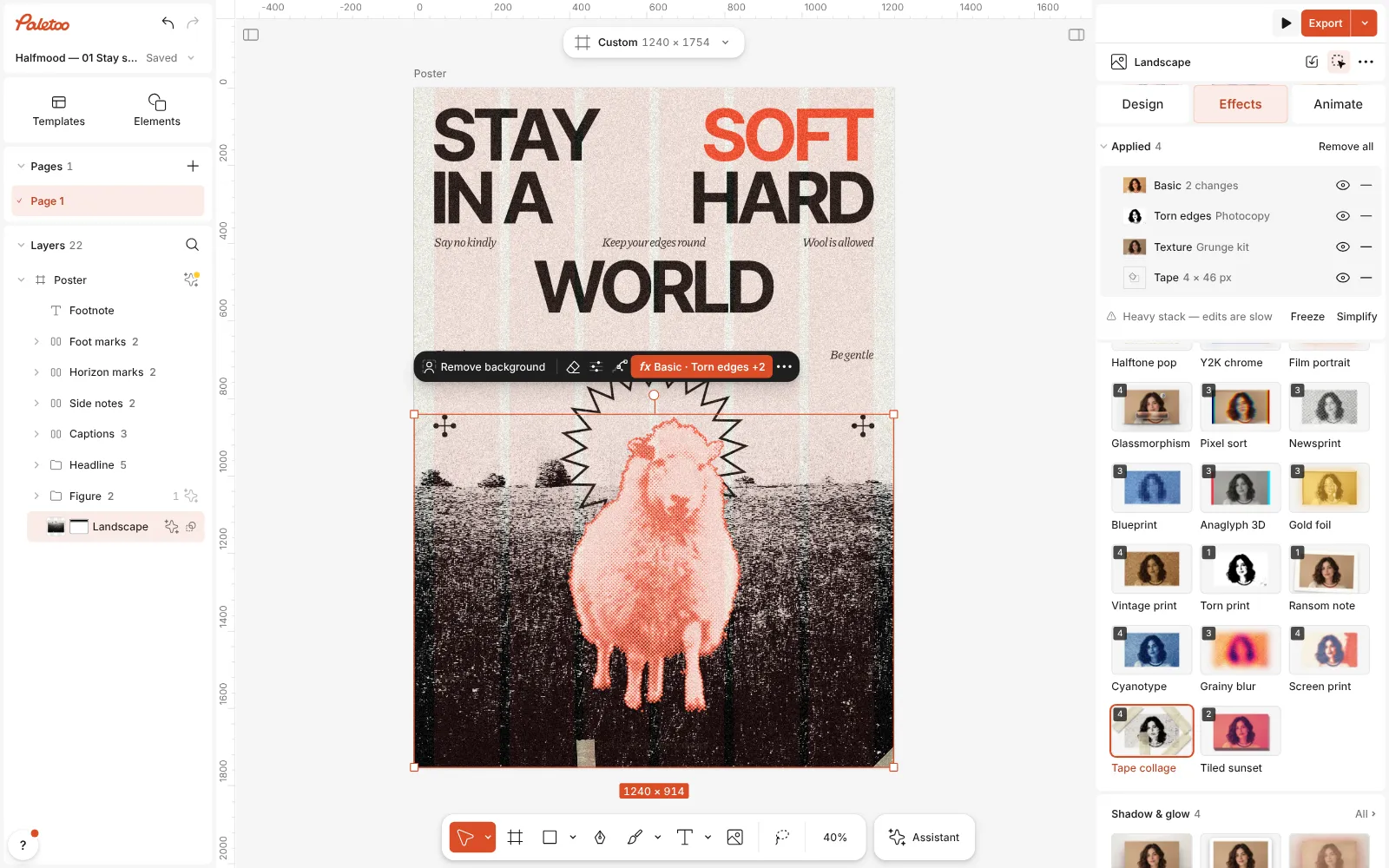
Tape collage pressed: Basic, Torn edges, Texture and Tape under Applied, the landscape a grey photocopy taped at its corners Click the Tape row to open it. Its presets are at the top — Masking, cream paper tape, and Scotch, clear tape with a cool sheen — and under them Strips (1 to 4), Width (8 to 120 px), Opacity and Shadow.
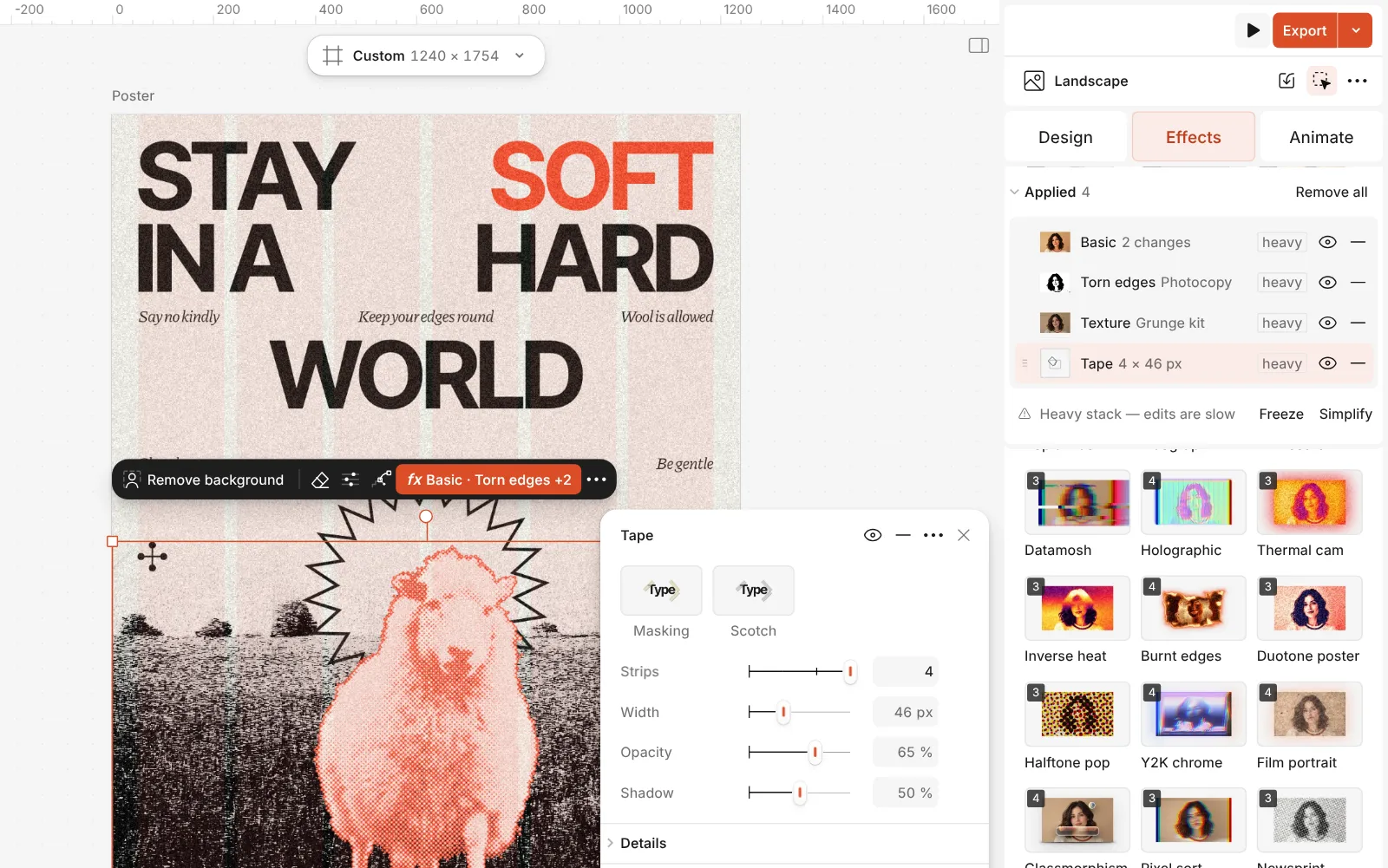
The Tape step open: the Masking and Scotch presets and its Strips, Width, Opacity and Shadow controls Open Details for the rest: Colour for the tape itself, Wrinkles and Sheen for its creases and shine, Inset to pull the strips in from the corners, and Seed to tilt them a different way.
For a cut-out figure to lay over the copy, select a photo of a person or an object and press Remove background in the Design tab. It runs on your device and costs no credits.
Press Export. Every step stays live: replace the photo and the new one is copied and taped in the same way.
The one-click mix
Its steps: Basic · 2 changes Torn edges · Photocopy Texture · Grunge kit Tape · 4 × 46 px
Open this mix in PaletooMake it your own
Start with the copy. Open Torn edges and move Image balance: lower gives a light, overexposed copy where only the darkest shadows print, higher a dense, dark one. The step sits at 75 % in the mix, so some of the grey photo shows through the toner; raise its Amount for a harder copy. If the photo should stay in colour, open Basic and bring Saturation back up.
Then the tape. Width is measured in document pixels, so match it to the picture: around 30–50 px on a post-sized photo, wider on a full poster. Fewer Strips often look more honest — two opposite corners hold a picture just as well as four. Lower Opacity for thin, see-through tape, raise Shadow to lift it off a light page, and press Scotch when the layout is cool and clean rather than warm and papery.
The tape is not only for photos: on a word or a shape the strips hold that down instead, and on a shape they sit a little inside its corners. Switch the other steps off with their eye if you only want the tape. When a page has several taped pieces, give each a different Seed so the strips do not all tilt the same way — identical tape is what gives a fake collage away.
Templates with this look
Questions
Why is the collage look so popular right now?
Because it looks made by hand. Next to polished photos and generated images, visible paper edges, copier grain and tape read as human and personal, which is why musicians, brands and event organisers keep coming back to it.
Can I keep the photo in colour?
Yes. Open the Basic step and bring Saturation back up, or switch the step off with its eye; the toner cut and the tape stay.
How do I cut a person out for a collage?
Select the photo and press Remove background in the Design tab. It runs in your browser, uploads nothing and costs no credits; the background is hidden with a mask, so you can bring it back.
Can I put tape on text or a shape?
Yes. The Tape step works on words, shapes and pictures. Press Tape collage on a heading and switch off the steps you do not want, so only the strips stay.
How is this different from the Ransom note mix?
Ransom note puts every letter of a word on its own scrap of paper, turned and nudged. Tape collage works on a whole picture. They pair well: a ransom-note headline over a taped photo.
Is it free?
Yes. Effects, templates and export cost nothing and carry no watermark. Credits are only for AI image generation and materials.
Make it online
- Photo effects onlineGive a photo a film, print or glitch look in one click — and keep every step editable afterwards.
- Poster makerMake a poster from a template that already has the layout right, then export a print-ready PDF or an image for screens.
- Remove background onlineCut the subject out of any photo in one click — on your own device, with no upload and no credits.
Free design templates: Poster templates · Team and speaker templates
Read next
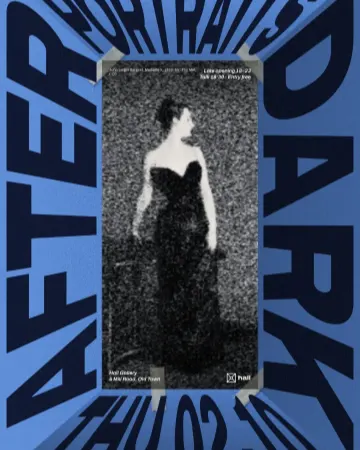
How to make a photocopy collage with tape
A grey photocopy, held to the page with strips of masking tape.
How to make newspaper cutout letters (ransom note text)
Every letter on its own scrap of paper, turned and nudged.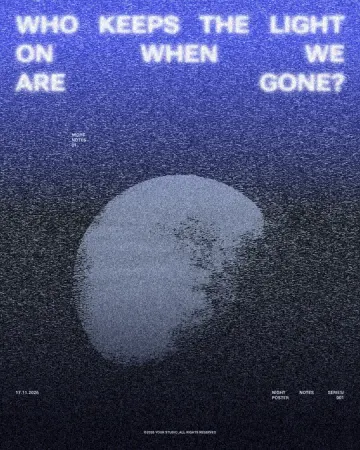
How to make a photocopy effect in Photoshop — and in one minute
Toner blacks, copier grit, grey paper and a torn edge — then the same copy as one live mix.
Try it on your own design
Paletoo opens in your browser, with no sign-up. Every effect here is live: change the picture or the words and the effect follows.
Open in Paletoo