Free tools6 min readFreeUpdated 2026-11-06
How to turn a logo into a vector — free, no Illustrator
From a blurry PNG to a logo you can print on a van — in a minute, in the browser, for free.

To turn a logo into a vector for free, open the PNG or JPG in Paletoo, select it and press Vectorize. The window opens on Clean, the look made for logos: it draws true circles, straight edges, crisp star points and smooth curves, the way a designer would redraw the mark, usually with a few dozen anchor points. Press Vectorize again, then export SVG or PDF. It runs in your browser, nothing is uploaded, and there is no sign-up.
This guide shows what that looks like on a real logo, what to do before you trace, how to check the result, and when a logo needs redrawing by hand instead. Every picture on the page is a render from Paletoo itself — the original on the left, what the tracer made of it on the right.
Why you need the vector version of a logo
Most logos live as a PNG someone exported years ago: 500 pixels wide, a little soft, sometimes a JPEG with grey fuzz around every edge. That is fine on a website header and useless everywhere else. A sign maker, an embroidery shop, a vinyl cutter, a printer doing a banner and a T-shirt printer all ask the same thing: “do you have it in vector?”
A vector logo (SVG, PDF, EPS, AI) is a set of shapes described by numbers, so it is sharp at the size of a stamp and at the size of a building, and every colour can be changed in one click. If the person who drew the logo is gone and only the PNG is left, tracing is how you get the vector back.
Point by point, or the way a designer draws
Most free converters trace a picture point by point: they walk the edge of every coloured area, pixel by pixel, and fit curves to that staircase. The method, Potrace’s, is clever and old, and it works — but it follows the pixels, not the idea. A circle comes out as a ring of many small curves, a straight edge wobbles, the anti-aliased rim around each shape becomes a thin extra colour, and a JPEG’s fuzz becomes specks.
On our benchmark logo — an orange disc, a yellow star, a navy dot and two bars — the point-by-point trace makes 154 anchor points. Clean makes 26, because it recognises that the disc is a circle, the star is a star and the bars are rectangles, and draws them as such. The file goes from about 5.4 KB to 0.6 KB. Edit the logo later and the difference is obvious: 26 points you can grab, not 154 you have to tidy.
Before you trace: three minutes that matter
Use the biggest version you can find. Look in old emails, the website’s source, a PDF brochure, the social profile picture: a 1000-pixel logo traces far better than a 200-pixel one. If all you have is tiny, Paletoo traces small pictures at double resolution so edges fall where the anti-aliasing puts them, but there is no detail to recover that the pixels never had.
Crop to the logo. A screenshot with a bit of the browser around it makes the tracer find colours that are not the logo’s. And if the logo sits on a photo or a busy background, cut it out first: Remove background in the same panel does it in a few seconds, on your device.
How to check the vector before you send it
Zoom to 400 % and look at three places: a curve, a corner and the thinnest line. Curves should be smooth with no flats, corners sharp, thin lines unbroken. Then count the colours: Selection colours lists every fill of the result, and a three-colour logo should show three, not seven. If there is a stray near-white or a light rim colour, delete it or turn on Remove background and trace again.
Finally, export SVG and open the file once in your browser. If it shows the logo crisp at any zoom, it is a vector. Send SVG to websites, cutters and other vector editors, and PDF to printers.
When to redraw instead
Tracing recovers shapes; it does not invent lettering. If the logo’s wordmark is small text — a slogan at 12 pixels high — no tracer can read the letters back. Find the typeface (a font identifier will usually name it), type the words in Paletoo and convert the text to outlines, then trace only the symbol. The same goes for a logo that was blurry to begin with: trace it to get the shapes in place, then correct the few that came out wrong with the pen and point editing.
Made in Paletoo
Every picture on this page was made in Paletoo — these three with the same steps on other templates:


Make it free in Paletoo
Press “Open in Paletoo”: a square document opens with the benchmark logo already in it — or press Open file… to start from your own PNG or JPG. Click the logo to select it.
On the Design tab, the last row of the AI block is Vectorize. Press it. The window opens beside the panel with the look the picture wants already chosen, marked with a small spark: for a logo, Clean.
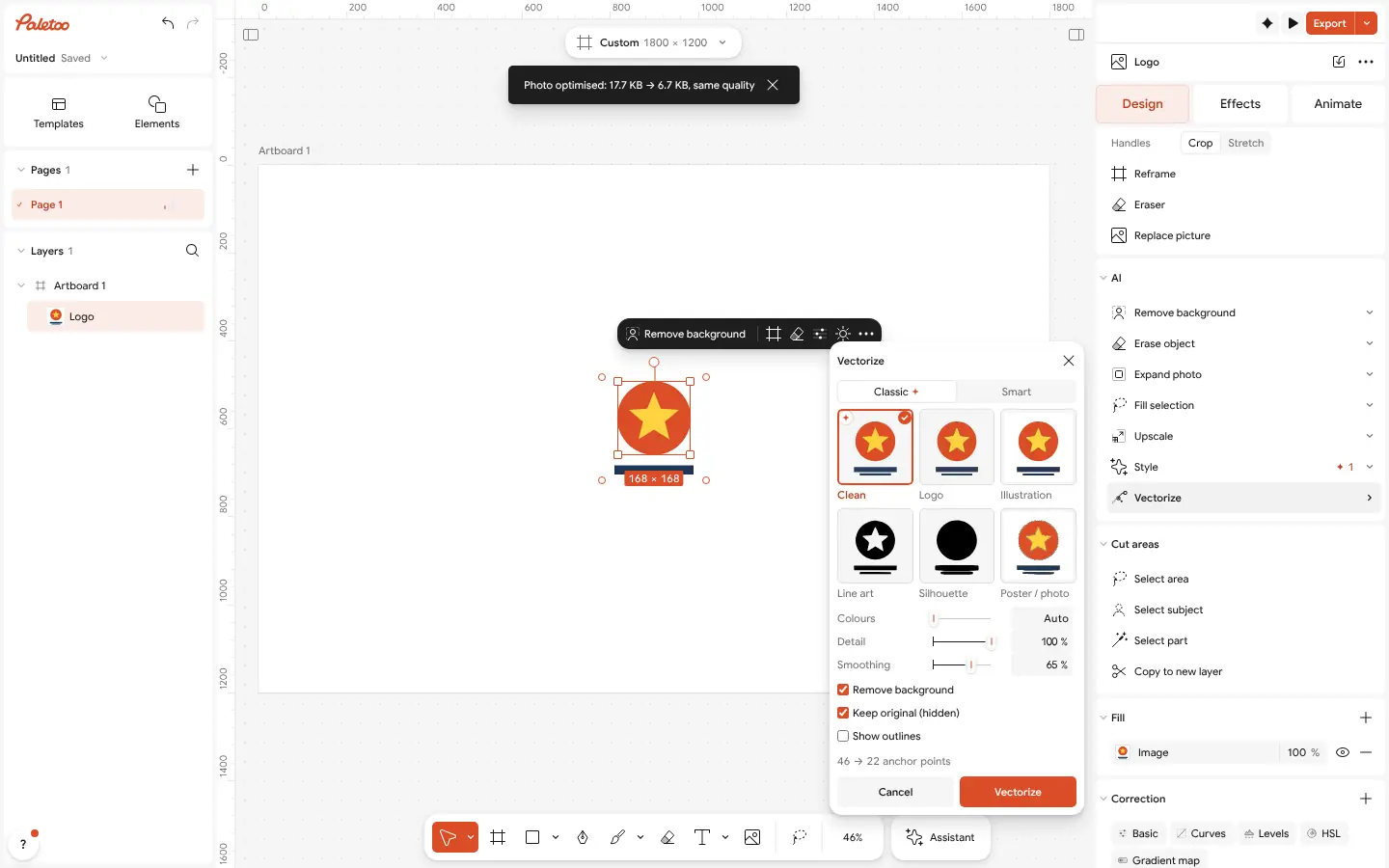
The Vectorize window open on a flat logo: Clean chosen and marked with the spark, the logo selected on the canvas, Vectorize in the panel’s AI block Leave Remove background on, so the white paper is not traced as a colour, and Keep original (hidden) on, so the PNG stays under the vector in case you want to trace again. The line under the controls says what Clean saved, for example 93 → 30 anchor points.
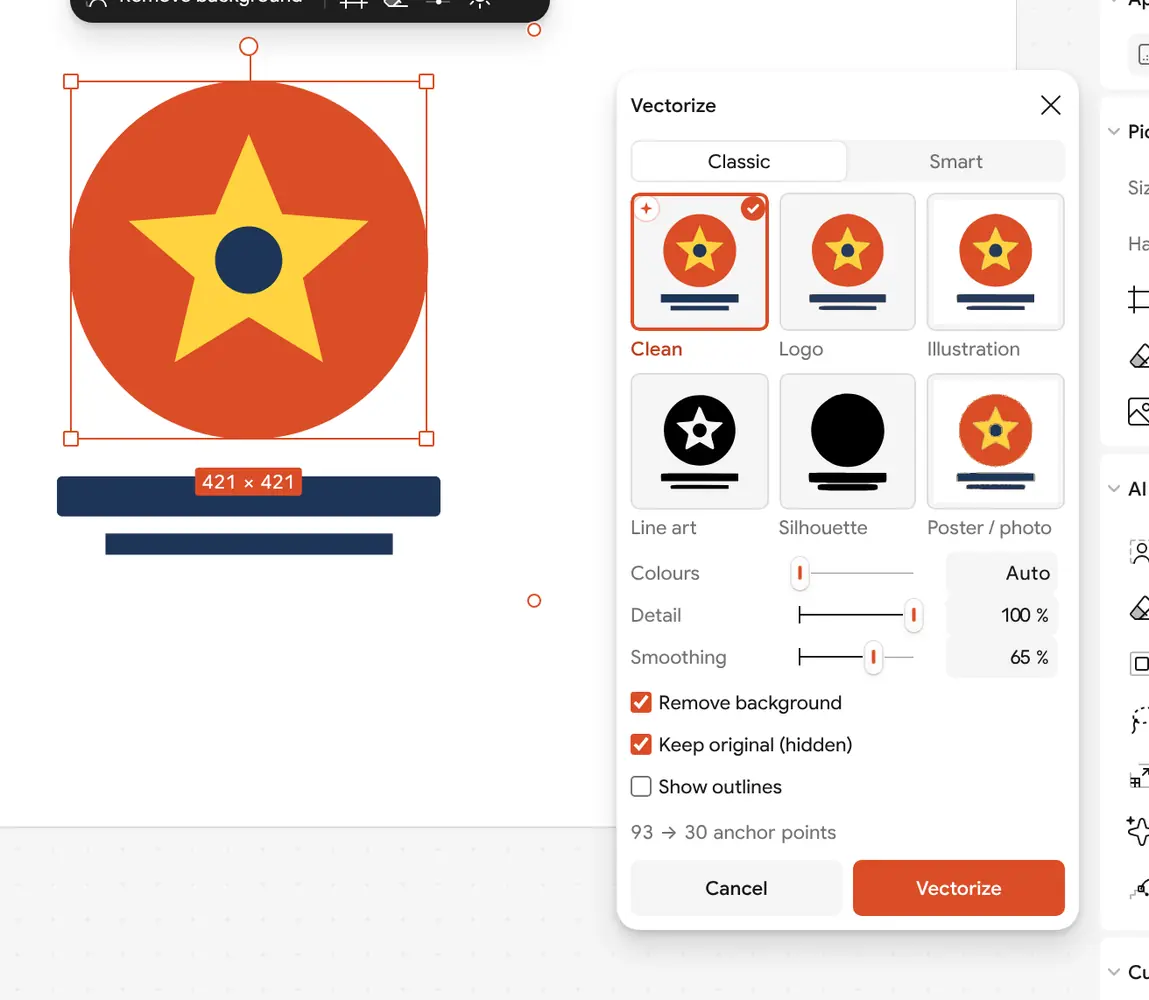
Clean on the logo, close up: the window says 93 → 30 anchor points, with Remove background and Keep original on Turn on Show outlines to see the preview as paths with their anchor points. A circle should have four or so, a star its ten corners. If a shape looks lumpy, raise Smoothing; if two close colours merged, set Colours to the number the logo really has.
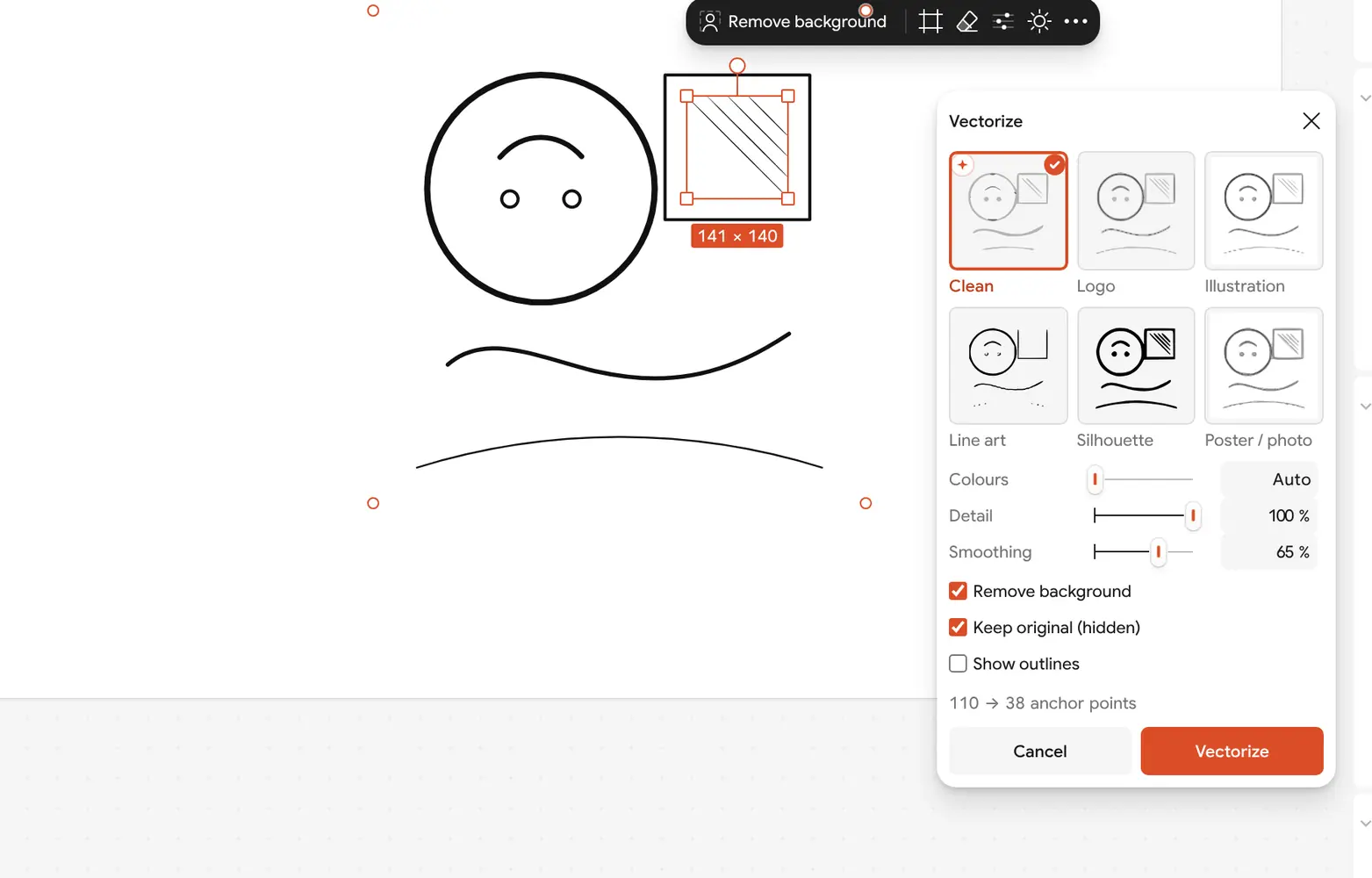
Line art traced with Clean: the drawing’s lines become strokes, 110 → 38 anchor points Press Vectorize. The logo becomes a group, “Logo · vector”, one shape per colour, stacked so no hairline shows between them. Recolour it from Selection colours, or double-click a shape to move its points.
Press Export and choose SVG for the web, a cutter or another editor, or PDF for print. The file holds real vector shapes, not a picture inside a vector wrapper.
Make it your own
If the logo has a thin outline that breaks, raise Detail to 100 % and trace again; if it is a JPEG with fuzz, lower it a little so the fuzz is averaged away.
For a one-colour logo for a stamp, a stencil or a laser, choose Line art or set Colours to 1: one shape, one ink.
A logo with a soft shadow or a glossy highlight is not flat art: switch the window to Smart, which keeps the shading as a few soft shapes and real gradients instead of bands.
Questions
How do I convert a logo to a vector for free?
Open the PNG or JPG in Paletoo, select it, press Vectorize, keep the Clean look and press Vectorize again, then export SVG or PDF. It is free, runs in your browser and needs no account.
Is it really a vector, or a picture inside an SVG?
A real vector. Every colour becomes its own shape made of curves and anchor points, which you can edit point by point, recolour and scale without any loss.
Is my logo uploaded anywhere?
No. The trace runs in your browser on your own device; the picture is not sent to a server, so a client’s logo stays private.
Do I need Illustrator or Inkscape?
No. Paletoo opens in the browser, traces the logo, lets you fix points with its pen and point editing, and exports SVG and PDF. Illustrator and Inkscape can open the file afterwards if your printer uses them.
Why does my traced logo have so many points?
It was traced point by point. Use the Clean look, which draws circles, rectangles, stars and smooth curves as such, and start from the largest, sharpest copy of the logo you have.
Which format should I send to a printer?
PDF for print shops, SVG for websites, sign makers and cutting machines. Both keep the shapes as vectors; ask the printer if they need a particular one.
Make it online
- Image to vector converterTurn a PNG or JPG logo, icon or drawing into a clean SVG in about 30 seconds — free, no sign-up, and your picture never leaves your browser.
- Logo makerType your brand name, pick a logo, and it opens with your name set. Export SVG, PDF or PNG — free, no watermark, no sign-up.
Free design templates: Brand guidelines templates
Try it on your own design
Paletoo opens in your browser, with no sign-up. Every effect here is live: change the picture or the words and the effect follows.
Open in PaletooRead next
- 01
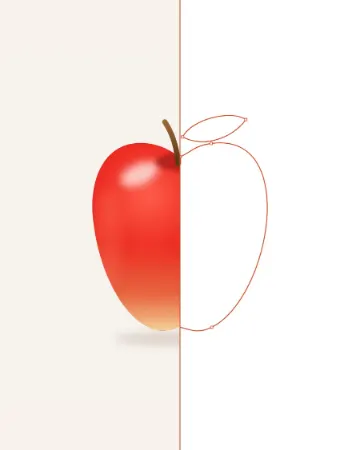 PNG to SVG: why most converters make 2,000 points and how to get 20The same apple, traced two ways: 2,840 anchor points, or 14 and a few soft shapes.
- 02
 Vectorize an image for free: raster to vector onlineTurn pixels into shapes you can scale, recolour and cut — and know when not to.
- 03
 Free Illustrator alternatives: which one for which jobFive free vector tools, sorted by the work you actually do, with the catch of each.