Free tools6 min readFreeUpdated 2026-11-16
How to make WhatsApp stickers from photos, on iPhone or Android
The file rules, the two ways a sticker gets into WhatsApp, and a cut-out with a white border — or without one — made free in the browser.
By the Paletoo team · steps tested in Paletoo on
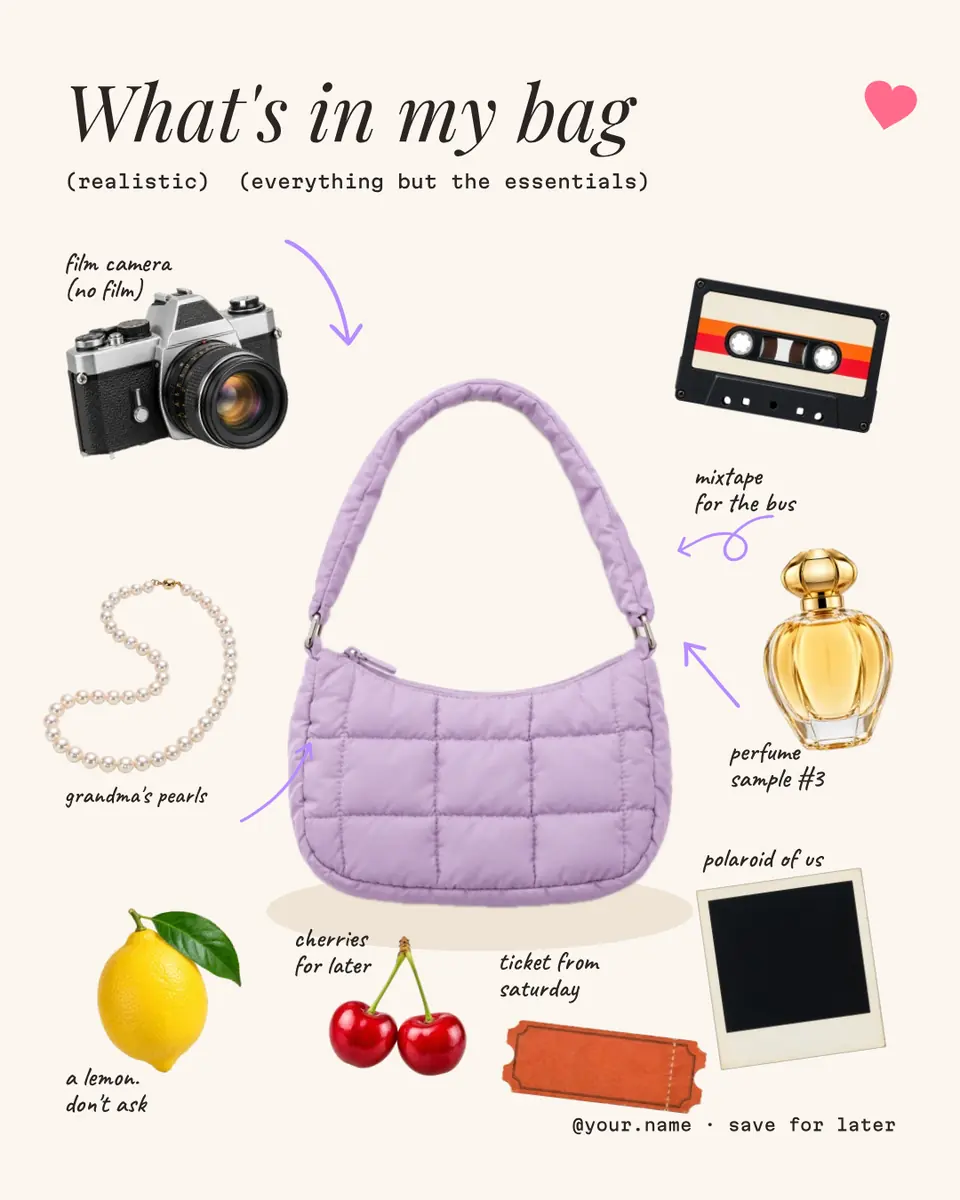
To make WhatsApp stickers from photos, cut each subject out onto a transparent background, add a white border if you want the classic look, and get them into WhatsApp either one by one through its own sticker maker or as a pack through a sticker app. A pack is 3 to 30 stickers, each a 512 × 512 WebP under 100 KB, plus a 96 × 96 PNG tray icon; Paletoo’s sticker maker makes exactly that ZIP from your photos, free and with nothing uploaded.
This guide sets out WhatsApp’s file rules, the two ways in, the white border and when to drop it, then makes a single sticker in the editor from «What’s in my bag» — a cream 4:5 post with a lilac bag and cut-out things around it, each with a hand-written note: a film camera, a mixtape, pearls, a lemon and the cherries, which become the sticker. Every step was run in Paletoo on 12 November 2026.
WhatsApp sticker requirements
These are the rules from WhatsApp’s own sticker guidelines, the ones every sticker app follows. You rarely meet them directly — an app or WhatsApp’s own maker resizes and converts what you give it — but they matter when you build a pack yourself:
| Part | Format | Size | Limit |
|---|---|---|---|
| Sticker | WebP, transparent background | 512 × 512 px exactly | Up to 100 KB each |
| Tray icon | PNG | 96 × 96 px | Up to 50 KB |
| Pack | — | 3 to 30 stickers | One tray icon, a name and an author |
| Animated sticker | Animated WebP | 512 × 512 px | Up to 500 KB |
Two ways into WhatsApp
One sticker at a time: WhatsApp’s own sticker maker. Where your WhatsApp has it — at the time of writing, WhatsApp Web and iPhones on iOS 17 or later — open the sticker tray, choose to create a sticker and pick an image; it cuts the subject out and lets you add text and drawings before you send it. It is quick for one and slow for a set.
A whole pack: a sticker app. WhatsApp cannot import a pack from a website; it takes an app that hands the pack over. Paletoo’s sticker maker cuts up to 30 photos out on your device, adds a white rim and a caption to each, and its «WhatsApp» button downloads a ZIP with the WebP stickers, the tray icon and the files free apps read. Its own how-to names «Sticker Maker» on iPhone and «Personal stickers for WhatsApp» on Android: open the ZIP in the app (on iPhone, unzip it in Files first) and tap «Add to WhatsApp».
White border or no border
The white border is a die-cut edge borrowed from paper stickers, and it does real work: it separates the subject from a dark or busy chat wallpaper and hides a slightly rough cut. In the sticker maker it is «White rim», on by default and switchable for each sticker under «Edit sticker»; in the editor it is the Sticker effect, a 14-pixel white line along the cut with a soft shadow.
Without it, a sticker needs a very clean cut-out and a subject that stands out on its own — fine for bold illustrations and lettering, risky for hair and fur on a dark wallpaper. If a border appears that you did not add, it came from the app: sticker apps and WhatsApp’s own maker can add an outline of their own, so switch it off there.
Text, size and what reads in a chat
WhatsApp shows every sticker at the same size, so the only way to make one look bigger is to fill the square: crop tight, with little empty space around the subject. A caption should be two or three words in a heavy face; a word under about 40 pixels high at 512 is hard to read in a chat. Test on a dark wallpaper as well as a light one, and keep a pack consistent — the same border, the same caption style — so people find the sticker they want.
Made in Paletoo
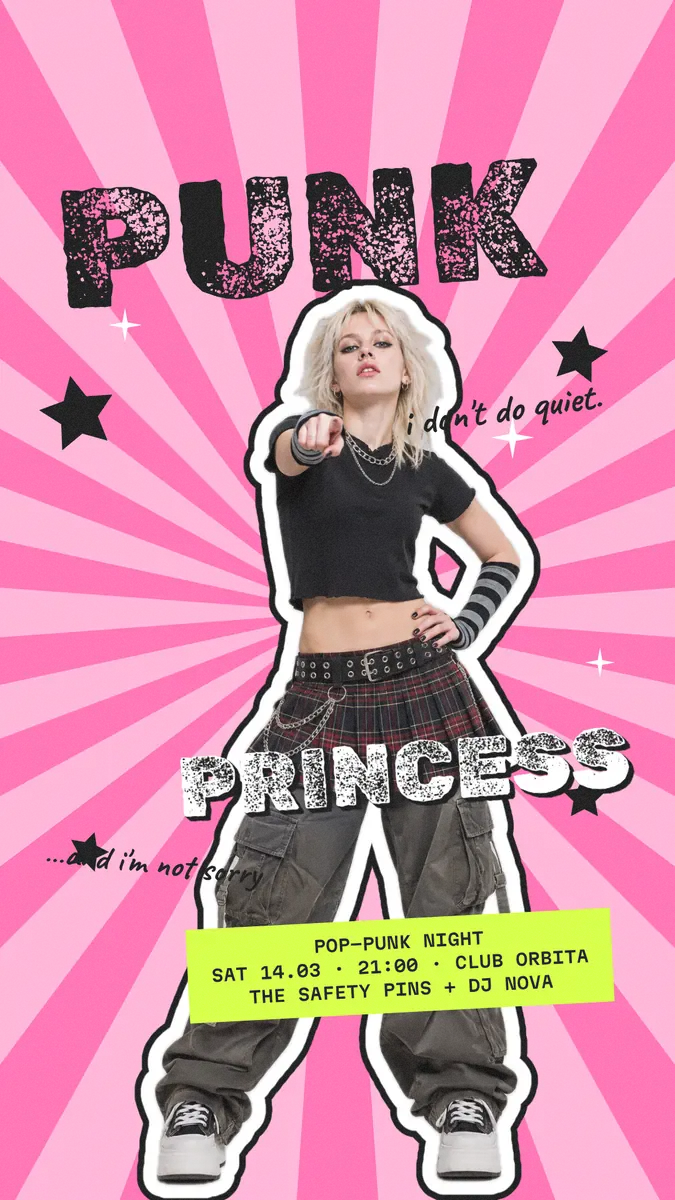
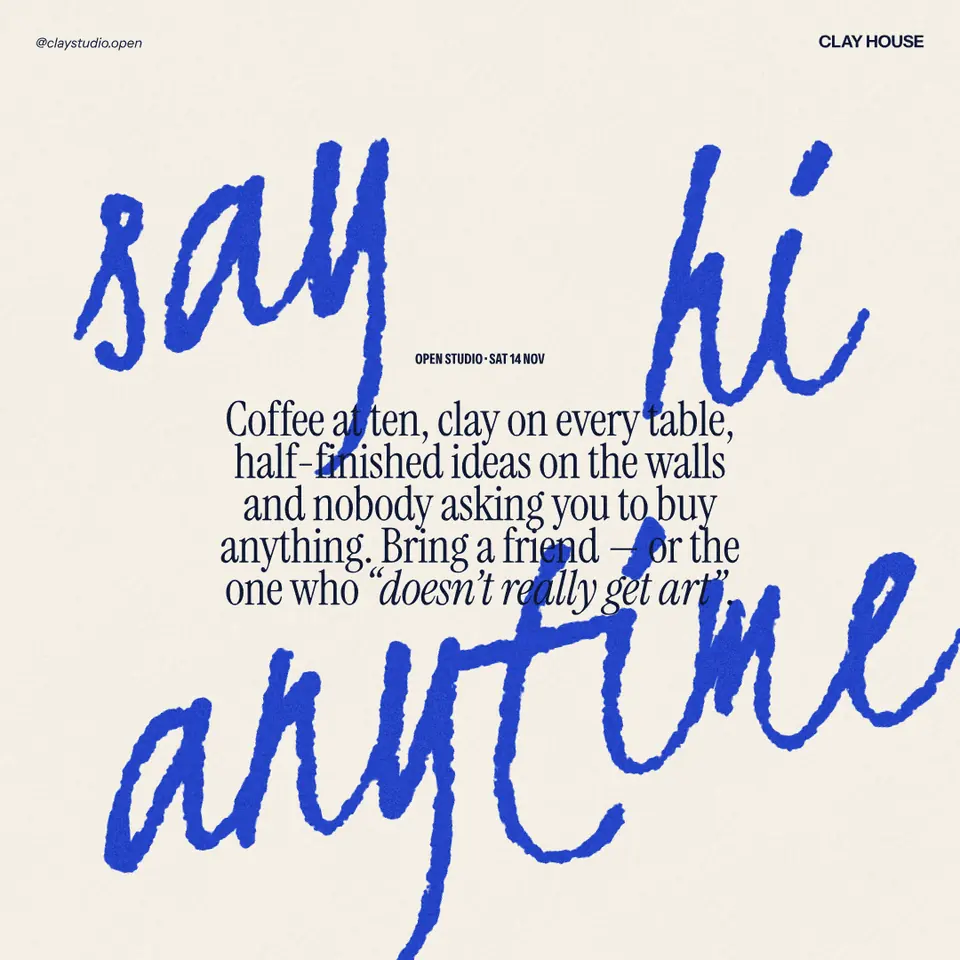
Every picture on this page was made in Paletoo — these three with the same steps on other templates:

Make it free in Paletoo
Open the post: press “Open in Paletoo” on this page, or start from the sticker maker for a whole pack. It opens as your own 1080 × 1350 document: «What’s in my bag» in Playfair Display over a lilac bag, with cut-out things around it — camera, cassette, pearls, perfume, lemon, cherries, polaroid, ticket — each with a note in Caveat.
Click the cherries: they are a cut-out photo already, on a transparent background. For your own photo, drop it on the canvas, select it and press Remove background; it is cut out on your device and nothing is uploaded.
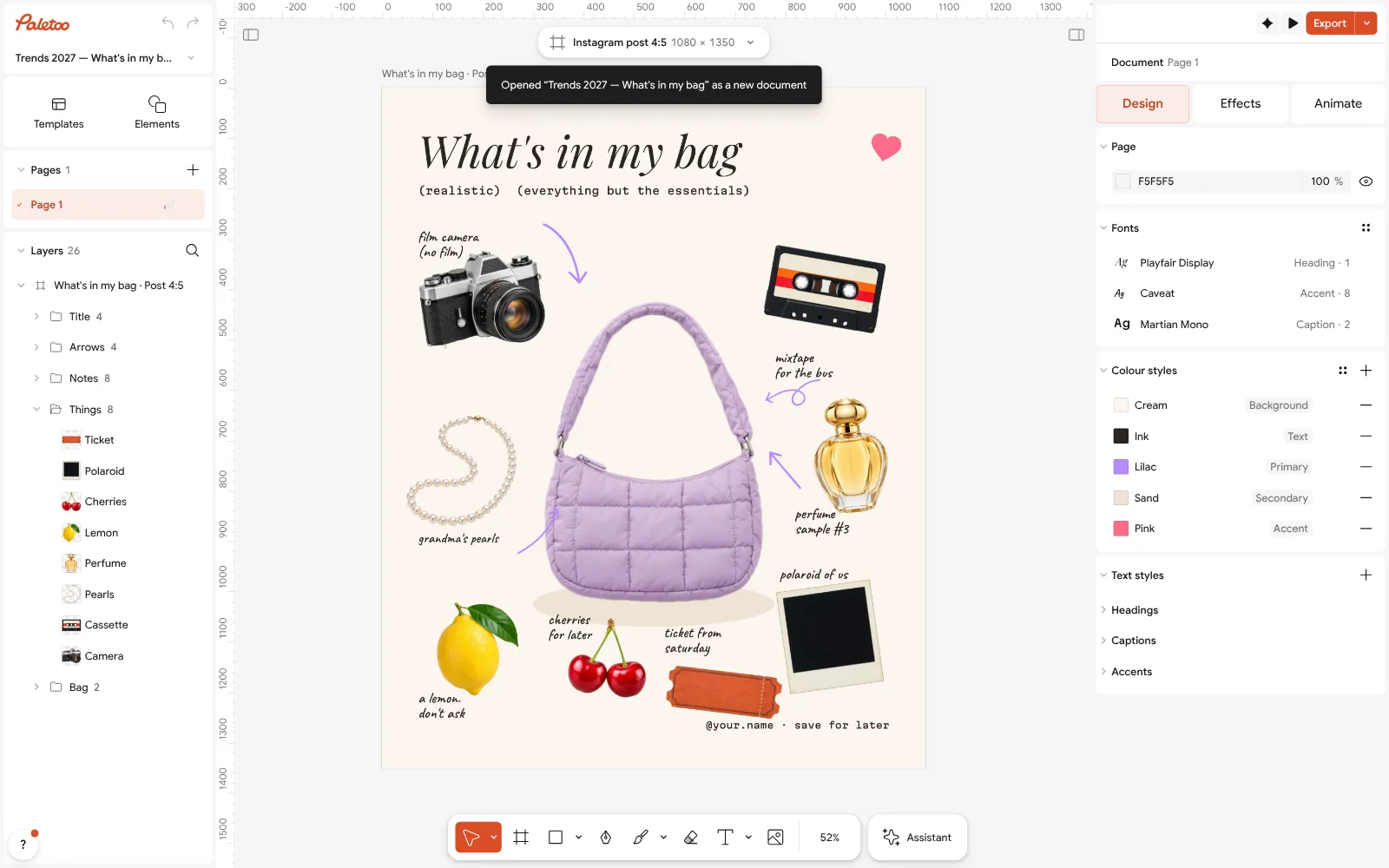
The «What’s in my bag» post open in Paletoo with nothing selected, on the Design tab Open the Effects tab and, under Shadow & glow, press Sticker: a white die-cut line along the cut and a soft shadow, in one step. It appears under Applied with its width, 14 px.
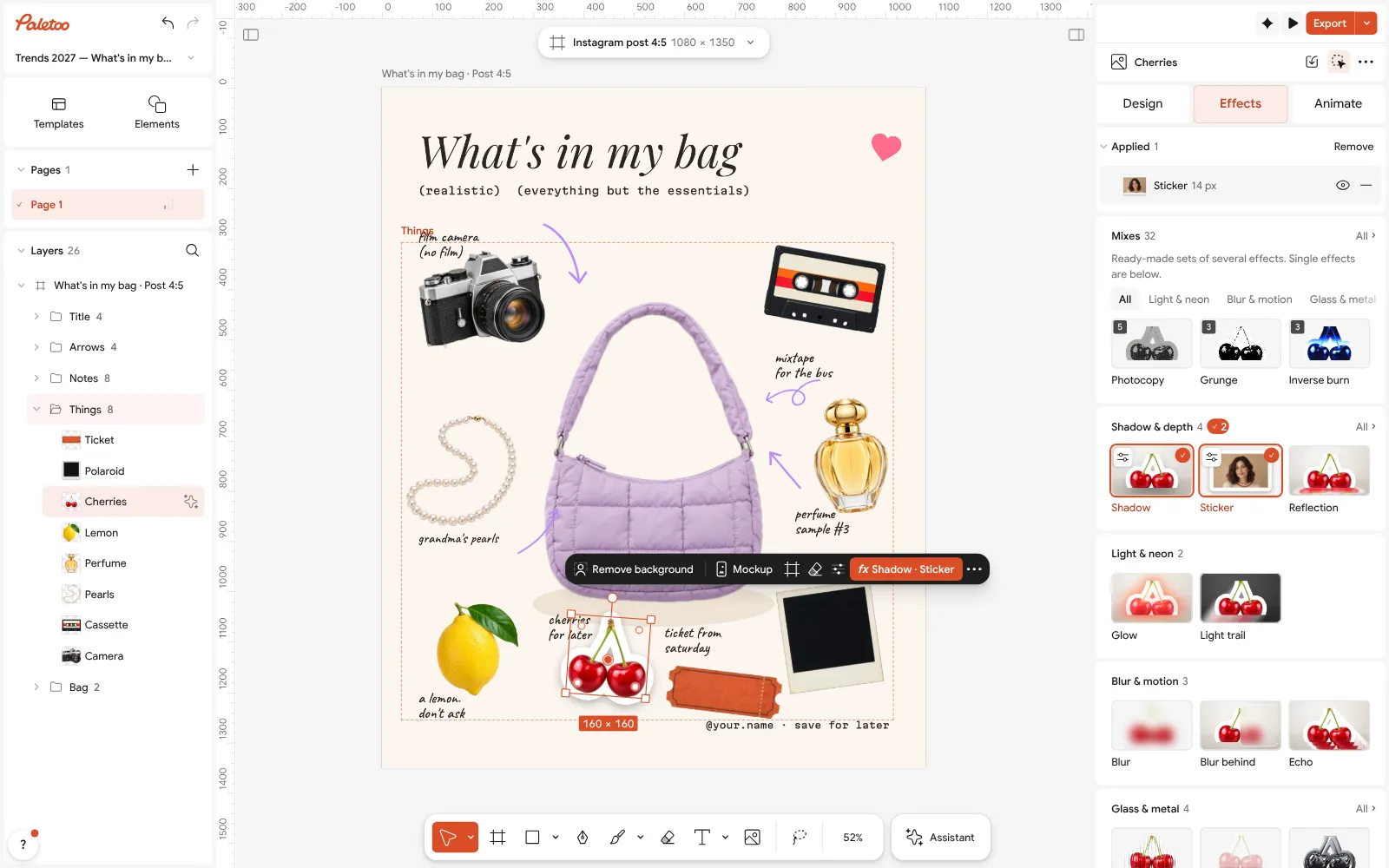
The cherries with the Sticker effect: the white line and the soft shadow listed under Applied on the Effects tab For a sticker without a border, skip that step, or take it off with the minus on its row. For a thicker or coloured edge, select the cherries and change their Stroke on the Design tab: the Sticker’s white line is that stroke.
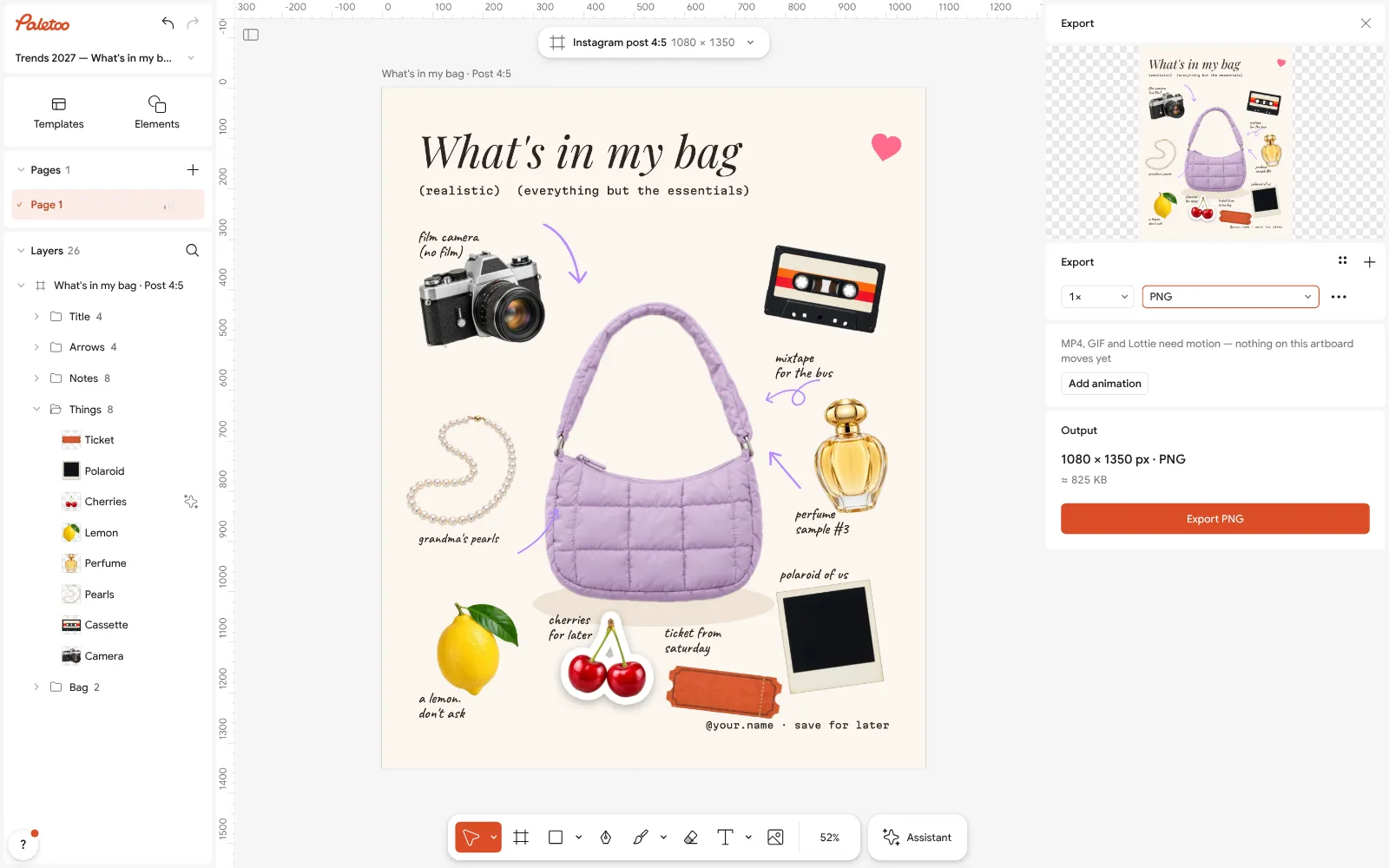
The Export window with PNG chosen and a transparent background, for a sticker Add a caption with Add text: two or three words in a heavy face, sized under Typography. Then select the cherries and the caption together, so they export as one sticker.
Press Export (Ctrl Shift E) for the Selection: PNG, Background set to Transparent, and 512w in Scale, so the long side is 512 px. Save the file to your phone’s photos.
Add it in WhatsApp: through its own sticker maker where you have it, or in a sticker app that takes pictures from your gallery and makes the 512 × 512 WebP itself. For a pack of 3–30 from photos, the sticker maker’s «WhatsApp» button gives you the finished ZIP instead.
Make it your own
If you want the white edge but not the shadow, take the Sticker row off and add a Stroke of your own: white, Outside, following the Cut contour, with Round corners.
For a set in one style, finish the first sticker, then Duplicate it and swap only the picture and the word. A cleaner cut makes a cleaner border: remove a background online.
The same PNG works in Telegram (Telegram sticker pack), and on paper with a wider white edge: printable stickers.
Sources
Questions
How do I make WhatsApp stickers from my photos?
Cut the subject out of each photo, add a white border if you like, and add them through WhatsApp’s own sticker maker or a sticker app. Paletoo’s sticker maker does the cut-out, border and captions for up to 30 photos and downloads a ZIP for the apps, free.
What size is a WhatsApp sticker?
512 × 512 pixels, as a WebP with a transparent background, under 100 KB. A pack needs 3 to 30 stickers and a 96 × 96 PNG tray icon.
How do I make WhatsApp stickers without a white border?
Turn off «White rim» on the sticker in Paletoo’s sticker maker, or skip the Sticker effect in the editor. If a border still appears, it comes from the sticker app or WhatsApp’s maker, so switch its outline off there.
How do I make WhatsApp stickers on iPhone?
For single stickers, use WhatsApp’s own sticker maker in the sticker tray, which needs iOS 17 or later. For a pack, unzip the ZIP from Paletoo’s sticker maker in Files and add the pictures in a sticker app such as «Sticker Maker».
How do I make WhatsApp stickers on Android?
Open the ZIP from Paletoo’s sticker maker in a sticker app such as «Personal stickers for WhatsApp» and tap «Add to WhatsApp»; the pack appears in WhatsApp’s sticker tab.
How do I make WhatsApp stickers bigger?
You can’t change the size WhatsApp shows them at. Fill the 512 × 512 square instead: crop tight and leave little empty space around the subject.
Can I make animated WhatsApp stickers here?
No. Animated WhatsApp stickers are animated WebP files; Paletoo makes still stickers and exports animation as MP4, WebM, GIF or Lottie.
Make it online
Try it on your own design
Paletoo opens in your browser, with no sign-up. Every effect here is live: change the picture or the words and the effect follows.
Open in PaletooOpens this design as your own copy — every layer and effect editable, free.
Read next
- 02
 How to make a Telegram sticker pack: sizes and rulesThe sizes Telegram asks for, a live preview in light and dark chats, and two free ways to make the pack — from photos in one go, or sticker by sticker in the editor.
- 03
 How to remove the background from a photo online — free, on your deviceOne click cuts the subject out; the background is hidden, not deleted, so you can bring it back.
- 04
 How to make a transparent PNG for free: a logo, words or a cut-out photoA logo, a line of words or a cut-out photo that sits on anything — no white box, no watermark, on a computer or a phone.