Free tools4 min readFreeUpdated 2026-11-20
How to make a Telegram sticker pack: sizes and rules
The sizes Telegram asks for, a live preview in light and dark chats, and two free ways to make the pack — from photos in one go, or sticker by sticker in the editor.
By the Paletoo team · steps tested in Paletoo on

A Telegram sticker is a PNG or WEBP picture with a transparent background, one side exactly 512 pixels and the other 512 or less; video stickers are WEBM (VP9) files up to 3 seconds and 256 KB. You make a pack by sending the files to Telegram’s @Stickers bot — or, faster, by letting a maker do it: Paletoo’s sticker maker cuts several photos out at once, adds a white rim and captions, and sends the finished pack to Telegram through @PaletooBot, free.
Build one in the preview below — pick a picture, add a caption, set the outline — and see it in a light and a dark chat at the size Telegram shows it. Then the rules that make a sticker read at that size, the two ways to make a pack, and the steps in the Paletoo editor for a single sticker from any design.
Build a sticker and check it against Telegram’s rulesLive
Choose a picture, add a caption and a white outline, then see it in a light and a dark chat at the size Telegram shows it. The checklist follows Telegram’s own sticker requirements.
- One side exactly 512 px, the other 512 or less
- PNG or WEBP with a transparent background
- Video stickers: WEBM (VP9), up to 3 s and 256 KB
- A white outline keeps it readable on any chat wallpaper
 Thanks!Thanks!
Open this in PaletooOpens a new document with exactly this setup — free, no sign-up.
Telegram sticker sizes and formats
Telegram’s own requirements are short. Everything else — the white rim, the caption, the shadow — is style, not a rule:
| Kind | Format | Size | Limits |
|---|---|---|---|
| Static sticker | PNG or WEBP, transparent | One side 512 px, the other ≤ 512 | — |
| Video sticker | WEBM, VP9, no sound | One side 512 px, the other ≤ 512 | Up to 3 s, 30 fps, 256 KB |
| Animated sticker | TGS (Lottie) | 512 × 512 | Up to 3 s, 60 fps, 64 KB |
| Custom emoji | PNG, WEBP or WEBM | 100 × 100 | Using custom sets needs Premium |
What makes a sticker read in a chat
A sticker is seen small and fast, on wallpapers you do not control. Three things carry it: a clear silhouette (a face, a hand, an object — not a whole scene), a white outline 6–12 pixels thick at 512 px that separates it from any background, and at most two or three words of caption in a heavy, rounded face. Test on dark: a sticker that only works on white will disappear for half your friends.
Keep the set consistent: the same outline, the same caption style, the same light. A pack of twelve good stickers is used more than a pack of fifty mixed ones, because people find the one they want. Give each sticker an emoji when you add it — that is how Telegram suggests it while someone types.
Two ways to make the pack
From photos, all at once: open the sticker maker, choose up to 30 photos, and each one is cut out on your device, given a white rim and a caption you can change; one style for all, or each its own. “Add to Telegram” sends the pack to @PaletooBot — tap Start and it is yours. The same maker downloads PNGs at 512 and 1024 px and a ZIP for WhatsApp’s sticker apps.
By hand, sticker by sticker: design each one in the editor — an illustration from our element packs, your own photo with its background removed, any lettering — export it as a 512-pixel PNG with a transparent background, and add the files to a pack in @Stickers with /newpack. This is the way for an illustrated pack, a brand pack or a set of reactions in one style.
Made in Paletoo
Every picture on this page was made in Paletoo — these three with the same steps on other templates:

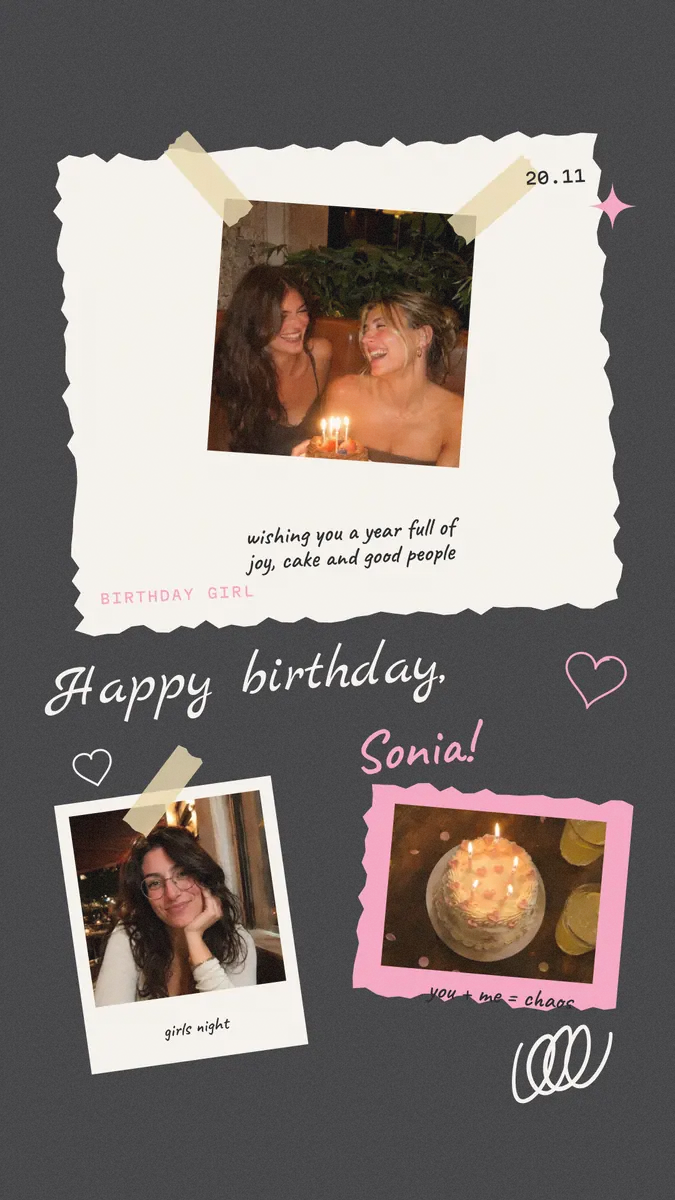
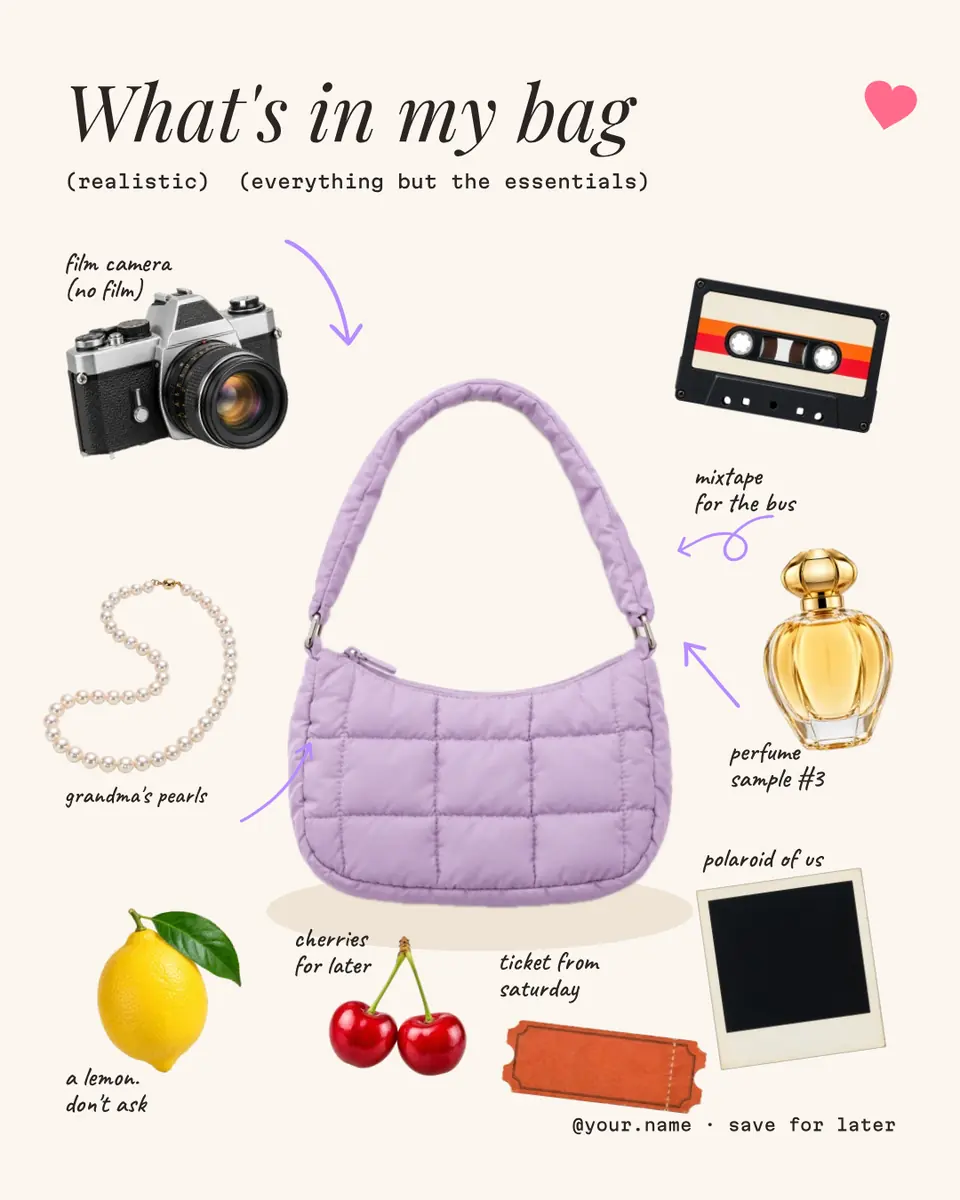
Make it free in Paletoo
For one sticker in the editor, open the post: press “Open in Paletoo” on this page. «Count stars» has a glossy moon sticker beside the words — a good subject to start from.
Select the moon and open Effects: in Shadow & glow, Sticker gives it a white die-cut edge and a soft shadow, as many Telegram stickers have.
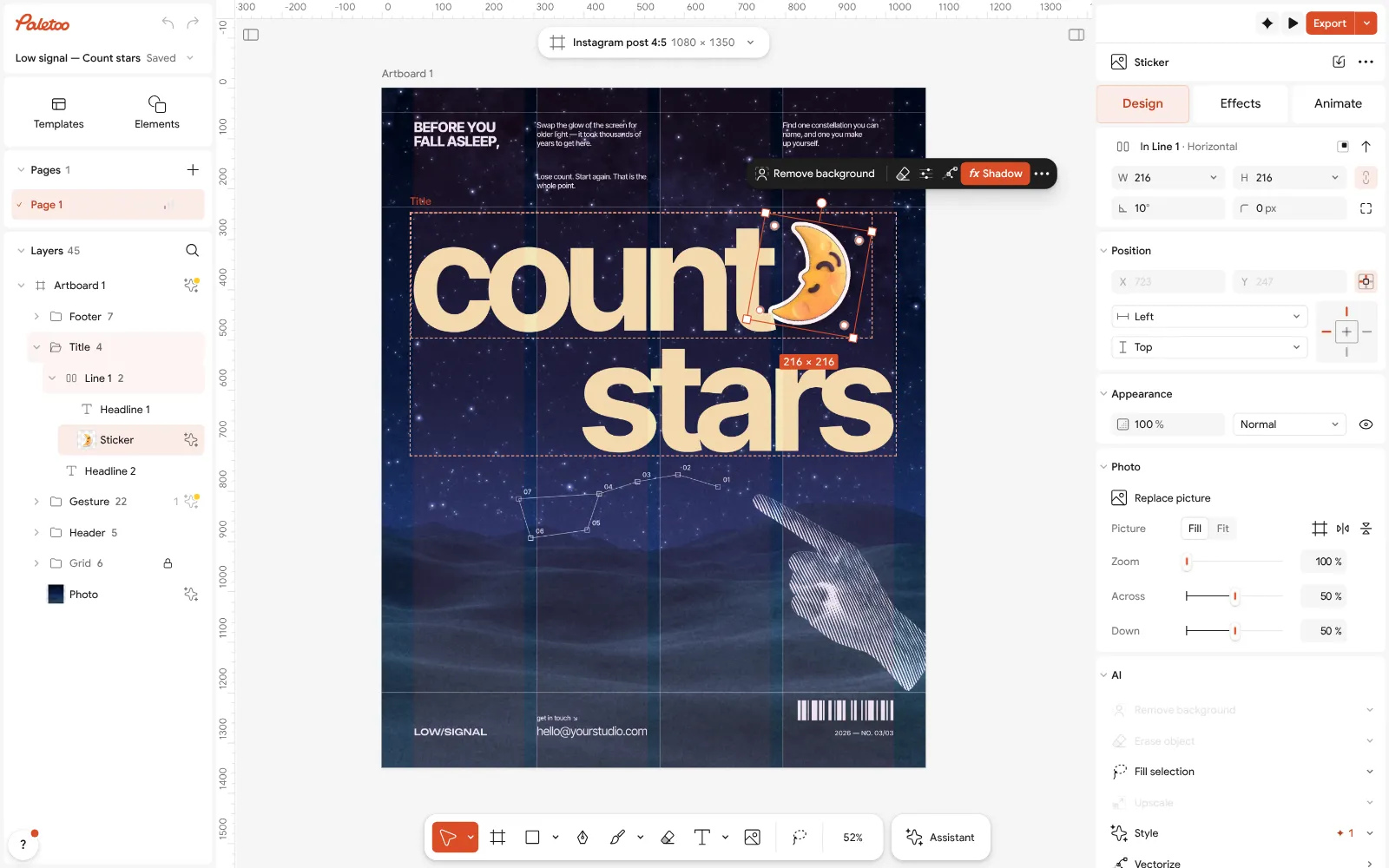
The «Count stars» post open in Paletoo, the moon sticker selected on the Design tab For your own photo, drop it on the canvas, select it and press Remove background — it is cut out on your device, nothing is uploaded — then press the same Sticker card.
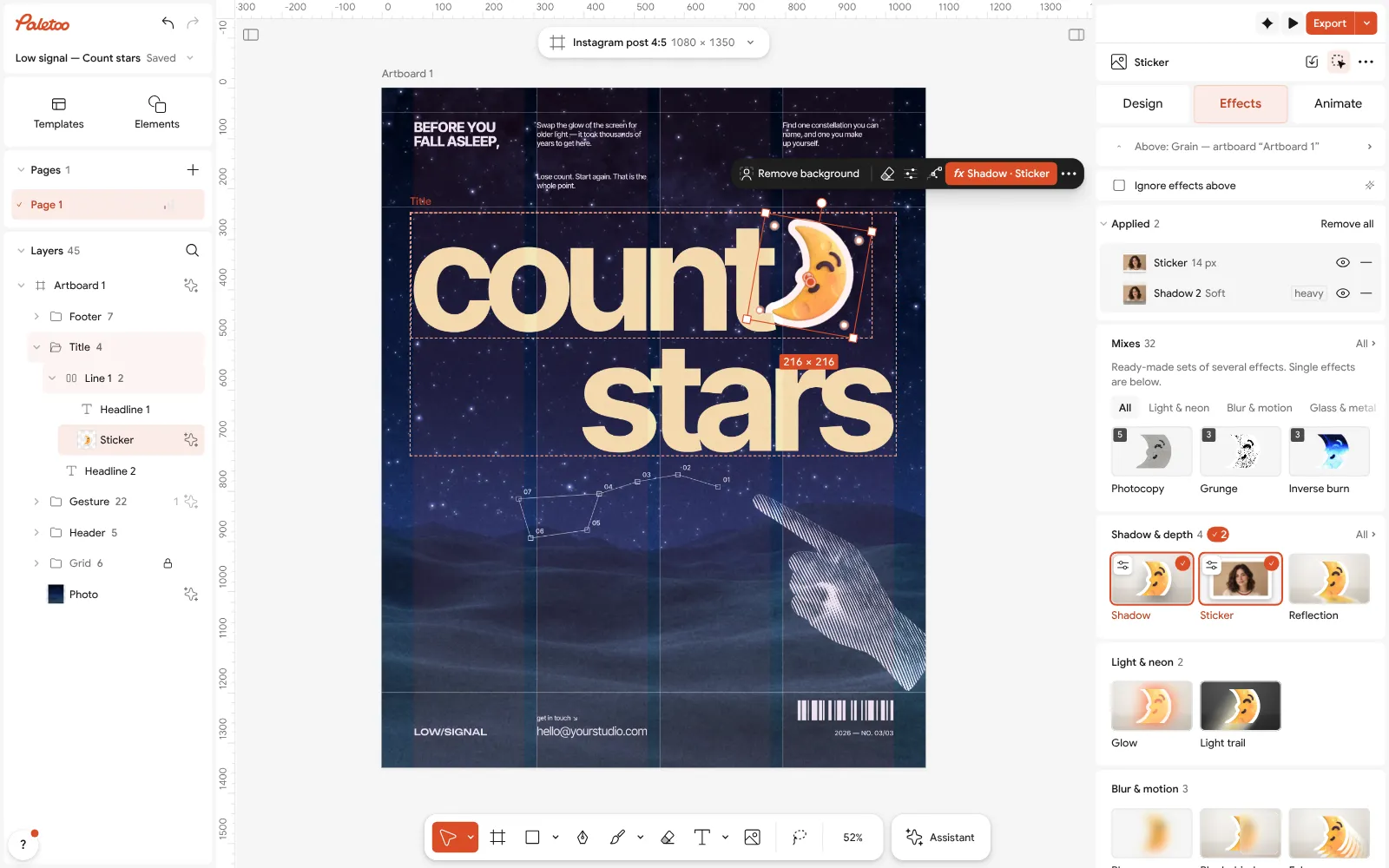
The moon under Effects with Sticker on: a white cut edge and a soft shadow Add a caption with Add text: two or three words, heavy and short; set its Font and Size under Typography.
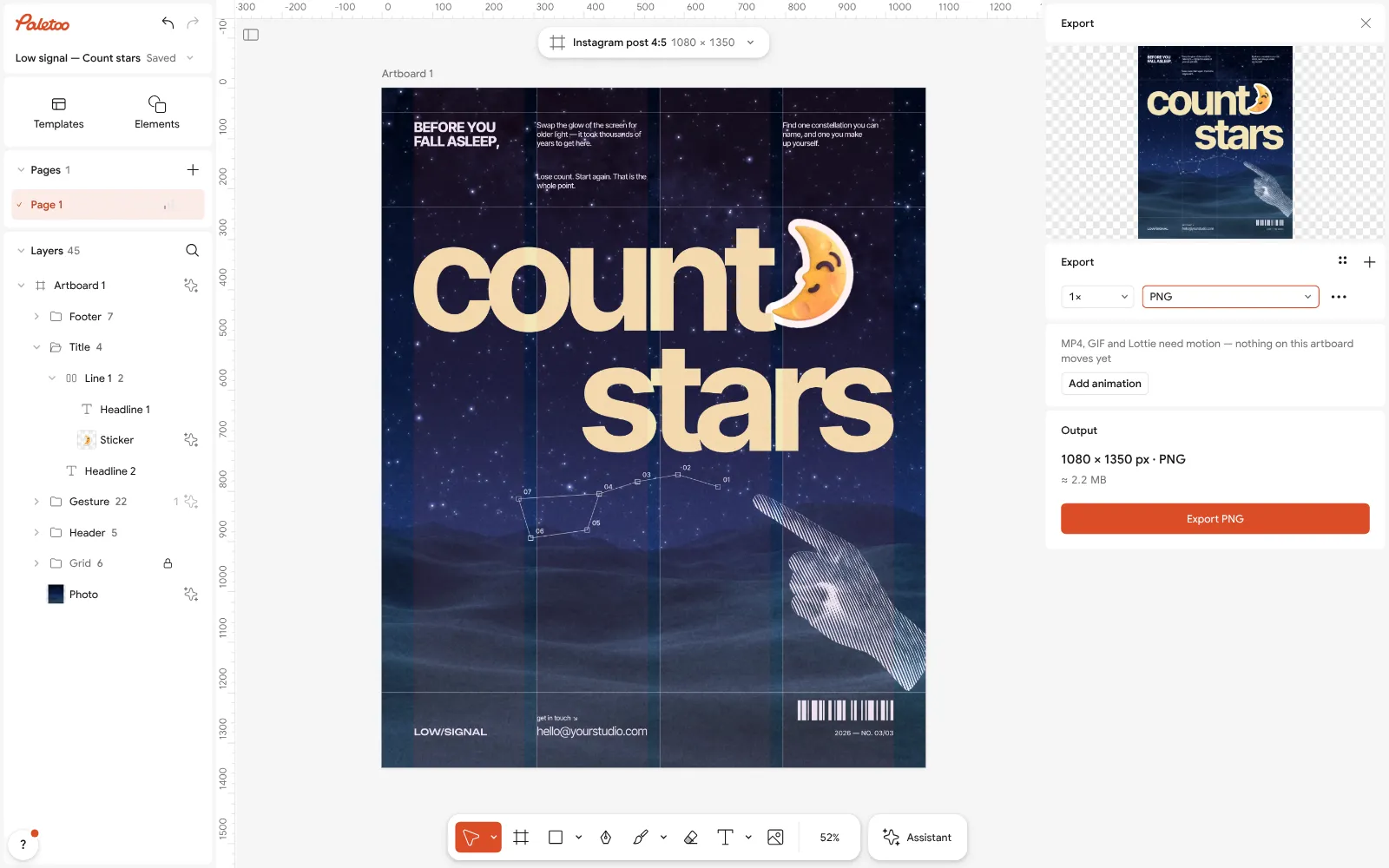
The Export window: a PNG with a transparent background, ready for Telegram Select the sticker and open Export (Ctrl Shift E) for the Selection: choose PNG, set Background to Transparent and type 512w into Scale, so one side is exactly 512 pixels.
In Telegram, open @Stickers, send /newpack, then each PNG as a file with its emoji, and /publish with a short name for the pack.
Make it your own
If the white edge looks thin in the chat, open the Sticker step under Applied and make it wider: at 512 px, 8–12 pixels reads well.
Keep captions short and big; a word under 40 pixels high at 512 is unreadable in a chat. Set it with Size in Typography.
For a whole pack, design one sticker, then Duplicate the artboard and change only the picture and the word, so the style stays the same.
Sources
Questions
What size is a Telegram sticker?
One side exactly 512 pixels and the other 512 or less, as a PNG or WEBP with a transparent background. Video stickers are WEBM (VP9), up to 3 seconds and 256 KB.
How do I make a Telegram sticker pack from photos?
Open Paletoo’s sticker maker, choose your photos, add captions and press Add to Telegram: @PaletooBot gives you the pack after Start. It is free.
How many stickers can a pack have?
A pack holds many more than you need; good packs keep to 10–30 stickers in one style so people find the one they want.
Can I make video stickers?
Telegram takes WEBM video stickers up to 3 seconds. Paletoo exports WebM with transparency from its animations; keep it short and under 256 KB.
Do I need Telegram Premium for stickers?
No. Anyone can make and use sticker packs. Premium is needed only to use custom emoji sets.
Why does my sticker have a white or black box around it?
The file was saved without transparency, usually as a JPG or a PNG with a background. Export a PNG or WEBP with the background set to Transparent and send it to @Stickers as a file, not as a photo, so Telegram does not compress it.
Make it online
- Make stickers from photosPick a few photos and get a sticker pack: each one cut out with a white rim and a caption, for Telegram, WhatsApp or as PNG files — free, no sign-up.
- Remove background onlineCut the subject out of any photo in one click — on your own device, with no upload and no credits.
- Photo effects onlineDrop in a photo, press one mix — film, print or glitch — and download it in a minute; every step stays editable afterwards.
Free design templates for posts, stories and posters: Team and speaker templates · Poster templates
Try it on your own design
Paletoo opens in your browser, with no sign-up. Every effect here is live: change the picture or the words and the effect follows.
Open in PaletooOpens this design as your own copy — every layer and effect editable, free.
Read next
- 01
 How to remove the background from a photo online — free, on your deviceOne click cuts the subject out; the background is hidden, not deleted, so you can bring it back.
- 02
 How to make a transparent PNG for free: a logo, words or a cut-out photoA logo, a line of words or a cut-out photo that sits on anything — no white box, no watermark, on a computer or a phone.
- 03
 Free design elements: 3D shapes, doodles, line art, stickersOur own packs of 3D shapes, doodles, line art and stickers — try them on a canvas right here, then put them on any design, recoloured, free.