Free tools6 min readFreeUpdated 2026-11-20
How to make a transparent PNG for free: a logo, words or a cut-out photo
A logo, a line of words or a cut-out photo that sits on anything — no white box, no watermark, on a computer or a phone.
By the Paletoo team · steps tested in Paletoo on
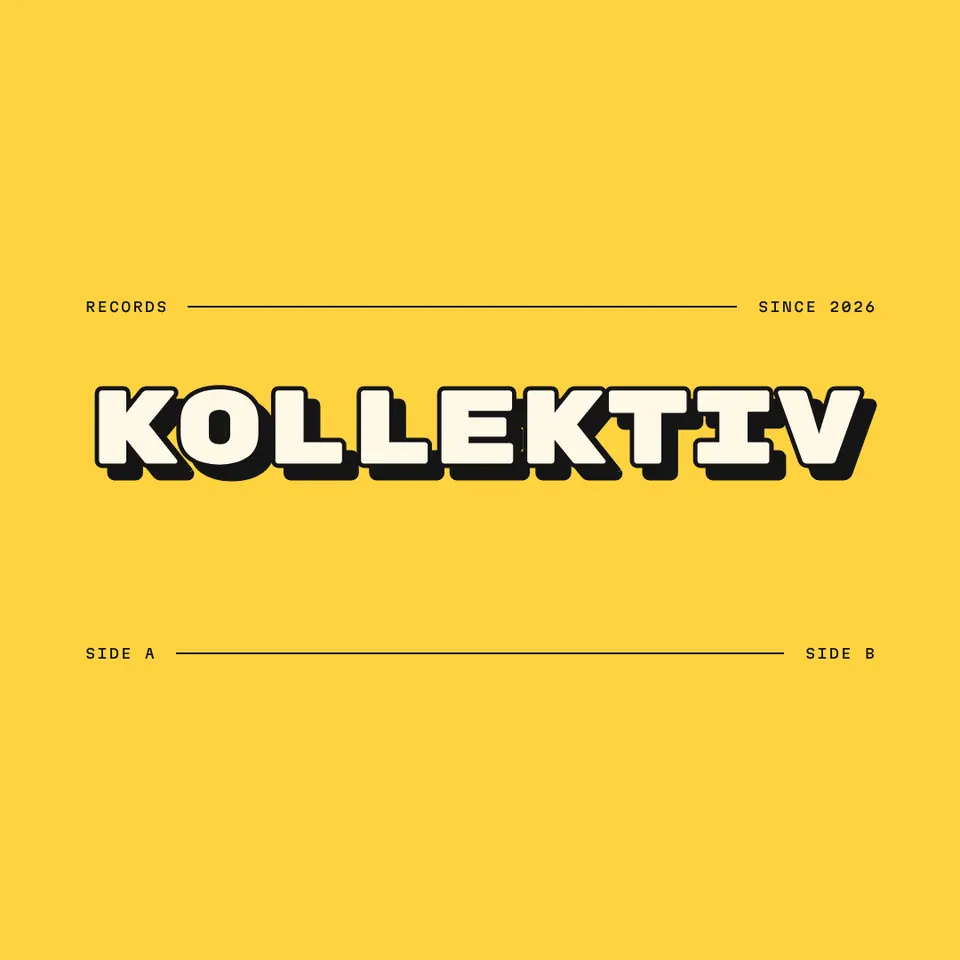
To make a transparent PNG for free, put your logo, words or picture on a page in Paletoo, press Export, choose PNG and set Background to Transparent in the export settings: everything you drew is kept and the page colour is left out. For a photo, press Remove background first; it runs on your own device, and the cut-out exports the same way, at full size and with no watermark.
This guide does it on «Kollektiv», a record-label logo from our logo set, and explains the parts that trip people up: why a PNG from some sites has a grey-and-white checkerboard baked into it, why a transparent file turns black or white in a chat, which formats can be transparent at all and how big to make the file. Every step was run in Paletoo on 11 November 2026, in a desktop browser and on a phone; the pictures are the editor itself.
What «transparent PNG» means
A PNG stores four numbers for every pixel: red, green, blue and alpha. Alpha says how solid the pixel is, from 0 (not there at all) to 255 (fully solid), with every step in between — which is why the soft edge of a letter or the hair of a cut-out portrait can fade into whatever the file is placed on. The format was published by the W3C in 1996 for exactly this, and every browser, phone and design tool reads it.
A JPG has no alpha at all: every pixel is solid, so a «transparent JPG» does not exist — the empty part comes out white or black. GIF can only switch a pixel fully on or fully off, so its edges look jagged. WebP and AVIF can be transparent like PNG; SVG is transparent by nature because it is drawn, not painted.
A transparent PNG often needs one more thing before it goes out: a white background or a black one for a marketplace, a soft shadow so it does not float, or an outline for a sticker look — each is a free one-task page.
| Format | Transparent? | Best for |
|---|---|---|
| PNG | Yes, smooth (8-bit alpha) | Logos, stickers, words, cut-out photos — anywhere |
| WebP | Yes, smooth | Websites, where a smaller file matters |
| SVG | Yes (it is drawn, not painted) | Logos and icons that must stay sharp at any size |
| GIF | Only on or off, jagged edges | Old tools that read nothing else |
| JPG | No — empty areas turn white or black | Photos with a background |
Why your PNG has a checkerboard or a white box
Editors show transparency as a grey-and-white checkerboard. Many image sites put that checkerboard into the picture itself, so the «transparent PNG» you download is a PNG with a painted checkerboard: open it on a dark background and the squares are still there. A real one shows the dark background through. If a file comes with a white box, it was exported with its background included, or saved as JPG and renamed.
Transparency is also lost on the way. Most chat apps re-compress a picture sent as a photo into a JPG, and the empty part turns black or white; send the PNG as a file (a document) and it arrives as it left. Instagram posts and stories are flattened too, so a logo for a post needs its background colour anyway. Websites, slides, video editors, print shops, Canva, Figma, Word and Google Docs keep it.
How big to make the PNG
A transparent PNG is only as sharp as its pixels. For a logo on a website, export the box it will fill at twice the size (a 200 px wide header logo as 400 px), so it stays crisp on a phone. For a sticker, a watermark on video or a slide, 1500–2000 px across is plenty. For print, count 300 pixels per inch: a 5 cm logo on a business card needs about 600 px. Paletoo exports at 1×, 2×, 3× or any scale you type, and the logo maker hands you a 2000 px transparent PNG with an SVG beside it — the SVG is the one to send a printer.
Made in Paletoo
Every picture on this page was made in Paletoo — these three with the same steps on other templates:



Make it free in Paletoo
Open the logo: press “Open in Paletoo” on this page, or start from the logo maker, which writes your brand name into a hundred logos at once. It opens as your own document; the Layers panel lists the name, its shadow and the small labels.
Double-click the name and type your own; change the font and size under Typography in the Design tab. Anything you add — a shape, an icon, words — will be in the PNG; only the page colour is left out.
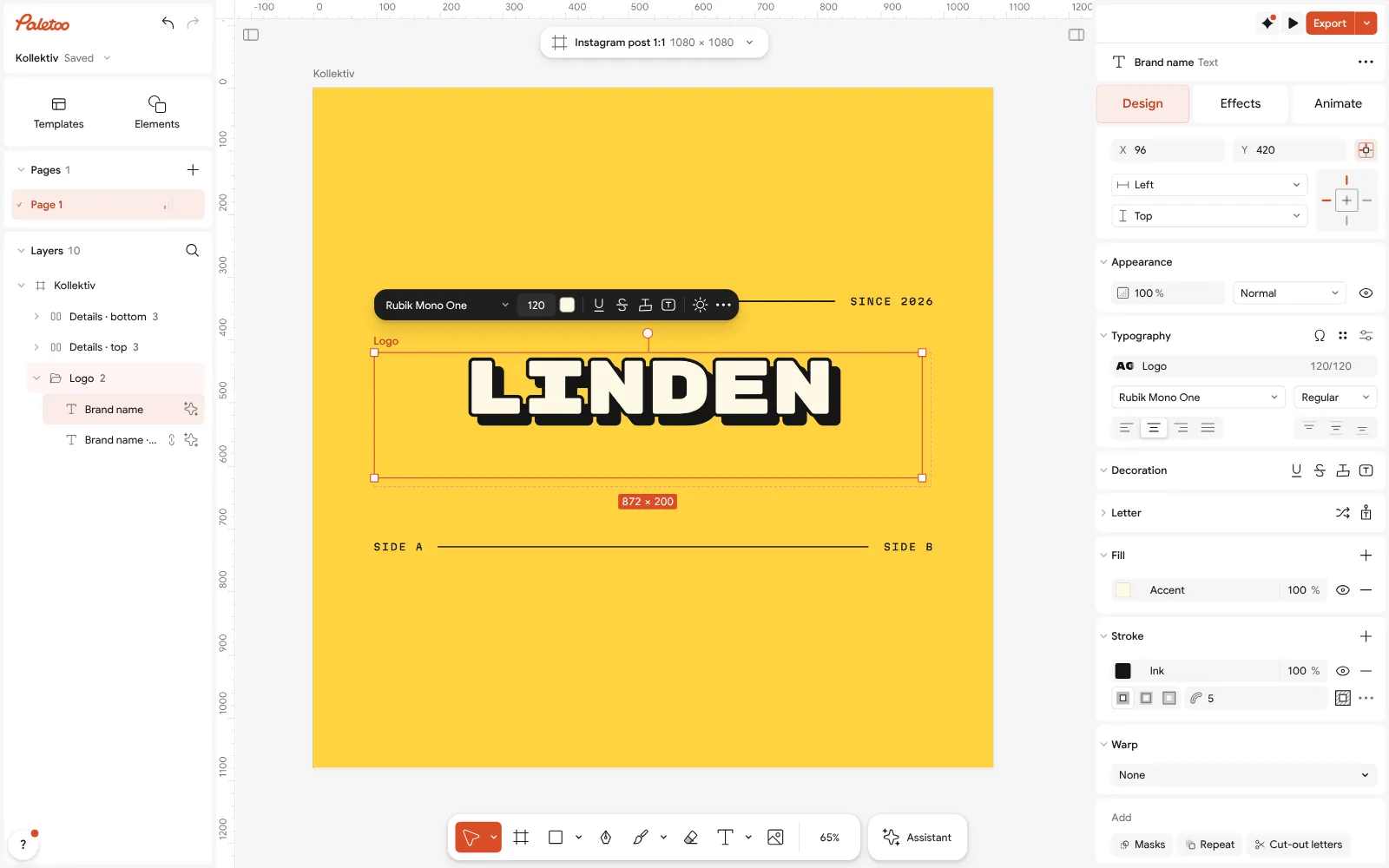
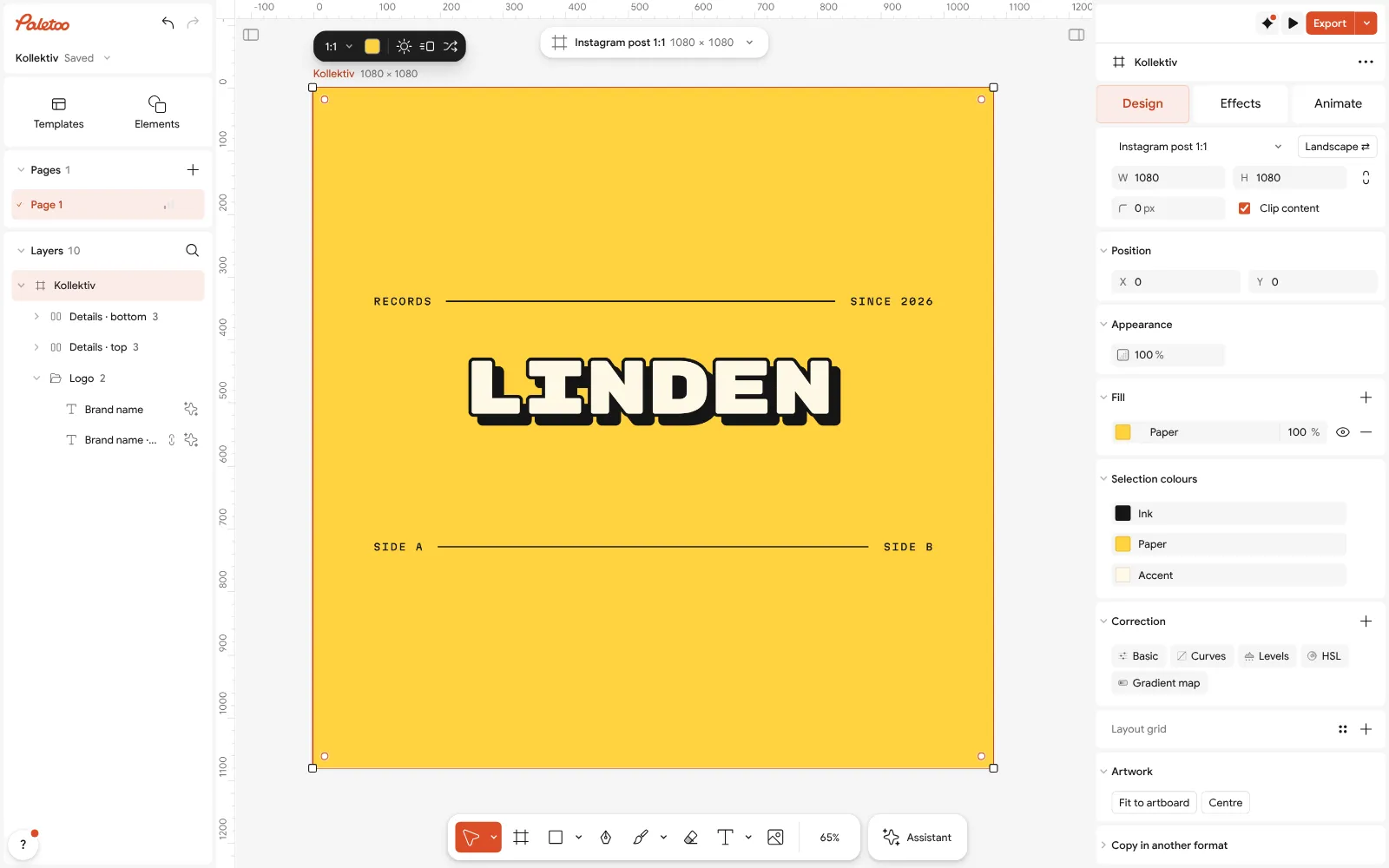
The Kollektiv logo open in Paletoo, renamed «Linden»: the name selected, its font under Typography Click an empty part of the page to select the artboard: its colour is under Background in Design. You can leave it as it is — it helps you see the logo while you work and will not be in the transparent file.
The artboard selected: its yellow is the page’s Background — it stays out of a transparent PNG Press Export (Ctrl Shift E) and choose PNG. Open Export settings (the ⋯ beside the format) and set Background to Transparent; the preview shows the checkerboard where the page was.
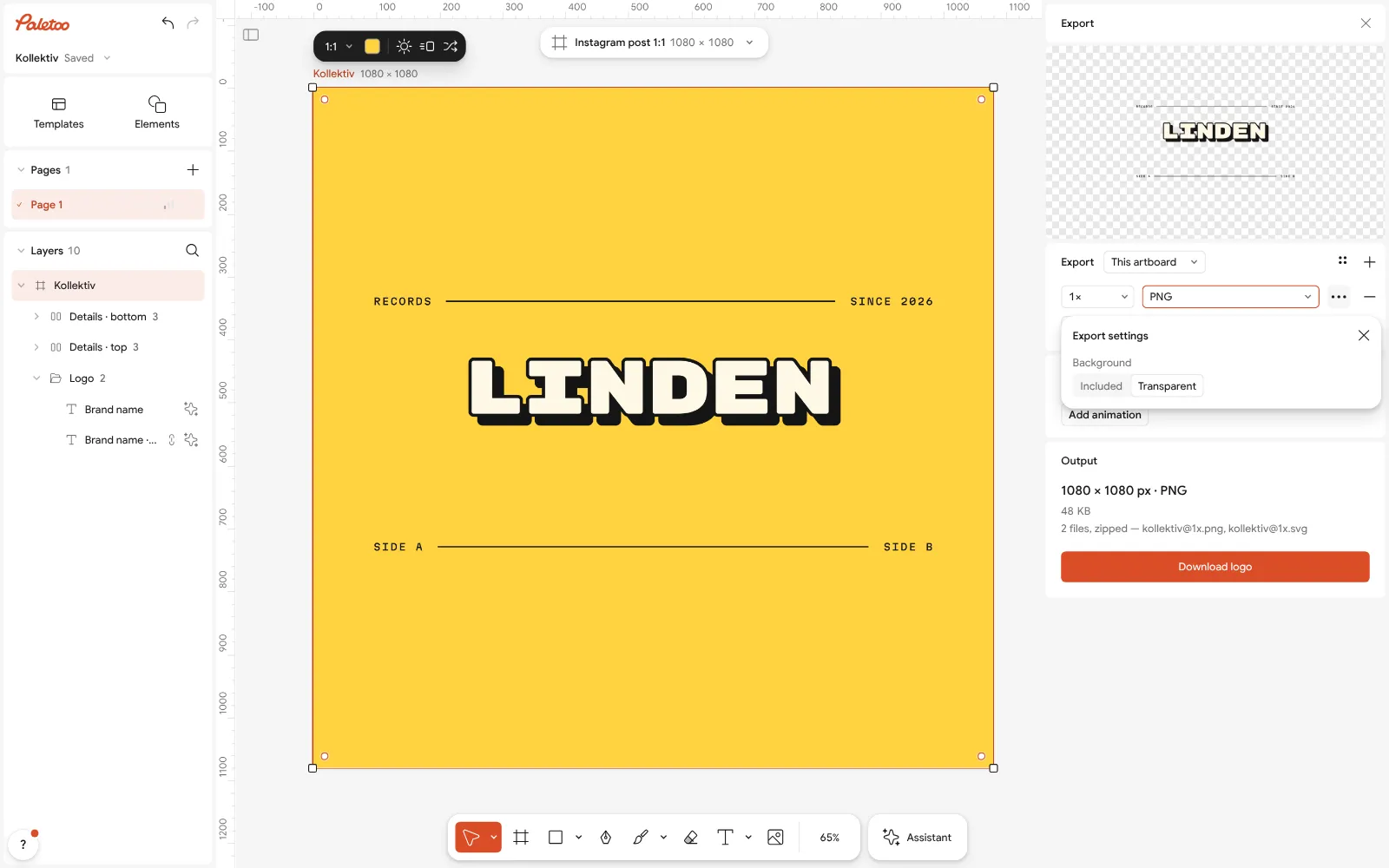
Export as PNG with Background set to Transparent in Export settings: the preview shows the checkerboard Pick the size — 2× for a website, 3× or a typed width for print — and export. The PNG lands in your downloads, or, on a phone, in the share sheet: save it to Files rather than Photos if you want to keep it as a PNG.
For a photo instead of a logo, place it, select it and press Remove background; tidy a hard edge with Refine edge, then export PNG with Transparent as above. On the Home screen, Photo without background does the same in one go.
Make it your own
Need the logo on dark and on light? Duplicate the artboard with Duplicate artboard, recolour the copy in Colour styles, and export both as transparent PNGs in one go.
For words only — a signature, a caption for a video, a quote — add a text, set it in Typography and export it the same way: a transparent PNG of text is one step.
If the PNG will be printed or scaled up a lot, export SVG from the same Export window instead: it is transparent too and stays sharp at any size.
Sources
Questions
How do I make a PNG with a transparent background for free?
In Paletoo: make or open the design, press Export, choose PNG, open Export settings and set Background to Transparent. It is free, with no watermark and no account.
Why does my transparent PNG have a white background?
It was exported with its background included, or it is a JPG with a .png name. Export again with Background set to Transparent. In a chat, send it as a file, not as a photo: photos are turned into JPG.
Why is there a checkerboard in my PNG?
The checkerboard was painted into the picture by the site you got it from — it is not transparent. Real transparency shows whatever is behind the file. Make your own, or remove the background from the original photo.
Can I make a transparent PNG on my phone?
Yes. Open Paletoo in the phone’s browser, make the design or add a photo, export PNG with a transparent background and save it to Files (iPhone) or Downloads (Android) to keep it a PNG.
Is a transparent background free in Canva?
Canva’s help lists the transparent-background download among its paid plans’ features. In Paletoo it is free, at any size, with no watermark.
Can a JPG be transparent?
No. JPG has no alpha channel, so the empty part is always filled with a colour. Use PNG, WebP or SVG.
Make it online
- Remove background onlineCut the subject out of any photo in one click — on your own device, with no upload and no credits.
- Logo makerType your brand name, pick a logo, try fonts, colours and layouts, then download SVG, PNG and app icons — free, no watermark, no sign-up.
- Image to vector converterTurn a PNG or JPG logo, icon or drawing into a clean SVG in about 30 seconds — free, no sign-up, and your picture never leaves your browser.
Free design templates for posts, stories and posters: Team and speaker templates · Brand guidelines templates
Try it on your own design
Paletoo opens in your browser, with no sign-up. Every effect here is live: change the picture or the words and the effect follows.
Open in PaletooOpens this design as your own copy — every layer and effect editable, free.
Read next
- 01
 How to remove the background from a photo online — free, on your deviceOne click cuts the subject out; the background is hidden, not deleted, so you can bring it back.
- 02
 How to remove a background from a photo for free, without uploading itA clean cut-out, made on your own computer or phone, ready for a thumbnail, a poster or a shop.
- 03
 How to make a logo for free — no AI, no sign-upA logo you own, from your name to an SVG file, in about fifteen minutes.