Add a watermark to a photo
Put your name or website on your photo — tiled across it, in a corner or in the middle — at the opacity you want.

Or drop a photo here, or paste it with Ctrl+V
Settings
opens your watermarked photo in the editor, to add a logo or set your own font
Nothing is uploaded: the picture is made in this browser tab.
How to use the add a watermark to a photo
Add your photo
Press Choose a photo, drop it on the preview or paste it with Ctrl+V (⌘V on a Mac) — or tap a sample. The photo stays in this tab.
Write your watermark
Type your name, studio or website in Watermark. Tiled repeats it across the whole photo at an angle — the hardest to crop out; Corner signs it quietly.
Opacity and download
Opacity from a faint 10 % to solid; Size is a share of the photo, so the download matches the preview. White letters with a thin dark edge read on light and dark parts alike. Download the PNG at full size.
Made in Paletoo with the same effect
Real designs from our Learn guides. Open a guide to see how each one was made.
 A sunset with a small watermark in the bottom right corner.
 A “Chase sunsets” post: the sunset photo warmed and faded, with film grain over the sky and hills.
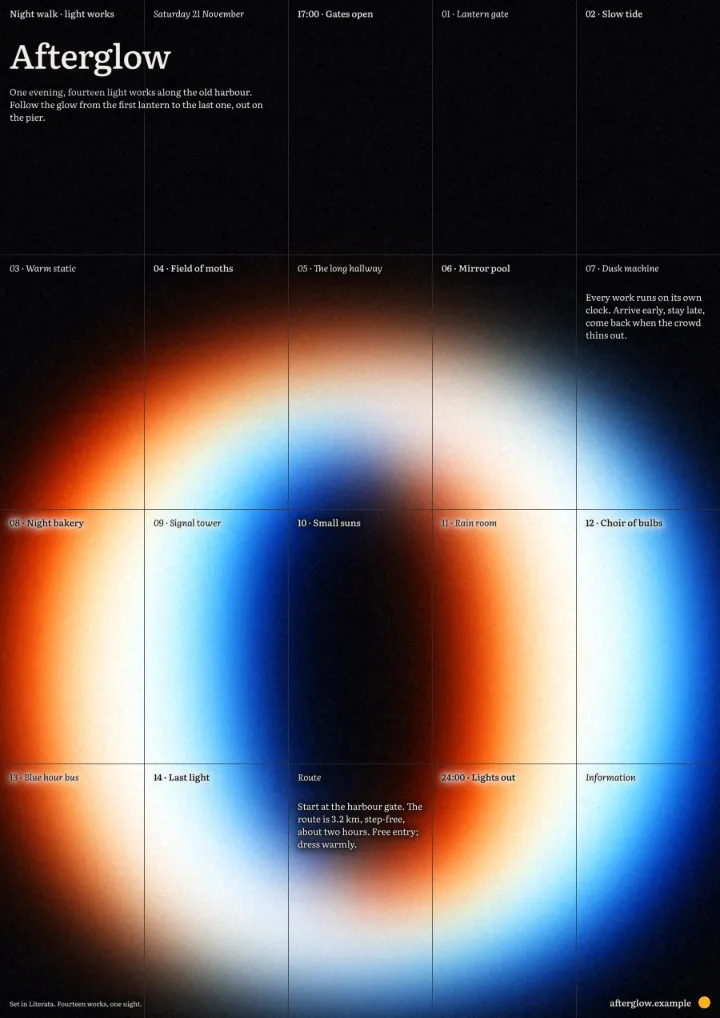 An “Afterglow” light-walk poster: a soft halation round the glowing ring, and grain over the dark.
Questions
How do I add a watermark to a photo?
Choose your photo above, type your name, studio or website in Watermark, pick Tiled (across the whole photo, the hardest to crop out) or Corner, set the Opacity and Size, and download the PNG at full size. Free, no watermark; the photo stays in your browser.
Which watermark is hardest to remove?
A tiled one: it covers the whole photo, so it cannot be cropped away, and at 15–35 % it still lets the photo be seen. A corner watermark is easy to crop, but it does not get in the way.
Can I use my logo as the watermark?
Here the watermark is text. «Open in Paletoo» carries the photo into the editor, where you can place your logo PNG on it, set its opacity and repeat it.
Will the watermark be blurry on a big photo?
No. The preview is drawn small to be quick; the download is drawn again at the photo’s own size (up to 4096 px), with the letters at that size.
Is my photo uploaded to add the watermark?
No. The watermark is drawn by your browser, on your device: the photo never leaves this tab.
Is it free? Is there a watermark?
Yes, it is free, and the PNG has no watermark. You do not need an account either.
What size is the download?
The PNG is your photo’s own size, up to 4096 px on the long side (a bigger photo is scaled down to that). The preview is smaller so it stays instant; the download is drawn again at full size.
Go further

More free tools

Add text to a photo
Put your words on your photo — a caption, a meme, a quote — and download it at the photo’s full size.
Add a border to a photo
Frame your photo with an even, polaroid or double border in any colour, and download it at full size.
Resize an image for Instagram
Fit the whole photo into a 4:5 post, a square, a 9:16 story or a landscape post — nothing cropped — and download it at 1080 px.