Techniques4 min readFreeUpdated 2026-11-19
Animated knockout outline text for Reels
Outline text that moves: a word that rises in over your photo with its knockout band, as a short MP4 loop for Reels, Stories and TikTok.
By the Paletoo team · steps tested in Paletoo on
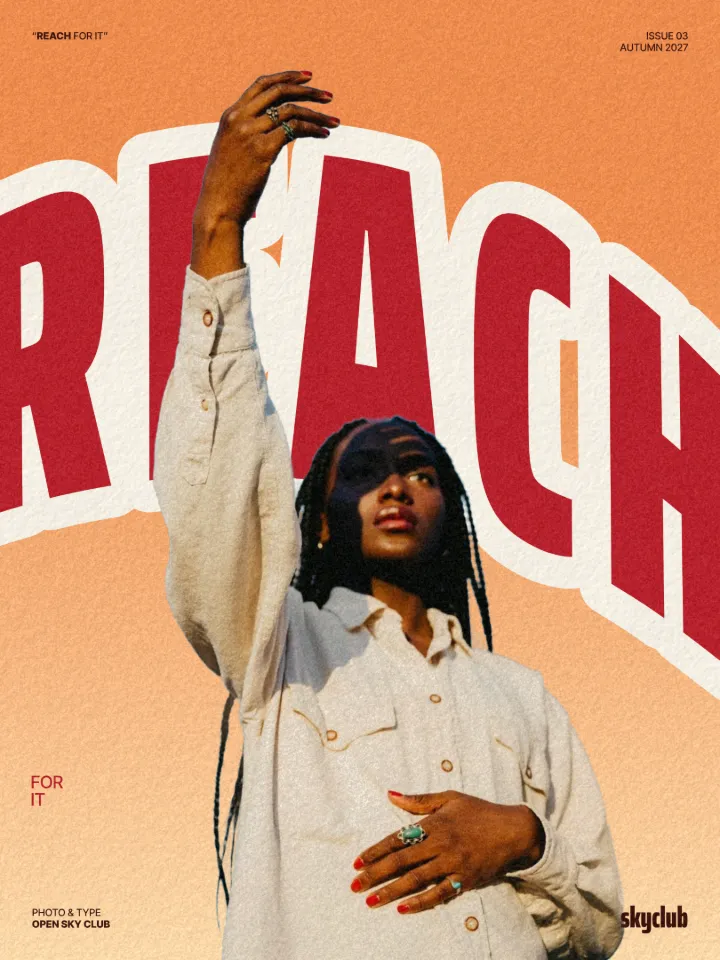
To animate knockout outline text for Reels, give the word a knockout stroke and an entrance in the same editor: the band is part of the text, so when the word rises in, the cut through the photo rises with it. Export the artboard at 1080 × 1920 as an MP4 loop of 3–7 seconds and post it as a Reel or a Story.
Press Play in the demo below to watch the idea on your own word — the letters rise in over the photo and the cut moves with them, exactly as the editor animates them. Then the steps: the knockout, the motion, the safe area and the export, all checked in Paletoo on 11 November 2026.
Try it: your word, cut out of a photo
Type a word, drag it over the photo, and switch between a painted outline and a knockout. Knockout shows the background through the band — swap the background and the band follows.

Opens the poster with your word and these settings, as your own copy. Free, no sign-up.
Why a knockout reads in motion
On a phone, a Reel’s text is seen for half a second while the thumb is moving. Painted outlines on video often shimmer: a light stroke on a light frame vanishes, a dark one on a dark frame does too. A knockout band shows the background, which you choose once, so the edge of every letter keeps the same contrast in every frame of the clip.
It also looks intentional in movement. As the word rises, the band slides across the picture like a cut-out lifted from the page — the motion explains the effect, which is why knockout titles work so well in short loops.
Sizes, length and the safe area
Reels and Stories are 1080 × 1920 pixels, 9:16. The app draws its own interface over the frame: the profile row and the caption at the bottom, the buttons on the right, the progress bar at the top. Keep the word roughly in the middle of the frame, clear of about the top 250 px and the bottom 420 px, and away from the right edge.
For a loop, 3–7 seconds is the sweet spot: long enough to read, short enough to replay. Let the word arrive in the first 0.5–1 second, hold, then cut or fade so the loop restarts cleanly. MP4 with H.264 is what every platform accepts.
| Platform | Size | Good loop length | Keep text away from |
|---|---|---|---|
| Instagram Reels | 1080 × 1920 | 3–7 s | Bottom ~420 px, right edge |
| Instagram Stories | 1080 × 1920 | 3–7 s | Top ~250 px, bottom ~340 px |
| TikTok | 1080 × 1920 | 3–9 s | Bottom ~480 px, right edge |
| YouTube Shorts | 1080 × 1920 | 5–10 s | Bottom ~400 px |
Motion that suits a cut-out word
Rise is the natural entrance for a knockout title: the word comes up from below and settles, and the band glides with it. Pop suits short, loud words; Typing suits a sentence. Split the motion by letters for a stagger that reads as a wave, by words for something calmer.
Keep the photo still or slow. The knockout already moves the picture inside the band; a fast zoom on the photo underneath turns the frame to mush on a small screen.
Plan the loop’s seam. A Reel replays the moment it ends, so the last frame should lead into the first: either the word leaves the frame before the clip restarts, or the clip ends on the same calm frame it starts with. A hold of two to three seconds on the finished word gives viewers time to read it, which is what keeps them watching to the second loop.
Made in Paletoo
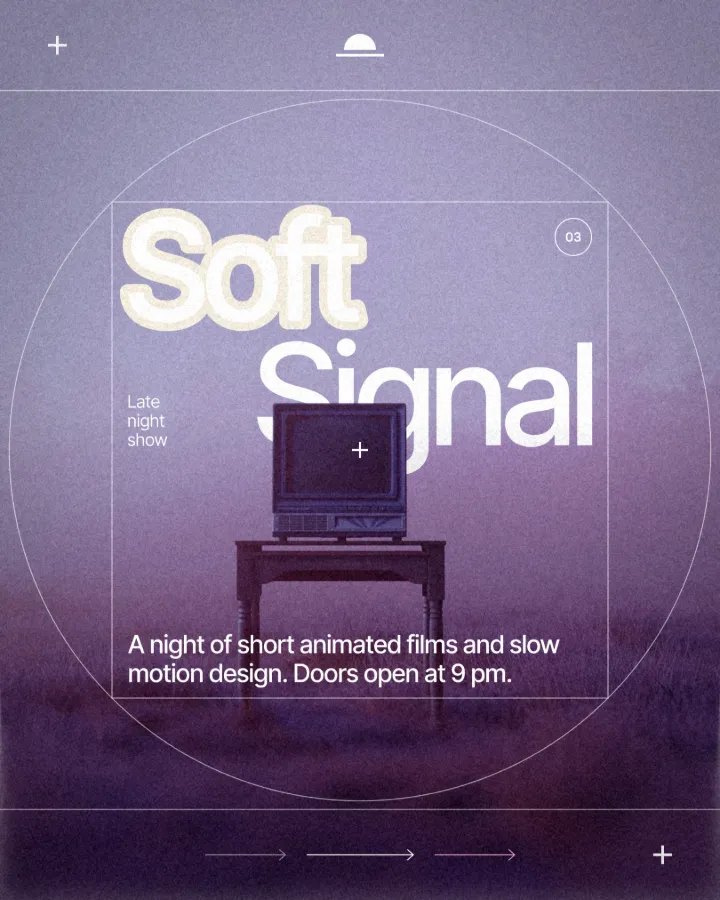
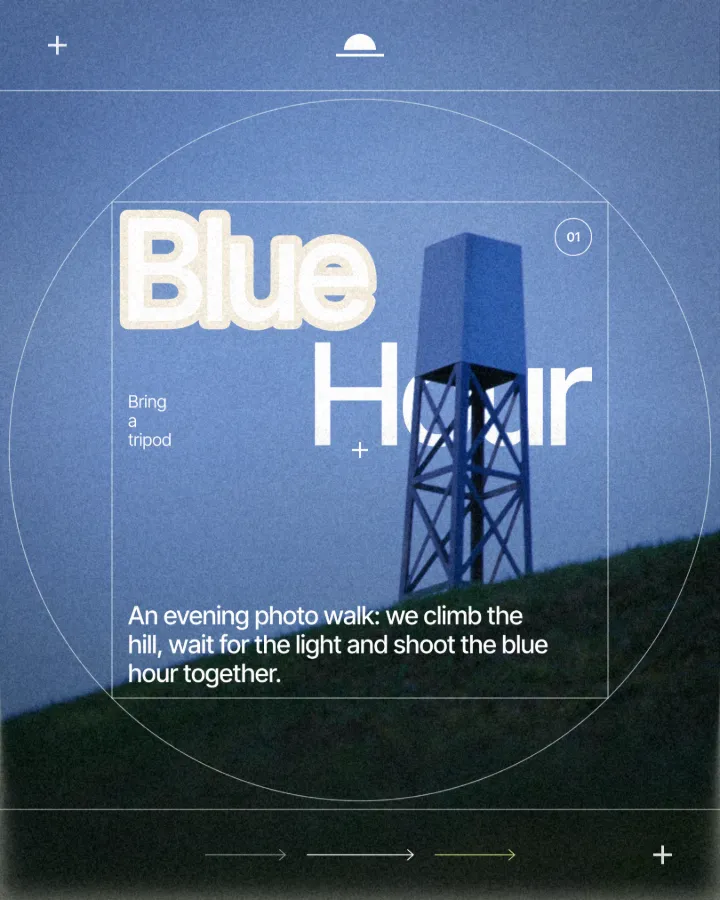
Every picture on this page was made in Paletoo — these three with the same steps on other templates:
Step by step in Paletoo
Open the example: press “Open in Paletoo” on this page. It is the “chase sunsets” post with the knockout on its headline and an entrance already set.
Select the headline and stay in the Design tab. In the text’s Stroke section press Add a stroke, then its knockout button (Cut through the layers below).
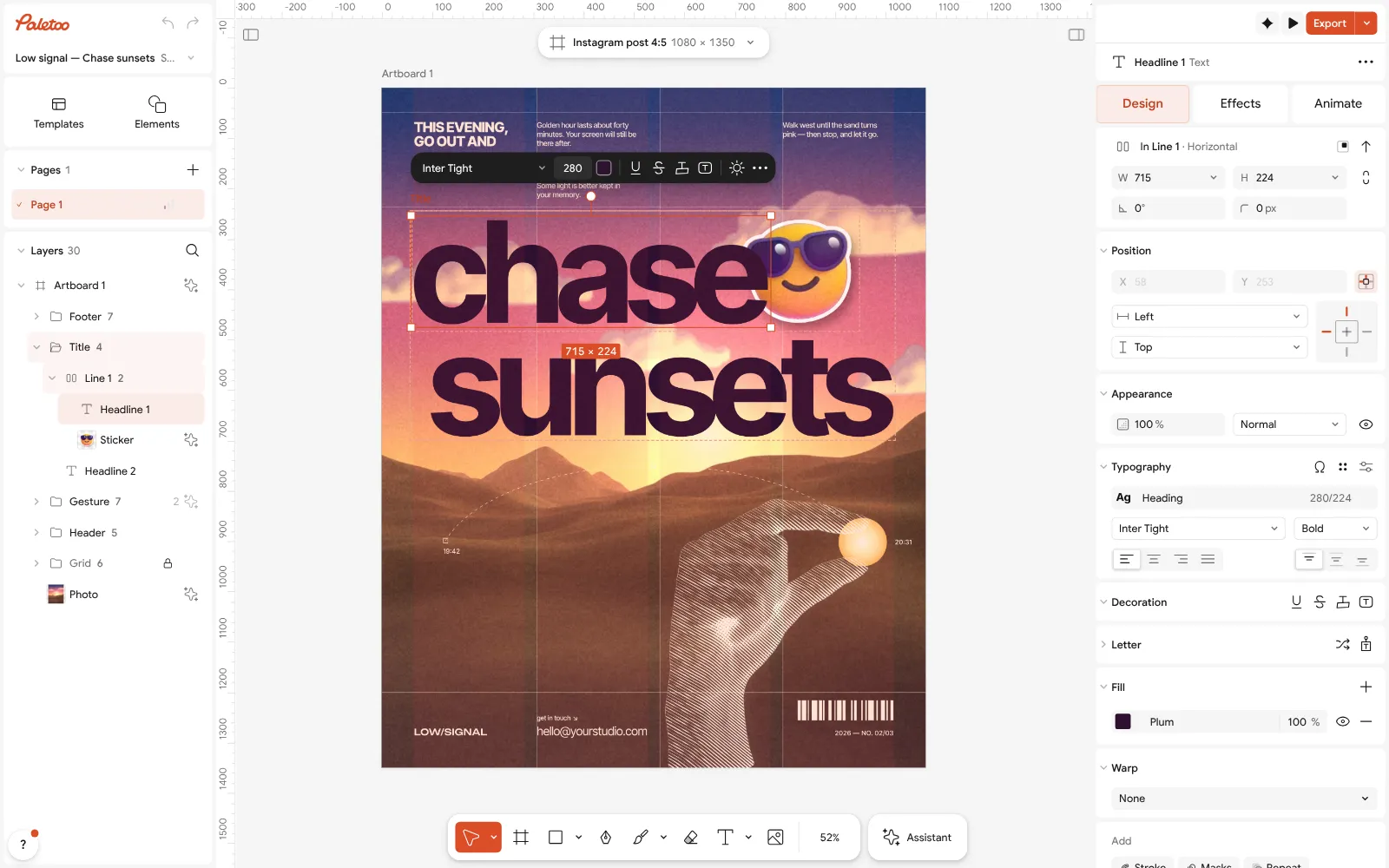
The “chase sunsets” post open in Paletoo, the headline selected in the Design tab Open the Animate tab and press Rise. Set Split to Letters for a stagger and press Play to watch the band rise with the word.
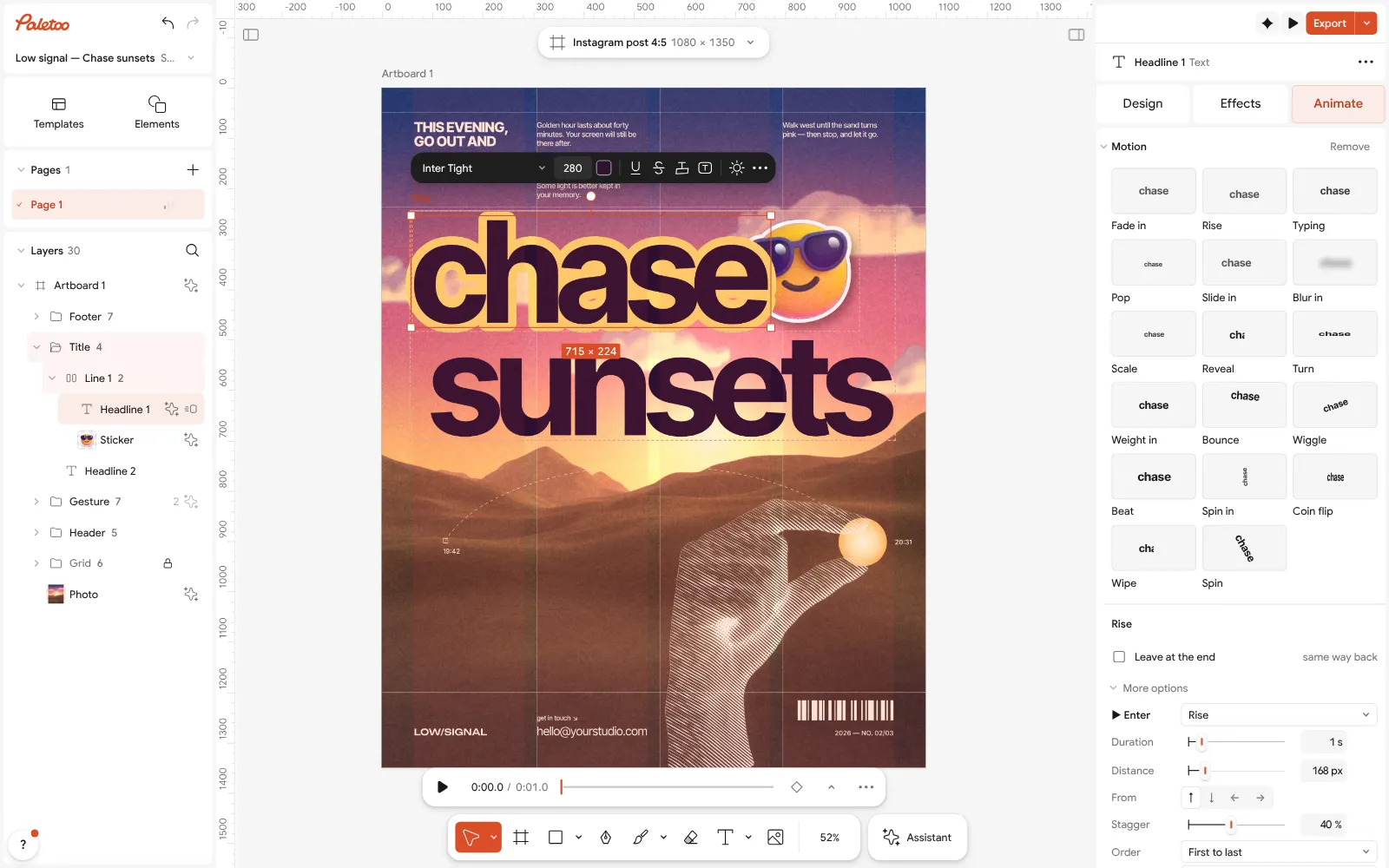
The knockout on and the Rise entrance set in the Animate tab, the band cut through the sunset For a Reel, change the artboard’s size to 1080 × 1920 in the size chip above the canvas, and move the word into the middle of the frame, clear of the bottom 420 px.
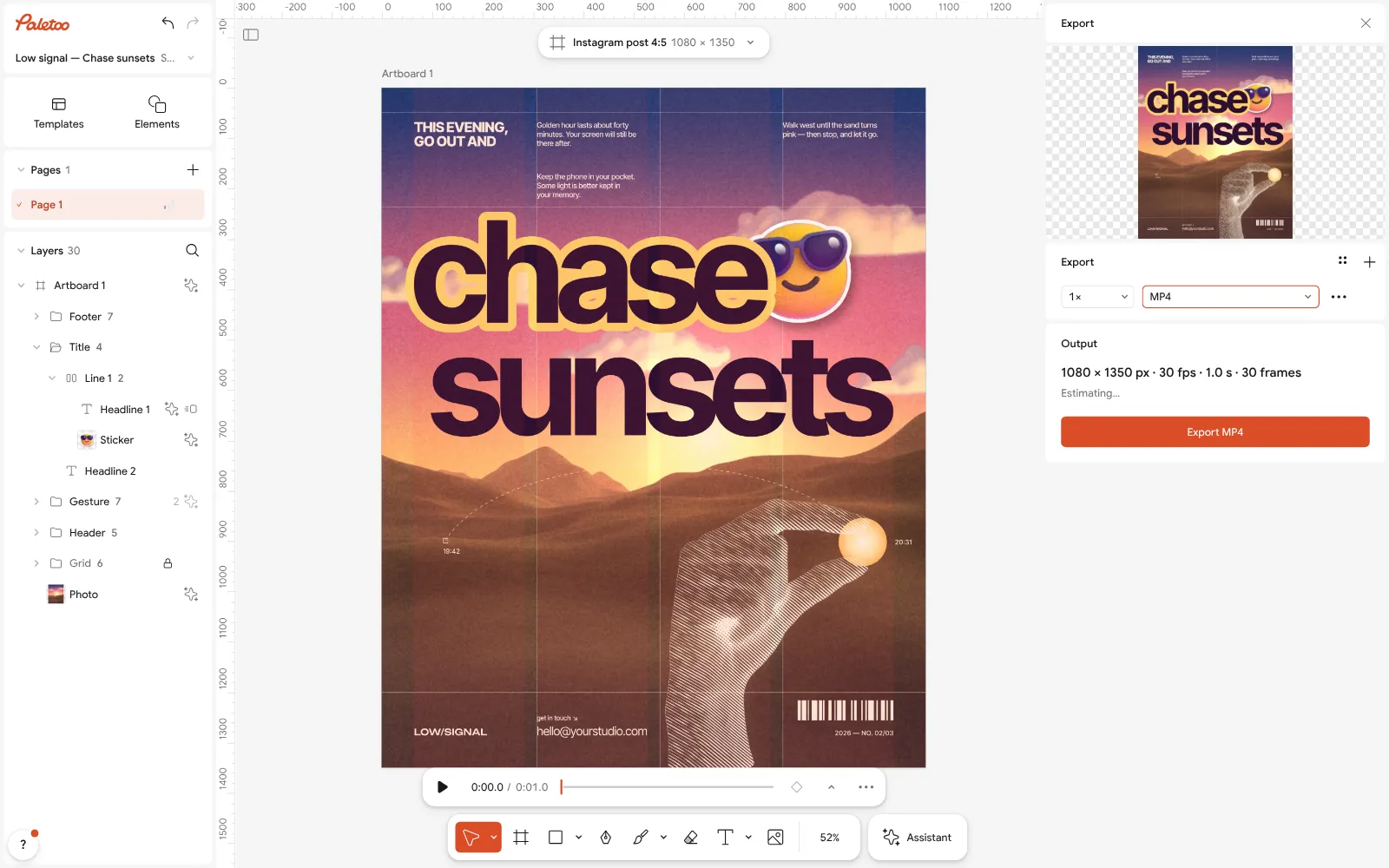
The Export window with MP4 chosen for the animated post Set the length in Duration — about 1 s for the entrance — and let the clip hold for 3–5 seconds after it.
Press Export (Ctrl Shift E), choose MP4 and export. The knockout is drawn in every frame exactly as on the canvas; post the file as a Reel or a Story.
Make it your own
For a calmer loop, set Split to Words and give the entrance a longer Duration; for a punchy one, use Pop on a single short word.
Pick a background colour that is not in the photo — a peach on a blue sky, a cream on a night photo — so the band stays visible as it slides.
For a transparent overlay to lay over your own video in another editor, export WebM with a clear background instead of MP4.
Sources
Questions
How do I animate outline text for Reels?
Give the text a knockout or painted stroke, add an entrance such as Rise in the Animate tab, set the artboard to 1080 × 1920 and export an MP4. The outline moves with the letters.
What size is a Reel?
1080 × 1920 pixels, 9:16. Keep text in the middle of the frame, clear of the bottom 420 px or so, where the caption and buttons sit.
Can I animate the outline’s width?
Not yet: the outline moves with the letters, but its width is not a separate animated property in Paletoo today. Rise, Pop and Typing animate the word and its band together.
Which format should I export for Instagram?
MP4 (H.264). For an overlay with a transparent background, WebM; Instagram itself does not accept transparency.
How long should an animated text Reel be?
For a looping title, 3–7 seconds: the word arrives in about a second and holds long enough to read before the loop restarts.
Make it online
- Animated text makerMake words move in one click — rise, typing, pop, wave — and export a video for Reels, a GIF for chats or a Lottie file for the web. Free, with no watermark and no sign-up.
- Instagram story makerPick a 9:16 template, change the words and the photo, add motion if you like, and export an image or a video in a couple of minutes.
Free design templates for posts, stories and posters: Story and Reels templates
Try it on your own design
Paletoo opens in your browser, with no sign-up. Every effect here is live: change the picture or the words and the effect follows.
Open in PaletooOpens this design as your own copy — every layer and effect editable, free.
Read next
- 01
 Kinetic typography trend 2027: bold type that moves, even on a posterBig, bold type that moves — or looks as if it just did.
- 02
 What is a knockout outline (and why designers love it)A stroke that is a hole, not a line: what the knockout outline is, why it reads on any photo, and how to make one in a minute.
- 03
 How to export an animation with a transparent backgroundAnimated type with nothing behind it: WebM with real alpha for video, Lottie for websites and apps.