Free tools7 min readFreeUpdated 2026-11-20
ASCII art text: big letters made of characters, to copy and paste
Big letters built from slashes and underscores, or a word filled with characters — which one you need, where it pastes and how wide it may be.
By the Paletoo team · steps tested in Paletoo on
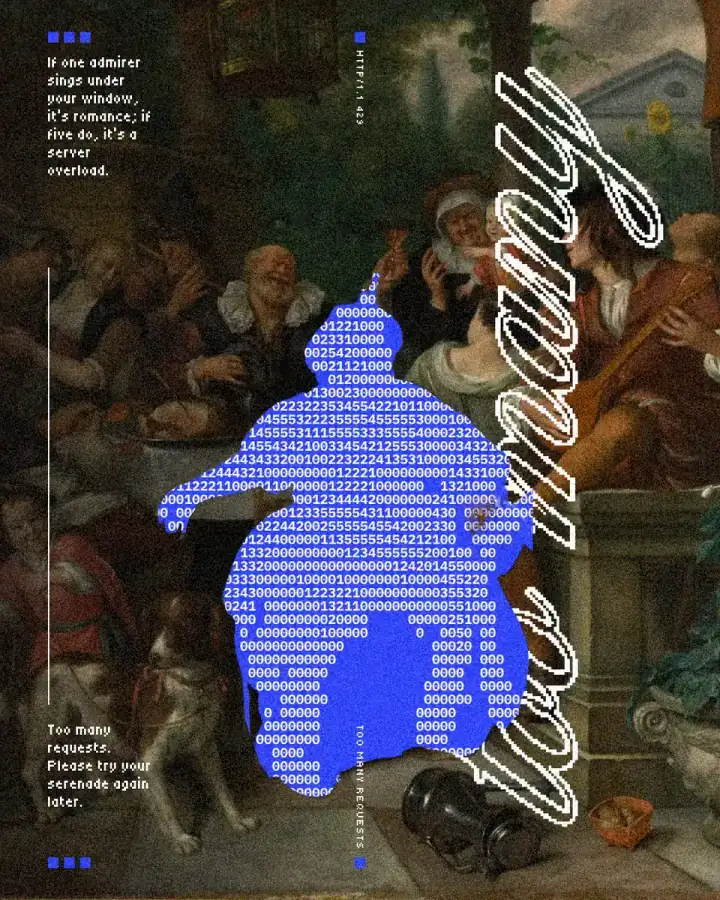
ASCII art text means one of two things. The classic one is a word written in big letters built from ordinary characters — slashes, underscores, pipes — about six lines tall: a FIGlet generator makes it in a second, and you paste it into a Discord code block, a GitHub README, a code comment or a terminal, where a monospace font keeps the columns straight. The other is a picture drawn in characters, a word or a photo whose shapes are filled with letters and digits; that one is best kept as an image, made with the free image to ASCII tool or with the ASCII effect in Paletoo.
This guide covers both: what keeps pasted text art from falling apart, the width limit of each place, which Unicode block characters are safe, and — in the editor — how ASCII sits next to real words on «too many», a 1080 × 1350 post in which one figure at a crowded Jan Steen party has become white digits on blue while the words run down the side in an outlined script. Every step was run in Paletoo on 12 November 2026. For things worth drawing, see ASCII art ideas; for turning a photo into characters step by step, image to ASCII art.
Two kinds of ASCII text art
Banner letters — what most people mean by «ASCII art text generator» — go back to line printers and early Unix. FIGlet, a small program first released in 1991, still sets them, and its fonts (.flf files) have names like Standard, Big, Slant, Banner and Block. Each letter is drawn on a grid of characters, usually five to eight columns wide and about six rows tall, so «HELLO» in Standard takes six lines of plain text. Web generators such as patorjk’s Text to ASCII Art Generator use the same fonts, and on Linux, or on a Mac with Homebrew, the figlet command does it in a terminal.
Character pictures work the other way round. The shapes come from a photo, a drawing or a word set in a real font, and every cell of a grid gets the character whose ink matches the tone under it: a space where it is empty, @ or █ where it is full. They are text too, but they need far more columns to read, so they usually travel as a PNG.
| Banner letters (FIGlet) | Character picture | |
|---|---|---|
| Made from | Your word, in a FIGlet font | A photo, a drawing or a word in any font |
| Typical size | About 6 rows; 5–8 columns a letter | 40–150 columns, 20–80 rows |
| Characters | Slashes, underscores, pipes, brackets | A ramp such as . : - = + * # % @, or blocks ░▒▓█ |
| Best format | Plain text in a code block | PNG or SVG; plain text only when small |
| Made with | figlet, a FIGlet web generator | The image to ASCII tool, the ASCII effect |
Where it pastes, and how wide it may be
Text art needs a monospace font, in which every character takes the same width; in a proportional font the columns drift and the letters slide apart. So paste it where monospace is guaranteed. In Discord, Telegram and Slack, wrap it in a code block: three backticks on the line before it and on the line after. On GitHub a fenced code block in the README does the same and keeps the runs of spaces that Markdown would otherwise collapse. A terminal and a code editor are monospace already. Instagram captions, posts on X and most e-mail clients are not, so post a picture there.
Width is the other limit. A classic terminal is 80 columns wide and many style guides keep code lines to 79 or 80 (Python’s PEP 8 says 79), so a banner in a code comment should stay under that — in the Standard font, roughly ten to twelve letters. A Discord message holds 2,000 characters (4,000 with Nitro), spaces and line breaks included, and on a phone a wide block may wrap or need scrolling sideways: keep chat banners to about 40 columns. Leave tabs out; every app expands them differently.
| Place | How | Keep it within |
|---|---|---|
| Discord | A code block: ``` on the line before and after | 2,000 characters a message; about 40 columns for phones |
| Telegram, Slack | A code block, ``` before and after | Short lines: long ones wrap on phones |
| GitHub README | A fenced code block | About 80 columns, so it reads without scrolling |
| Code comment | Comment lines in the source | Your project’s line length, often 79–100 |
| Terminal | The figlet command, or paste | 80 columns in a classic window |
| Instagram, X, e-mail | Proportional fonts: it breaks | Post a PNG instead |
ASCII, Unicode blocks and Cyrillic
Strictly, ASCII is 95 printable characters: the Latin letters, the digits, punctuation and the space. Art built only from them is safe in every monospace font. The solid-looking banners popular in READMEs (the «ANSI Shadow» font in web generators, for example) use Unicode instead: block elements such as █ ▀ ▄ ░ ▒ ▓ and box-drawing lines such as ═ ║ ╔. They look bolder, but they rely on the font having those characters at exactly the same width; most coding fonts do, some phone fonts do not, and then the art comes apart. Braille patterns (⣿) give finer dots but vary even more. Emoji and Chinese or Japanese characters take two columns and break any grid.
Most FIGlet fonts have only Latin letters, so a Ukrainian word comes out empty or as question marks. For a word in Cyrillic, set it in a heavy font that has the letters and then draw it in characters: export it as a black-on-white PNG and run it through the image to ASCII tool for text you can copy, or keep it in the editor with the ASCII effect for a picture.
Made in Paletoo
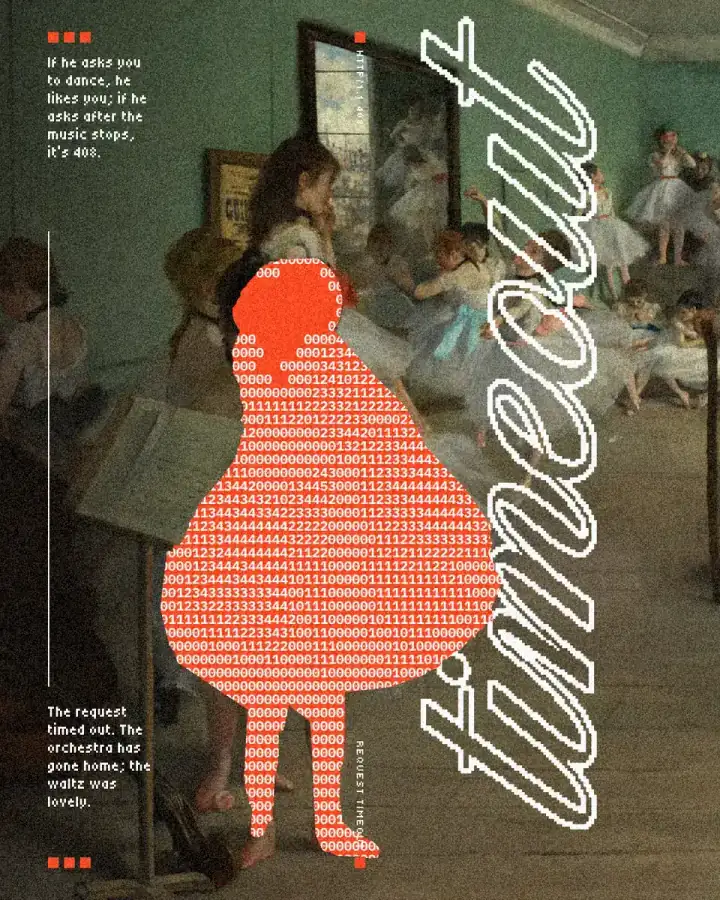
Every picture on this page was made in Paletoo — these three with the same steps on other templates:
Make it free in Paletoo
Open the post: press “Open in Paletoo” on this page, or start from the photo effects maker. It opens as your own 1080 × 1350 document: a crowded Jan Steen party on a dark ground, one figure turned into white digits on blue, «too many» in a tall outlined script down the right edge, and two small pixel captions with «HTTP/1.1 429» labels.
Select «Word»: under Typography in the Design tab it is Pinyon Kyiv, a script with Cyrillic, at 520 px. Double-click it to type your own word. The Effects tab shows why it looks like a screen: a Pixel step squares its edges and a hollow Outline leaves only the white contour.
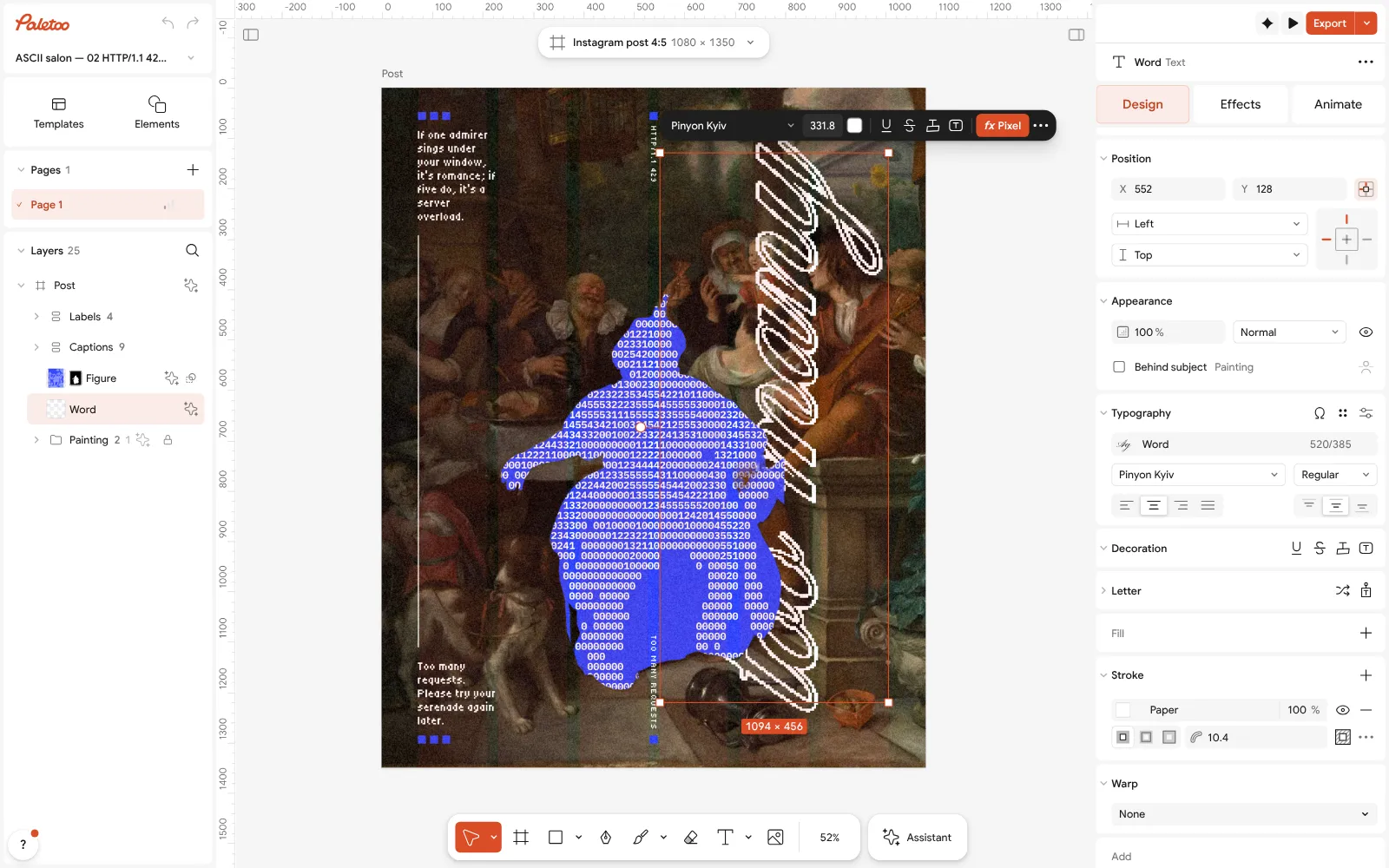
«too many» open in Paletoo: «Word» selected — Pinyon Kyiv at 520 px under Typography in the Design tab Select «Figure» and open Effects. Under Applied is one step, ASCII: the painting, masked to one silhouette, redrawn as characters on a 12 px grid. Everything else on the post stays a painting.
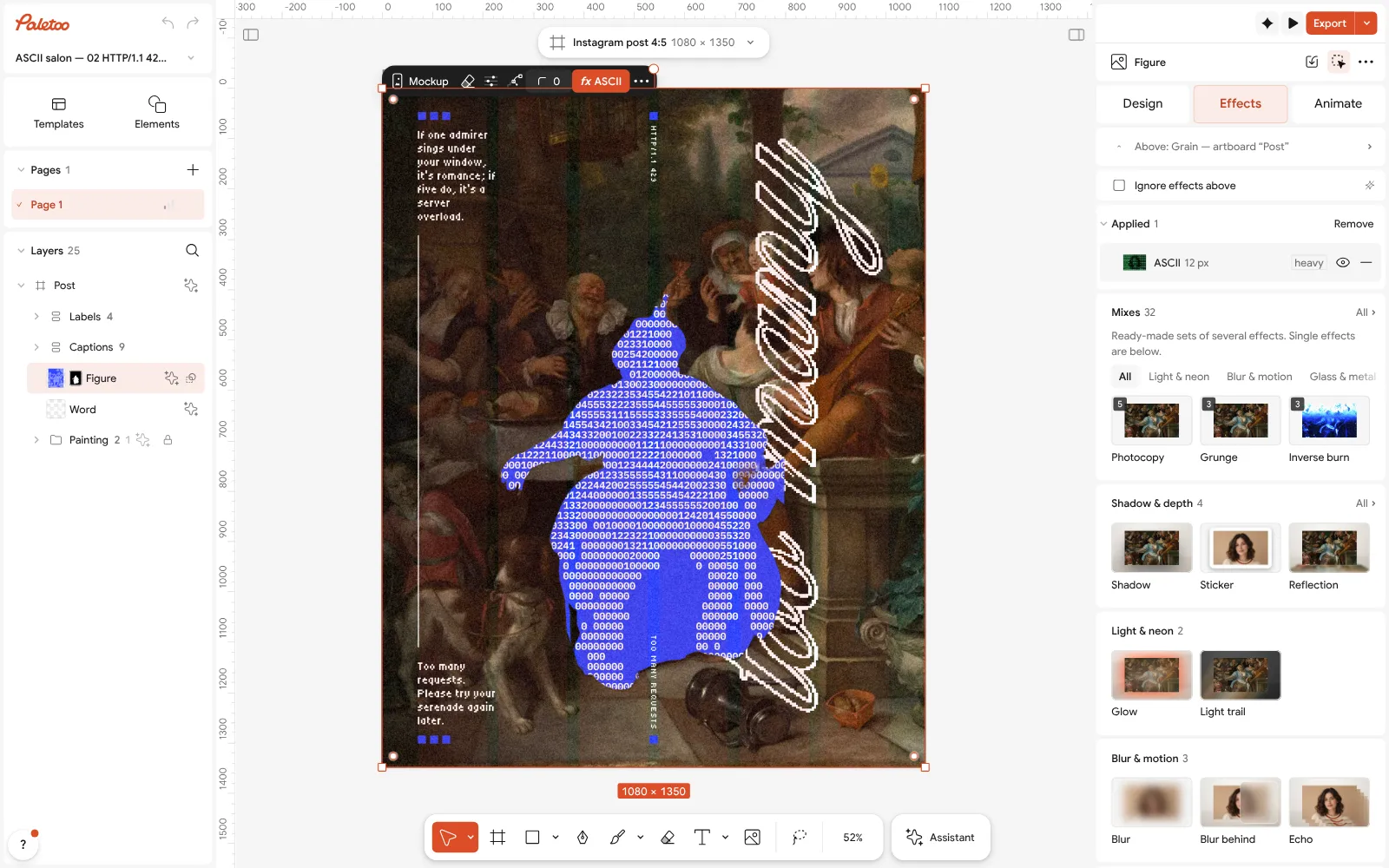
«Figure» selected: one ASCII step under Applied in the Effects tab Click the ASCII row to open it. Cell is the width of one character; Characters is set to Custom, with three spaces, four zeros and the digits 1 to 5 typed in Text — the ramp from empty to full; Colour is a white Ink, and Background fills the cells blue. Try Classic, Blocks or Binary for other looks.
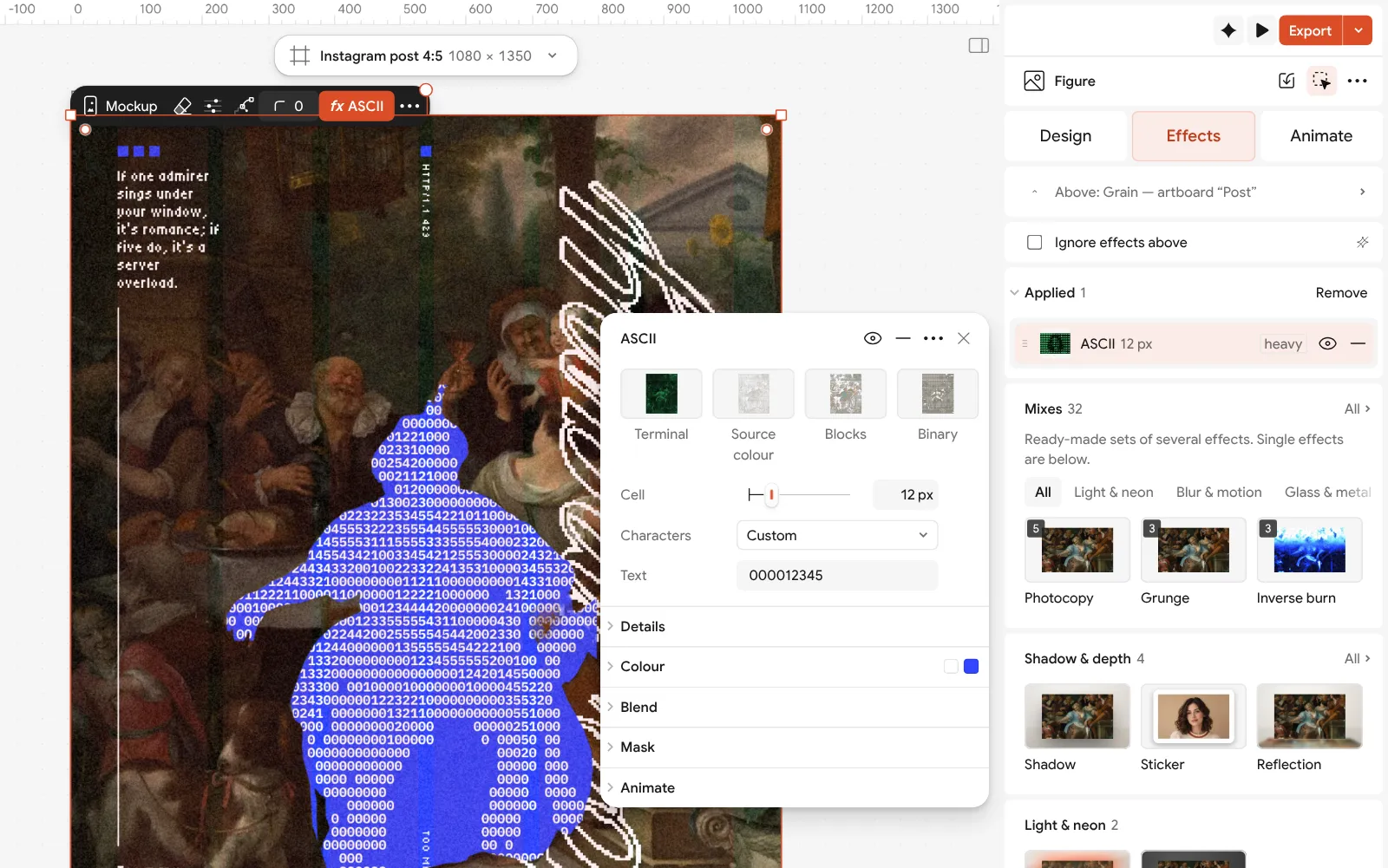
The ASCII step open: the cell, the custom characters, the white ink and the blue background beside the post To draw a word in characters, add a text layer and set it big and heavy — 300 px or more of a bold sans — then press Add effect in the Effects tab and pick ASCII. On text the characters stay inside the letters, with no background box; a Cell of 6–8 px keeps the word readable.
Press Export (Ctrl Shift E) and choose PNG: the characters are pixels in the picture, so they look the same everywhere and no font is needed. To drop one layer into a chat, select it and press Ctrl Shift C, Copy as PNG, then paste. For characters you can copy as text, use the image to ASCII tool.
Make it your own
Change the Cell first: at 8 px the figure becomes a fine texture, at 16–20 px a bold block that reads across a room. On a word, keep the cell at about a tenth of the letter height or less, or the letters lose their shape.
If light and dark come out swapped — dense characters where the picture should be empty — switch on Invert ramp. For a rounder, more typewriter-like look, set Font to Space Mono instead of IBM Plex Mono.
Keep the words next to the picture as real text in a pixel or mono face — Tiny5, like the captions here — so they stay sharp and editable; only the picture becomes characters. More on the look: Y2K pixel art.
Sources
Questions
How do I make ASCII art text?
Type your word into a FIGlet generator, or run figlet in a terminal, pick a font such as Standard or Slant, and copy the result. Paste it inside a code block so it stays in a monospace font.
How do I paste ASCII art in Discord without it breaking?
Put three backticks on the line before it and on the line after, so Discord shows it as a code block in a monospace font. Keep it under 2,000 characters, and about 40 columns wide for people on phones.
Why does my ASCII art look broken when I paste it?
The app shows it in a proportional font, where characters have different widths, or it collapsed the spaces. Use a code block, or post the art as a PNG.
What is the difference between ASCII art and ANSI art?
ASCII art uses only the 95 printable ASCII characters. ANSI art, from the bulletin-board era, adds block and line characters from old PC code pages and colour codes for the terminal.
Can I make ASCII art text in Cyrillic?
Most FIGlet fonts have only Latin letters. Set the word in a font with Cyrillic and draw it in characters instead: with the image to ASCII tool for copyable text, or with the ASCII effect in Paletoo for a picture.
Is it free?
Yes. The image to ASCII tool and the Paletoo editor are free, with no watermark and no sign-up; the post on this page exports as PNG, JPG or PDF.
Make it online
- Photo effects onlineDrop in a photo, press one mix — film, print or glitch — and download it in a minute; every step stays editable afterwards.
- Text effects onlineType your words, press one effect — chrome, gold foil, emboss, cut-out letters, outlines or warps — and download it in a minute, free and with no sign-up; the words stay editable text.
Free design templates for posts, stories and posters: Poster templates · Social media post templates
Try it on your own design
Paletoo opens in your browser, with no sign-up. Every effect here is live: change the picture or the words and the effect follows.
Open in PaletooOpens this design as your own copy — every layer and effect editable, free.
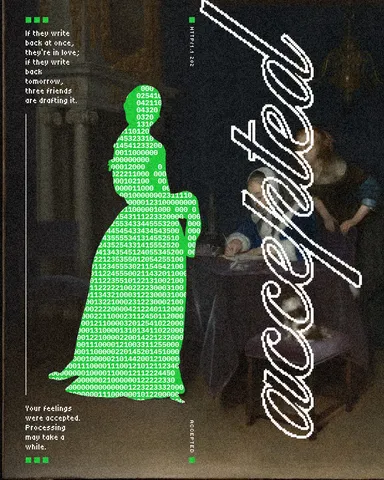 Image to ASCII art: how to turn a photo into characters
 Y2K pixel art trend 2027: 8-bit, LED boards and CRT screens