Free tools5 min readFreeUpdated 2026-11-26
Facebook cover photo size 2026: 1640 × 624 for desktop and mobile
The size to upload, what a phone cuts off, where the profile picture lands — and a cover made from a design you already have.
By the Paletoo team · steps tested in Paletoo on

Make a Facebook cover photo 1640 × 624 pixels: that is twice the 820 × 312 a computer shows, so it stays sharp on high-density screens. Phones show the cover at 640 × 360 — a taller window — so they cut the sides and keep roughly the middle two-thirds, about 1110 × 624 of the file; the minimum is 400 × 150, and JPG and PNG both work.
This guide puts Meta’s numbers in one table, says plainly which of them Meta publishes and which are our arithmetic, and makes a cover in Paletoo from «Six modules. One portfolio.» — a coral Offset banner with a black headline and six module pills, whose X header becomes a Facebook cover with one press of the size chip. Every step was run in Paletoo on 11 November 2026; the pictures are the editor itself.
Facebook cover photo size: what Meta says
Meta’s help page for Page cover photos gives four numbers. The cover displays at 820 × 312 px on computers and at 640 × 360 px on smartphones; it must be at least 400 × 150 px; and it loads fastest as an sRGB JPG of 851 × 315 px under 100 KB. For a cover with a logo or text, the same page suggests a PNG for a better result.
Meta does not publish one safe area for both screens, so the rest is arithmetic, and we say so. 820 × 312 is a 2.63:1 strip; 640 × 360 is 16:9. Fit a 2.63:1 picture into a 16:9 window at full height and its sides fall away — about a sixth on each side. Hence 1640 × 624, the desktop shape at twice the size, with everything that matters in the middle 1110 × 624.
| Size | Note | |
|---|---|---|
| Upload (recommended) | 1640 × 624 px | Twice the desktop size, sharp on high-density screens |
| Shown on a computer | 820 × 312 px | Meta’s figure, 2.63:1 |
| Shown on a phone | 640 × 360 px | Meta’s figure, 16:9: the sides are cropped |
| Safe on both | about 1110 × 624 px in the middle | Our arithmetic, not Meta’s |
| Minimum | 400 × 150 px | Meta’s minimum |
| Fastest to load | 851 × 315 px JPG under 100 KB | Meta’s advice; PNG for logos and text |
Desktop and mobile: what covers the cover
On a computer the round profile picture overlaps the bottom left of the cover, and under it come the name, the category and the buttons. On a phone the sides are gone and the profile picture sits over the lower edge. So keep words and faces in the upper part of the middle band, and let the bottom-left corner be background — a colour or the quiet part of a photo.
Facebook also compresses covers hard. A cover that is mostly photo looks best as a JPG close to 1640 × 624; one with a logo, thin lines or small type survives better as a PNG, which keeps edges clean. Avoid text smaller than about 36 px in the 1640-wide file: on a phone it shrinks to about 12 px.
Cover photo ideas for a business page
A business Page: the offer or the promise in one line, a photo of the place or the product on the right, and the opening hours or a date if they matter this month. A creator: your name or your show, what you post and how often. An event: the date big, the place small. A school or a course: what people learn and when the next group starts — as on the template below.
Change the cover when the news changes. It is the first thing visitors see, and a cover that still announces last spring’s sale tells them the Page is not looked after.
Made in Paletoo
Every picture on this page was made in Paletoo — these three with the same steps on other templates:

Make it free in Paletoo
Open the design: press “Open in Paletoo” on this page. It opens with five sizes of the same banner; the size chip above the canvas reads LinkedIn banner, 1584 × 396.
Click the name of the X header artboard, 1500 × 500. Its 3:1 shape is the closest to a Facebook cover, so the layout changes least.
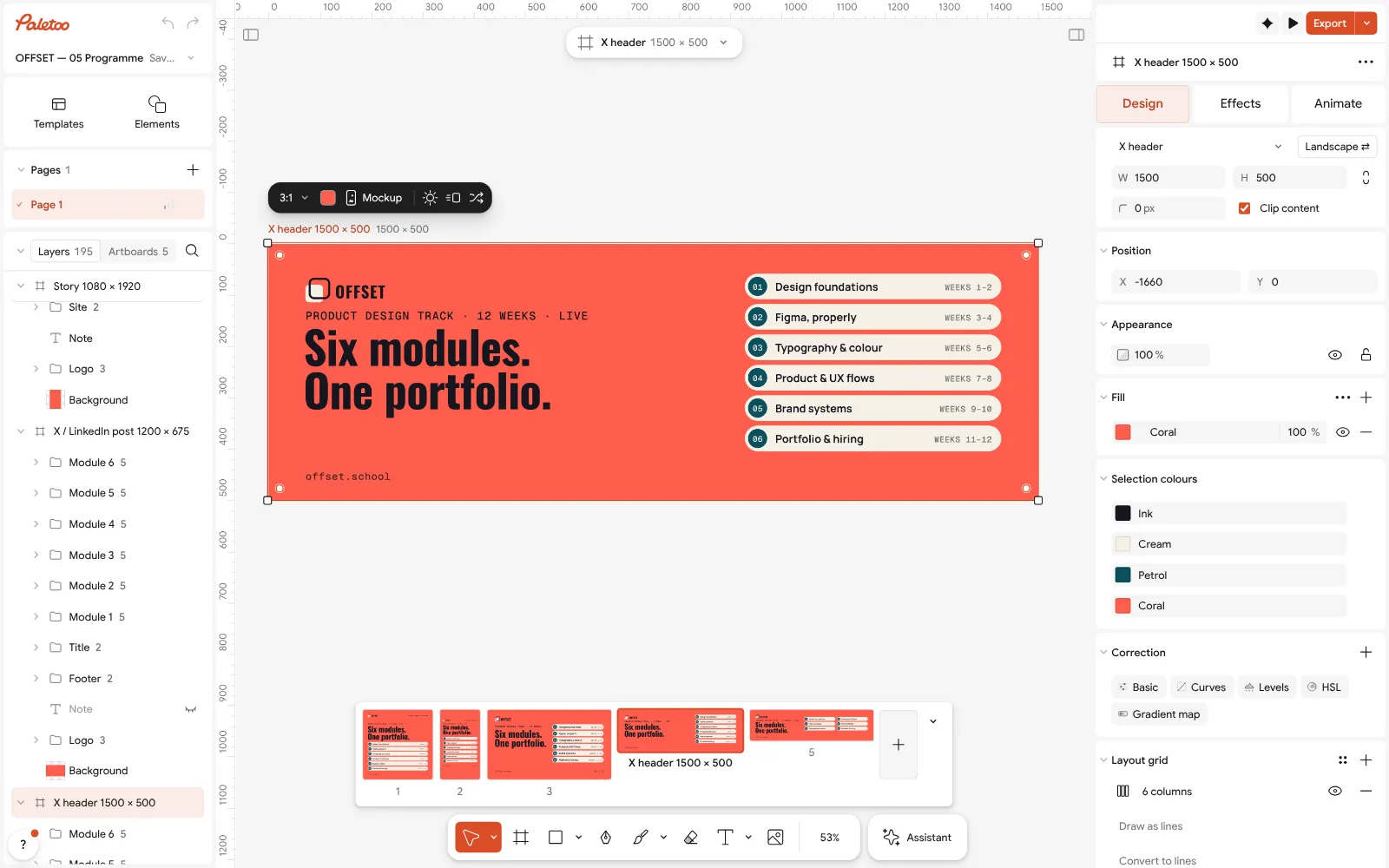
The X header artboard selected in Paletoo: 1500 × 500 on the size chip Press the size chip. Under Make a copy as press All formats…, keep Scale artwork on and pick Facebook cover in Social media: a 1640 × 624 copy appears beside the X header, which stays as it was.
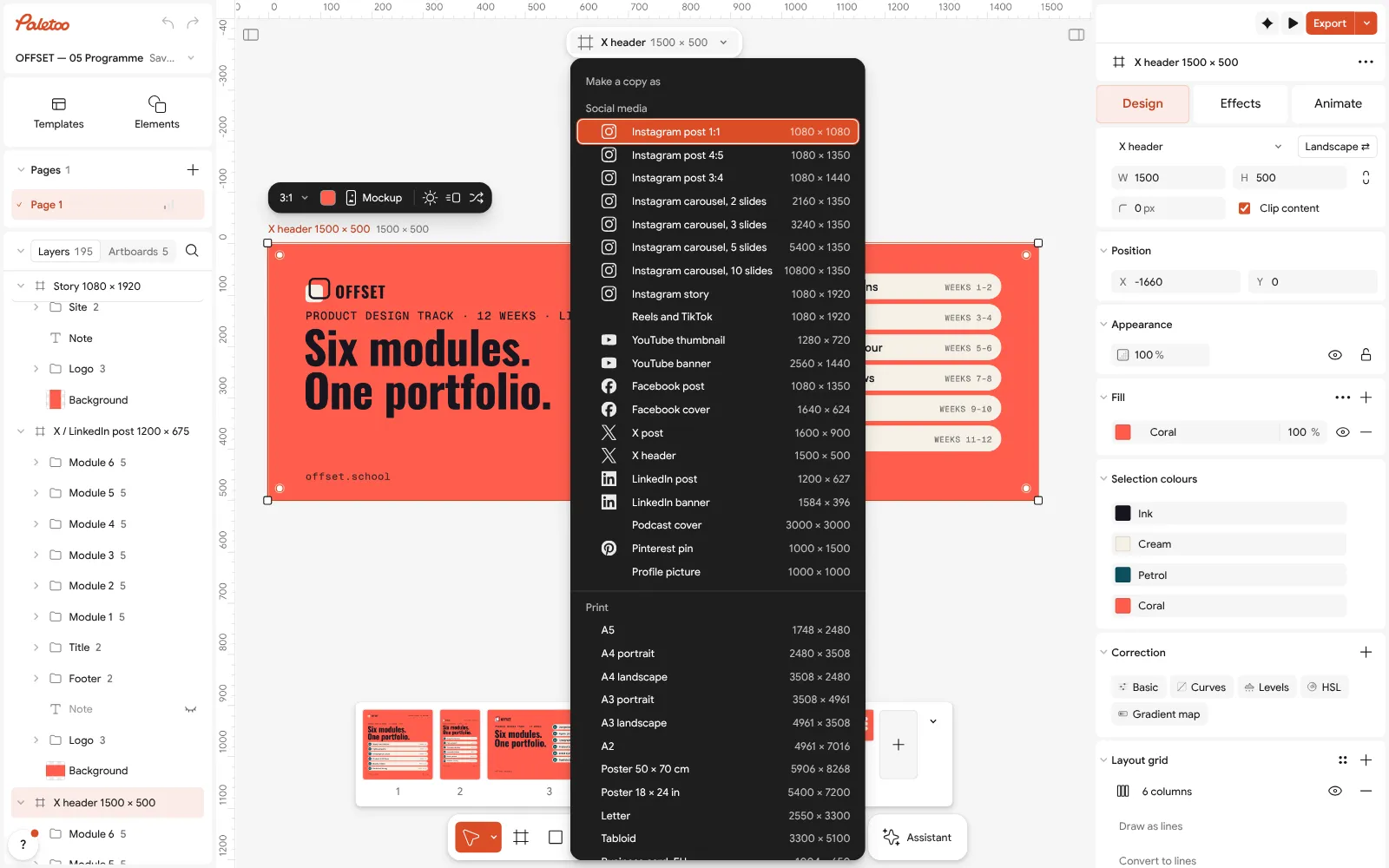
The size chip pressed: All formats…, Facebook cover, 1640 × 624, in Social media, with Scale artwork on Double-click the headline on the copy and retype it; the font is under Typography. Then drag anything that matters out of the outer sixth on each side and out of the bottom-left corner.
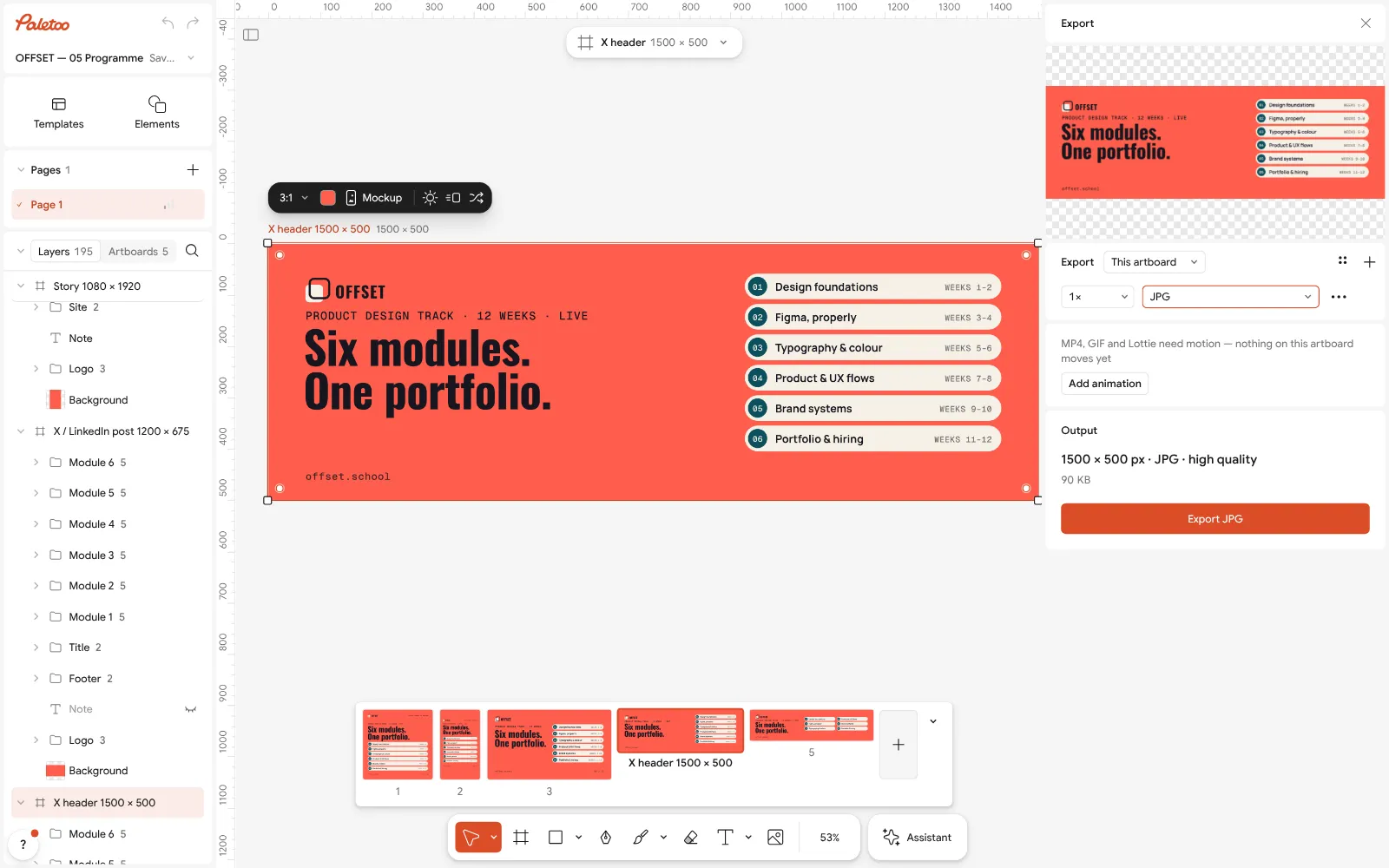
Export as JPG Press Export (Ctrl Shift E) and choose JPG for a photo cover or PNG for words and a logo. At 1× the file is 1640 × 624, with no watermark.
On Facebook, press Edit cover photo › Upload photo, drag it into place, save, and look at the Page on your phone before you move on.
Make it your own
Change the coral and the cream for your own colours once, in Colour styles: the cover, the LinkedIn banner and the posts in the same file all follow.
If the words get lost on a photo, give them a Stroke or a soft Glow from the Effects tab rather than making them bigger.
Keep last month’s cover: Duplicate artboard before you retype, so the next change starts from a finished design.
Sources
Questions
What size is a Facebook cover photo in 2026?
Upload 1640 × 624 pixels. Facebook shows the cover at 820 × 312 on a computer and 640 × 360 on a phone; the minimum is 400 × 150.
What is the Facebook cover photo size for mobile and desktop?
One file serves both: 1640 × 624, with words and faces in roughly the middle 1110 × 624, because phones crop the sides.
What is the Facebook cover photo ratio?
About 2.63:1 on a computer (820 × 312) and 16:9 on a phone (640 × 360).
What size is a Facebook business page cover?
Upload 1640 × 624. Meta’s help gives 820 × 312 on computers and 640 × 360 on phones for Page covers; leave the bottom left free for the profile picture.
Why is my Facebook cover photo blurry?
It was uploaded smaller than it is shown, or as a JPG with fine text. Upload 1640 × 624, and use PNG for logos and lettering.
Can I make a Facebook cover for free?
Yes. In Paletoo, make a copy of any design as Facebook cover, change the words and export JPG or PNG — free, with no watermark.
Make it online
- Instagram post makerDesign a post at the right size from a real template, then export a sharp PNG or JPG — free, in your browser.
- Photo collage makerDrop your photos into a ready grid — two, three, four or five frames — and every picture fills its frame without stretching.
Free design templates for posts, stories and posters: Social media post templates
Try it on your own design
Paletoo opens in your browser, with no sign-up. Every effect here is live: change the picture or the words and the effect follows.
Open in PaletooOpens this design as your own copy — every layer and effect editable, free.
Read next
- 01
 Instagram story size 2026: 1080 × 1920, safe zones and ratioThe pixels, the ratio, the bands that the profile and the reply bar cover — and a story that opens at the right size in one tap.
- 02
 YouTube thumbnail size 2026: 1280 × 720, 4K and the file limitThe exact size, the file limit, the corner the timestamp covers — and a thumbnail that opens at that size in one tap.
- 03
 How to make an Instagram post for free: size, layout, exportThe size, the margins and the three type sizes that make a post read in one second.