Free tools5 min readFreeUpdated 2026-11-13
YouTube thumbnail size 2026: 1280 × 720, 4K and the file limit
The exact size, the file limit, the corner the timestamp covers — and a thumbnail that opens at that size in one tap.
By the Paletoo team · steps tested in Paletoo on
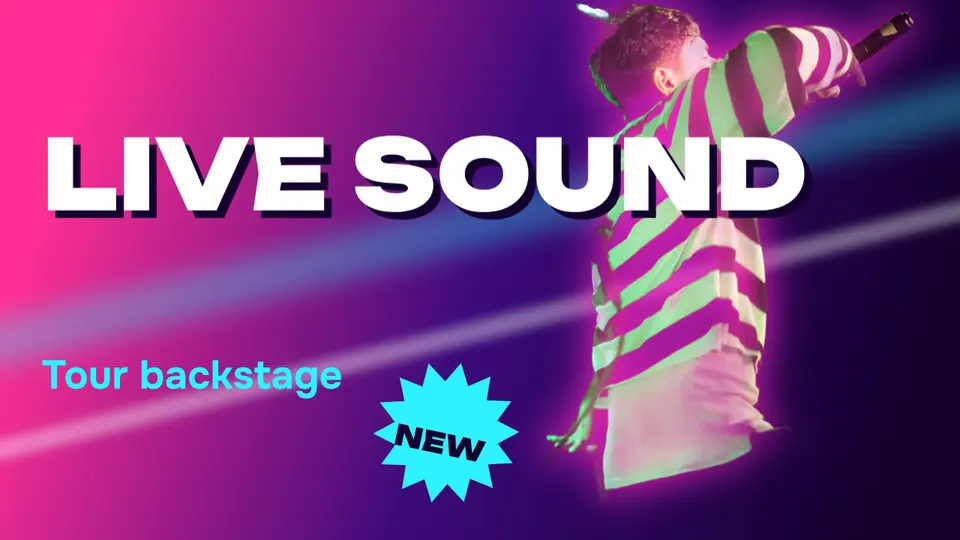
A YouTube thumbnail is 16:9: make it 1280 × 720 pixels, or 3840 × 2160 for the sharpest result, which is what YouTube’s help now recommends, with a minimum width of 640 pixels. Save it as JPG or PNG under 2 MB if you upload from a phone (50 MB from a computer); for Shorts the shape is turned on end, 2160 × 3840 (9:16), and for a podcast playlist it is square.
This guide checks those numbers against YouTube’s own help (read on 11 November 2026), shows where the timestamp and the progress bar cover your picture, and makes a thumbnail at the right size in Paletoo — on «Live sound», a music-video thumbnail with a cut-out singer, a glow and a starburst. Every step was run in the editor; the pictures are the editor itself.
YouTube thumbnail size and format, in one table
YouTube shows the same thumbnail at many sizes: as big as the player before a video starts, and as small as 168 × 94 pixels in a sidebar on a phone. That is why the guidance is «as large as possible» and also «readable when tiny». Here is what YouTube asks for:
| Videos | Shorts | Podcast playlists | |
|---|---|---|---|
| Shape | 16:9 landscape | 9:16 portrait | 1:1 square |
| Recommended size | 3840 × 2160 px (1280 × 720 still fine) | 2160 × 3840 px | 3000 × 3000 px |
| Minimum | 640 px wide | 640 px tall | — |
| File type | JPG or PNG | JPG or PNG | JPG or PNG |
| File size | 2 MB from a phone, 50 MB from a computer | 50 MB from a computer | 10 MB from a phone |
What covers your thumbnail — and what to keep clear
In the bottom-right corner YouTube puts the video’s length, and on videos you started watching a red progress bar runs along the bottom. Keep faces and words out of that corner, roughly the last fifth of the width and the bottom sixth of the height. On the home page a thumbnail also gets rounded corners and, on hover, starts playing — so the picture has to work in the first glance, before anything moves.
Text that reads at 168 pixels wide is three or four words in a heavy font, at least a sixth of the thumbnail’s height. One face with a clear expression, one contrasting colour behind it and one short line beat a busy collage every time. If your face or product sits on a messy background, cut it out and put it on a flat colour: that is what most big channels do.
1280 × 720 or 3840 × 2160?
Both have the same 16:9 shape, so a design made at 1280 × 720 simply exports three times bigger. The 4K file is sharper on televisions and big monitors, where the thumbnail fills the screen before the video plays; on phones you will not see a difference. The catch is the 2 MB limit on a phone upload: a 4K PNG with a photo is usually 6–12 MB, so from a phone export a JPG at 1280 × 720 or 1920 × 1080, and keep the 4K file for desktop uploads.
Made in Paletoo
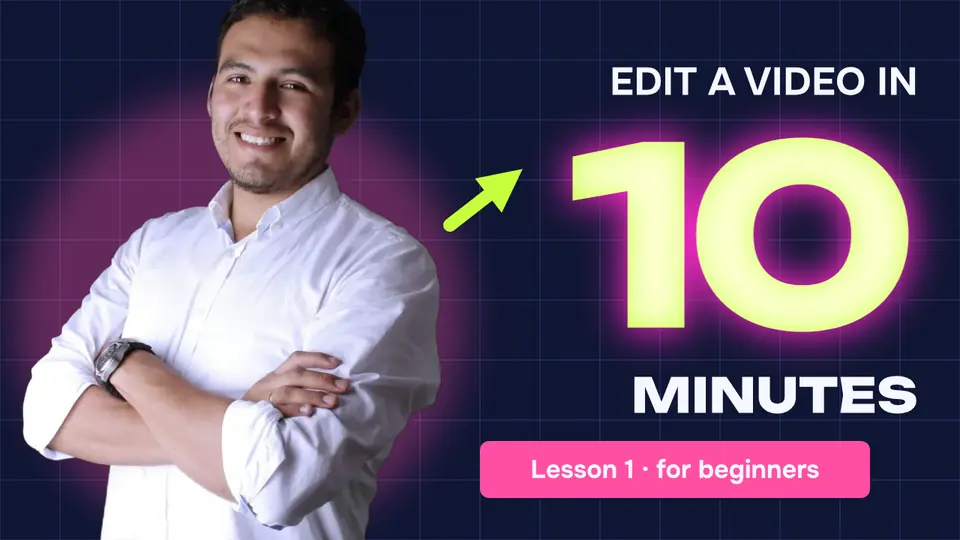
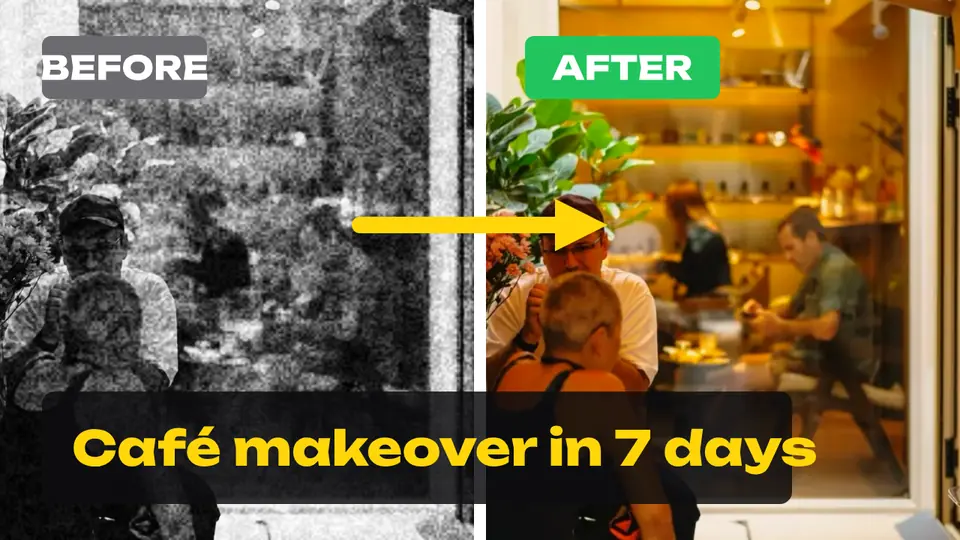
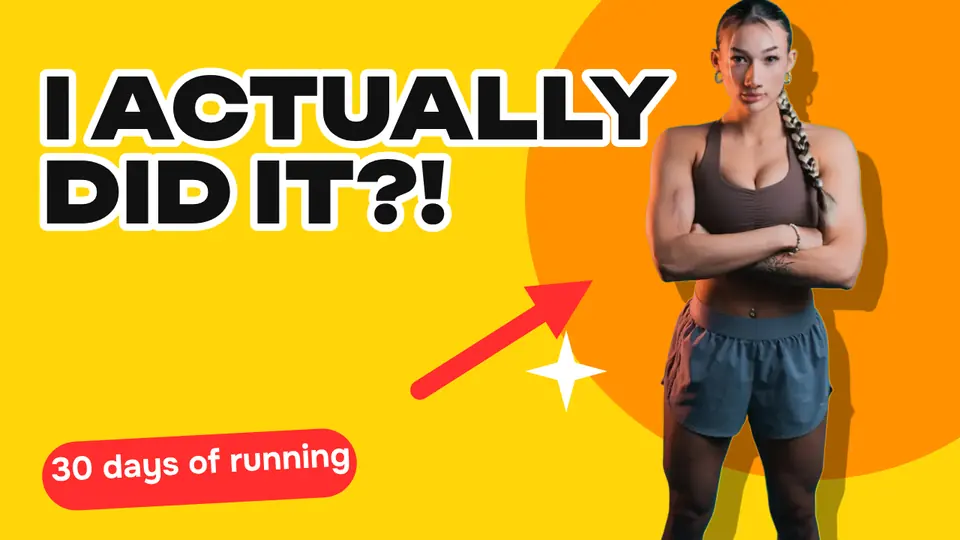
Every picture on this page was made in Paletoo — these three with the same steps on other templates:
Make it free in Paletoo
Open the thumbnail: press “Open in Paletoo” on this page, or start from the YouTube thumbnail maker. With nothing selected, the chip above the canvas reads 1280 × 720 — YouTube’s 16:9.
Starting from scratch or from another design? Press the chip, and under Resize this artboard in the Social media group pick YouTube thumbnail. Turn on Scale artwork so what is already there grows to fit.
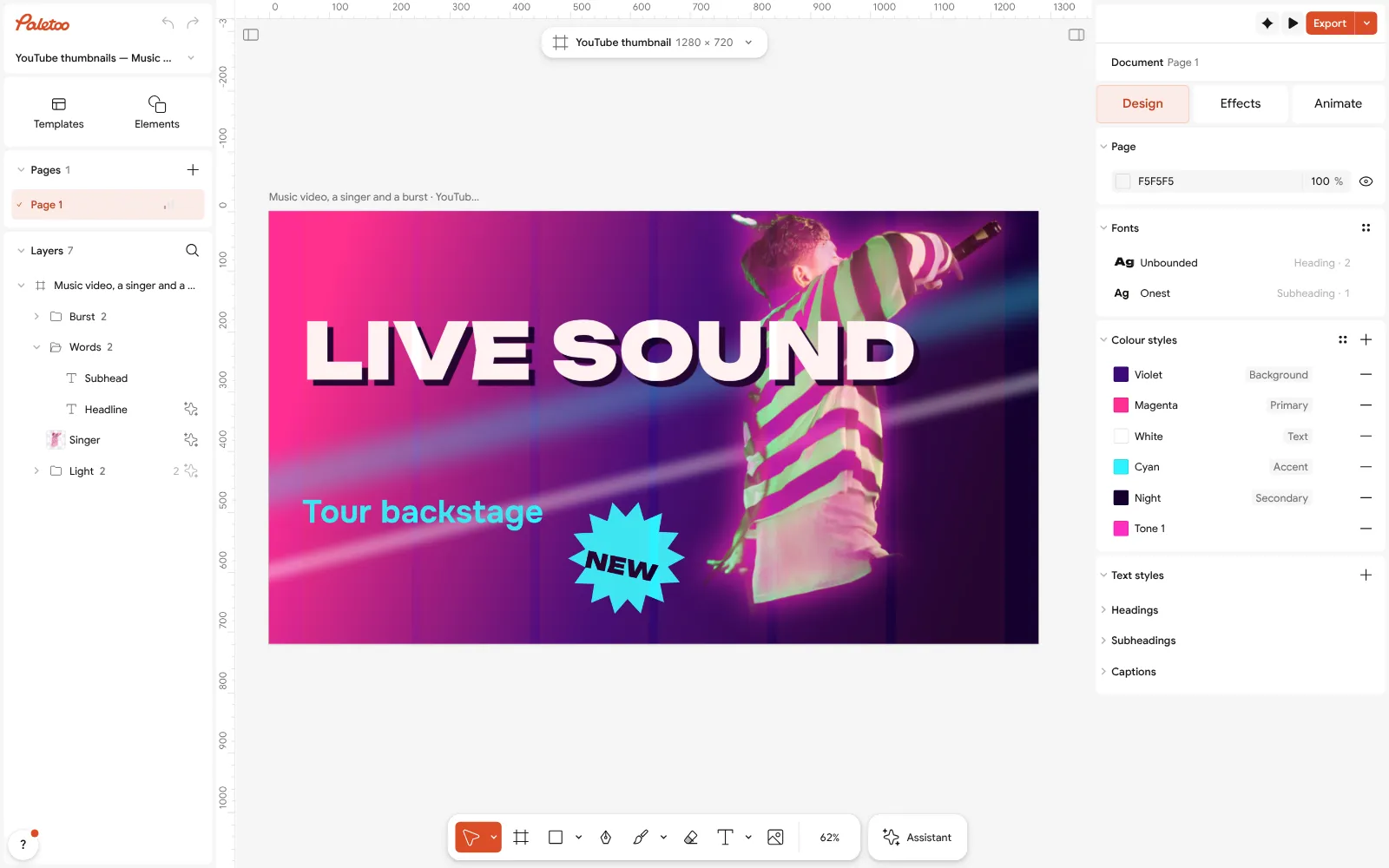
The «Live sound» thumbnail open in Paletoo with nothing selected: 1280 × 720 on the size chip above the canvas Double-click the headline and type your title in three or four words. The font and size are under Typography in the Design tab; heavy, wide letters read best when the thumbnail is tiny.
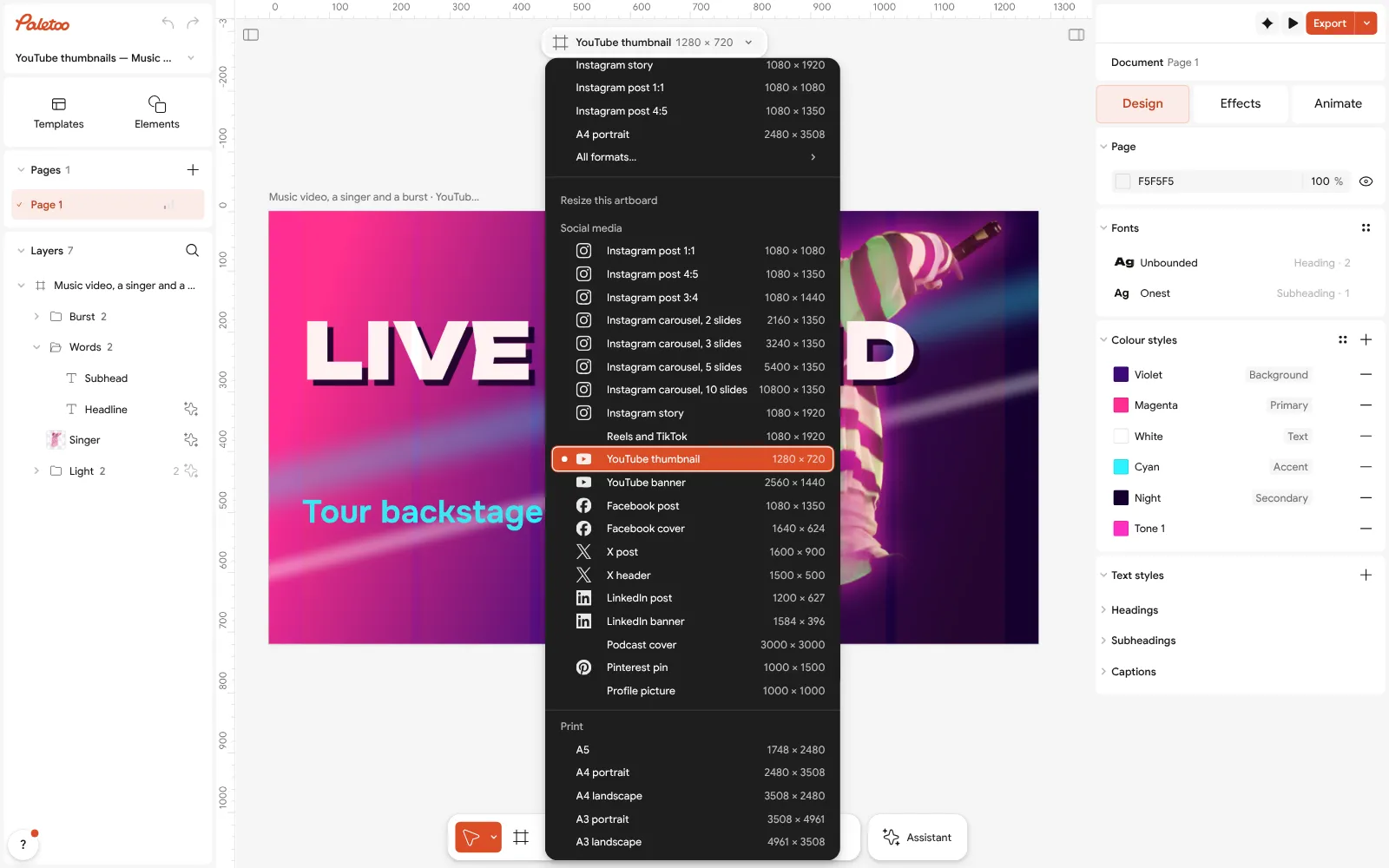
The size chip pressed: YouTube thumbnail, 1280 × 720, in the Social media group Swap the singer for your own photo: select it and press Replace picture, then Remove background to cut yourself out — it runs on your device, nothing is uploaded. Keep your face away from the bottom-right corner, where YouTube puts the video length.
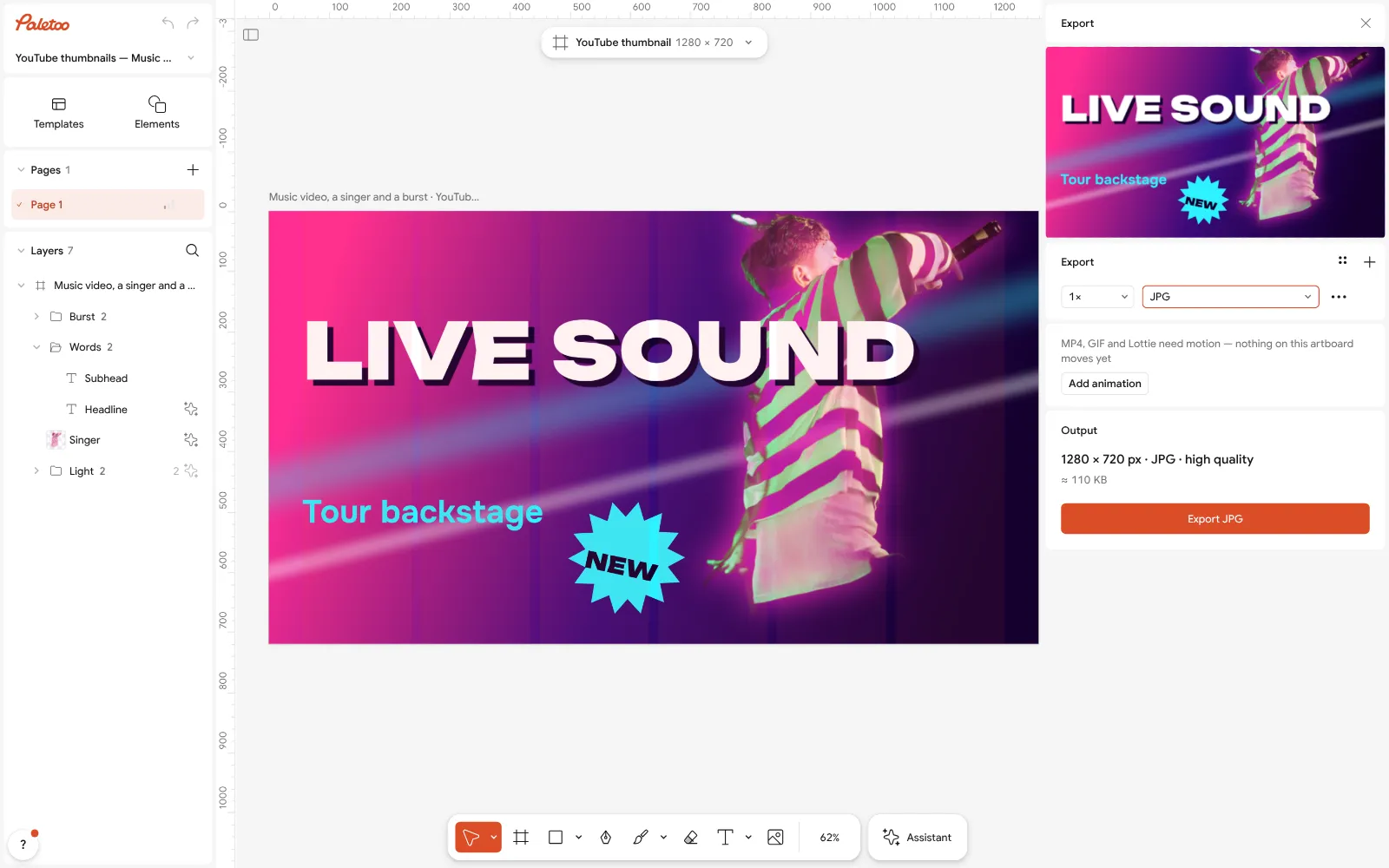
Export as JPG: the size and the file’s weight shown before saving Press Export (Ctrl Shift E) and choose JPG. At 1× it is 1280 × 720; set the scale to 3× for 3840 × 2160. The window shows the file size before you save — under 2 MB if you will upload from a phone.
In YouTube Studio open the video, press the thumbnail slot under «Thumbnail», upload the file and save. Your channel has to be verified (a phone number) before YouTube lets you upload custom thumbnails.
Make it your own
Make two versions to test: Duplicate artboard, change the headline or the colour, and upload both to YouTube’s «Test & compare» — it shows which one gets more watch time.
Need the same design for Shorts? Press the size chip and under Make a copy as pick Instagram story — the same 9:16 as a Short — and move the words to the middle.
If the headline gets lost on the photo, add a Stroke or a soft Glow behind the letters from the Effects tab rather than making them bigger.
Sources
Questions
What size is a YouTube thumbnail?
16:9 — 1280 × 720 pixels is the classic size, and YouTube now recommends 3840 × 2160 for the sharpest picture. The minimum width is 640 pixels.
What is the file size limit for a YouTube thumbnail?
2 MB when you upload from a phone and 50 MB from a computer, according to YouTube Help. JPG keeps a photo thumbnail well under 2 MB at 1280 × 720.
What size is a YouTube Shorts thumbnail?
9:16 portrait: 2160 × 3840 pixels recommended, at least 640 pixels tall. On the home page a 16:9 thumbnail on a vertical video is replaced by an automatic 4:5 one.
Should a thumbnail be JPG or PNG?
JPG for photos, because it is smaller; PNG for flat graphics and text without a photo. Both are accepted.
Why can’t I upload a custom thumbnail?
YouTube asks you to verify your channel with a phone number first. After that the upload button appears under «Thumbnail» in YouTube Studio.
How do I make a YouTube thumbnail for free?
Open a thumbnail template in Paletoo, replace the photo and words, cut yourself out with Remove background and export JPG at 1280 × 720 or 3840 × 2160 — free, with no watermark.
Make it online
- YouTube thumbnail makerA face cut out of its background, three big words and one bright colour: thumbnails at 1280 × 720 that read at the size of a stamp.
- Remove background onlineCut the subject out of any photo in one click — on your own device, with no upload and no credits.
- Text effects onlineType your words, press one effect — chrome, gold foil, emboss, cut-out letters, outlines or warps — and download it in a minute, free and with no sign-up; the words stay editable text.
Free design templates for posts, stories and posters: YouTube thumbnail templates · Team and speaker templates · Social media post templates
Try it on your own design
Paletoo opens in your browser, with no sign-up. Every effect here is live: change the picture or the words and the effect follows.
Open in PaletooOpens this design as your own copy — every layer and effect editable, free.
Read next
- 01
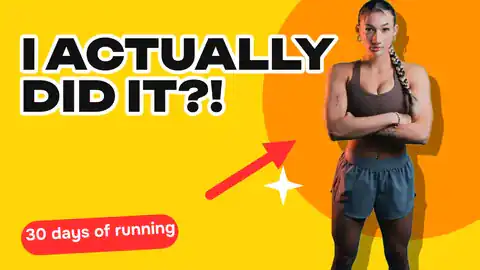 How to remove a background from a photo for free, without uploading itA clean cut-out, made on your own computer or phone, ready for a thumbnail, a poster or a shop.
- 02
 Font pairing for posters: six combinations that workOne loud voice, one quiet one, and a clear difference between them.
- 03
 Graphic design hacks: 15 small habits that save hoursFifteen habits, each a few seconds long, that add up to hours.