Tools compared5 min readFreeUpdated 2026-11-06Save to Pinterest
A Kittl alternative for type posters, merch and print
Bold type, 3D numbers and print-ready files, compared fairly with Kittl.

Kittl made a name with type that looks designed straight away: warped headlines, vintage badges, 3D lettering and a big library of illustrations, mostly aimed at T-shirts, labels, logos and posters. Searches for a Kittl alternative have grown with it — usually from people who hit a limit of the free plan, want different exports, or want effects on photos as much as on words.
This guide compares the two fairly, with sources for every claim about Kittl in our report, and shows the Paletoo way on a type-jam poster whose giant “24h” is live text with a 3D block effect on it.
What Kittl is great at
Kittl is built around ready-made type and illustration. Its library of fonts, text-effect templates, badges and illustrations is the reason people come, and it is very good at the look of merch: retro, vintage, streetwear, sticker. It has AI image tools, mockups, and a vectorizer, and it is aimed squarely at print-on-demand sellers and small brands.
There is a free plan, and paid plans for more projects, premium assets, AI credits and commercial use. Reviews disagree on the exact limits and prices, and they have changed over time — so read Kittl’s own pricing and licence page before you sell anything made on the free plan.
Where Paletoo is different
Effects are not only for words. The same stack of live effects — 3D block, chrome, emboss, halftone, ASCII, pixel, glow, photocopy, grain and many more — works on photos and shapes too, so a poster can mix a treated photo with treated type in one style. Every step stays editable: retype the word and the effect redraws.
Files are free and open. Every export is free with no watermark: PNG, JPEG, WebP, SVG, PDF with bleed and crop marks, PowerPoint, GIF, MP4 and WebM. You can start without an account and keep your work as a .paletoo file. For merch, Vectorize traces a word, effect and all, into editable vector shapes for an SVG.
And where Kittl is ahead: its illustration and badge library is far bigger, its templates are made for merch, its AI tools go further, and it has a large community making templates. If you sell T-shirts and want a thousand ready-made vintage badges, it is hard to beat.
Type posters: the craft part
Whichever tool you use, a type poster lives or dies on a few decisions: one word or number big enough to be the picture, a second voice small and quiet, two or three colours that fight just enough. The No sleep poster does exactly that — electric blue, acid yellow-green and white, a 3D “24h” that fills the lower half, and everything else set small.
Made in Paletoo
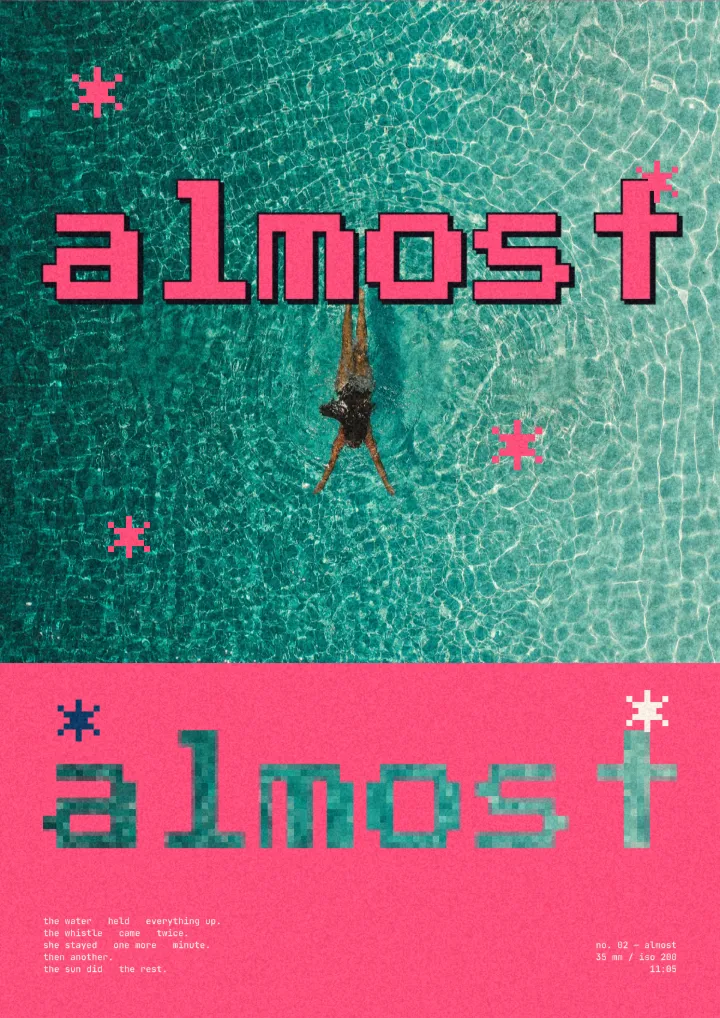
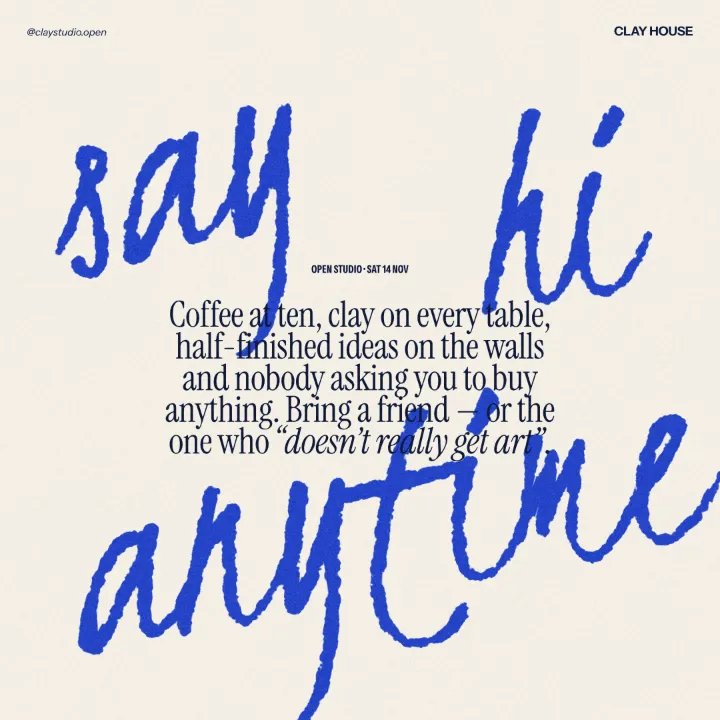
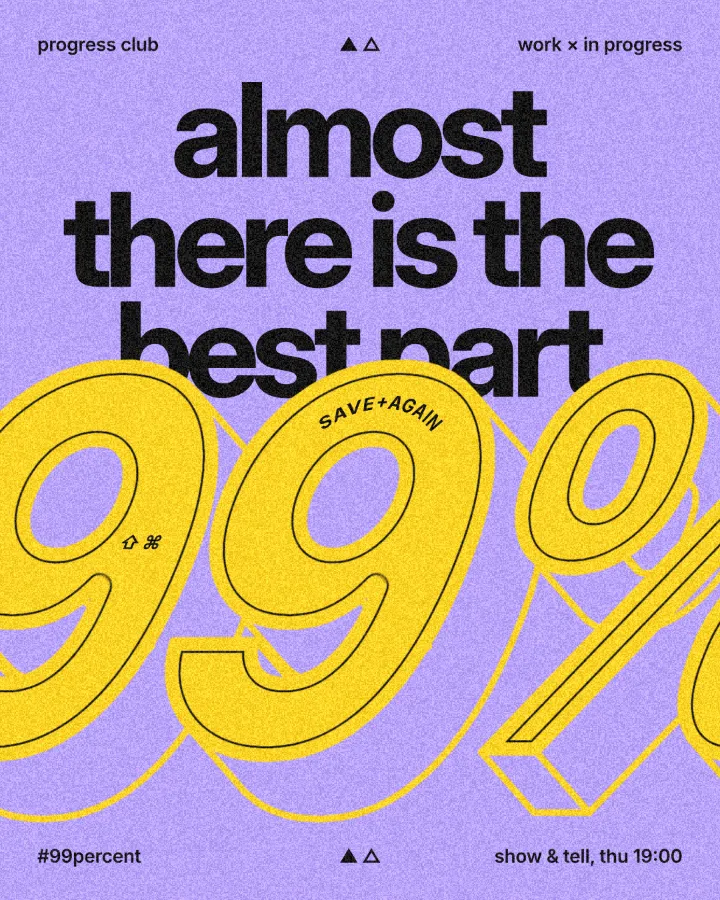
Every picture on this page was made in Paletoo — these three with the same steps on other templates:
Try it in Paletoo
Press “Open in Paletoo” to open the No sleep poster as your own document. Layers shows a header row, the three-line headline, the big “24h”, a shortcut line and a footer row — all live text.
Click “24h” to select it. The Design tab shows its place and Typography its font and size. Double-click and type another number or word: the 3D sides follow the letters.
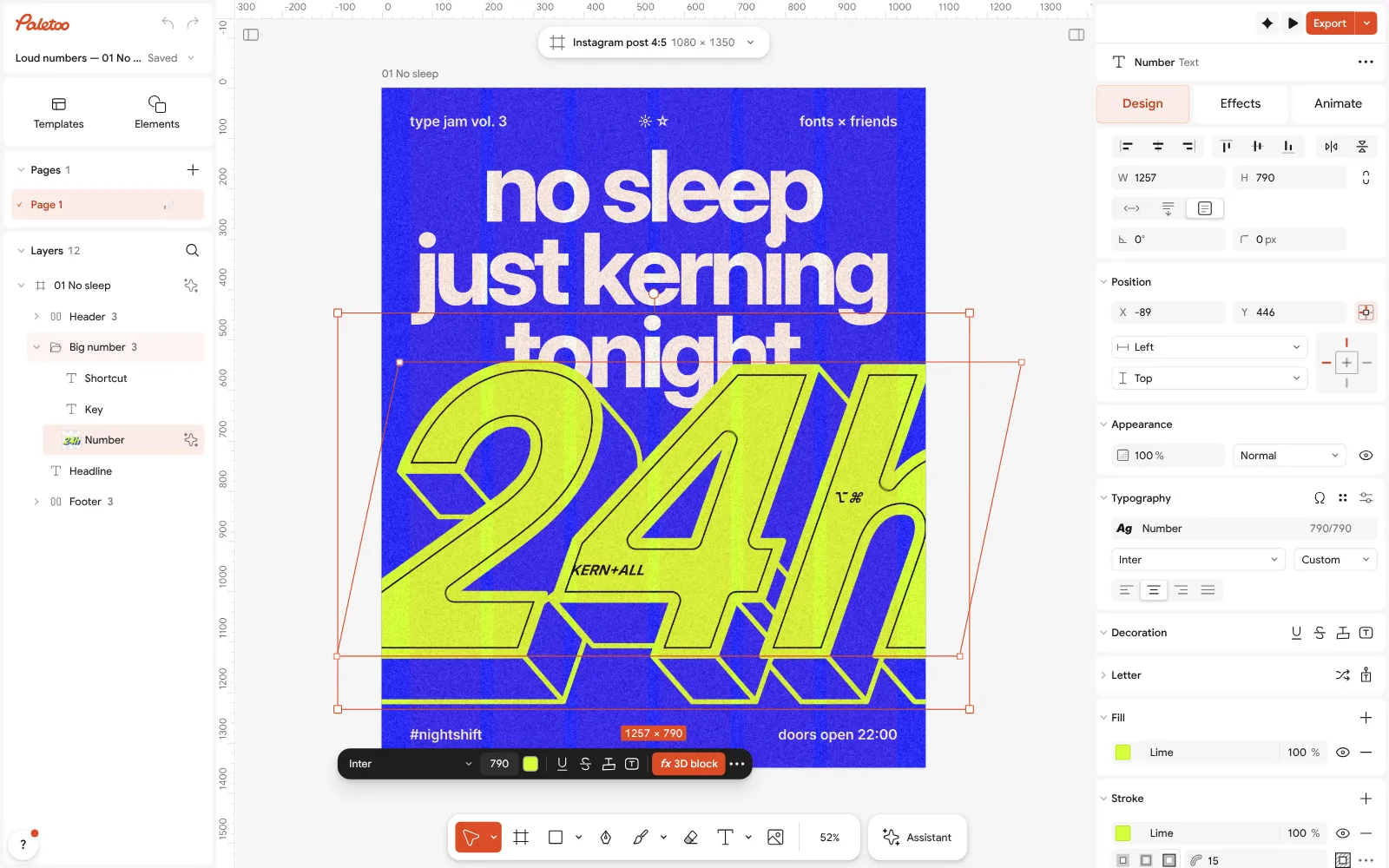
The No sleep poster open in Paletoo: the 3D “24h” selected, its font and size under Typography in the Design tab Open the Effects tab. Under Applied is one step, 3D block, which extrudes the outlined letters into solid blocks.
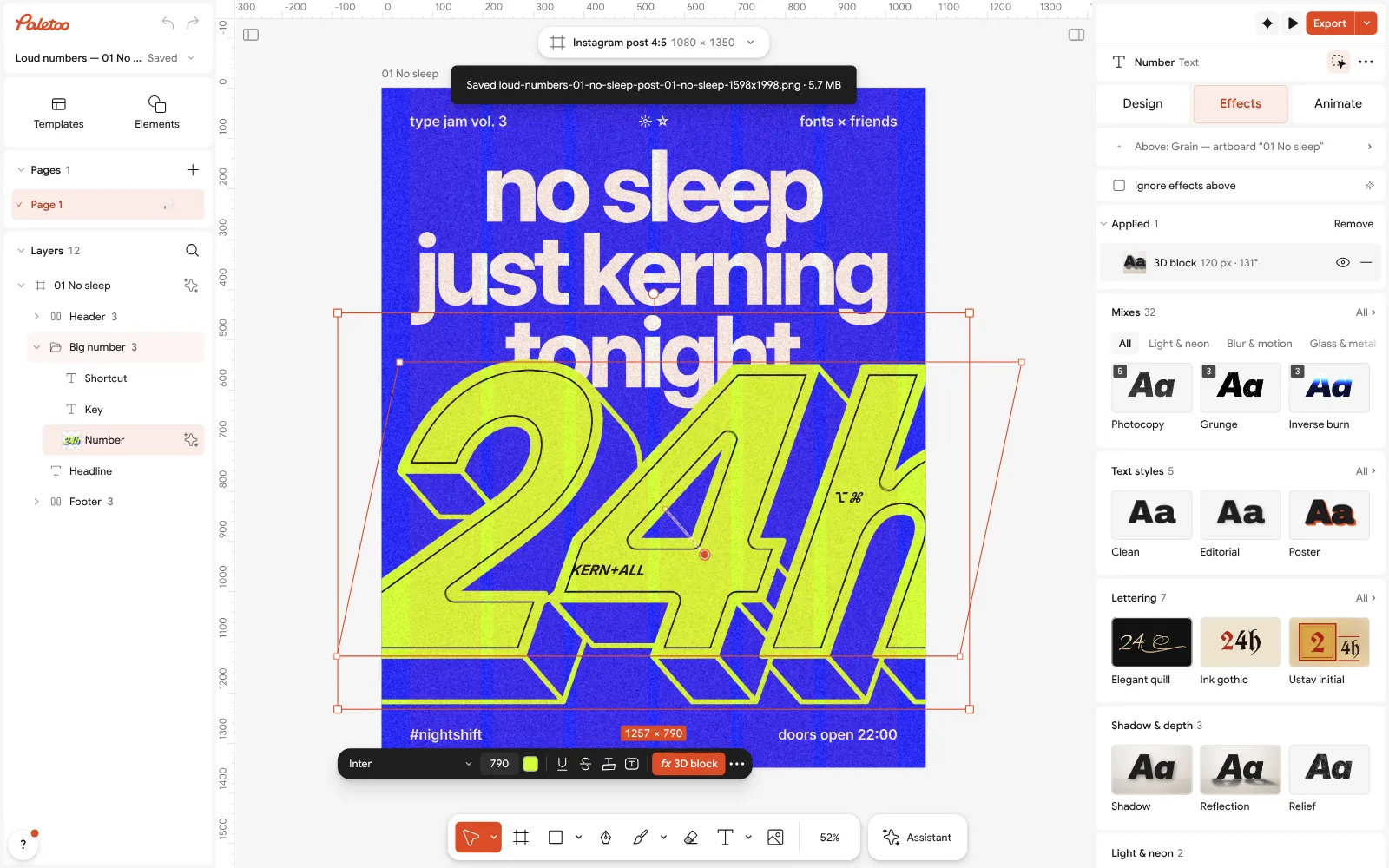
The number in the Effects tab: 3D block under Applied, the Mixes below Click the 3D block row to open it. Depth sets how far the block goes, Angle which way it falls and Colour its sides, here an ultramarine close to the background. The type stays type the whole time.
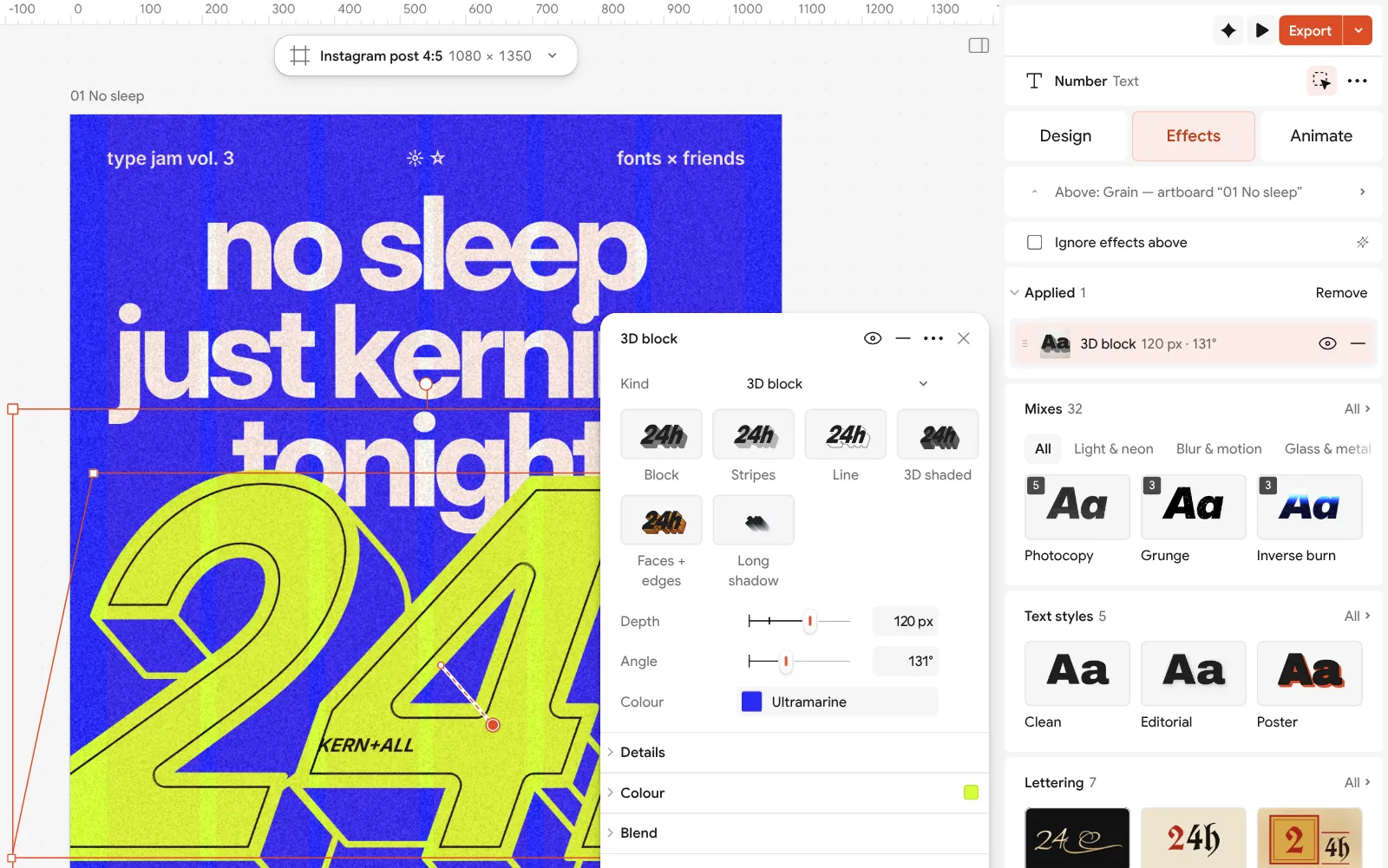
The 3D block step open, its settings beside the poster For a T-shirt or a sticker printer that wants vectors, select the number and run Vectorize: it traces the word with its effect into editable shapes. Then export SVG or PDF.
Press Export for a PNG for the feed, a PDF with Include bleed and Crop marks for print, or, after Add animation, an MP4 for a story.
Make it your own
Depth sells the effect. A shallow 3D block looks like a drop shadow; a deep one, as here, turns the number into an object. Point the block down and to one side so it falls toward the reader, and keep its colour close to the background so the face of the letters stays the brightest thing.
Use one effect on one word. The headline above “24h” is plain, which is why the number shouts. If you add Grain or a Halftone, put it on the whole poster rather than on the type alone, so it reads as print.
Before Vectorize, duplicate the live text and hide the copy: the vector version is for the printer, the live one is for the next edit.
Questions
Is there a free Kittl alternative?
Yes. Paletoo is free today, with every export and no watermark, and it has live text effects such as 3D block, chrome and emboss. Canva and Adobe Express also have free plans with text effects, and Inkscape is a free desktop option for vector type.
Kittl or Canva for T-shirt design?
Kittl is more focused on merch: vintage badges, illustrations and print-on-demand templates. Canva is broader and easier for teams. Paletoo is for type and image effects with free SVG and PDF exports.
Can I export SVG for free in Paletoo?
Yes. SVG, PDF, PNG and every other export are free. To turn a styled word into vector shapes, select it and use Vectorize before exporting.
Can I sell designs made in Paletoo?
Yes. Paletoo’s terms let you use its templates, elements and materials in your designs, commercial ones included, as long as you do not resell them as stand-alone files. Photos from Unsplash or Pexels and Google fonts keep their own licences, and so does any font you upload — check them.
Does Paletoo have AI like Kittl?
There is AI image generation, which uses credits, and free on-device AI for background removal, retouch and upscale. The effects themselves need no AI and no credits.
Make it online
- Text effects onlineChrome, gold foil, emboss, cut-out letters, outlines and warps — and the words stay editable text.
- Poster makerMake a poster from a template that already has the layout right, then export a print-ready PDF or an image for screens.
- Logo makerBuild a wordmark or a badge from real type and shapes, and take it away as a sharp SVG or PDF.
Free design templates: Social media post templates · Poster templates · Brand guidelines templates
Try it on your own design
Paletoo opens in your browser, with no sign-up. Every effect here is live: change the picture or the words and the effect follows.
Open in PaletooRead next
- 01
 Paletoo vs Canva: an honest comparison for designersTwo editors in the browser, two ideas of what design is. Here is where each one wins.
- 02
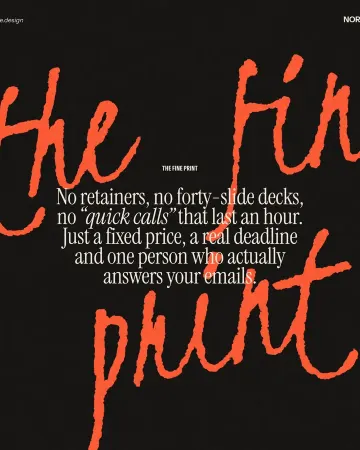 Typography poster: how to make the type the pictureNo photo needed: when the words are drawn big enough, they are the image.
- 03
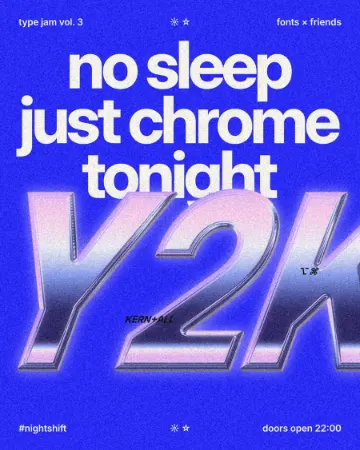 How to make a Y2K chrome text effectFat liquid chrome in pearly pastels, with a soft glow.