Tools compared7 min readFreeUpdated 2026-11-06Save to Pinterest
Paletoo vs Canva: an honest comparison for designers
Two editors in the browser, two ideas of what design is. Here is where each one wins.

Canva and Paletoo both run in the browser, both start from templates and both get a finished post out of the door in a minute. That is where the likeness ends. Canva is built so that anyone, designer or not, can turn out on-brand material quickly, with an enormous library behind them. Paletoo is built for people who care how the type sits and how the picture is treated — the poster on this page, a grid of photocopied eyes with one green accent, was made and exported in it.
This comparison is written by the Paletoo team, so we have tried hard to be fair: every claim about Canva comes from its own pages or from independent reviews, and we say plainly where Canva is the better choice. If you only want our side of the story, read A Canva alternative for designers.
At a glance
Canva wins on breadth. Its library of templates, stock photos, video and audio is huge; it has apps for desktop and phone; presentations, whiteboards, websites and video editing live in the same account; teams get a brand kit, and there is a print-and-deliver service. For a social media manager who needs forty on-brand posts by Friday, or a team where most people are not designers, that breadth is the whole point.
Paletoo wins on depth in three places: type, effects and output. Text is shaped by a real type engine, with pair kerning, variable font axes, a glyph browser and text along any path. Pictures and words take a stack of live effects — halftone, ASCII, pixel, photocopy, glow, grain, gradient maps and many more — that stay editable. And every export is free: PNG, JPEG, WebP, SVG, PDF with bleed and crop marks, PowerPoint, GIF, MP4 and WebM, with no watermark and no account.
Price: what is free, really
Canva’s free plan has no time limit and does a lot, but several things designers reach for are paid. Independent reviews of the 2026 plans list transparent PNG, SVG and the print-quality PDF among the Pro features, together with the background remover, the brand kit and one-click resize. Pro is a subscription per person, and teams pay per seat.
In Paletoo the whole editor and every export format are free today; paid plans are announced but not on sale yet. When they open, Pro is to cost $10 a month and is for working at scale — unlimited cloud documents, premium templates, brand kits, resize and bulk create — while the editor, the effects and every export stay free. Background removal stays free too, because it runs on your own device. Only AI image generation and materials use credits.
Type, effects and print: the designer’s part
This is where the two differ most. On Canva’s own subreddit people keep asking how to kern a single pair of letters or change the font of one word inside a text box, and Canva’s photo effects are mostly presets you apply and tune lightly. For a quick post that is fine. For a poster where the headline is the picture — WIDE AWAKE in a high-contrast face, set tight in one cell of a grid — it is the whole job.
Paletoo treats effects as steps of their own: on this poster every eye is a photo with a Tone step and a Xerox step on it, each with its own switch and its own sliders, and the photo underneath never changes. For print, the PDF embeds the fonts and can add bleed and crop marks, and there is a CMYK PDF/X-4 option whose profile is approximate — ask your printer for theirs. Canva’s print strength is different: its own print service, which prints and delivers for you.
Which one to choose
Choose Canva if you are a team of non-designers, if you live in its template and stock library, if you need presentations, video and social scheduling in one place, or if you mostly design on your phone. It is very good at that, and we would not try to talk you out of it.
Choose Paletoo if the design itself is the point — a poster, a cover, a gig flyer, a post that has to stop a thumb — and you want a designer’s controls without installing anything or paying for exports. Plenty of people use both: Canva for the weekly content, Paletoo for the pieces that have to look made rather than assembled.
Made in Paletoo
Every picture on this page was made in Paletoo — these three with the same steps on other templates:
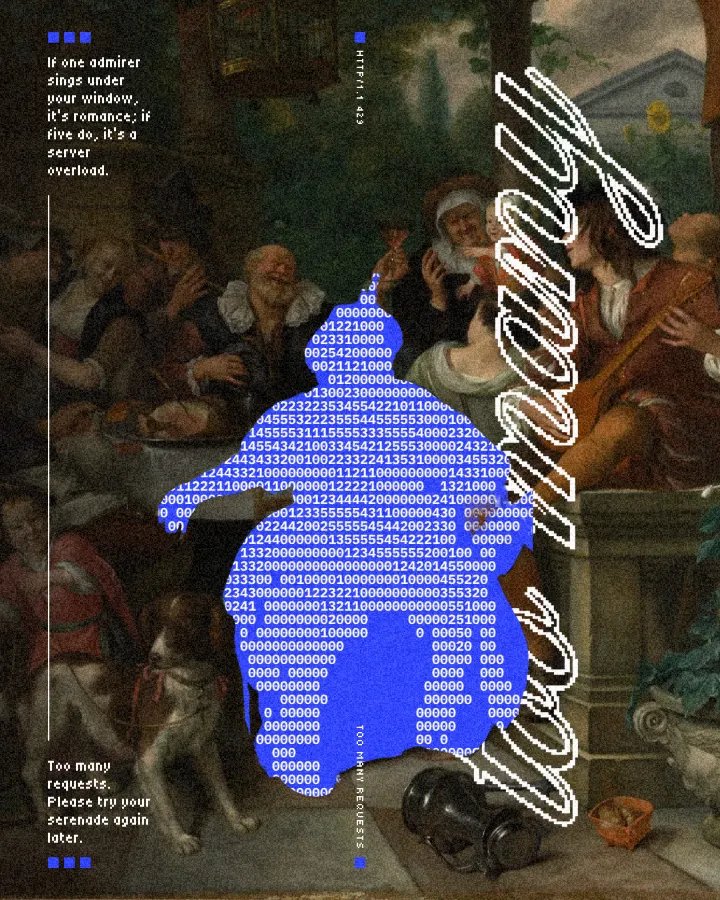
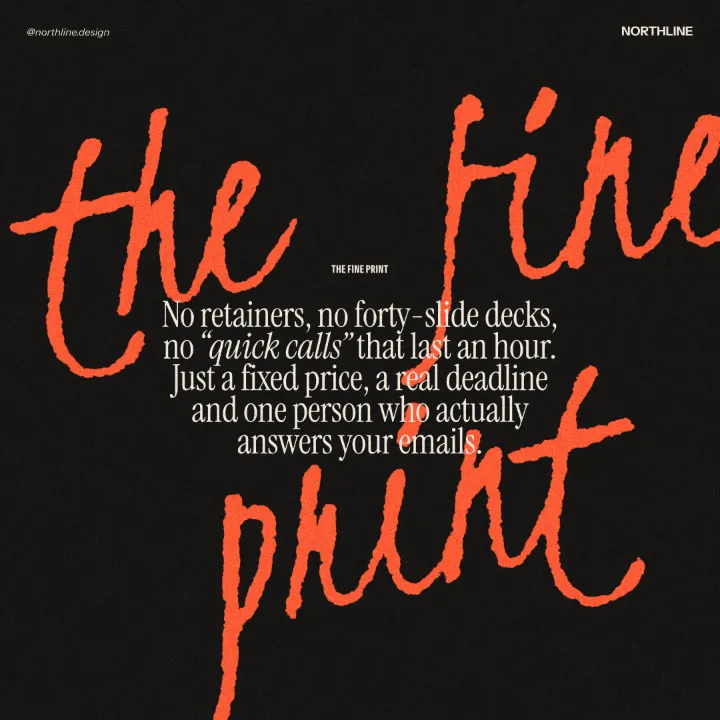
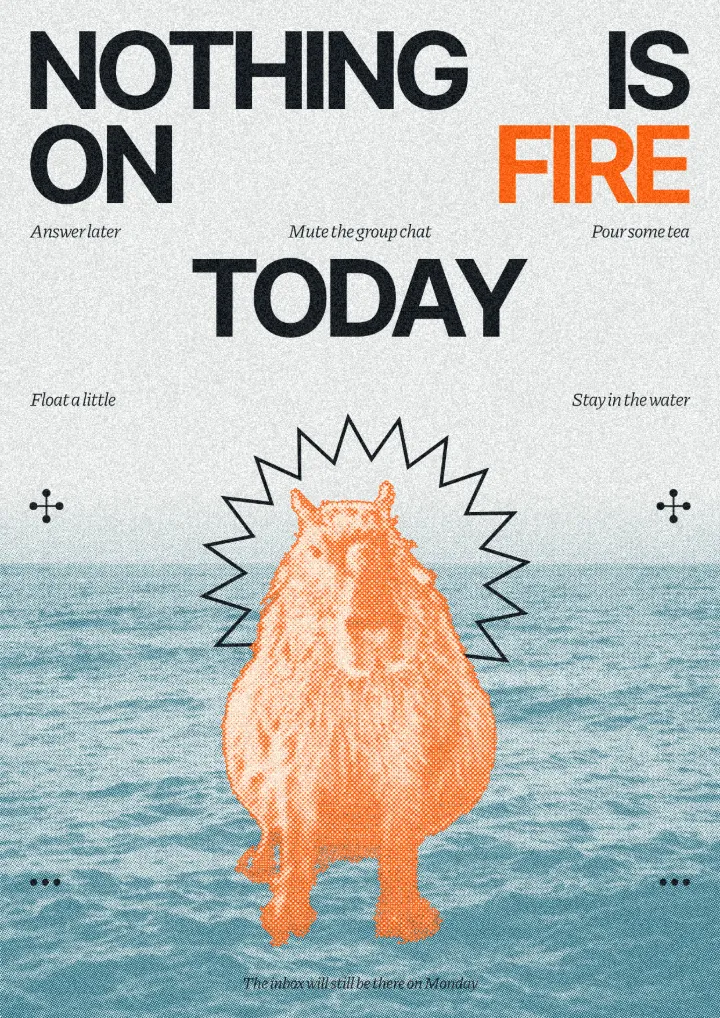
Try it in Paletoo
Press “Open in Paletoo” to open the Wide awake poster as your own document; no account is needed. The Layers list on the left shows how it is built: a group of type, eight photos and seven coloured cells on one grid.
Click the headline, “WIDE AWAKE”, to select it. The Design tab shows its size and place, and Typography its font, Limelight, at 112 px. Double-click into it to write your own words, and put the caret between two letters to kern just that pair.
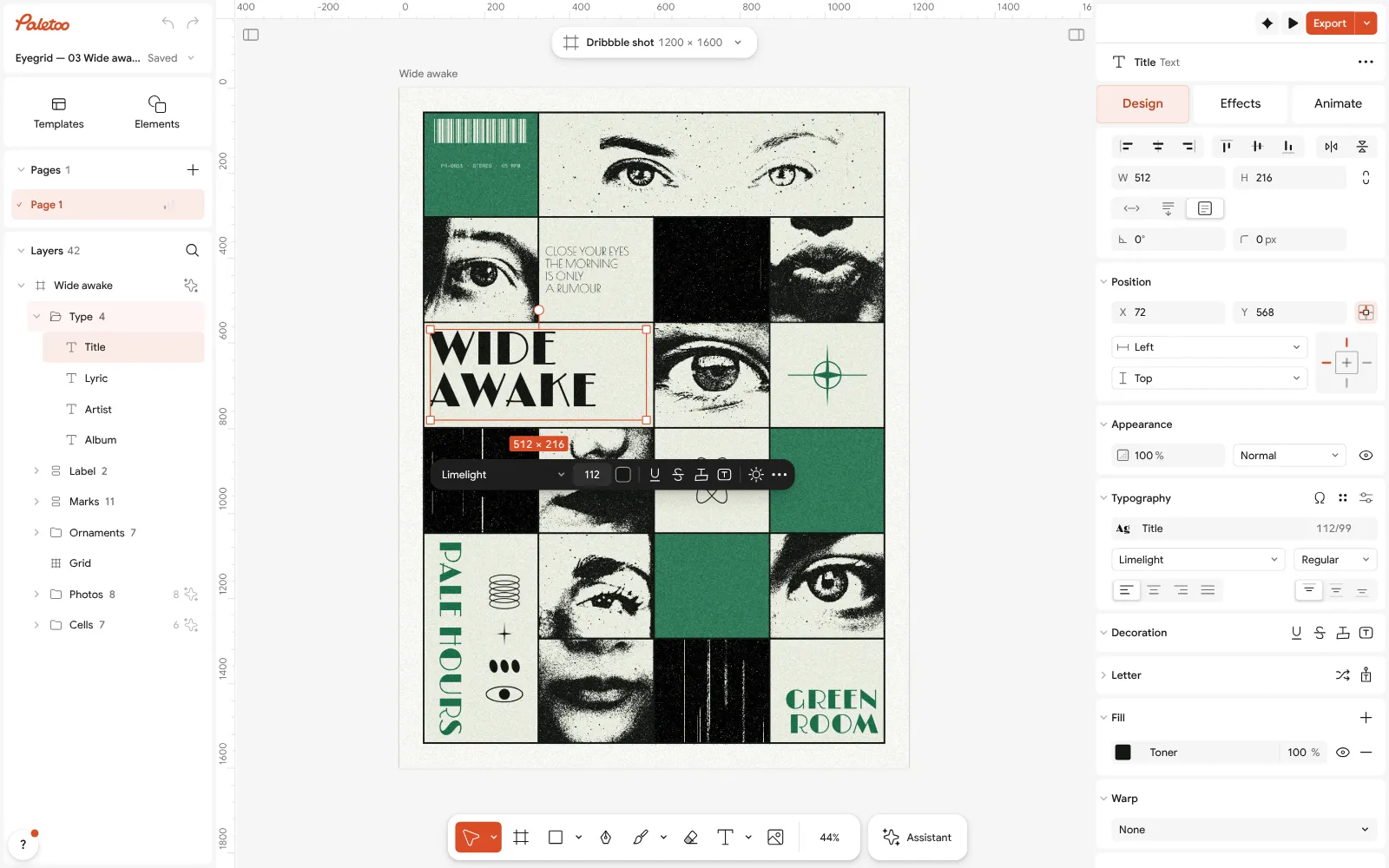
The Wide awake poster open in Paletoo: the headline selected, its font and size under Typography in the Design tab Now select one of the photos, “Photo — both eyes”, and open the Effects tab. Under Applied are its two live steps: Tone, which turns it black and white with a little more contrast, and Xerox, which prints it like a photocopy at a 47 % threshold.
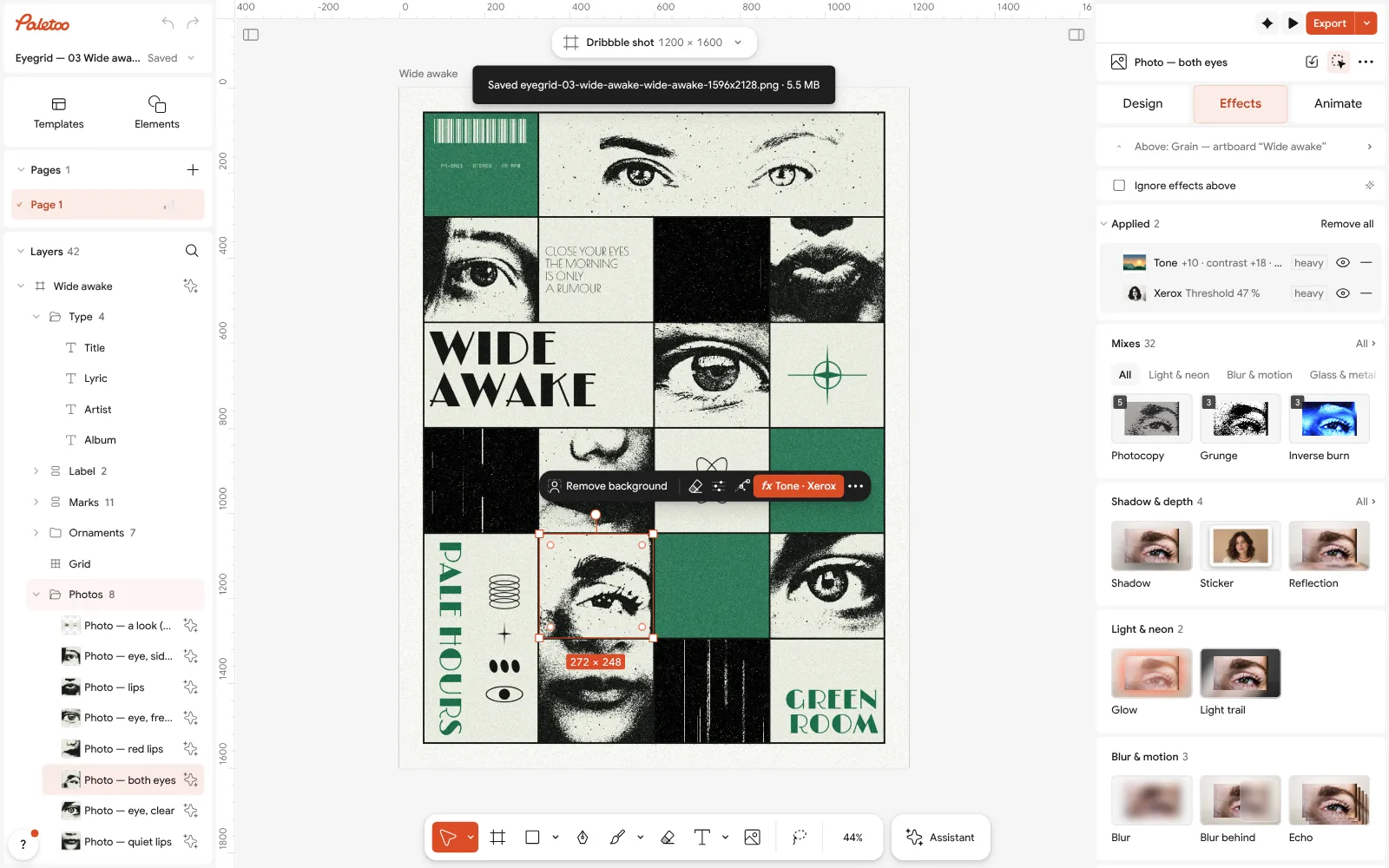
One of the photos selected: Tone and Xerox under Applied in the Effects tab, the Mixes below them Every step has its own eye to switch it off and its own row to open and tune; nothing is baked into the photo. To try a different treatment, press any card under Mixes, and Remove all takes the steps off again.
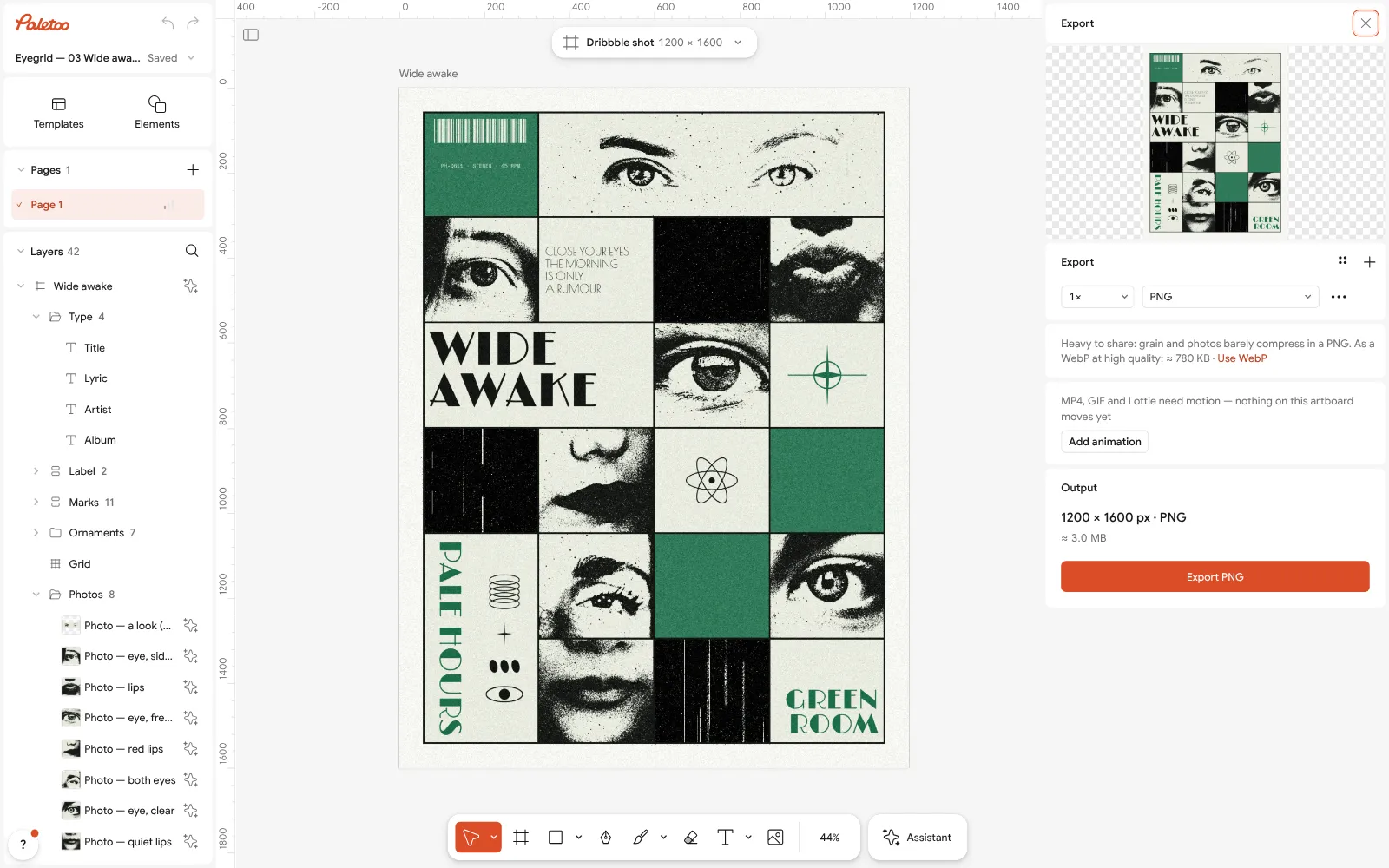
The Export window: the whole poster in the preview, a PNG of 1200 × 1600 px, no watermark To put your own picture in a cell, select the photo and press Replace picture: the new one keeps the cell, the Tone and the Xerox, so it matches the other seven at once.
Press Export. The poster goes out as a 1200 × 1600 PNG with no watermark; choose JPEG or WebP for the web, or PDF for print and turn on Include bleed and Crop marks in Export settings. Save to file… keeps the editable .paletoo file on your disk.
Make it your own
The poster works because it limits itself: one display face for the headline, black and one green on a pale field, a strict grid. When you make it yours, keep that discipline — swap the green for another single accent rather than adding a second one, and keep the headline the only big thing.
On the photos, Xerox makes the look. Lower its threshold and more of the face turns white; raise it and the shadows fill in. Tone decides what goes into it: more contrast, harder edges. Because the steps belong to the photo, a picture brought in with Replace picture comes out in the same style.
To move the poster to another format, use the format button above the artboard; for print, export a PDF with Include bleed. If your team works in Canva, a PNG or PDF from Paletoo drops into a Canva design like any other picture.
Questions
Is Paletoo better than Canva?
Not across the board. Canva is better for teams of non-designers, for its stock and template library, for presentations and video, and on the phone. Paletoo is better at type, live effects and free print-ready exports. Pick by the work you do most.
Is Paletoo really free?
Yes. Today the whole editor and every export are free, with no watermark and no account. Paid plans are announced but not on sale; when they open, the editor, the effects and the exports stay free, and Pro adds unlimited cloud, premium content and brand kits.
Can I bring my Canva designs into Paletoo?
Download the design from Canva as a PDF and open it with Import PDF… in Paletoo: the pages come in with live, editable text where the PDF keeps it. Check the type after importing, as a font may be replaced.
Does Paletoo have as many templates as Canva?
No. Canva’s library is far larger. Paletoo’s templates are fewer and made as series — posters, posts, stories, covers — with their effects left live, so you can take them apart and learn from them.
Which is better for print?
Both make print files. Canva’s print PDF is a paid feature, and its strength is its own print service. Paletoo’s PDF with bleed, crop marks and embedded fonts is free, with a CMYK PDF/X-4 option for printers who ask for one.
Make it online
- Poster makerMake a poster from a template that already has the layout right, then export a print-ready PDF or an image for screens.
- Instagram post makerDesign a post at the right size from a real template, then export a sharp PNG or JPG — free, in your browser.
- Photo effects onlineGive a photo a film, print or glitch look in one click — and keep every step editable afterwards.
Free design templates: Poster templates · Social media post templates
Try it on your own design
Paletoo opens in your browser, with no sign-up. Every effect here is live: change the picture or the words and the effect follows.
Open in PaletooRead next
- 01
 A Canva alternative for designers who need real type and print filesKeep the speed of templates, and get back the controls a designer expects.
- 02
 Paletoo vs Figma for social graphics and postersOne is the home of interface design, the other was made for the picture. Which fits your posts?
- 03
 The best free tools for graphic designers in 2026Ten free tools worth knowing, what each is best at, and where each one stops.