Tools compared6 min readFreeUpdated 2026-11-06Save to Pinterest
Paletoo vs Figma for social graphics and posters
One is the home of interface design, the other was made for the picture. Which fits your posts?

A lot of designers make social graphics in Figma simply because it is open all day: the components are there, the brand colours are there, the team is there. Since 2025 Figma has leaned into that, with Figma Buzz for marketing assets and Figma Draw for illustration. So is there still a reason to make a post or a poster somewhere else?
Sometimes there is, sometimes there is not. This guide compares the two honestly for graphic work — not for interfaces, where Figma has no real rival — on a specimen poster made in Paletoo: an old flower painting broken into pixels, dots and streaks by six live effect steps.
What Figma does better
Working together. Figma’s real-time multiplayer editing, comments, branching, components and variables are the reason whole product teams live in it, and none of that is an afterthought. Figma Buzz, in beta since May 2025, adds a place where designers publish templates with locked parts, and marketers fill them in, even in bulk from a spreadsheet, exporting PNG, JPG or PDF. If your posts come out of a design system, that is a strong workflow.
Vectors and illustration. Figma Draw brought vector brushes, pattern fills, texture and noise effects, a shape builder and text on a path. The community has thousands of free files and plugins. And its free Starter plan is enough to learn on: unlimited drafts, with three design files in a team space.
Where Figma pinches for graphic work
Photo treatment. Figma’s effects are shadows, blurs and, since Figma Draw, noise and texture. A halftone, a dither, an ASCII portrait, a risograph or a photocopy look comes from a plugin, and many plugins write the result back as a new flattened image — change the photo and you run the plugin again. On the Flora poster, the same painting carries six steps that stay live: change one slider and the flowers redraw.
Print and motion files. Figma has no CMYK export; a request for it has been open on Figma’s forum since 2021, so print work usually goes through another program. Its animation is built for prototypes, not for a post you upload. And on the free plan, a team space holds only three design files, which fills up quickly if every campaign is its own file.
What Paletoo is built for
Paletoo is not an interface tool and does not try to be: there is no prototyping and no developer hand-off. It is an editor for the picture — posts, stories, carousels, posters, covers — with about a hundred effects that work on photos, words and shapes alike, each one a live step you can switch off, reorder or tune later.
It also cares about the files at the end. Exports include PNG, JPEG, WebP, SVG, PDF with bleed and crop marks, PowerPoint, GIF, MP4 and transparent WebM, with no watermark, and they are free. You can start without an account, keep your work as a .paletoo file on your disk, and open a Photoshop file or a PDF with editable layers.
How to choose
Stay in Figma if your social graphics come out of a design system, if a team edits them together all day, or if they are mostly type, flat colour and components. Figma Buzz is worth a look for exactly that case.
Reach for Paletoo when the post is meant to look printed, scanned, glitched or glowing — when the picture is treated, not just placed — or when the file has to go to a printer or out as a video. Moving between them is easy: export a PNG or SVG from Figma and place it in Paletoo, or bring a finished Paletoo post back into Figma as an image.
Made in Paletoo
Every picture on this page was made in Paletoo — these three with the same steps on other templates:
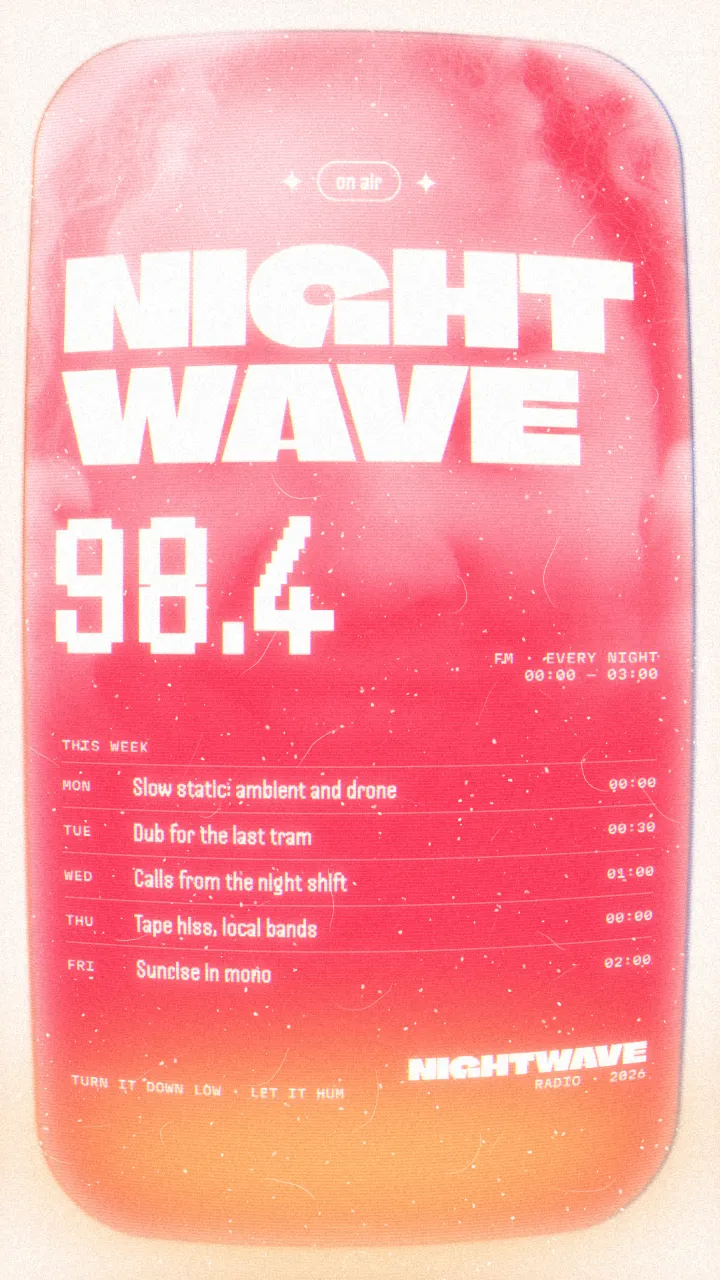
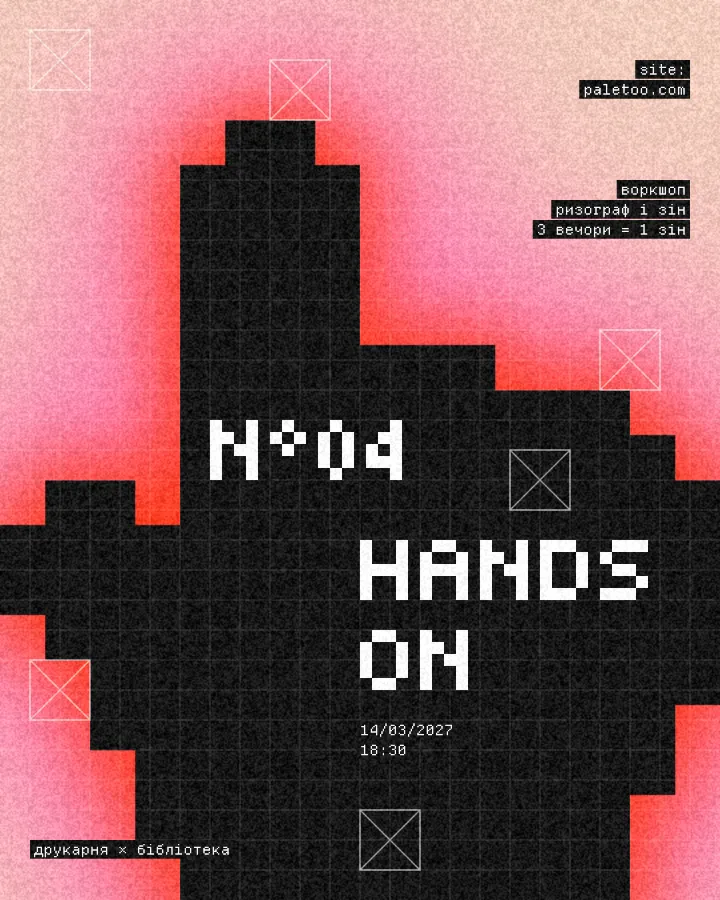
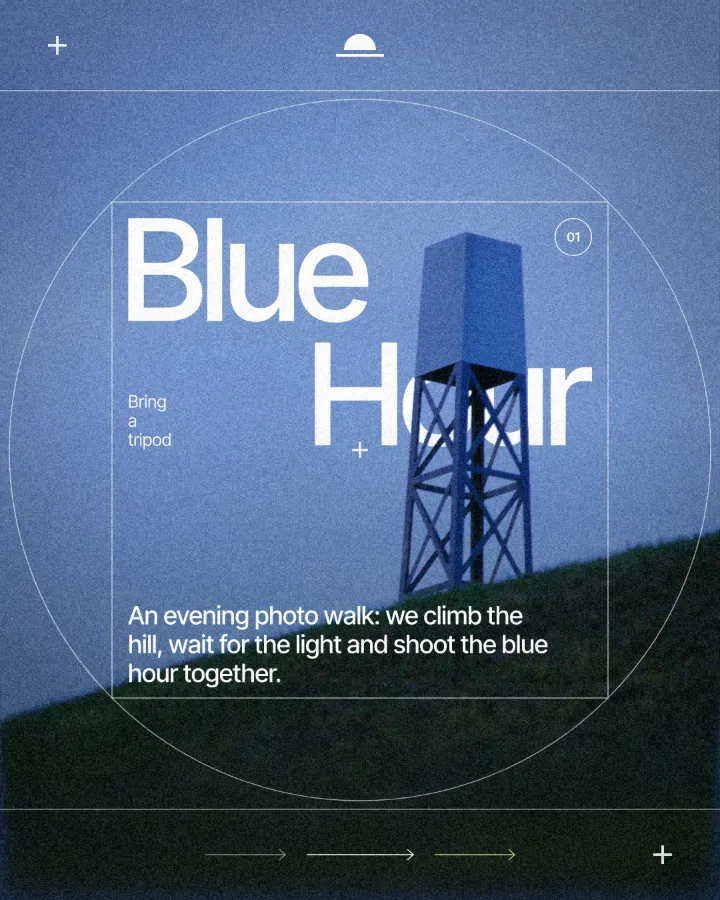
Try it in Paletoo
Press “Open in Paletoo” to open the Flora 01 poster as your own document. In Layers you will find one photo — a seventeenth-century flower painting — and five lines of type.
Click the vertical title, “Flora 01”, to select it. The Design tab shows its place, and Typography its font, size and spacing. Double-click it to retitle the poster, or open Type settings for a variable font’s axes.
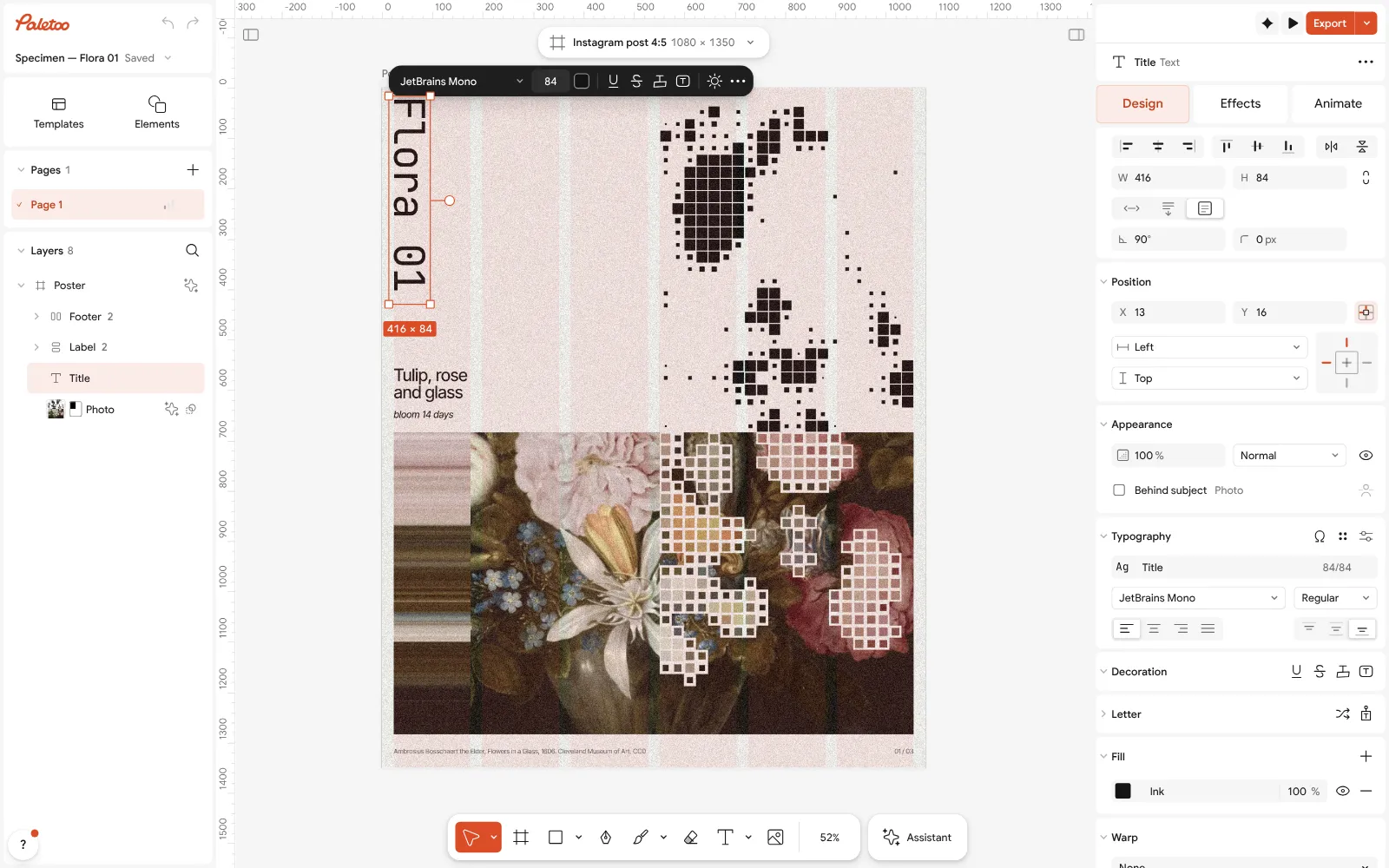
The Flora 01 poster open in Paletoo: the vertical title selected, its type under Typography in the Design tab Click the painting and open the Effects tab. Under Applied are six steps, read top to bottom: Basic, Invert, Dither, Halftone twice and Pixel stretch. Together they break the flowers into pixels, dots and streaks.
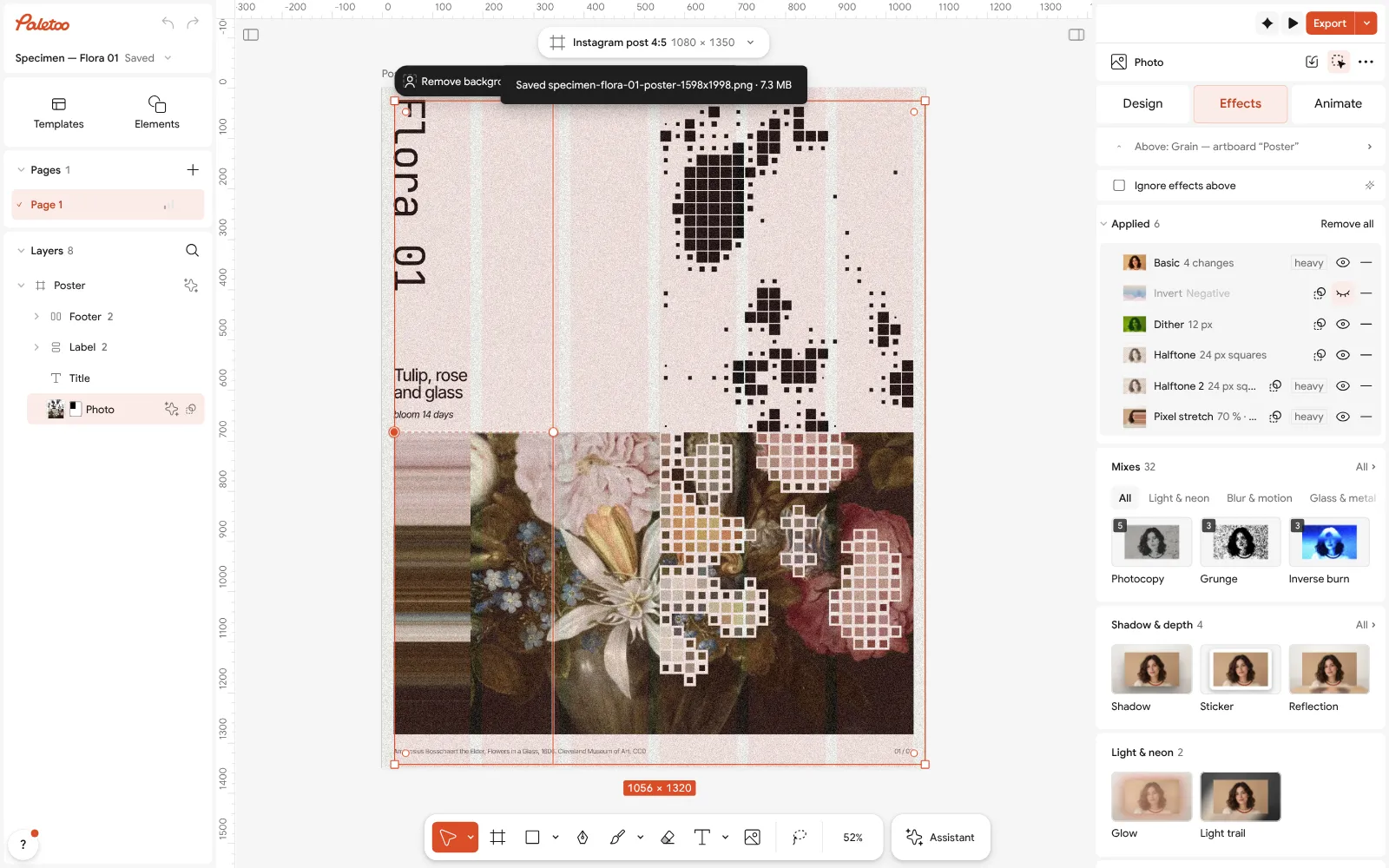
The painting selected: Basic, Invert, Dither, two Halftone steps and Pixel stretch under Applied in the Effects tab Click the first Halftone row to open it. Its settings open beside it — Size, Angle and the dots’ shape; drag a slider and the poster redraws as you move. The painting itself is never touched.
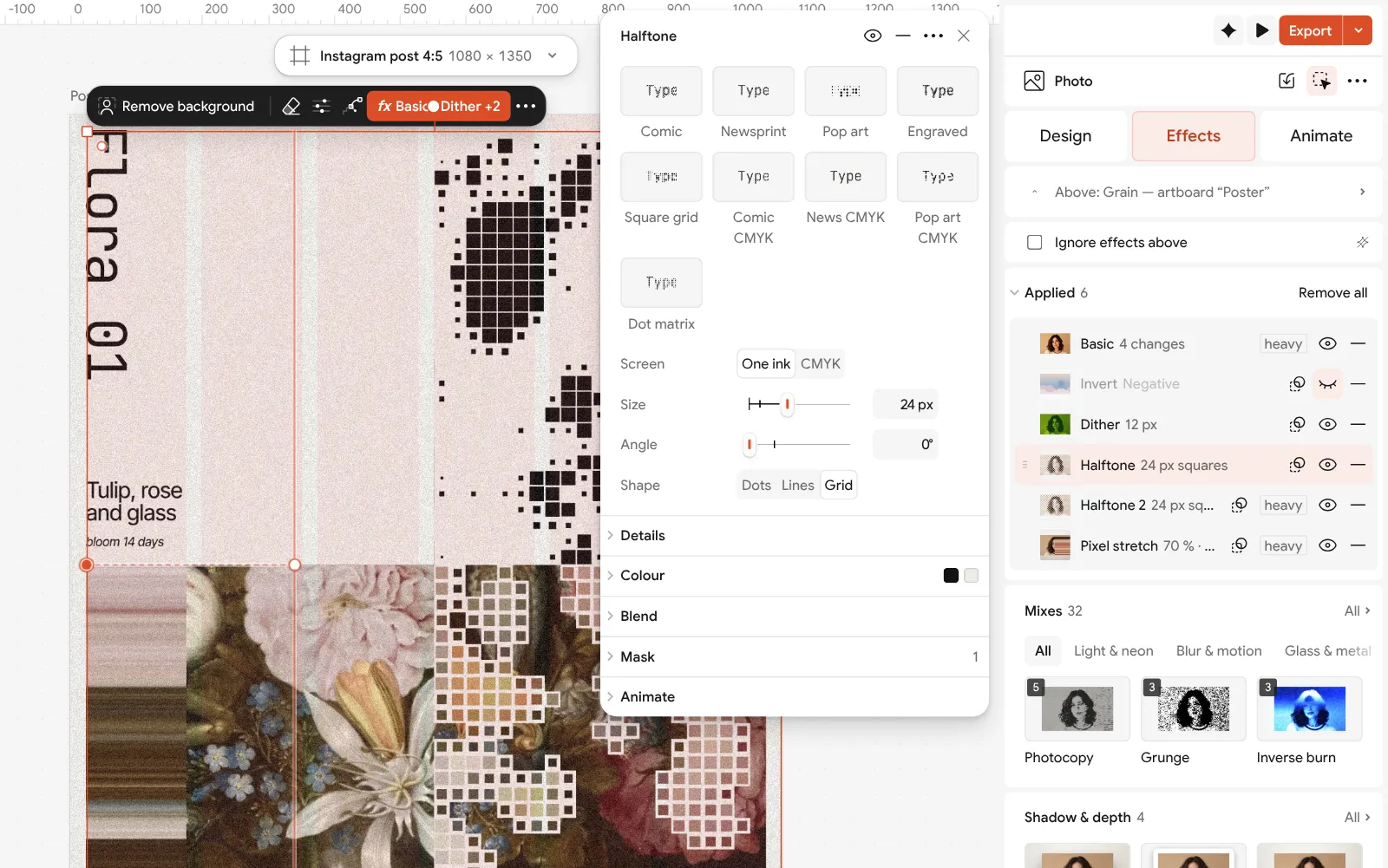
The first Halftone step open, its settings beside the poster Switch any step off with its eye to see what it adds, and back on again. To try a different treatment, press a card under Mixes, or press Remove all and build your own from the cards.
Press Export for a PNG or JPEG for the feed. To make the poster move, press Add animation in the Export window, then export MP4 or GIF; for a print run, choose PDF and turn on Include bleed.
Make it your own
Order matters. Dither before Halftone gives a coarse pattern for the dots to sit on; Pixel stretch at the end drags what is already there into streaks. Invert is switched off on this poster: switch it on with its eye and every step below it works on a negative instead.
Two halftones are a trick worth stealing: one coarse, one fine, so the big shapes read from across the room and the detail rewards a closer look. Keep the type small and mono beside a treatment this busy, and leave plenty of the pale field empty.
In Figma the same idea would be a plugin run per photo. Here it belongs to the layer: copy the photo and the steps go with it, and Replace picture puts a new image under the same six steps.
Questions
Is Paletoo a Figma alternative?
For interface design, no: Figma is far ahead on prototyping, components and developer hand-off. For social graphics, posters and covers, especially with treated photos, print files or video, Paletoo can be the better tool.
Can I make Instagram posts in Figma?
Yes, many designers do, and Figma Buzz is built for marketing assets. What Figma lacks for posts is mostly photo effects, CMYK print files and video export, which come from plugins or other apps.
Can I move work between Figma and Paletoo?
Export a PNG, SVG or PDF from Figma and place or import it in Paletoo; export a PNG or SVG from Paletoo and place it in Figma. Text in an imported PDF stays editable where the PDF keeps it.
Is Paletoo free like Figma Starter?
Paletoo’s editor and every export are free today, with no file limit when you save to your disk. A free account adds ten cloud documents, share links and comments. Figma Starter is free with unlimited drafts and three design files in a team space.
Does Paletoo have real-time collaboration?
A free account gives share links, comments and two editors per document. For a large team editing the same file all day, Figma’s collaboration is more mature.
Make it online
- Instagram post makerDesign a post at the right size from a real template, then export a sharp PNG or JPG — free, in your browser.
- Instagram story makerMake a full-screen 9:16 story from a template, add motion if you like, and export it as an image or a video.
- Poster makerMake a poster from a template that already has the layout right, then export a print-ready PDF or an image for screens.
Free design templates: Social media post templates · Story and Reels templates · Poster templates
Try it on your own design
Paletoo opens in your browser, with no sign-up. Every effect here is live: change the picture or the words and the effect follows.
Open in PaletooRead next
- 01
 Paletoo vs Canva: an honest comparison for designersTwo editors in the browser, two ideas of what design is. Here is where each one wins.
- 02
 The best free tools for graphic designers in 2026Ten free tools worth knowing, what each is best at, and where each one stops.
- 03
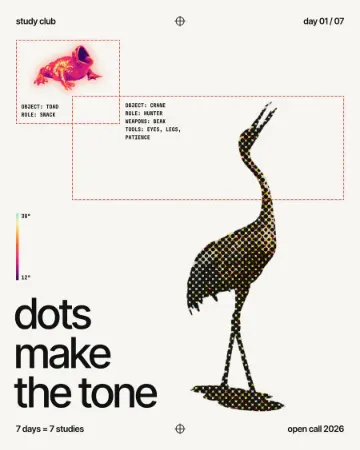 How to make a halftone effectComic-book CMYK dots, newspaper screens or one ink.