Free tools6 min readFreeUpdated 2026-11-22
3D text effect: extruded, long-shadow and puffy letters, free
The kinds of 3D lettering, the three settings that make an extrusion read as depth, and a transparent PNG at the end — on text you can still retype.
By the Paletoo team · steps tested in Paletoo on
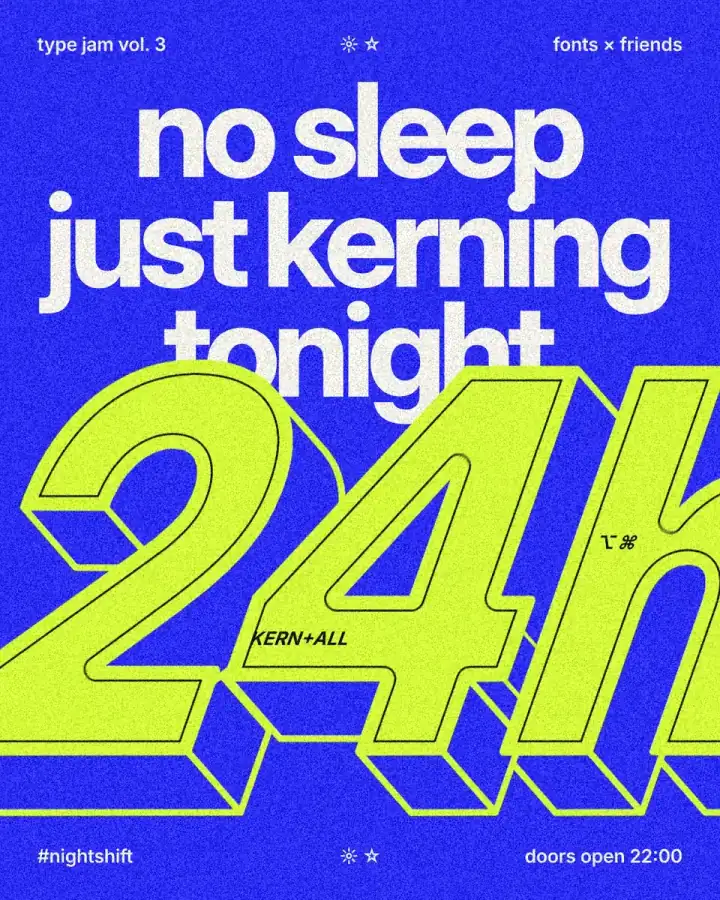
To make a 3D text effect for free, select your words in Paletoo, open the Effects tab and add 3D block: it sweeps the letters back along one angle into a solid block, by default 40 px deep at 135° — light from the top left, the block falling to the bottom right. Set the depth to between a sixth and a half of the capital height, make the side a clearly darker shade than the letters, and export a PNG: with the word selected, the file holds only the letters and their block, on transparency. The letters stay live text, and nothing carries a watermark.
This guide sorts the kinds of 3D text — block extrusion, long shadow, isometric faces, puffy and chrome — explains what makes an extrusion readable, and works on «No sleep», a 4:5 ultramarine post whose huge lime «24h» is already extruded with lime-edged faces. For a one-click PNG without the editor, the text effect generator makes 3D block and long-shadow words in the browser; for other looks, see text effect ideas.
Five kinds of 3D text, and the effect behind each
«3D text» covers several looks that are built differently. Most are an extrusion: the letters pushed back along one direction and joined to the front by side walls. Others fake volume with light — a bevel, a highlight, a soft shade — with no depth at all. Knowing which one you want saves a lot of fiddling:
| Look | What it is | In Paletoo |
|---|---|---|
| Block extrusion | Solid side walls behind the letters, flat or shaded | 3D block, presets Block or 3D shaded |
| Long shadow | A flat shadow running far out at 45° and fading away | 3D block, preset Long shadow |
| Isometric, line faces | Walls drawn as faces with visible edges, like a technical drawing | 3D block, Style Faces with an Edge colour |
| Retro stripes | The extrusion hatched in thin parallel lines | 3D block, preset Stripes |
| Puffy, inflated | Letters blown up like balloons, with soft highlights | Inflate, presets Puffy or Balloon |
| Chrome, metal bevel | A bevelled metal face that reflects a studio | Metal: Chrome, Gold or Brushed |
Making an extrusion read as depth
Depth. Too shallow and the block looks like a misprint; too deep and the letters turn into a wall nobody can read. Start between a sixth and a half of the capital height: on «No sleep» the «24h» is 790 px type with a 120 px block, on the «Hype crew» logo 205 px type with an 84 px one. The 3D block goes up to 200 px.
Angle. The angle is where the light comes from, as in a drop shadow: 135° lights the letters from the top left and drops the block to the bottom right, which looks natural to readers of left-to-right text; 90° drops it straight down, as if the letters stood on a shelf. Keep every extruded word in one design at the same angle — two light sources are the first thing people notice is wrong.
Colour of the side. The side must differ from the face in lightness, not just in hue: a darker shade of the letter colour, which is what the step picks when you leave its colour on automatic; the background colour itself with lines on the edges, the trick «No sleep» uses; or black for a comic-book look. Pale letters with a pale block on a strong ground, as on «Hype crew», need an outline between face and side, or the two melt together.
Transparent PNG, SVG, and fonts that extrude well
For a 3D word over a photo, a video or a slide, export PNG with only the word selected, or set the export background to transparent for a whole artboard: only the letters and their block are in the file. When the 3D block is the text’s only effect, SVG and PDF keep it as a real vector shape swept from the letters’ outlines; with more effects stacked on it, it goes into the file as a picture, and the Export window says which layer and why.
Fonts: heavy, wide letters with open shapes extrude best — Montserrat Black, Rubik, Unbounded, Russo One, Inter at weight 900. Thin serifs and scripts turn the block into a tangle of walls. All five are free on Google Fonts and set Ukrainian as well as Latin.
None of this is a 3D model you can spin round: it is a flat drawing of depth, which is what a poster, a thumbnail or a sticker needs. For lettering you want to rotate, render or send to a 3D printer as an STL file, use a 3D program such as Blender, which is free.
Made in Paletoo
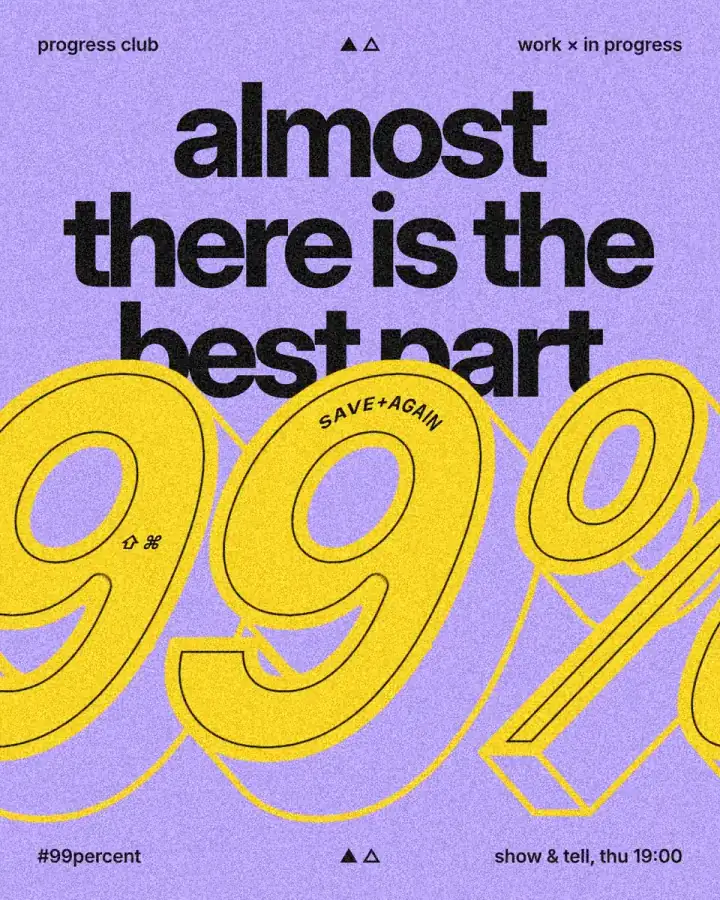
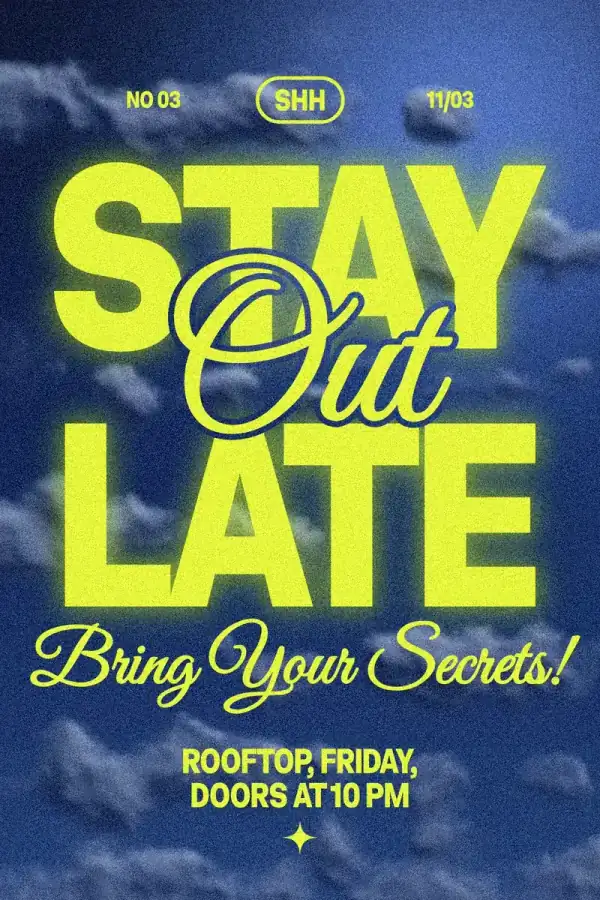
Every picture on this page was made in Paletoo — these three with the same steps on other templates:

Make it free in Paletoo
Open the post: press “Open in Paletoo” on this page, or start from the text effects page. It opens as your own 1080 × 1350 document: an ultramarine ground, «no sleep / just kerning / tonight» in white, a huge lime «24h» that is already extruded, and small labels at the top and bottom.
Select «24h» — the layer is called «Number». Under Typography in the Design tab it is Inter at weight 900, 790 px: a heavy face, which is what gives the block wide walls. Double-click to type your own number or word; the 3D follows the new letters.
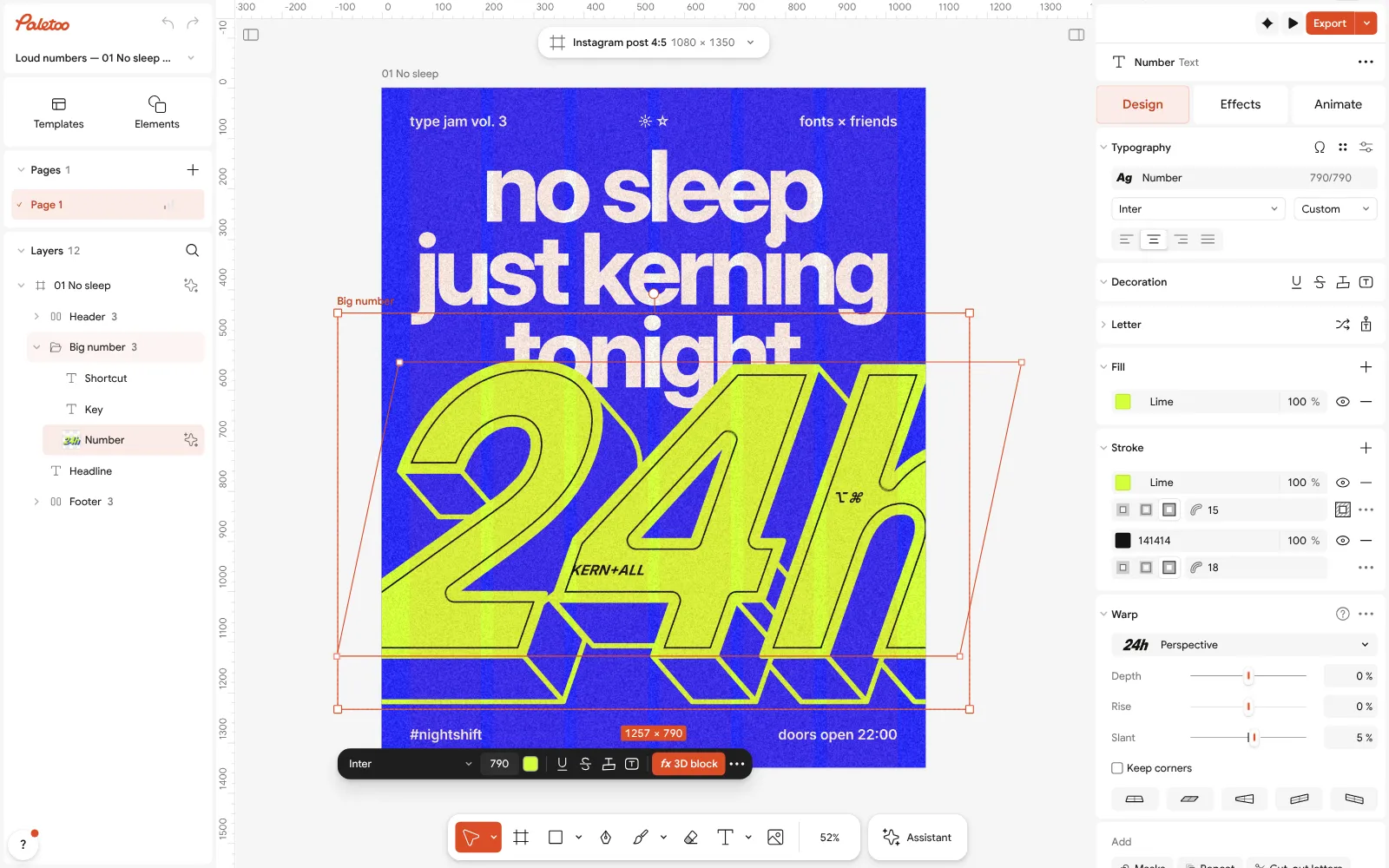
«No sleep» open in Paletoo: «Number» selected — Inter, weight 900, 790 px, under Typography in the Design tab Open the Effects tab. Under Applied is the 3D block step; press it to open its settings beside the panel.
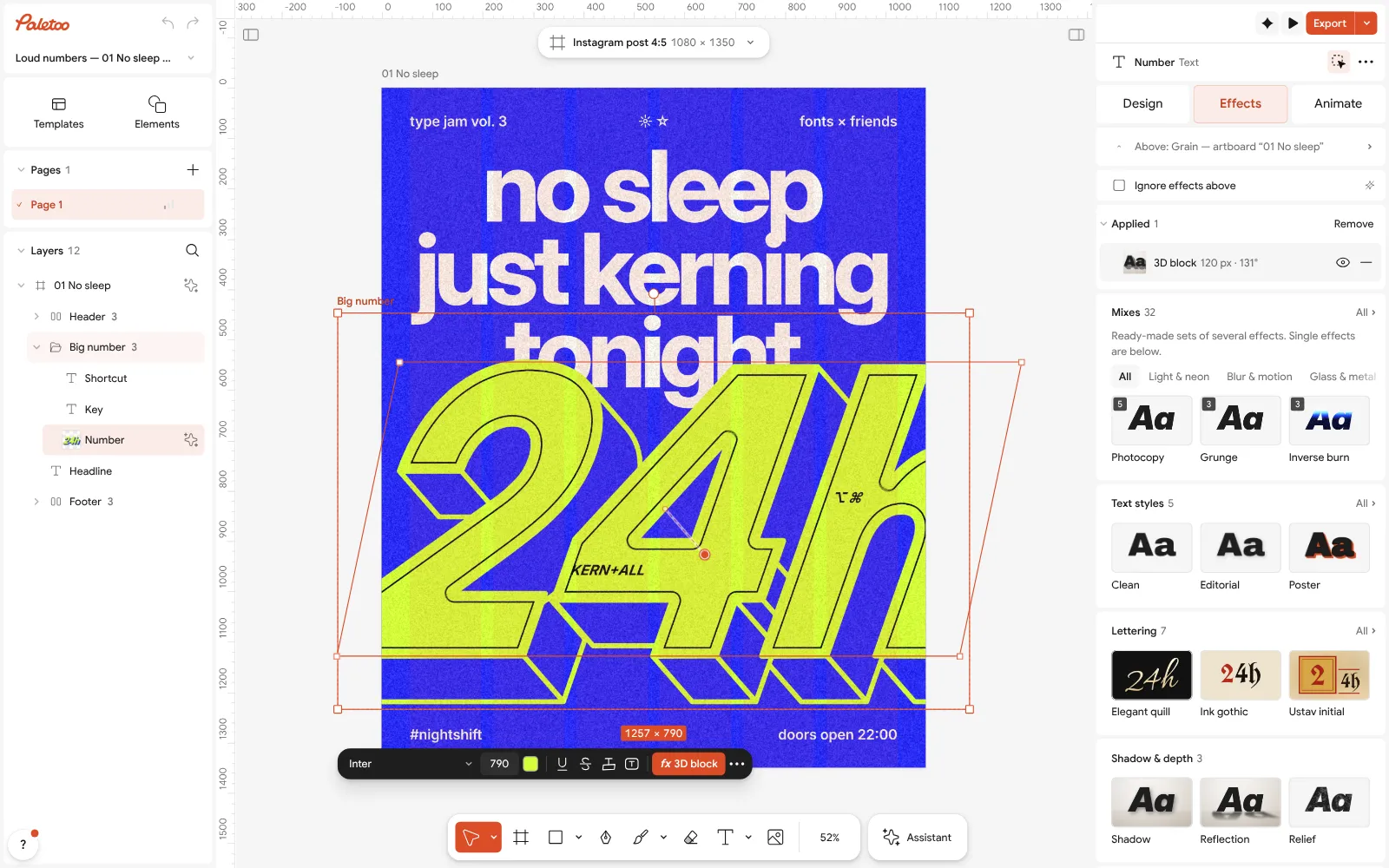
«Number» in the Effects tab: its 3D block step under Applied Tune the three settings that matter: Depth (120 px here), Angle (131°, light from the top left) and Colour, the colour of the side. This one uses the Faces style: the walls are filled with the background’s ultramarine and their edges drawn in lime with Edge colour, which is why the block looks drawn rather than solid.
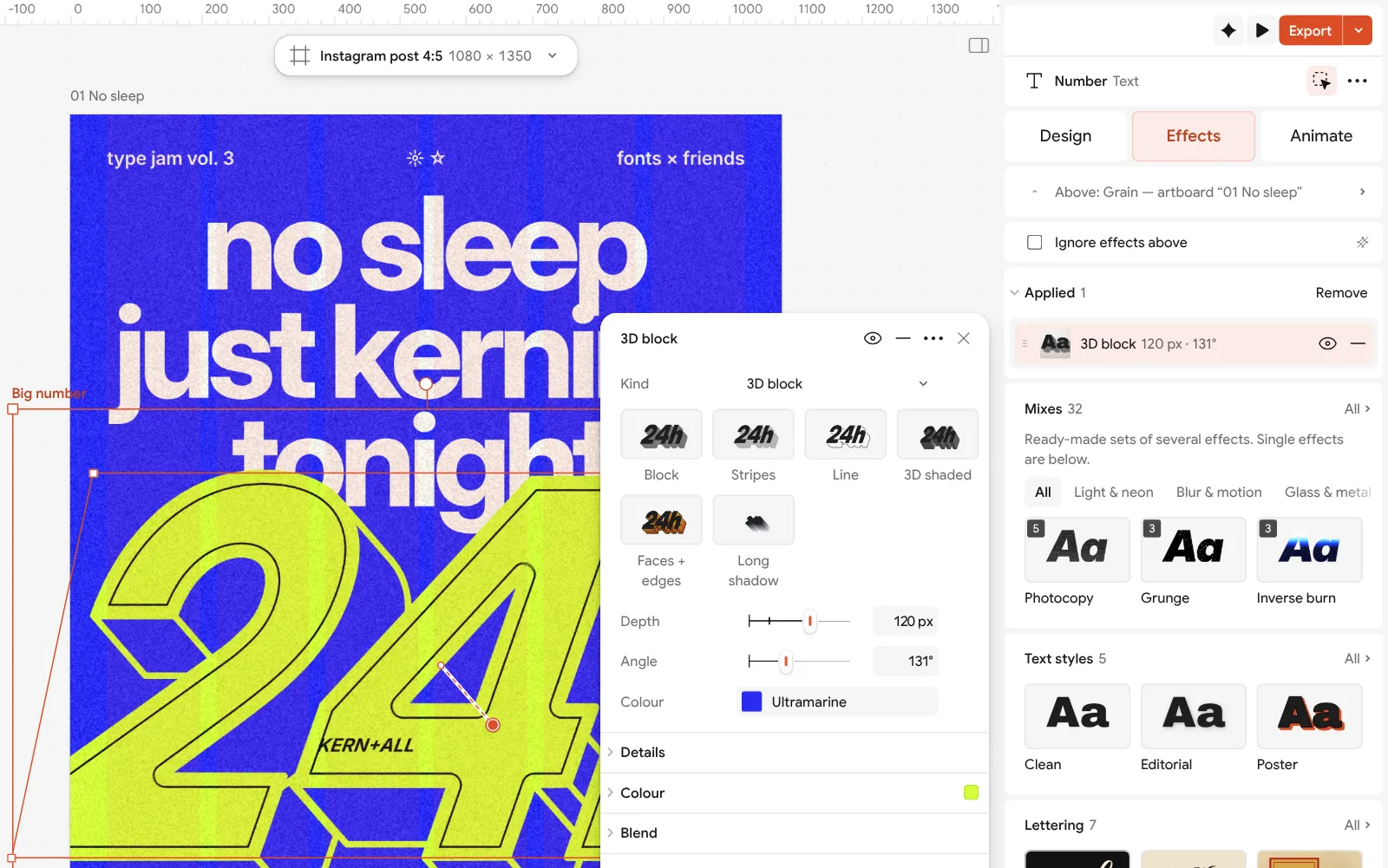
The 3D block step open to tune: Depth 120 px, Angle 131°, the Faces style with a lime Edge colour Try the presets on the same text: Long shadow for a flat shadow at 135° that fades into the ground, Stripes for a retro hatched block, 3D shaded for walls lit by the way they face. Ctrl Z takes you back to the faces.
Press Export (Ctrl Shift E). For the whole post choose PNG or JPG. For the 3D word alone, select it first: the export takes the selection, so the PNG holds only the letters and their block on transparency. For a whole artboard without its ground, set Background to Transparent.
Make it your own
For a softer, toy-like block, raise Shade sides: each wall is lit by the way it faces, so the underside goes darker than the side.
For a strict isometric drawing keep the Faces style with Perspective off — parallel edges are what makes it isometric; switch it on and the walls converge as if seen from close up.
For puffy letters with a solid side, add Inflate as well: the block is swept from the puffed-up outline. More on that look in tactile 3D type.
Make the word move: in the Animate tab the letters can rise or pop in with their block, and the result exports as MP4, GIF or WebM — see animated text GIF.
Sources
Questions
How do I make 3D text for free?
Select your text in Paletoo, open the Effects tab and add 3D block, then set its depth, angle and side colour. It is free, needs no account and exports PNG, JPG, SVG or PDF without a watermark.
How do I get 3D text as a transparent PNG?
Select only the word and export it as PNG: the file holds the letters and their block with nothing behind them. For a whole artboard, set the background to transparent in the Export window.
What is the difference between a 3D block and a long shadow?
A 3D block is a short, solid extrusion that reads as the thickness of the letters. A long shadow runs much further, usually at 45°, and fades out, so it reads as a shadow cast on the ground.
Which fonts work best for 3D text?
Heavy, wide fonts with open shapes, such as Montserrat Black, Rubik, Unbounded, Russo One or Inter at weight 900. Thin serifs and scripts make tangled walls.
Can I make 3D text for a 3D printer?
Not in Paletoo, which draws depth on a flat picture. For an STL file to print, model the text in a 3D program such as Blender or Tinkercad.
Can I still edit the words after adding the 3D effect?
Yes. The effect sits on live text: retype, change the font or the size, and the block is drawn again around the new letters.
Make it online
Free design templates for posts, stories and posters: Social media post templates
Try it on your own design
Paletoo opens in your browser, with no sign-up. Every effect here is live: change the picture or the words and the effect follows.
Open in PaletooOpens this design as your own copy — every layer and effect editable, free.
Read next
- 01
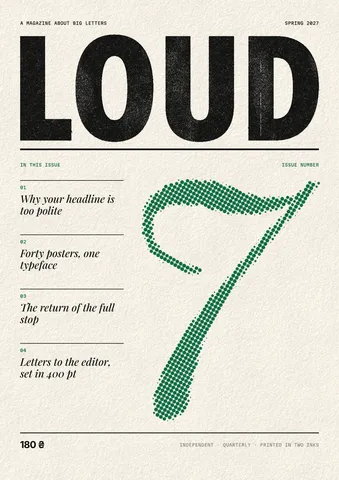 Text effect ideas: 25 cool effects for posters and postsTwenty-five ways to make a word do more than sit there, sorted by what they feel like and where they belong.
- 02
 Tactile 3D type: the clay trend of 2027, and how to make itSoft, swollen letters that look pressed out of clay or blown up like a balloon.
- 03
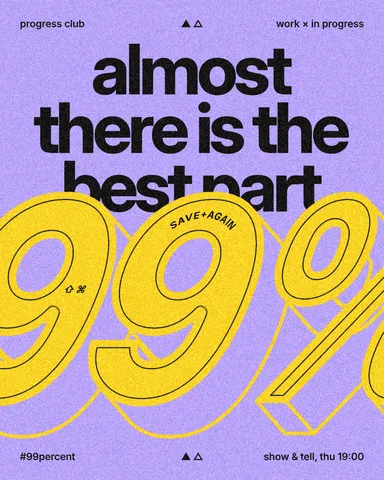 Free logo text effects: seven looks that work on a wordmarkSeven text looks for a wordmark, and how to keep them sharp at 32 px.
- 04
 Chrome and liquid glass: the shiny trend of 2027, and how to make itMirror-bright metal and clear, bending glass: surfaces that reflect the world around them.