Free tools5 min readFreeUpdated 2026-11-12
How to make a Black Friday poster for free: 8 designs that sell
One number people read from across the street, the dates and your shop’s name — as a post, a story and a print poster from one file.
By the Paletoo team · steps tested in Paletoo on
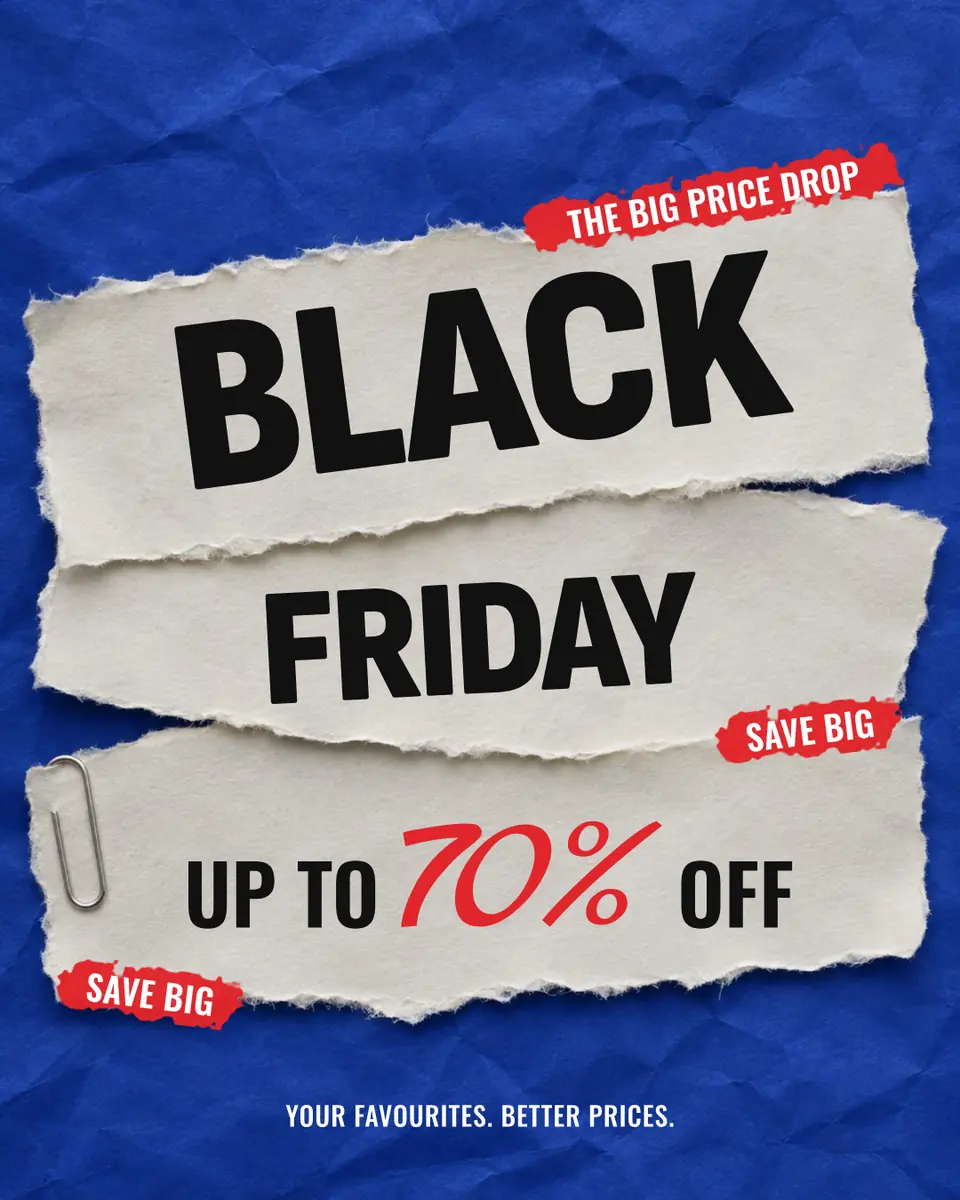
To make a Black Friday poster for free, open a sale template in Paletoo, type your discount, dates and shop name over the template’s, and export it as a PNG for Instagram and a PDF for print — no watermark and no account. Black Friday 2026 falls on 27 November, with Cyber Monday on 30 November, so a poster that goes up a week early catches the people who plan their shopping.
This guide is built on «Black Friday» from our sale pack: torn paper on electric blue, a 70 % that fills half the sheet and three strips of tape. Below are the four things every sale poster needs, eight layouts that work and the sizes for a post, a story, a shop window and a website banner. Every step was run in Paletoo on 11 November 2026; the pictures are the editor itself.
What a Black Friday poster has to say in three seconds
A sale poster is read while walking or scrolling, so it carries four things and nothing else: the offer (a number — «−50 %», «up to 70 % off», «2 for 1»), the dates («27–30 November»), who is selling (the shop’s name or logo) and where (online, in store, an address or a QR code to the sale page). The number is the headline. Make it the biggest thing on the page, at least a third of the height; the words «Black Friday» can be smaller than you think, because in late November everyone knows what a black poster with a big percentage means.
Leave out the paragraph about quality and the five categories. If a condition matters — «on everything but new arrivals», «while stocks last» — put it in small type under the number. Honest conditions keep the customers you win; small print that hides them loses them on the first day.
Eight Black Friday poster ideas that work
Our sale pack has eight layouts, each in post, square and story sizes, in English and Ukrainian. They show the main ways to make the same four facts look different from the poster next door:
| Idea | What it looks like | Best for |
|---|---|---|
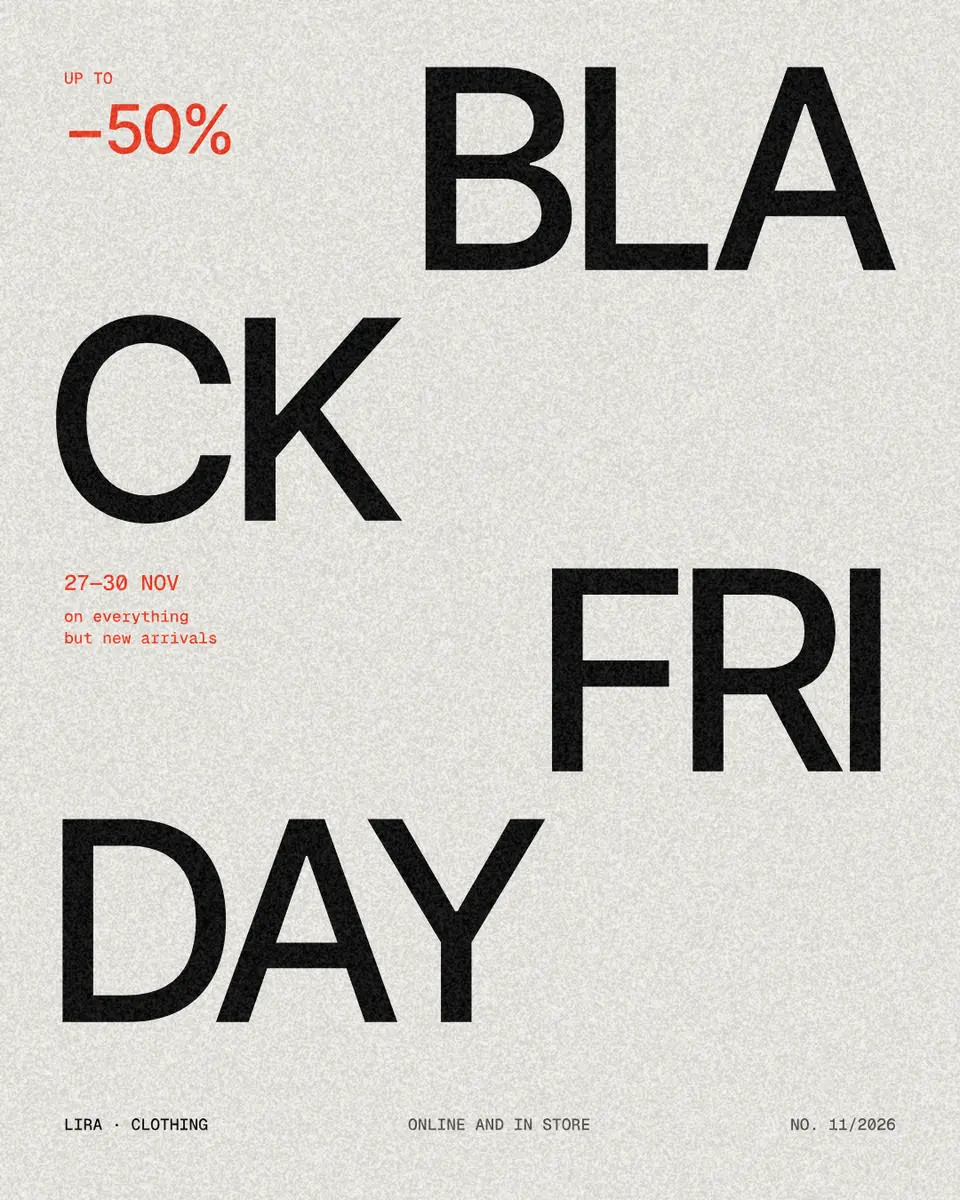
| Split word | «BLA / CK / FRI / DAY» in huge grey type, a red −50 % | Fashion, design shops — calm and confident |
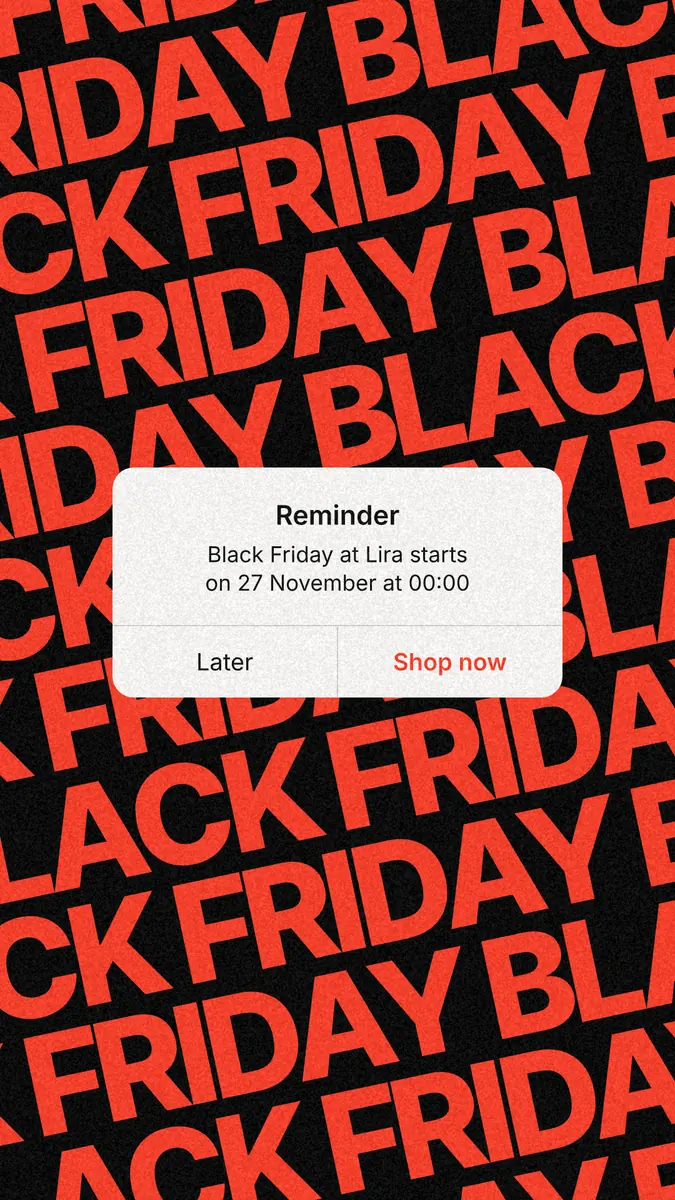
| Reminder | A phone notification over a wall of «Black Friday» | Stories the day before: «set a reminder» |
| Alarms | Three alarms at the start, the middle and the end of the sale | Flash sales with hours |
| Spray 30 | A sprayed «−30 %» on a wall | Street wear, sneakers, music |
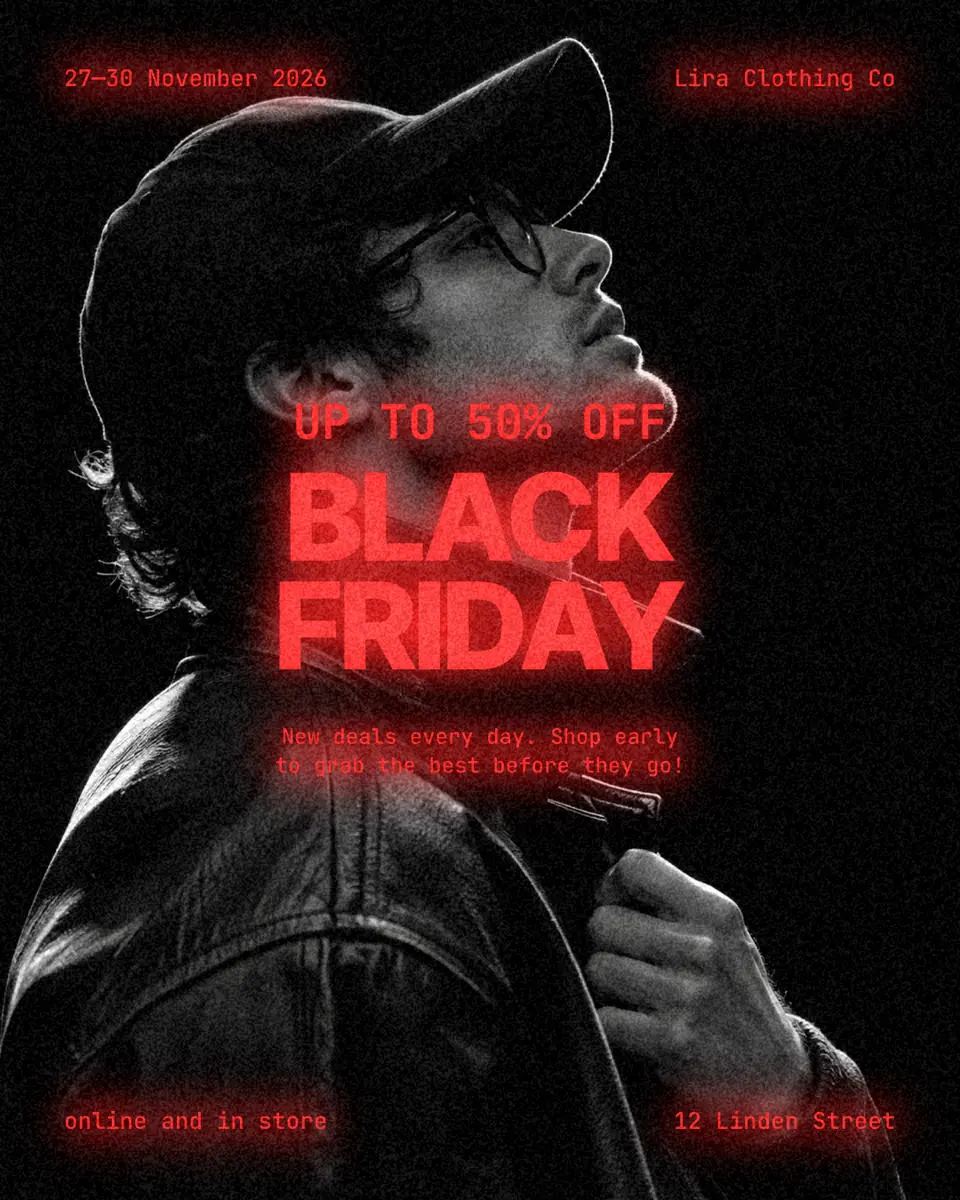
| Neon portrait | A black-and-white portrait with red neon type | Beauty, clothes, a face-led brand |
| Torn paper | Torn white paper on electric blue, tape strips | Any shop — loud and readable |
| Black panel | A black panel over a photo of the product | One hero product |
| Invitation | A private-sale invitation with a time | Early access for subscribers |
Black Friday poster and banner sizes
Make the post first, then copies for the other places. In Paletoo the size chip above the canvas makes a copy in another format and moves your words into it, so the dates and the number stay the same everywhere. Instagram posts are 1080 × 1350 (4:5), stories 1080 × 1920 (9:16), a square for Facebook and marketplaces 1080 × 1080. For a shop window print A3 (297 × 420 mm) or A2 (420 × 594 mm) as a PDF; for a website banner 1440 × 900 for a hero or 1584 × 396 for a strip. Keep the number inside the middle of a story: the top 14 % and the bottom 35 % are covered by the profile and the reply bar.
Made in Paletoo
Every picture on this page was made in Paletoo — these three with the same steps on other templates:
Make it free in Paletoo
Open the poster: press “Open in Paletoo” on this page, or start from the poster maker. It opens as your own document; the Layers panel lists the torn paper, the two words, the percentage, the tape and the footer.
Double-click the percentage and type your own discount. Do the same with the footer: your shop’s name, the dates, «online and in store». The fonts and sizes are under Typography in the Design tab; keep the number the biggest thing on the page.
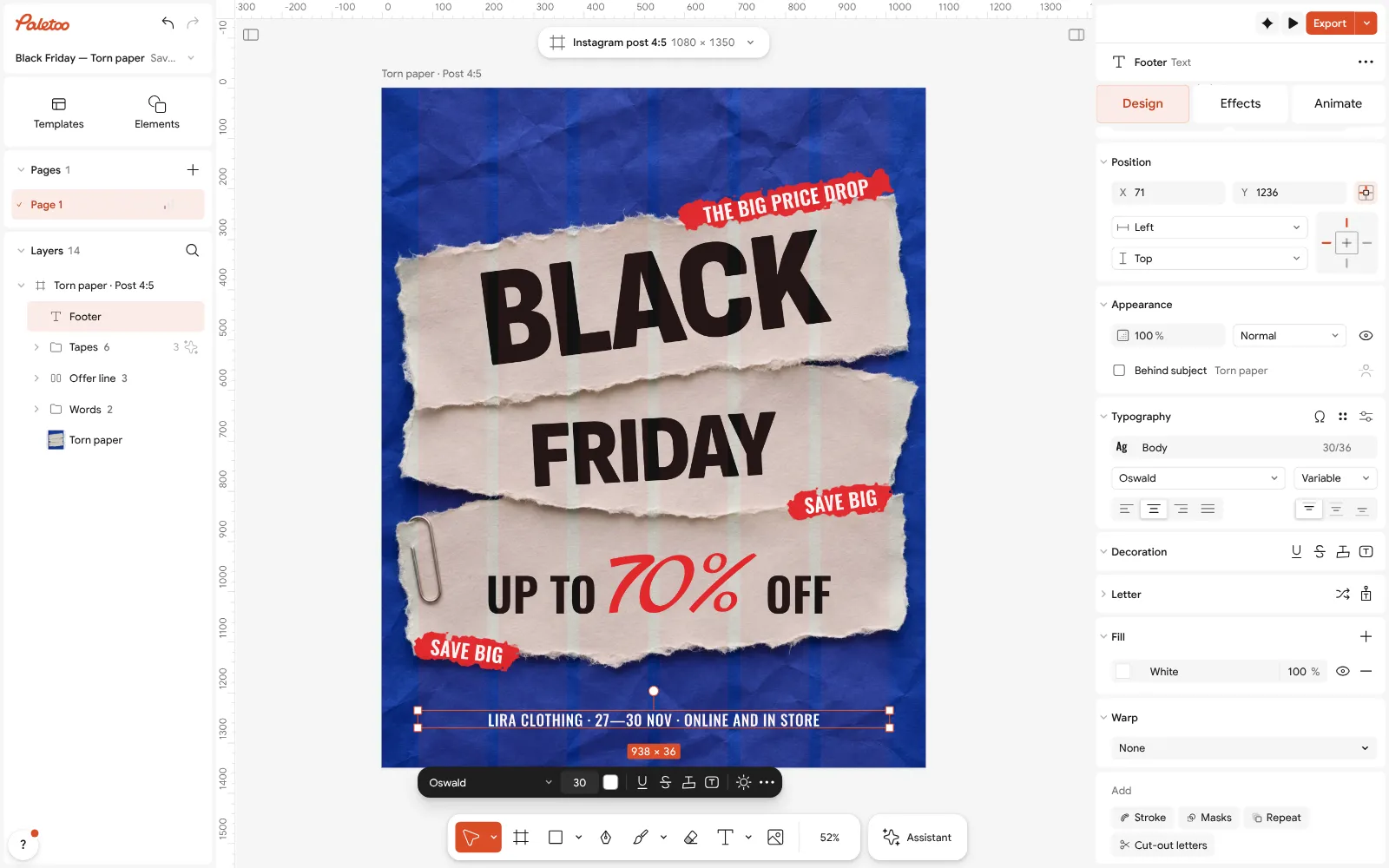
The Black Friday poster open in Paletoo: the footer rewritten for a shop and selected, its font under Typography To match your brand, change the blue in Colour styles: every part that uses it changes at once. Keep the contrast high — light paper on a dark or saturated background reads from far away.
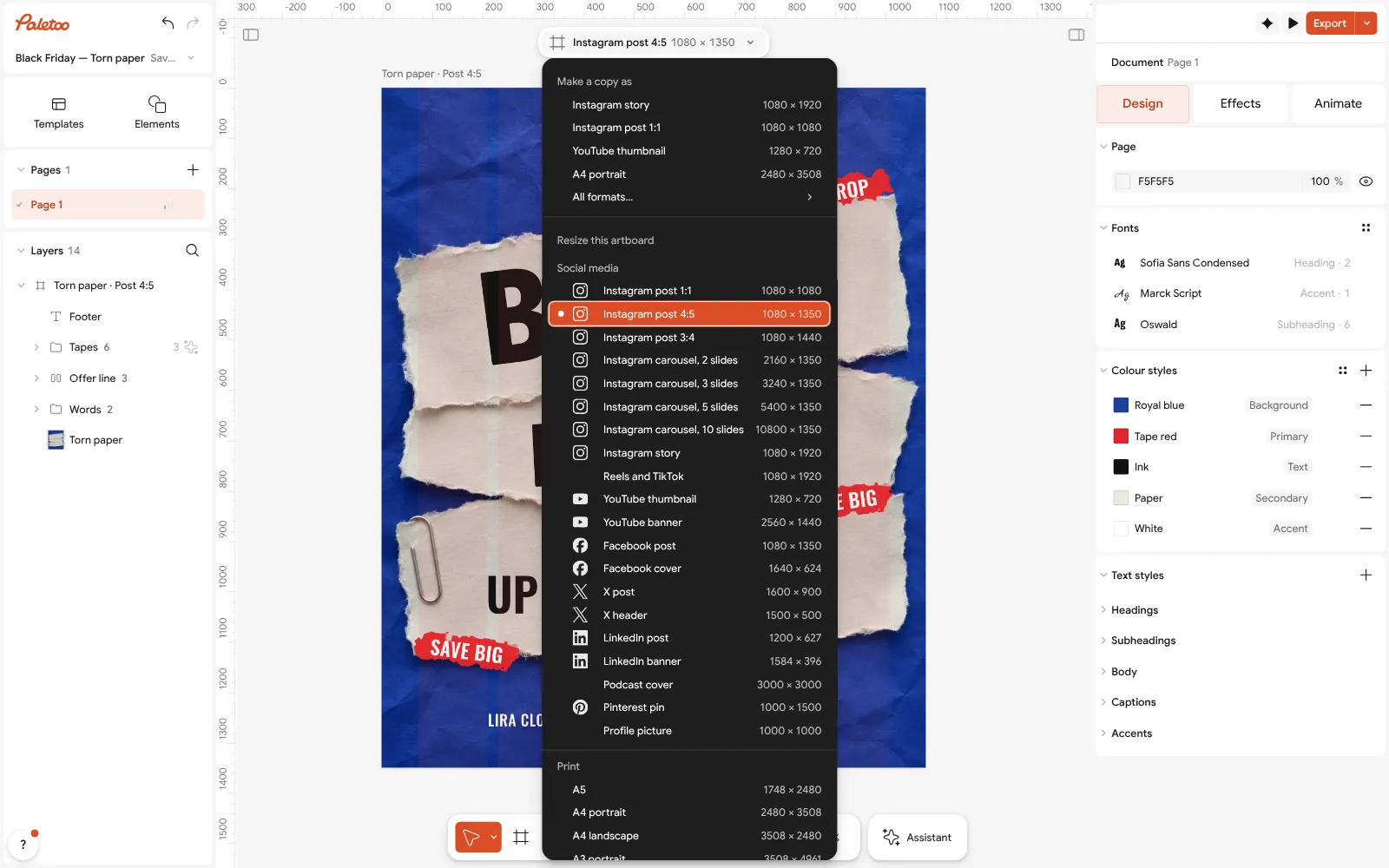
The size chip pressed: Make a copy as a story or a square, the words carried into the copy With nothing selected, press the size chip above the canvas and choose a format under Make a copy as — a story or a square. The copy keeps your words; move anything that sits in a story’s top or bottom band.
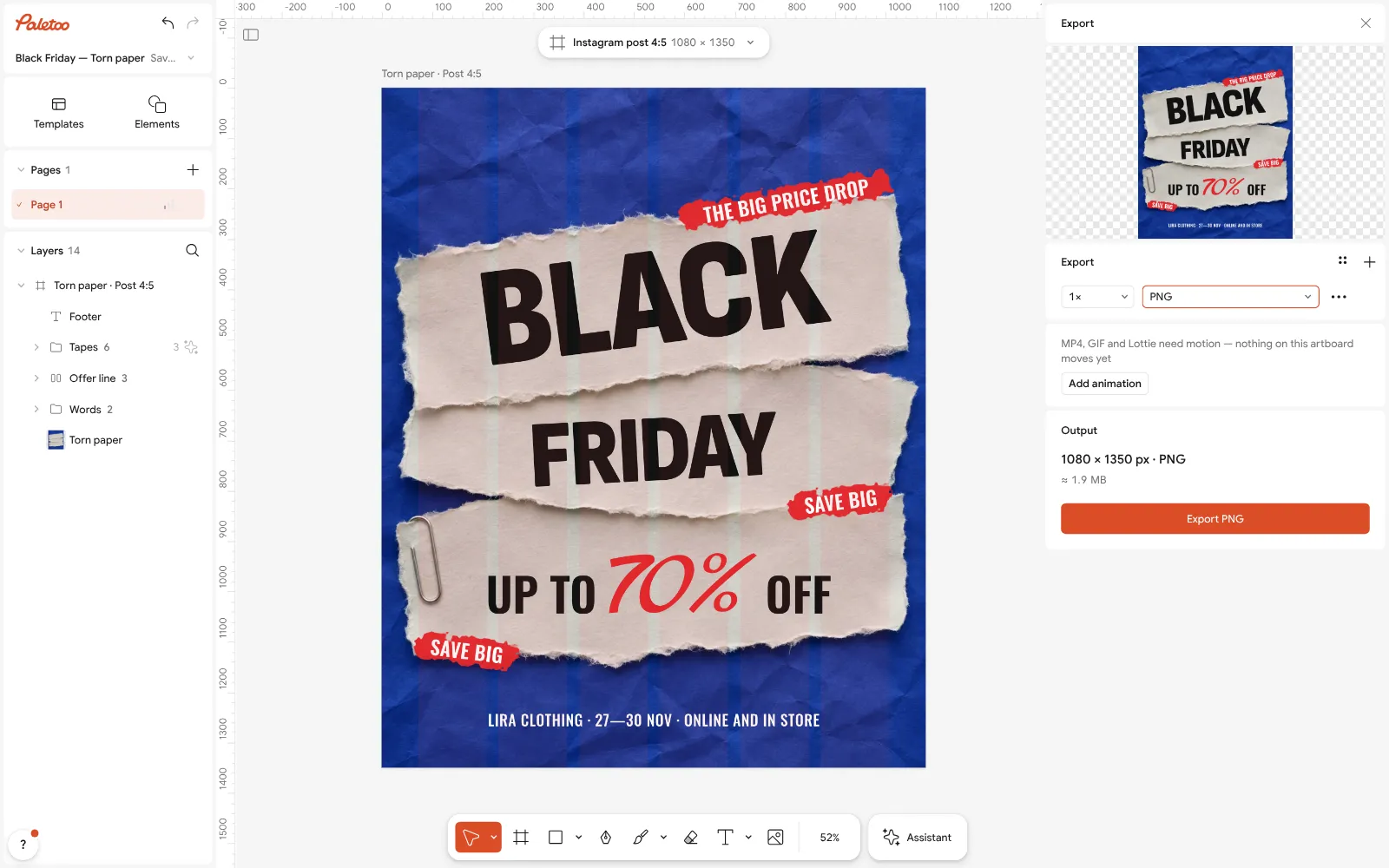
Export as PNG at full size, ready for the post Press Export (Ctrl Shift E) and keep PNG for Instagram and messengers. For a shop window, add an A3 artboard, choose PDF and turn on Include bleed and Crop marks.
Schedule them: the poster a week before, the story with the reminder the day before, the countdown on the day. Nothing you export carries a watermark.
Make it your own
For a countdown that moves, press Add animation in the Export window and export MP4: a story that moves is watched longer than a still one.
Put a QR code to the sale page on the print version: QR code from the add menu, then set its colours to match the poster so it looks designed, not stuck on.
Two versions for two audiences are one click apart: Duplicate artboard, change the number and the words, export both.
Sources
Questions
When is Black Friday in 2026?
Friday 27 November 2026, the day after Thanksgiving in the United States. Cyber Monday is 30 November. Many shops run the sale from Thursday to Monday.
What should a Black Friday poster say?
The discount as a number, the dates, the shop’s name and where to buy — nothing else. Make the number the biggest thing on the page and put any condition in small type under it.
What size is a Black Friday Instagram post?
1080 × 1350 pixels (4:5) for a post, 1080 × 1920 (9:16) for a story and 1080 × 1080 for a square. In Paletoo one file makes all three from the size chip.
Can I make a Black Friday poster for free?
Yes. Paletoo’s sale templates are free to edit and export as PNG, JPG, PDF or MP4 with no watermark and no account.
How do I print a Black Friday poster for a shop window?
Make an A3 or A2 copy of the poster, export it as PDF with bleed and crop marks, and print it at a copy shop. A3 reads from about 3 m, A2 from about 5 m.
Make it online
- Poster makerMake a poster from a template that already has the layout right, then export a print-ready PDF or an image for screens.
- Instagram post makerDesign a post at the right size from a real template, then export a sharp PNG or JPG — free, in your browser.
- Flyer makerTurn a ready flyer template into yours in minutes and send the printer a PDF with bleed and crop marks.
Free design templates for posts, stories and posters: Poster templates · Social media post templates · Event and launch templates
Try it on your own design
Paletoo opens in your browser, with no sign-up. Every effect here is live: change the picture or the words and the effect follows.
Open in PaletooOpens this design as your own copy — every layer and effect editable, free.
Read next
- 01
 Poster design tips: 9 tricks that make a poster look designedNine habits that separate a designed poster from an assembled one.
- 02
 How to make an Instagram post for free: size, layout, exportThe size, the margins and the three type sizes that make a post read in one second.
- 03
 Christmas Instagram post ideas for businesses, with free templatesTwelve posts that carry a small business from St Nicholas to New Year, and a template for each.