Techniques6 min readFreeUpdated 2026-11-12
Christmas card size: inches, millimetres, pixels and postage
Every common card size in one table, the envelope it fits, and the file you need to print it.
By the Paletoo team · steps tested in Paletoo on
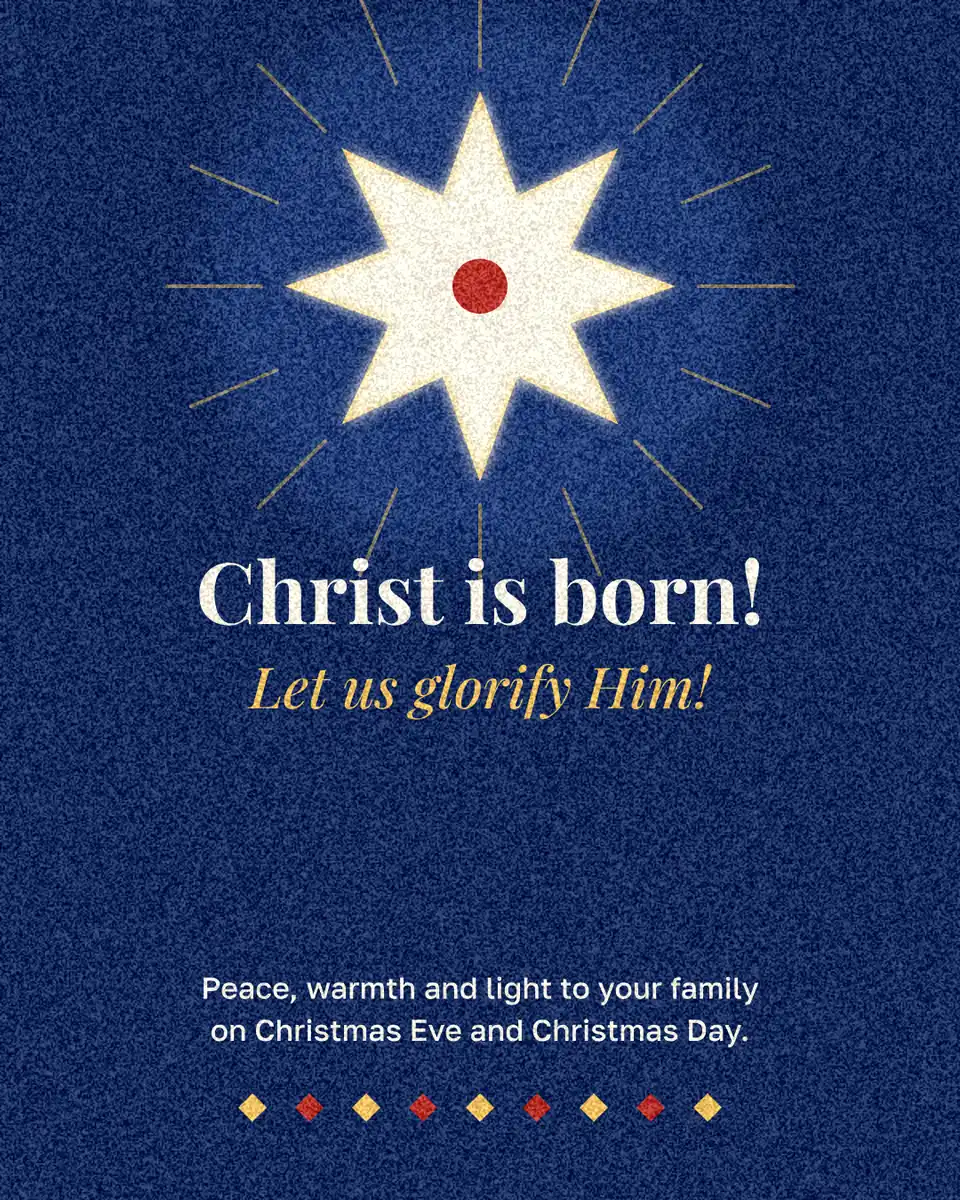
The most common Christmas card size is 5 × 7 inches (127 × 178 mm), which fits an A7 envelope; in the UK, Europe and Ukraine it is A6, 105 × 148 mm, which fits a C6 envelope. For print, make the file at 300 pixels per inch — 1500 × 2100 px for 5 × 7 in, 1240 × 1748 px for A6 — with 3 mm or 1/8 inch of bleed on every side.
Below are the other sizes people use, from the small 4.25 × 5.5 in card to square cards that cost more to post, the envelope each one fits, the postage limits in the US and the UK, and the sizes for cards that are only ever sent as pictures. At the end the same size is set up in Paletoo in inches, step by step; we checked every step on 9 November 2026.
Standard Christmas card sizes
Printed cards come either flat, printed on one or both sides, or folded, where a larger sheet is folded in half. The sizes below are the finished, closed card. A folded 5 × 7 in card is printed on a 10 × 7 in sheet; a folded A6 card on an A5 sheet. Leave about 1/4 inch or 6 mm between the card and the envelope so it slides in without bending.
| Card | Inches | Millimetres | Envelope | Pixels at 300 dpi |
|---|---|---|---|---|
| A2 (US) | 4.25 × 5.5 | 108 × 140 | A2, 4.375 × 5.75 in | 1275 × 1650 |
| 5 × 7 (US, most common) | 5 × 7 | 127 × 178 | A7, 5.25 × 7.25 in | 1500 × 2100 |
| Square | 6 × 6 | 152 × 152 | 6.5 × 6.5 in square | 1800 × 1800 |
| A6 (UK, Europe, Ukraine) | 4.1 × 5.8 | 105 × 148 | C6, 114 × 162 mm | 1240 × 1748 |
| A5 | 5.8 × 8.3 | 148 × 210 | C5, 162 × 229 mm | 1748 × 2480 |
| Square, small (UK) | 5.9 × 5.9 | 150 × 150 | 155 × 155 mm square | 1772 × 1772 |
Postage: what fits a standard letter
In the US, a card mails at the ordinary letter price when it is between 5 × 3.5 and 11.5 × 6.125 inches and no thicker than 1/4 inch. A square envelope is the trap: USPS treats any letter whose length divided by height is under 1.3 as nonmachinable, and that costs a surcharge on top of the stamp. A 6 × 6 in card in a square envelope pays it; a 5 × 7 in card in an A7 envelope (ratio 1.38) does not.
In the UK, a Royal Mail letter can be up to 240 × 165 mm, 5 mm thick and 100 g, so A6 in C6 and A5 folded into C6 both go as letters. Anything thicker — a card with a ribbon, a badge or a hard backing — becomes a large letter. Ukrposhta and other European services have similar letter limits; weigh a finished card with its envelope before you buy fifty stamps.
Sizes for cards you send as pictures
A card for a messenger has no paper size, only pixels. Use 1080 × 1350 px (4:5) for chats and the Instagram feed: it shows whole on a phone without cropping. Stories and reels need 1080 × 1920 px (9:16). For an email, 1200 px across is plenty and keeps the file small. If one design should go both ways, make the print version first and export a second, smaller copy from the same document.
Bleed, safe area and resolution
Printers cannot print exactly to the edge of a sheet, so a card that is coloured to the edge is printed slightly larger and trimmed. That extra is the bleed: 3 mm in Europe, 1/8 inch (3.175 mm) in the US, on every side. Keep words and faces at least 5 mm, or 1/4 inch, inside the trim line, the safe area, so a slightly off cut never touches them.
Resolution is simple: 300 pixels for every inch of the finished card. A photo that is too small for that will look soft; double it on the device before you place it rather than stretching it on the card. A PDF keeps text and vector shapes sharp at any size, which is why print shops ask for one.
Made in Paletoo
Every picture on this page was made in Paletoo — these three with the same steps on other templates:

Step by step in Paletoo
Open a card: press “Open in Paletoo” on this page, or start from the Christmas card maker. With nothing selected, the chip at the top of the canvas shows the card’s size, 1080 × 1350 — a size for screens, not for paper.
Press that chip. Turn on Scale artwork at the bottom, so the design grows with the page, then under Resize this artboard pick a size from the Print group — A5 is 1748 × 2480 px, 148 × 210 mm at 300 dpi. Move the words back inside the safe area if the new shape pushed them out.
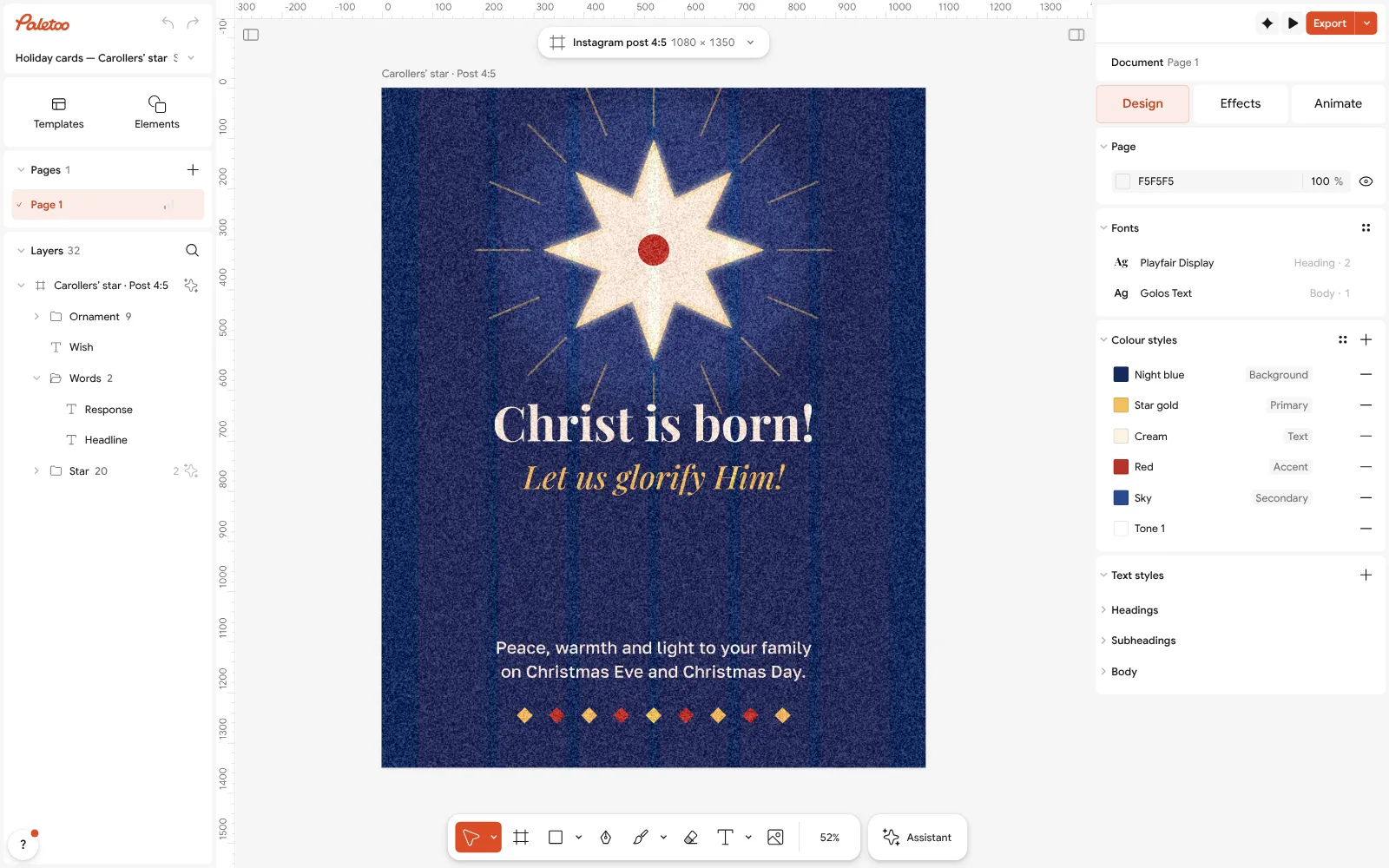
The «Christ is born!» card open in Paletoo with nothing selected: its size, 1080 × 1350, on the chip above the canvas For 5 × 7 in or A6, which are not on that list, start a page from Home: New document ⌄ › Custom. In the Custom size window press “in” or “mm” under Units and type 5 and 7, or 105 and 148: it shows the pixels at 300 dpi, 1500 × 2100, before you press Create. Build the card on that page.
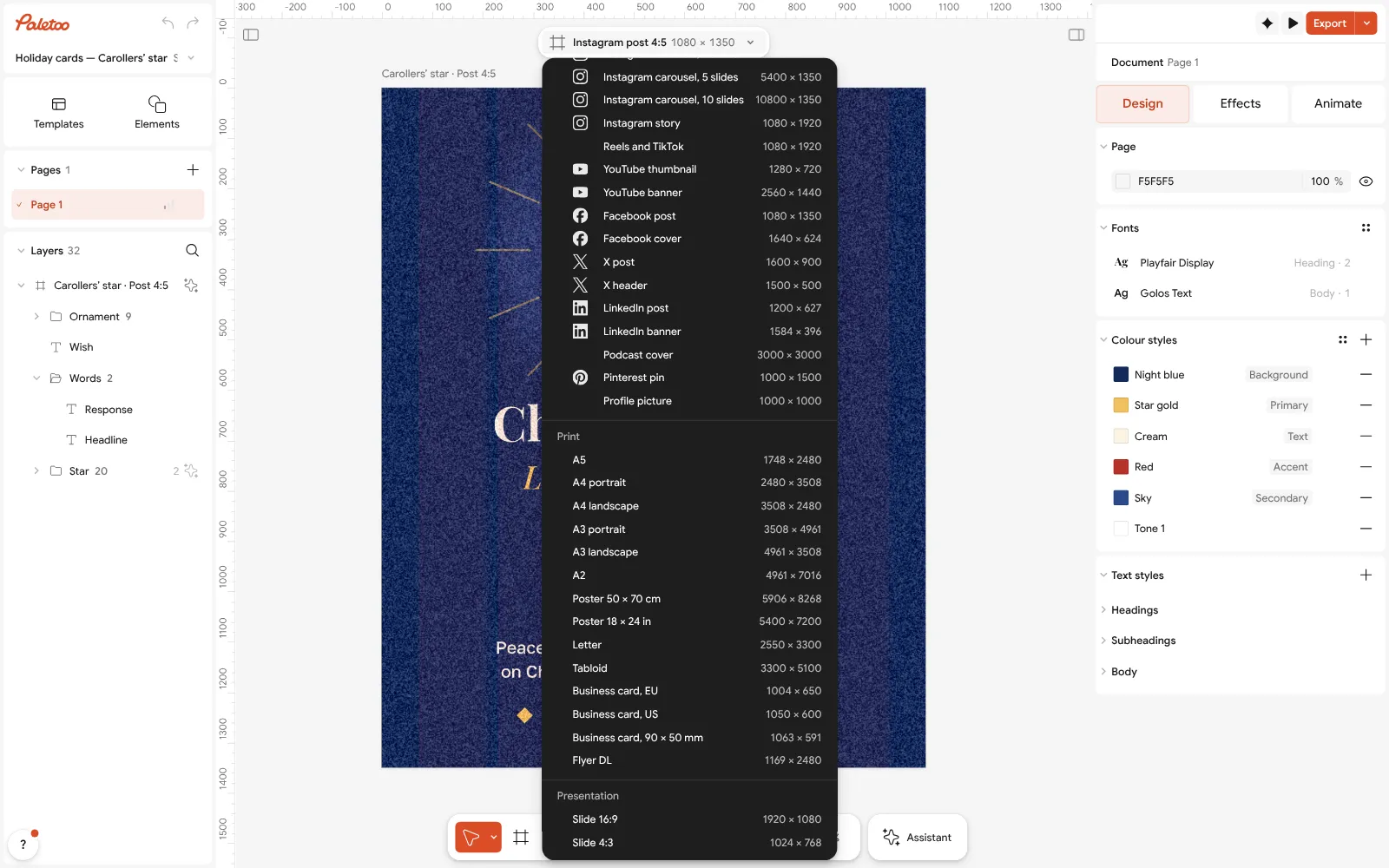
The size chip pressed: the Print sizes, from A5 to Flyer DL, each at 300 dpi Press Export (Ctrl Shift E) and choose PDF. Under Export settings turn on Include bleed and Crop marks, so the printer trims at the right line.
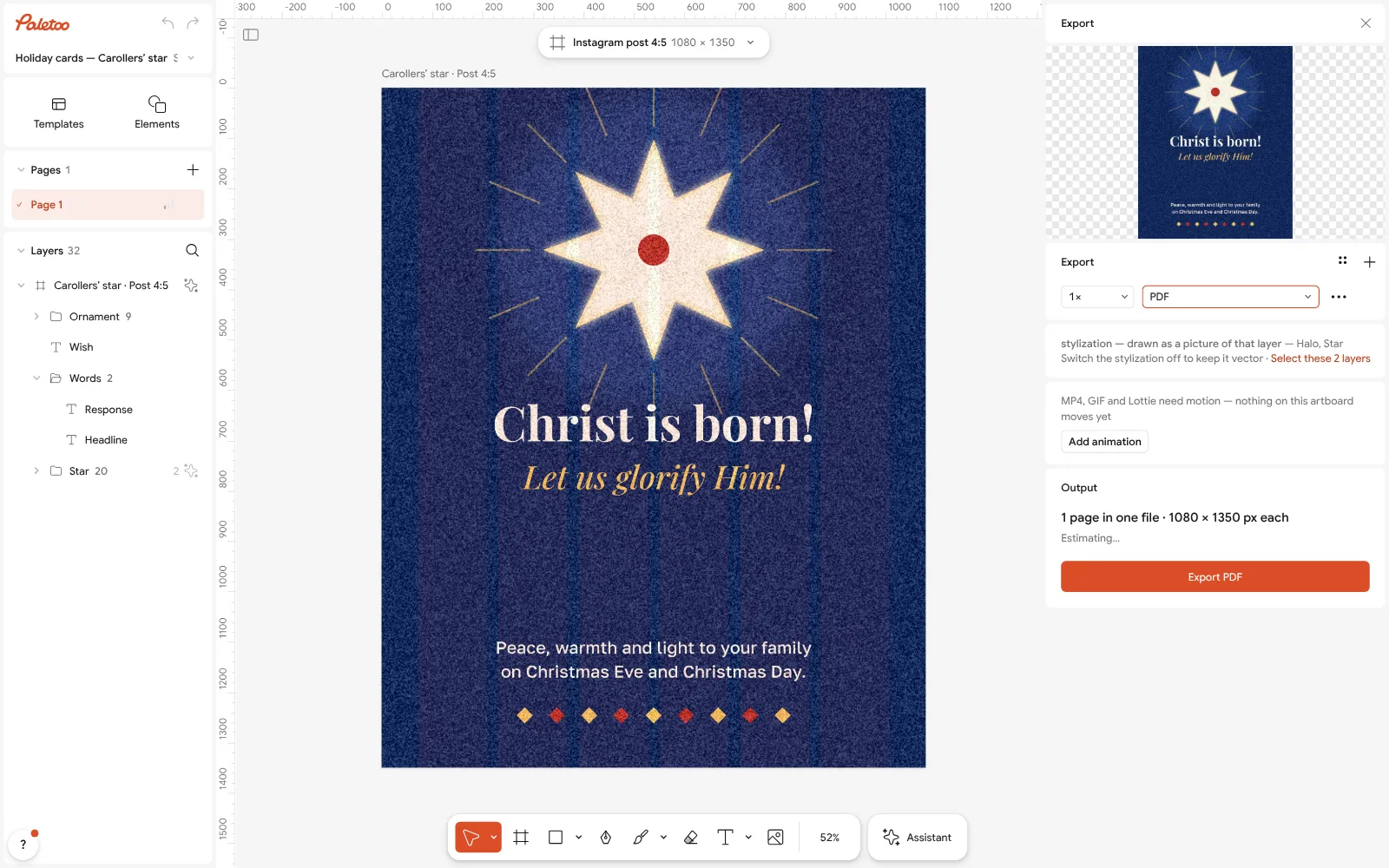
The Export window with PDF chosen for print Print a test copy at 100 % on plain paper, cut along the marks and put it in the envelope. If it fits and the words are clear of the edge, print the rest on card stock.
For the messenger version, export again from the same document as PNG: the card goes out at its full pixel size, with no watermark.
Make it your own
A card that will be folded needs a page in the open size — 10 × 7 in, or A5 landscape for an A6 card — with the front on the right half. Make it in Custom size from Home, in inches or millimetres.
Keep text at 8 pt or more on a printed card; anything smaller blurs on home printers. In Typography, 8 pt at 300 dpi is about 33 px.
A dark card prints darker than it looks on screen. Lift the darkest colour a little in Colour styles before you print fifty, and print one test first.
Sources
Questions
What is the standard Christmas card size?
In the US, 5 × 7 inches in an A7 envelope, with 4.25 × 5.5 inches (A2) the next most common. In the UK, Europe and Ukraine, A6 (105 × 148 mm) in a C6 envelope, then A5 (148 × 210 mm) in C5.
What size is a Christmas card in pixels?
For print at 300 dpi: 1500 × 2100 px for 5 × 7 in and 1240 × 1748 px for A6. For a card sent as a picture: 1080 × 1350 px for chats and the feed, 1080 × 1920 px for stories.
Does a square Christmas card cost more to post?
In the US, yes: USPS counts a letter whose length divided by height is below 1.3 as nonmachinable, and adds a surcharge. In the UK a small square card is a letter as long as it is within the letter limits.
How much bleed does a card need?
Three millimetres on every side in Europe and 1/8 inch in the US. Keep words and faces 5 mm or 1/4 inch inside the trim line.
What envelope fits an A6 card?
A C6 envelope, 114 × 162 mm. An A5 card goes into C5 (162 × 229 mm), or folded in half into C6.
Can I set a card size in inches or millimetres in Paletoo?
Yes. On Home, New document › Custom takes inches or millimetres and makes the page at 300 pixels per inch; A5, A4 and other print sizes are also in the size menu of any artboard. PDF export adds bleed and crop marks, free.
Make it online
- Christmas and New Year cardsPick a card, write your own wish, add a family photo and send it as a picture, a story or a short animation — free.
- Invitation makerTap an invitation below and it opens ready to edit: write who, when and where, then send it as a picture or print it on A5. Free, with no watermark and no sign-up.
- Flyer makerTurn a ready flyer template into yours in minutes and send the printer a PDF with bleed and crop marks.
Free design templates for posts, stories and posters: Holiday card templates · Invitation templates · Event and launch templates
Try it on your own design
Paletoo opens in your browser, with no sign-up. Every effect here is live: change the picture or the words and the effect follows.
Open in PaletooOpens this design as your own copy — every layer and effect editable, free.
Read next
- 01
 How to make a Christmas card online for free, with your photoFrom a ready card to one with your family on it in about ten minutes, with nothing to pay and no account.
- 02
 Print-ready PDF: bleed, crop marks and CMYK, freeEverything a printer means by “print-ready”, and a checklist before you send the file.
- 03
 QR code size for print: the «will it scan» checklistSize, quiet zone, contrast, correction and a proof: the five checks that decide whether a printed code scans.