Tools compared7 min readFreeUpdated 2026-11-13
Free logo for commercial use: do you own it, can you trademark it?
Using a free logo, owning it and registering it are three different questions — here is what each one depends on.
By the Paletoo team · steps tested in Paletoo on
Yes, you can use a logo made in a free logo maker for your business when the maker’s licence allows commercial use — Paletoo’s does, on the free plan, with no credit and no watermark. Owning it outright and registering it are different matters: a logo built from a template, stock icons or AI output is not exclusive, so others may use the same parts, and such a logo is hard to register as a trademark. The safe route is to treat the template as a start, make the mark your own with your name and your own drawing, and search the trademark register before you print.
This guide separates the three rights — licence, copyright and trademark — explains why template and AI logos struggle at the register, what font and icon licences allow, and what to check before filing. It is the plain version for a small business, not legal advice: for a filing, ask a trademark attorney. The steps use «Casa Verbena», a florist’s logo with «Casa Verbena» in a high-contrast serif over «FLOWERS & SLOW LIVING» in spaced capitals, cream and gold on dark green; every step was run in Paletoo on 12 November 2026.
Licence, copyright and trademark are three different things
The licence is the permission the tool gives you: whether you may use its templates, fonts and icons in a logo, for business, without a credit. Copyright protects original creative work and arises by itself, but not everything in a logo qualifies: in the United States, names, short phrases and typefaces are not protected by copyright, so a plain name set in an existing font carries little or none. A trademark protects a sign you use for your goods or services; you register it in classes (the Nice Classification has 45), and it lets you stop confusingly similar marks in your field.
So «do I own my logo?» has a layered answer. What you added yourself — your own drawing, your arrangement — is yours. The template, the stock icons and the fonts stay their makers’, licensed to you and to everyone else on the same terms. The full table of what each logo maker gives for free (files, sizes, sign-up) is on the logo maker page; the table below is only about rights.
| Question | Paletoo | A typical free logo maker |
|---|---|---|
| Business use of the logo | Yes, on the free plan | Often yes; some free plans are for personal use only |
| Credit or watermark | None | Varies; premium parts may be marked |
| Who owns the template and icons | Their makers; licensed to you, not exclusively | The same: stock parts are licensed, not sold |
| Is the logo exclusive to you? | No, not until you make it your own | No, unless the plan or a designer says so in writing |
| Trademark registration | Possible once the mark is your own distinctive design | Some makers forbid it for templates and stock parts (Canva says so) |
| Vector master for printers and filings | SVG and PDF, free | Often a paid extra |
Why template and AI logos are hard to register
A trademark office refuses a mark that is not distinctive, and template logos fail in two ways. Their symbols are usually descriptive — a cup for a café, a leaf for a florist, scissors for a barber — and descriptive signs cannot be monopolised. And the template is open to everyone: if a hundred businesses start from the same badge, none of them can claim it. Canva’s own help says this outright: its templates and stock elements are licensed non-exclusively, so a logo using them cannot be trademarked, while an original logo built from basic shapes and fonts, or one you upload, can.
AI logos add a copyright problem. The US Copyright Office registers only human authorship: in its March 2023 guidance, material generated by AI is excluded, while a person’s own selection, arrangement and edits can be protected. Trademark law does not ask who drew a mark, only whether it is distinctive and not confusingly similar to an earlier one — but an AI image can resemble existing marks, and without copyright you cannot stop others copying the picture itself.
Fonts and icons: what their licences allow
Fonts under the SIL Open Font License — almost all of Google Fonts, including Playfair Display, Bitter and Montserrat used in Paletoo’s logos — may be used in a commercial logo, and the logo may be registered; what you may not do is sell the font file. The letters themselves stay free for everyone, so the distinctiveness has to come from your name and arrangement, not from the typeface. Fonts from download sites marked «free for personal use» are not for a business logo.
The icons in Paletoo’s Elements come from open sets — Phosphor and Tabler under the MIT licence, Lucide under ISC — which allow commercial use without a credit; their licence texts are in the editor’s help menu under «Open-source licences». Allowed is not exclusive, though: for a mark you plan to register, redraw the symbol or draw your own.
Before you register: a short checklist
Make the mark distinctive: an invented or unexpected name beats a descriptive one («Casa Verbena», not «Best Flowers»), and your own symbol — a sketch vectorized and cleaned up — beats a stock icon. Keep the vector master (SVG or PDF) with live text and an outlined copy.
Search before you print: the USPTO search in the United States, TMview for the EU and many national offices, and your national register — in Ukraine the Ukrainian National Office for Intellectual Property and Innovations (UANIPIO), in Poland the Patent Office of the Republic of Poland (UPRP). Many owners file the name as a word mark, which covers it in any lettering, and the logo as a figurative mark, in the classes they trade in — a café, for example, in class 43.
Made in Paletoo
Every picture on this page was made in Paletoo — these three with the same steps on other templates:
Try it in Paletoo
Open the logo: press “Open in Paletoo” on this page, or start from the logo maker, which writes your name into every logo of the set. It opens as your own 1080 × 1080 document: «Casa Verbena» in a cream serif on dark green and «FLOWERS & SLOW LIVING» under it in spaced capitals.
Double-click «Casa Verbena» and type your name. With «Brand name» selected, its font, size and spacing are under Typography in the Design tab — Playfair Display, an open-licence font; press its name to open Fonts and try others.
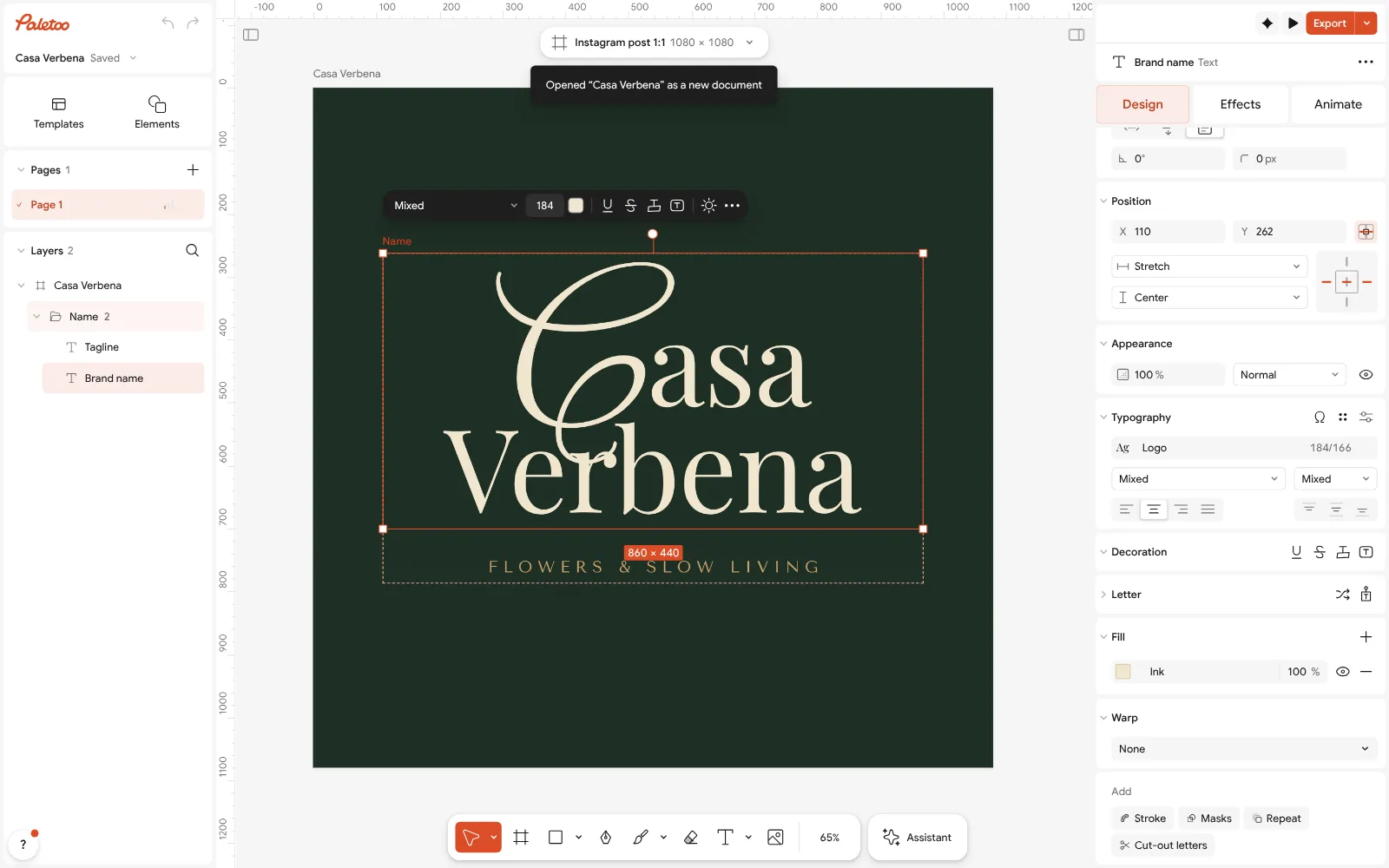
«Casa Verbena» open in Paletoo: «Brand name» selected — Playfair Display under Typography in the Design tab Click an empty part of the canvas: the Design tab shows the document’s Colour styles — Ink, Accent, Paper and Text. Change one and every part of the logo that uses it follows.
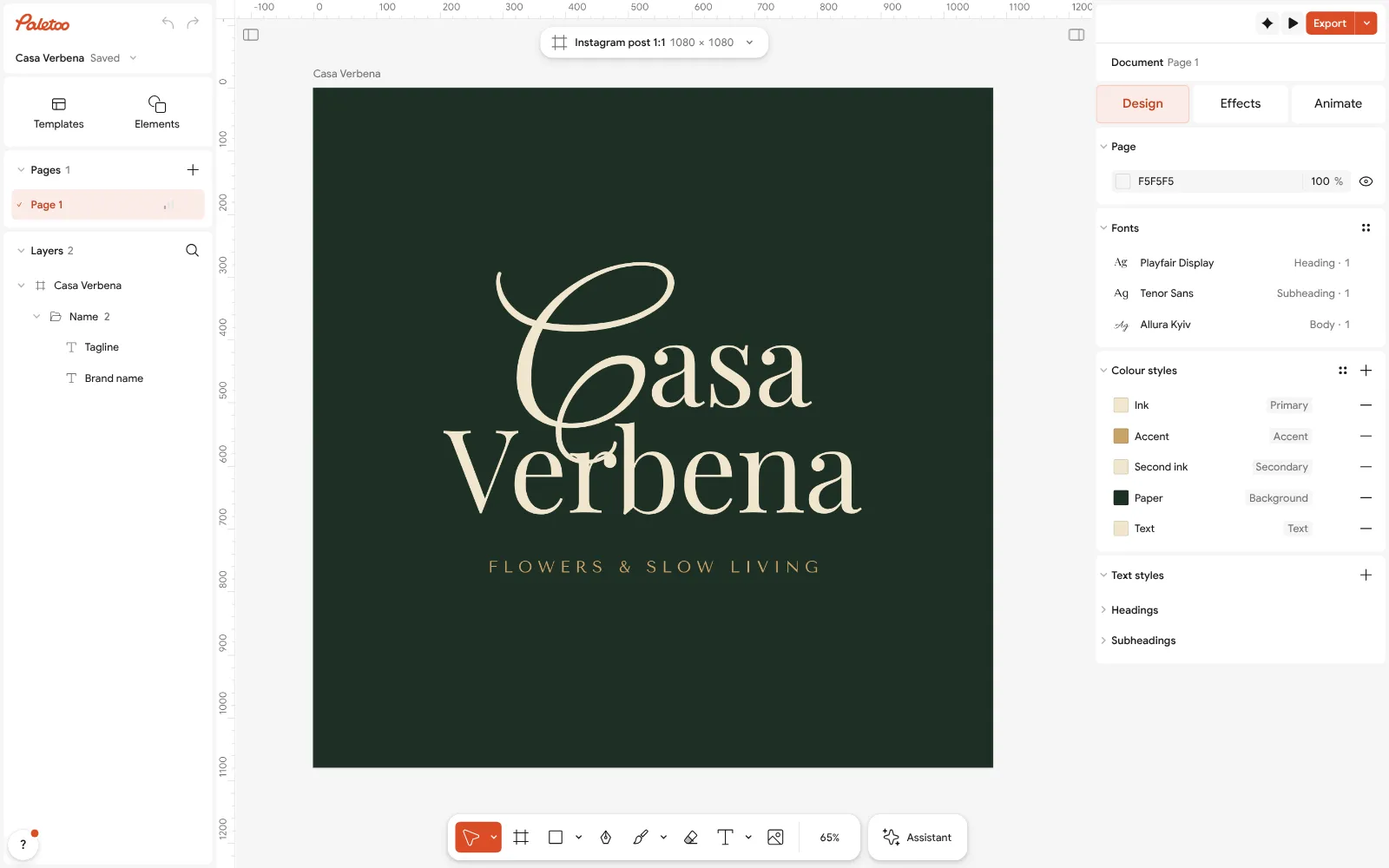
Nothing selected: the document’s Colour styles — Ink, Accent, Paper and Text — in the Design tab Make the mark your own: draw a symbol on paper, photograph it, open the photo, select it and press Vectorize — the sketch becomes clean vector shapes you can recolour and place beside the name.
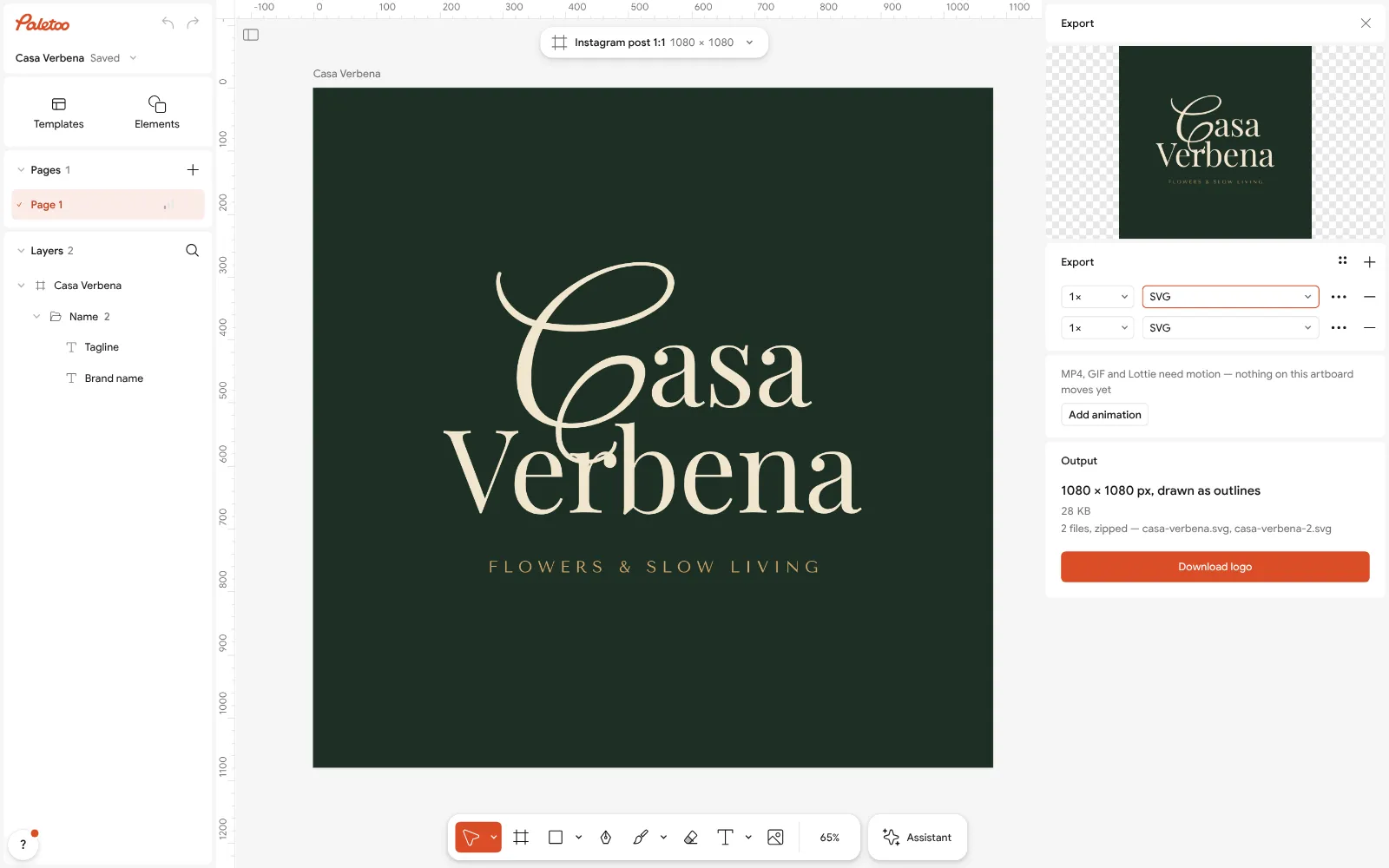
The Export window with SVG chosen: real outlines, no watermark Select everything and look at Selection colours: set them all to black once to check that the mark still works in one colour, as it will on a stamp, a receipt or a filing form.
Press Export (Ctrl Shift E) and choose SVG for the master file. Tick Outline text on a copy for printers: the letters become shapes and need no font. Nothing carries a watermark, and no account is needed.
For the web, export PNG with Background set to Transparent, at 2× for a 2160 px file.
Make it your own
Make a light version on a Duplicate artboard: swap the dark green and the cream in Colour styles, so the same mark sits on white paper and on a dark website header.
Thin serifs vanish at favicon size: for the 32 px icon use the initials «CV» in a heavier weight from Typography rather than the whole name.
Keep one file with live text for future edits and one with Outline text for printers; the outlined copy shows exactly what you would file. For an older logo that only exists as a PNG, see logo to vector.
Sources
Questions
Can I use a free logo for commercial purposes?
Yes, if the maker’s licence allows business use. Paletoo’s does on the free plan, with no credit and no watermark; some other free plans are for personal use only, so read the licence before you print.
Do I own a logo made in a free logo maker?
You own what you added yourself. The template, stock icons and fonts stay their makers’, licensed to you and to everyone else, so the logo is not exclusive until you make it your own.
Can I trademark a logo made from a template?
Usually not as it is: a template others can use is not distinctive, and some makers, Canva among them, forbid trademarking designs that use their templates or stock elements. Change it into your own design first and search the register.
Can I trademark a logo made by AI?
Trademark law asks whether a mark is distinctive, not who drew it, so it may be possible. Copyright is another matter: the US Copyright Office does not register material generated by AI, only the human contribution.
Does Canva own my logo?
Canva does not take over what you add yourself, but its templates and stock elements stay licensed to you non-exclusively, and its help says a logo using them cannot be trademarked.
Can I use Google Fonts in a logo?
Yes. Fonts under the SIL Open Font License may be used in commercial logos and registered marks; you only may not sell the font file itself.
Do I have to register my logo?
No. You can use a logo without registering it; registration gives you a clearer right to stop similar marks in your field and is worth it once the name is settled.
Make it online
- Logo makerType your brand name, pick a logo, try fonts, colours and layouts, then download SVG, PNG and app icons — free, no watermark, no sign-up.
- Image to vector converterTurn a PNG or JPG logo, icon or drawing into a clean SVG in about 30 seconds — free, no sign-up, and your picture never leaves your browser.
Free design templates for posts, stories and posters: Brand guidelines templates
Try it on your own design
Paletoo opens in your browser, with no sign-up. Every effect here is live: change the picture or the words and the effect follows.
Open in PaletooOpens this design as your own copy — every layer and effect editable, free.
Read next
- 02
 How to make a logo for free: online, no sign-up, no watermarkA name, a typeface, two colours and the right files — the whole logo in ten minutes, for free.
- 03
 How to make a logo for free — no AI, no sign-upA logo you own, from your name to an SVG file, in about fifteen minutes.
- 04
 How to make a transparent PNG for free: a logo, words or a cut-out photoA logo, a line of words or a cut-out photo that sits on anything — no white box, no watermark, on a computer or a phone.