Free tools6 min readFreeUpdated 2026-11-12
How to make a logo for free — no AI, no sign-up
A logo you own, from your name to an SVG file, in about fifteen minutes.
By Paletoo’s designers · every step done in Paletoo
You can make a logo for free, without AI and without an account, in Paletoo: start from one of more than twenty logos built from real type, put your own name in, choose a font and two colours, and export SVG for the web, PDF for print and a PNG with a transparent background for profiles. Nothing on the way asks you to pay or to sign up.
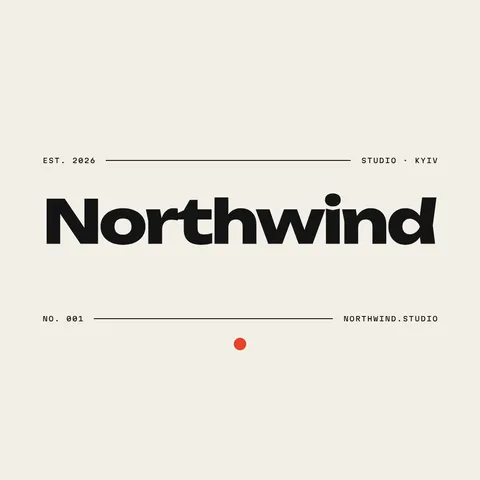
This guide does it on Northwind, a heavy wordmark with a small dot and a mono line under it. Along the way it covers what a small business logo actually needs, why a type-first logo beats an AI picture for most people, and the checks to run before you put the file on a sign or a shirt.
What a logo needs, and what it does not
A logo has one job: to be recognised again. For a café, a studio, a shop or a channel, that almost always means the name, set well, in one or two colours. A symbol helps when the name is long or when the mark must fit a square app icon, but a good wordmark alone carries most small brands for years. Many logos people remember are just letters.
What a logo does not need is detail. Gradients, thin lines and photographs disappear at the size of a favicon or on a cheap print. Before you add anything, ask whether it will survive 32 pixels wide and one colour on a black T-shirt. If not, keep it for the website, not for the logo.
Why start from type instead of an AI generator
AI logo generators are quick, but the result is a picture: you cannot change one letter, the same prompt gives somebody else nearly the same mark, and the file is usually a raster image that blurs when it grows. The terms of some generators also limit what you may register as a trademark.
A logo made of a real font is the opposite. Every letter stays text you can retype, the shapes are vector, so SVG and PDF stay sharp from a stamp to a billboard, and you choose each decision yourself. The logos in Paletoo’s logo maker are built that way: wordmarks, a monogram, a round badge, an arched shop sign, script lettering and pixel letters.
Choosing a font and two colours
Pick the font by what the name must say. A heavy grotesque, like Northwind’s, reads as modern and confident; a serif reads as established; a script reads as personal; a monospace as technical. Check that the font has every letter your name needs — Cyrillic, accents, the ampersand — and that its licence allows logos. Fonts in Paletoo’s library come with their licence.
Then choose one main colour and one accent at most. Make sure the logo also works in plain black and in plain white, because it will end up on photos, on dark packaging and in a newspaper. A quick test: if the logo only looks good in its two colours, it is not finished yet.
The checks before you use it
Look at it at 32 px and at the size of a business card. Look at it in black, in white on black, and on a photo. Read the name aloud from across the room. Search the name in your country’s trademark register and on the web, so you are not building on a name someone else already owns. Then keep the master files — SVG and PDF — somewhere you will find them in five years.
Making a logo on your phone
You can do all of this on a phone, in Safari or Chrome, with no app to install. The logo maker is laid out for a phone screen: type the name, scroll the logos, tap one, then try fonts and colours with your thumb. On an iPhone, its Download hands the transparent PNG and the square PNG to the share sheet, so they go straight to Photos or Files, and «All files, ZIP» in the menu beside it keeps the SVG and the icons; on Android, Download saves one ZIP to Downloads. In the editor on a phone, tap a part of the logo and its Design panel slides up from the bottom; Export works the same as on a computer.
Two habits help on a small screen. Check the logo at its real size by zooming out until it is as big as a profile picture, and save the SVG to Files or a cloud folder, not only the PNG to Photos — the PNG is for posting, the SVG is the logo.
Made in Paletoo
Every picture on this page was made in Paletoo — these three with the same steps on other templates:
Make it free in Paletoo
Open the logo maker, type your brand name in the box and press Northwind; it opens in the editor with your name already set. Or press “Open in Paletoo” on this page. The Layers panel lists the name, the dot, the rules and the small lines of text.
Click the name to select it. The Design tab shows its size and place, and Typography its font: change it from the font list, and the name stays live text you can retype at any time.
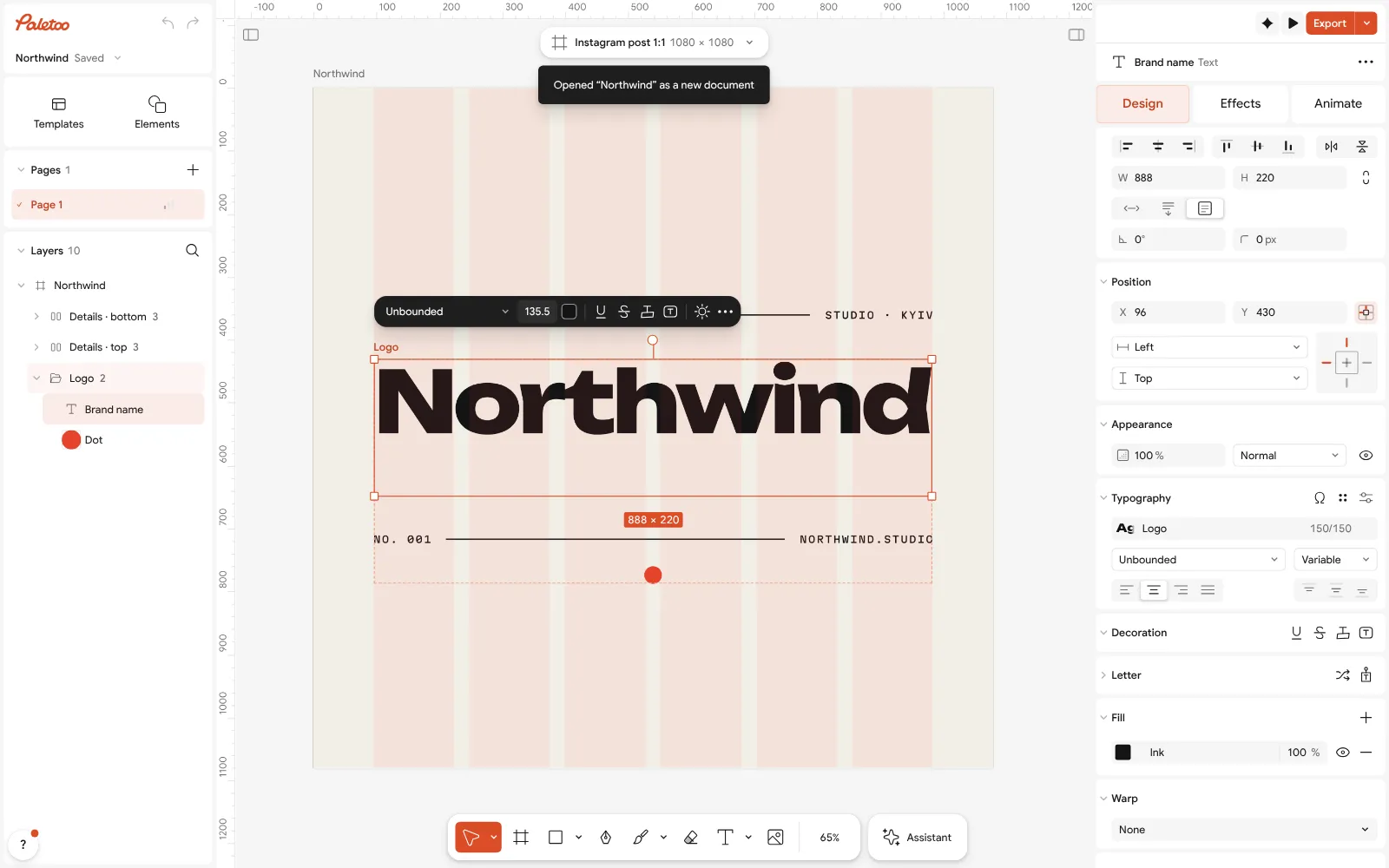
Northwind open in Paletoo: the brand name selected, its font under Typography in the Design tab Click the dot. Its colour is one of the document’s colour styles, so changing it there recolours every place that uses it. Choose your main colour and one accent; keep the rest black or white.
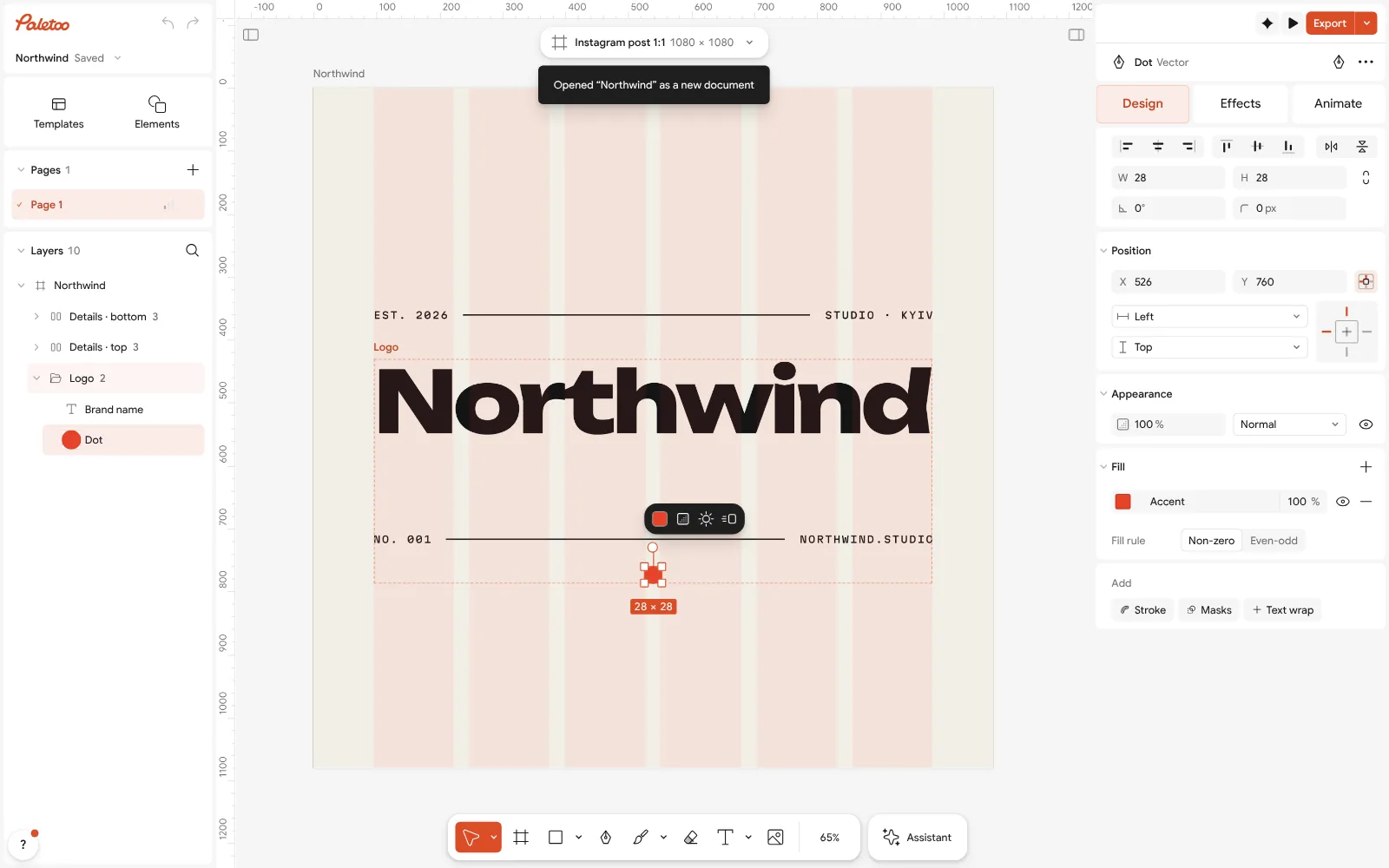
The dot selected: its colour, one of the document’s colour styles, on the Design tab For a round badge or an arched sign, select the text and open Warp: choose Arc or On path, and the letters bend while staying editable.
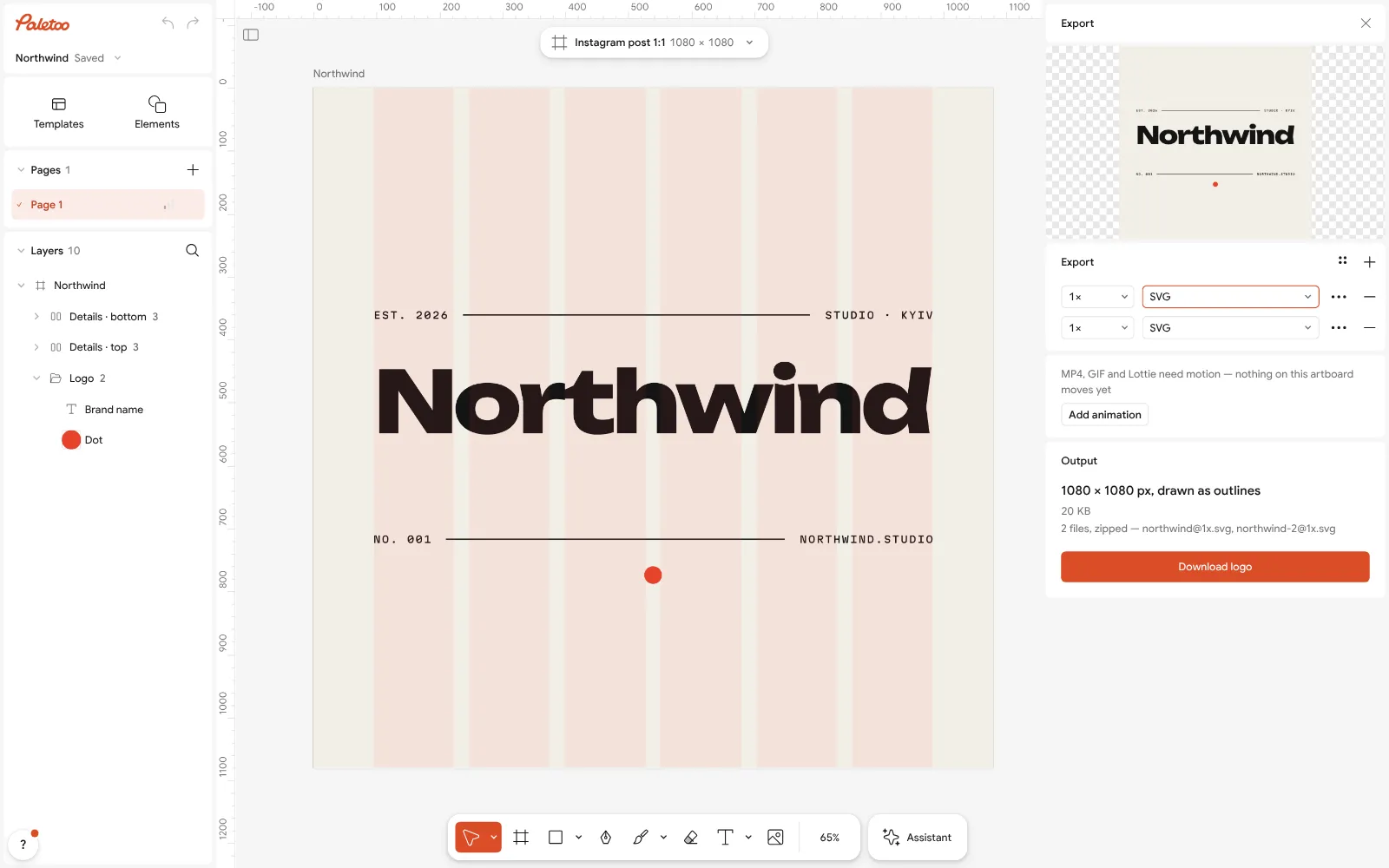
The Export window with SVG chosen for the whole logo Delete what you do not need — the city, the year, the second rule — or write your own. A logo with fewer parts reads faster.
Press Export (Ctrl Shift E) and choose SVG for the web, PDF for print and PNG with Background set to Transparent for profiles and documents. All three are free, with no watermark.
Make it your own
If a long name runs off the frame, lower its size in Typography rather than squeezing the letters; a logo with natural letter shapes ages better.
For the app icon or a profile picture, make a second, square version: just the first letter or the dot, on a square artboard. Many brands use a wordmark and a small mark side by side.
Keep a one-colour version. Set every part to black, export it with Format set to SVG, and you have the file a printer, an embroiderer or a vinyl cutter will ask for.
Questions
Can I really make a logo for free, with no sign-up?
Yes. In Paletoo the logos, the editing and SVG, PDF and PNG export are free, with no watermark and no account. Credits are only for AI image generation and materials, which a logo does not need.
Do I need AI to make a logo?
No. A logo made from a real font and simple shapes is yours, editable, and sharp at any size. AI generators give a picture that you cannot edit letter by letter and that someone else may get from the same prompt.
Which file formats does a logo need?
SVG for websites and developers, PDF for print shops, and PNG with a transparent background for documents and social profiles. Keep the SVG and PDF as your master files.
Can I trademark a logo made from a template?
You can register your name and your final design, but change the template enough to make it your own: the font, the colours and the shapes. Check the name in your country’s trademark register before you print anything.
How do I make my logo transparent?
Export it as PNG with the background set to transparent, or as SVG, which has no background at all. Both can be placed on photos, slides and coloured packaging.
Can I make a logo on my phone?
Yes, in the phone’s browser, for free. The logo maker and the editor work on iPhone and Android; on an iPhone, Download sends the PNGs to Photos or Files and the ZIP keeps the SVG.
Make it online
- Logo makerType your brand name, pick a logo, try fonts, colours and layouts, then download SVG, PNG and app icons — free, no watermark, no sign-up.
- Business card makerDesign a business card at the exact print size, add a QR code that really scans, and export a PDF the printer accepts.
- Image to vector converterTurn a PNG or JPG logo, icon or drawing into a clean SVG in about 30 seconds — free, no sign-up, and your picture never leaves your browser.
Free design templates for posts, stories and posters: Brand guidelines templates · Contact and call-to-action templates
Try it on your own design
Paletoo opens in your browser, with no sign-up. Every effect here is live: change the picture or the words and the effect follows.
Open in PaletooOpens this design as your own copy — every layer and effect editable, free.
Read next
- 01
 Free logo text effects: seven looks that work on a wordmarkSeven text looks for a wordmark, and how to keep them sharp at 32 px.
- 02
 How to turn a logo into a vector — free, no IllustratorFrom a blurry PNG to a logo you can print on a van — in a minute, in the browser, for free.
- 03
 How to make a logo for free: online, no sign-up, no watermarkA name, a typeface, two colours and the right files — the whole logo in ten minutes, for free.