Free tools5 min readFreeUpdated 2026-11-12Save to Pinterest
How to make a logo for free: online, no sign-up, no watermark
A name, a typeface, two colours and the right files — the whole logo in ten minutes, for free.
By Paletoo’s designers · every step done in Paletoo
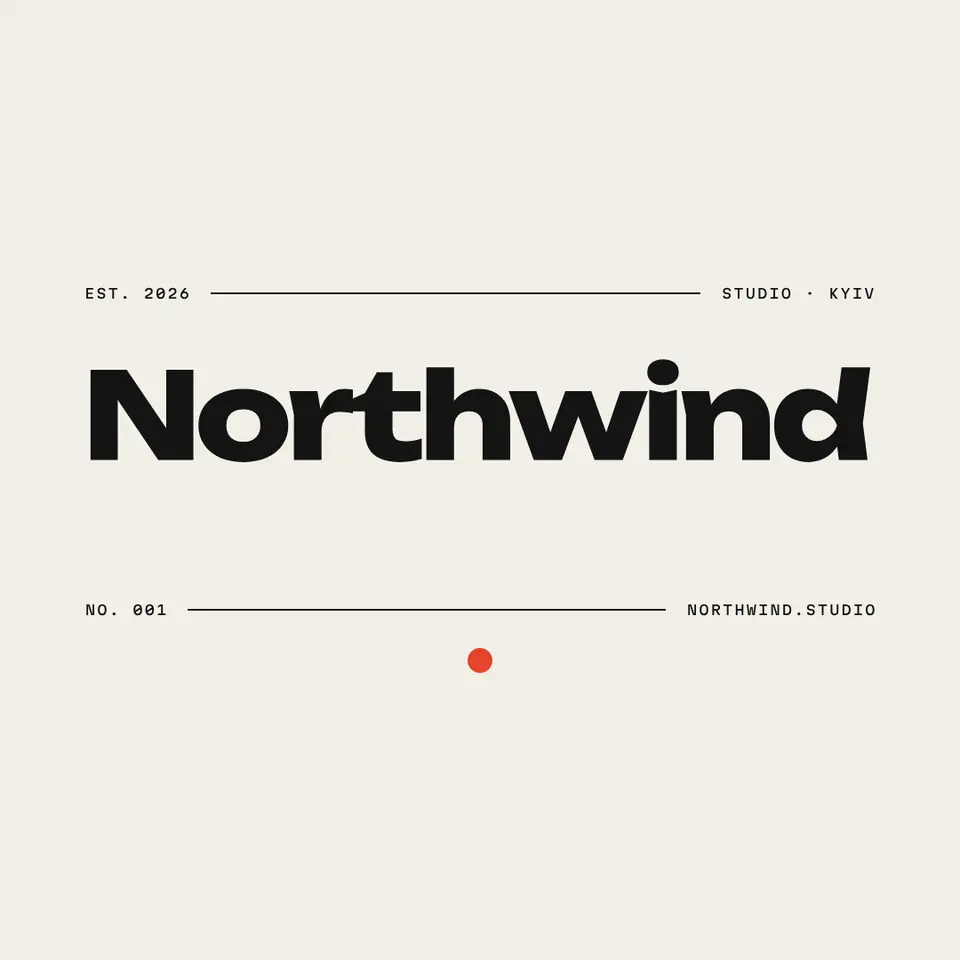
To make a logo for free, open Paletoo’s logo maker, type your brand name and pick one of more than twenty logos: it opens in the editor with your name already set. Change the font and the two colours, then export SVG for the web, PDF for print and a transparent PNG for profiles. There is no sign-up, no watermark and no credits, and every letter stays live text, so you can fix it next year.
This guide goes through what makes a small-business logo work, the four decisions that make one, and the files a printer, a sign maker and Instagram will ask you for. It is taught on Northwind, a heavy wordmark with a mono line, one of the logo maker’s own templates.
What a good small logo has to do
A logo for a café, a studio, a shop or a freelancer is not a picture: it is the name, set so people remember it. It has to read at the size of a profile picture and on a sign across the street, in one colour on a stamp and in two on a sticker. That is why most good small logos are wordmarks — the name in one well-chosen typeface, with at most one small mark beside it.
Before you open any tool, write down three words for how the brand should feel: calm or loud, old or new, hand-made or precise. Those words choose the typeface for you. A heavy grotesque says confident and modern, a serif says established, a script says hand-made, pixel letters say games and tech.
Four decisions, in this order
Name, then type, then mark, then colour. Set the name first and look at it in black on white: if it does not work as plain type, a symbol will not save it. Try three typefaces at most; a wide, heavy face holds up best when small. Then decide whether it needs a mark at all — a dot, a monogram, a badge ring — and keep it simple enough to draw from memory.
Colour comes last and stays few: one ink, or two at most. In Paletoo the logo’s colours are the document’s colour styles, so changing one recolours the whole logo, and a one-colour version for stamps and embroidery is a single change away.
Free, without the catches
Many “free logo makers” let you design for free and charge to download, add a watermark, or hand you a 500-pixel PNG. In Paletoo the logos on the logo maker page, the editing and SVG, PDF and PNG export are free, with no watermark and no account. Credits exist only for AI images and materials, and a logo needs neither.
It is also yours in a way a generated picture is not: real type in a real font, shapes you can edit point by point, Cyrillic and Latin in the same file. If you already have an old logo as a PNG, Vectorize turns it into clean vector shapes on your device first.
The files you will be asked for
SVG for your website, a sign maker and cutting machines: it stays sharp at any size. PDF for a print shop: business cards, flyers, banners. PNG with a transparent background, at 2× or 3×, for Instagram, Telegram, documents and presentations. Keep a square version for profile pictures, where a long wordmark becomes unreadable: the monogram or the first letter alone.
Made in Paletoo
Every picture on this page was made in Paletoo — these three with the same steps on other templates:
Make it free in Paletoo
Press “Open in Paletoo”: the Northwind logo opens as your own document. Or start on the logo maker page: type your brand name and press a logo — it opens with your name in it. Click the name to select it.
Double-click the name and type your own. The name sits in a frame that sets a longer name smaller, so it always fits the logo’s width.
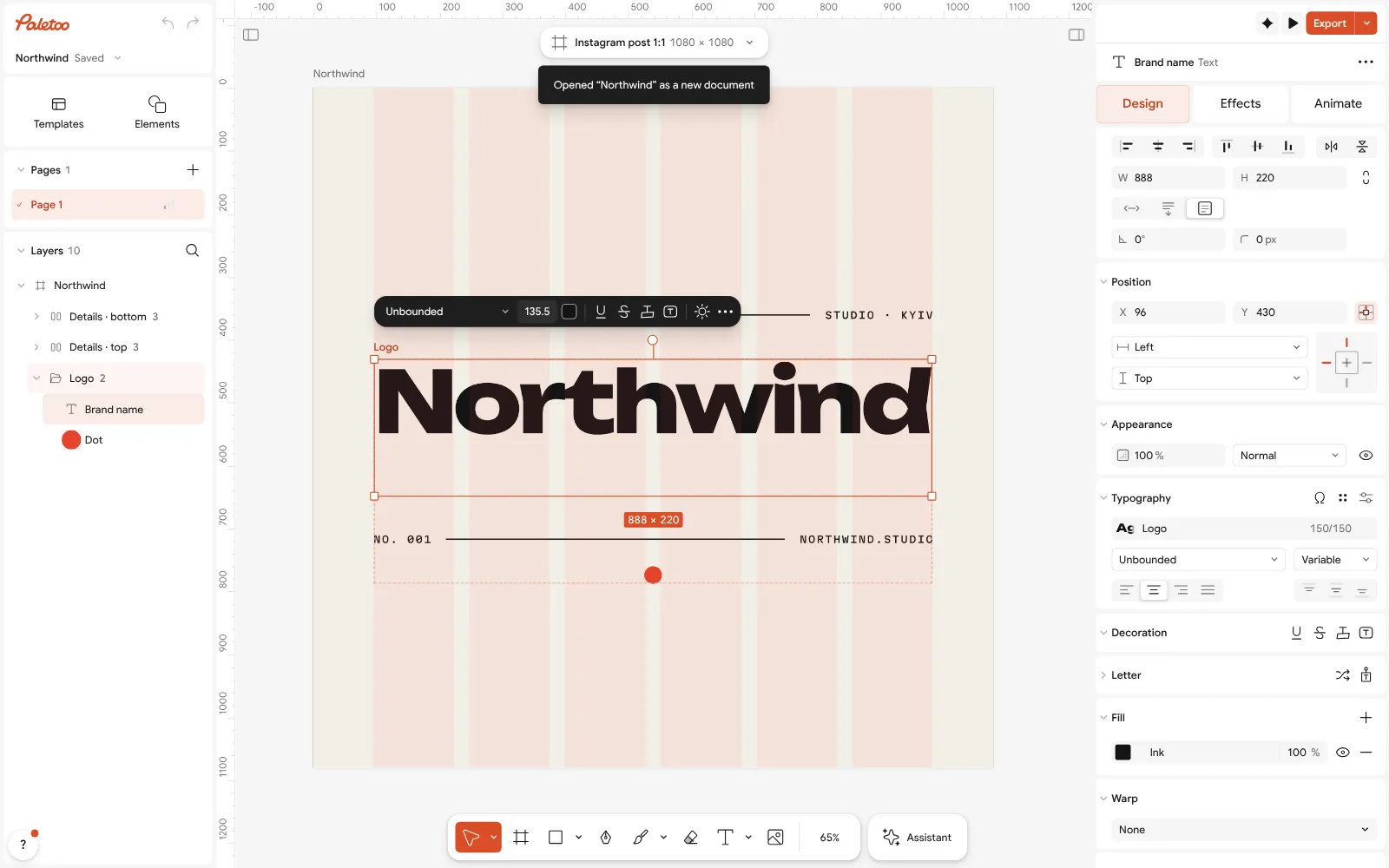
The Northwind logo open in Paletoo, its brand name selected and the Design tab beside it With the name selected, the Design tab shows its font under Typography. Try another face there; a heavy, wide one stays readable at small sizes.
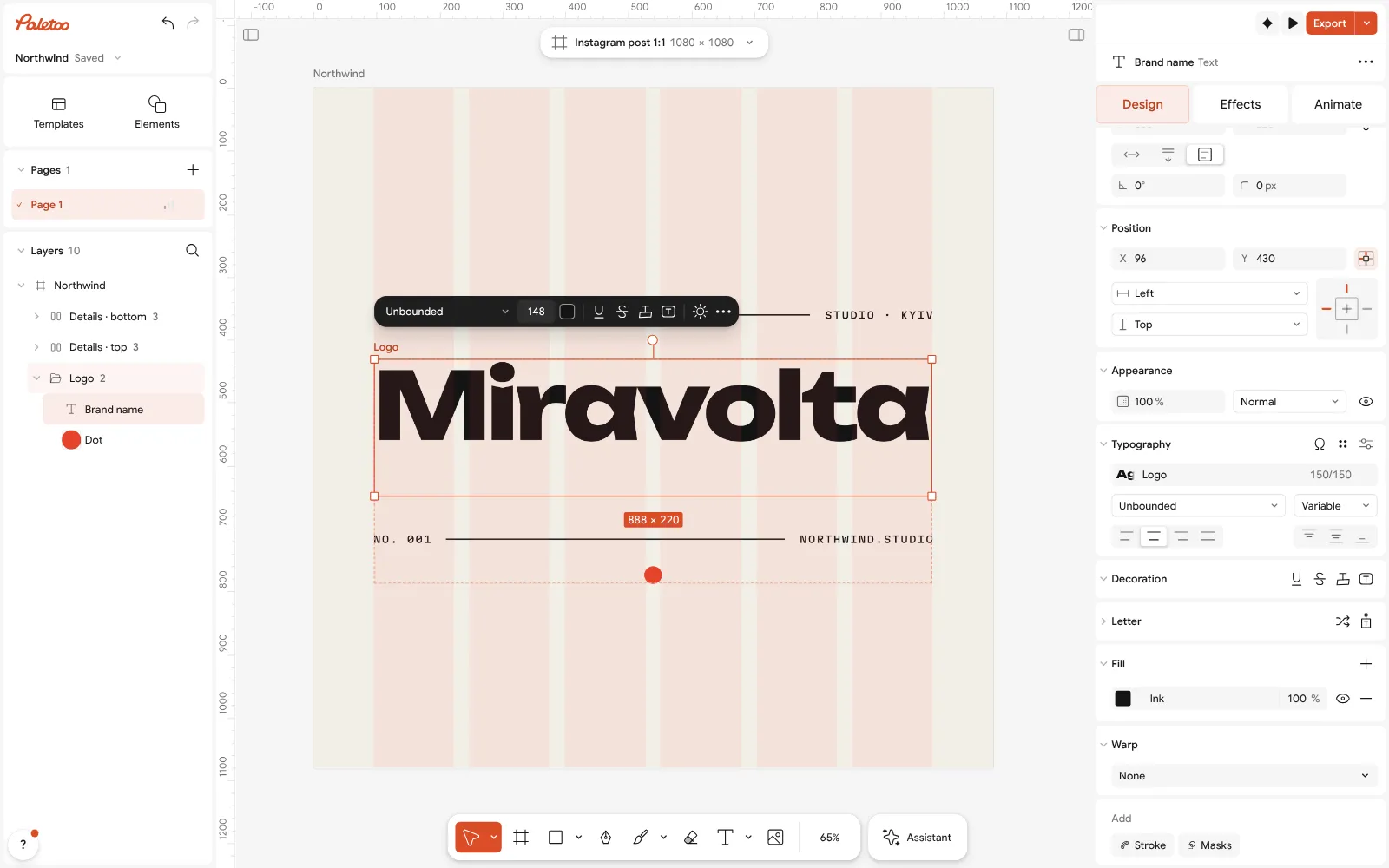
The name typed over — «Miravolta» — its text style under Typography and its ink under Fill Change the colours in Colour styles: the logo’s inks are styles of the document, so one change recolours every part that uses it.
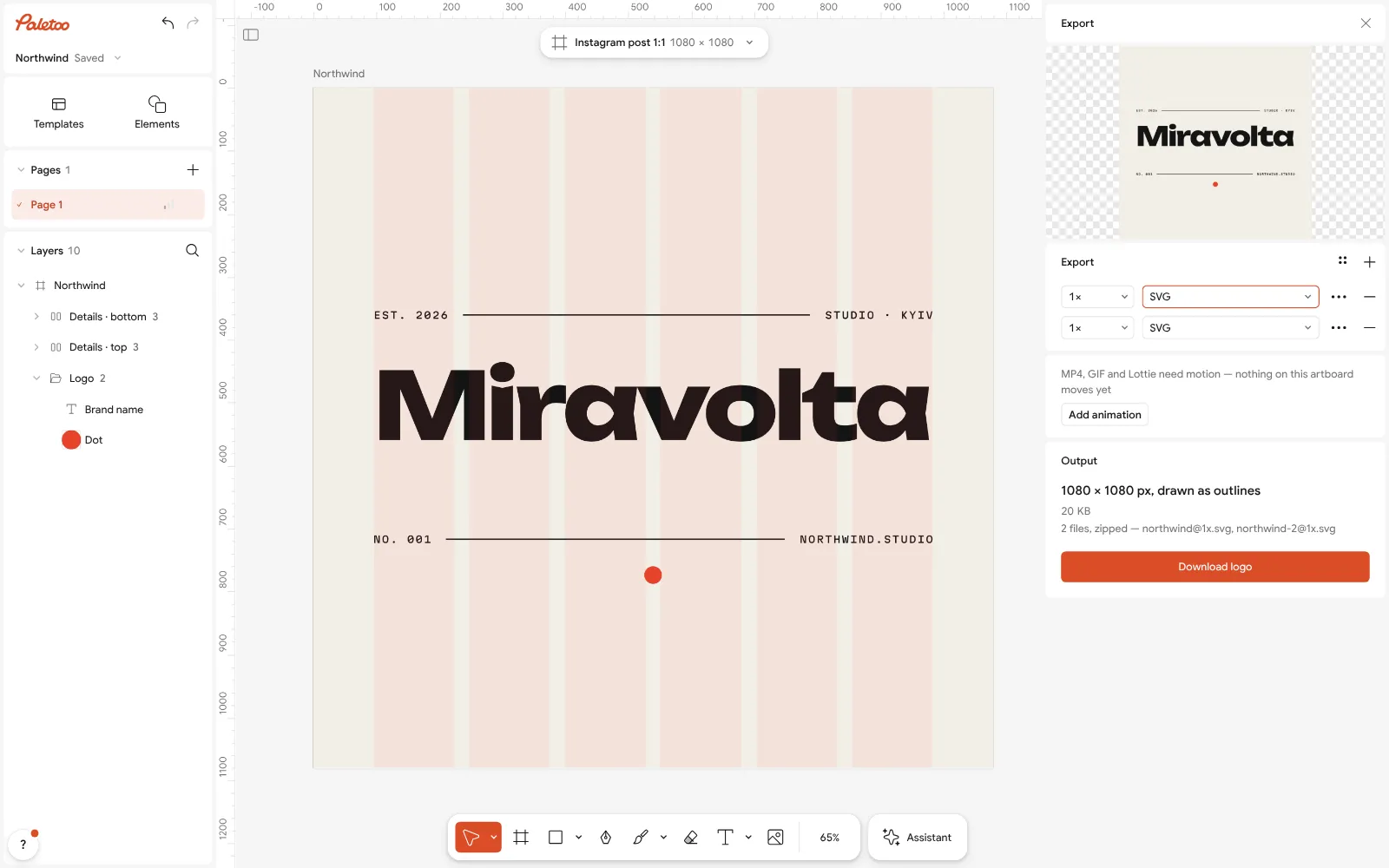
Export open on SVG: the logo saved as vector shapes, sharp at any size Rewrite or delete the small lines around the name — the city, the year, the address — in the same way. Fewer words make a stronger logo.
Press Export. Choose SVG for the web and a sign maker, PDF for print, or PNG for profiles and documents — in the row’s ⋯ settings, set Background to Transparent.
Make it your own
Make a one-colour version too: set both colour styles to black and export it as SVG for stamps, embroidery and engraving.
For a profile picture, keep only the mark or the first letter, centred on a square artboard: a long name is unreadable at 40 pixels.
If you already have a logo as a PNG, open it, select it and press Vectorize: it becomes vector shapes you can recolour and export as SVG.
Questions
How do I make a logo for free?
Open the logo maker in Paletoo, type your brand name and pick a logo: it opens in the editor with your name. Change the font and colours, then export SVG, PDF or PNG. It is free, with no watermark and no sign-up.
Is the logo really free to download?
Yes. SVG, PDF, PNG, JPG and WebP export are free as often as you like, with no watermark. Credits are only for AI images and materials, which a logo does not need.
Can I use Ukrainian letters in my logo?
Yes. The logos are live text, and most of the fonts in Paletoo have Cyrillic, so the same logo can be set in Ukrainian and in English.
Which file do I give to a printer?
A PDF for business cards, flyers and banners, an SVG for a sign maker or a cutting machine. Both keep the logo as vector shapes, sharp at any size.
Do I own the logo I make?
The design you make is yours to use for your brand. It is made of your words and freely licensed fonts, and you can change every part of it.
Do I need an AI logo generator?
No. A wordmark in a good typeface, your own name and two colours make a stronger small-business logo than a generated picture, and it stays editable text.
Can I make a logo on my phone?
Yes, free, in Safari or Chrome on the phone — no app. Type your name in the logo maker and tap a logo; on an iPhone, Download sends the transparent and square PNGs to Photos or Files, and «All files, ZIP» in its menu keeps the SVG and the icons. On Android, Download saves one ZIP to Downloads.
Make it online
- Logo makerType your brand name, pick a logo, try fonts, colours and layouts, then download SVG, PNG and app icons — free, no watermark, no sign-up.
- Image to vector converterTurn a PNG or JPG logo, icon or drawing into a clean SVG in about 30 seconds — free, no sign-up, and your picture never leaves your browser.
- Business card makerDesign a business card at the exact print size, add a QR code that really scans, and export a PDF the printer accepts.
Free design templates for posts, stories and posters: Brand guidelines templates · Contact and call-to-action templates
Try it on your own design
Paletoo opens in your browser, with no sign-up. Every effect here is live: change the picture or the words and the effect follows.
Open in PaletooOpens this design as your own copy — every layer and effect editable, free.
Read next
- 01
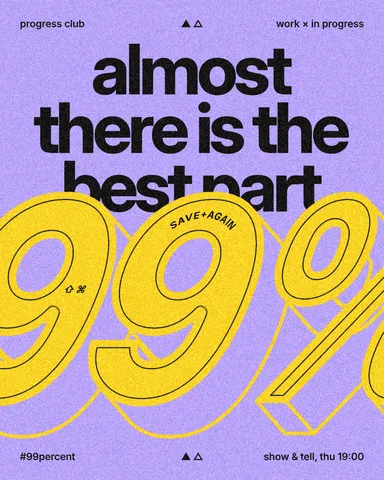 Free logo text effects: seven looks that work on a wordmarkSeven text looks for a wordmark, and how to keep them sharp at 32 px.
- 02
 How to turn a logo into a vector — free, no IllustratorFrom a blurry PNG to a logo you can print on a van — in a minute, in the browser, for free.
- 03
 How to make a logo for free — no AI, no sign-upA logo you own, from your name to an SVG file, in about fifteen minutes.