How to make an Instagram carousel from a template
One wide artboard, a design that runs across the cuts, a file for every slide.
What it is
An Instagram carousel is a post of up to twenty images that people swipe through. The strongest ones are not separate pictures but one long panorama cut into 4:5 slides of 1080 × 1350 px: a photo, a line or a shape crosses the edge between two slides, so the cover visibly continues off-screen and the thumb moves on its own.
In Paletoo a carousel is simply a wide artboard — three slides make 3240 × 1350 px. The editor recognises the size, draws thin non-printing lines where the slides will be cut and numbers them, and the export window can write each slide as a file of its own. You design the whole strip at once, so whatever crosses a seam lines up exactly instead of being guessed across three files.
Where it is used
Carousels are the format for anything with more than one point: step-by-step guides, line-ups and schedules, before and after, product details, a short story with a twist on the last slide. They hold people on a post longer than a single image, which is why brands, creators, podcasts, cafés and clubs use them for their most important announcements.
Made in Paletoo with this mix:
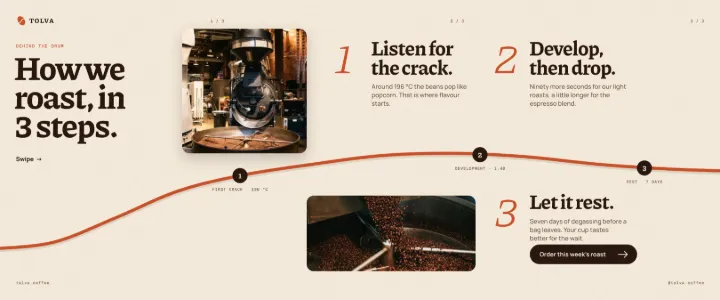
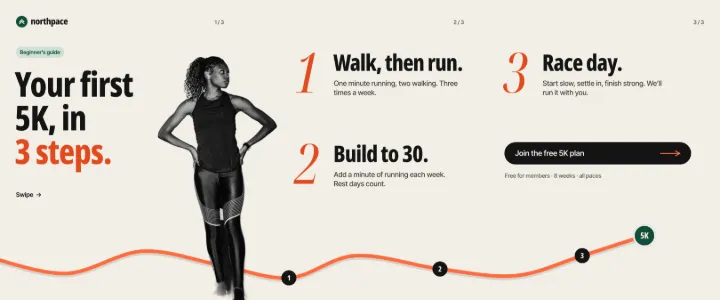

How to make it, step by step
Press Templates at the top of the left panel and choose the Carousel filter. Every card in it is one wide artboard; this guide uses the podcast series’ “Carousel: guests of the season”.
Open the card’s ⋯ menu and choose Open as new document. All three slides appear side by side, the cuts marked with thin lines and slide numbers. Click the cover title to select it; the Design tab shows its type settings.
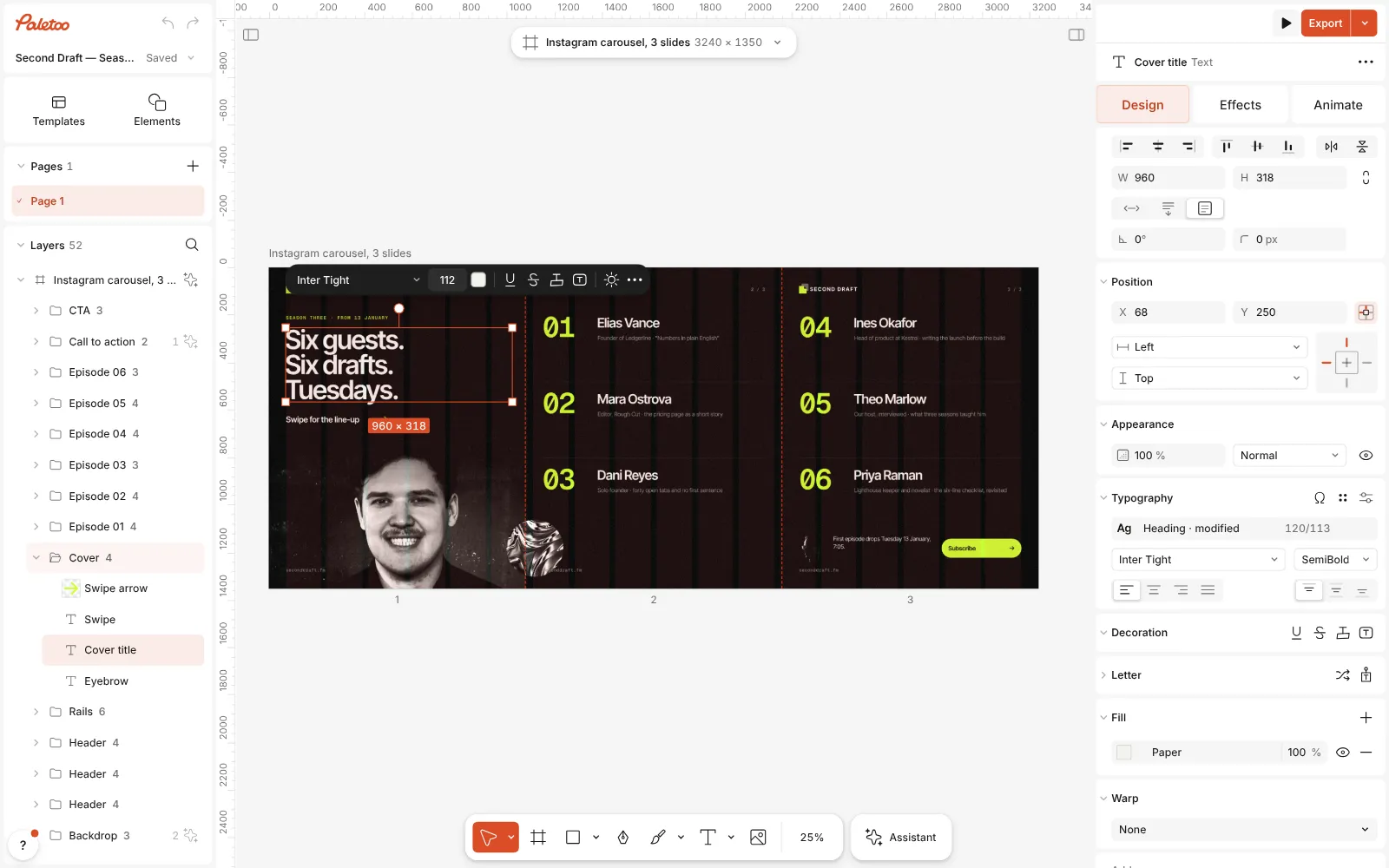
The carousel template open in Paletoo, all three slides in view, the cover title selected Double-click the cover title and write your own hook, then retype the guest names and notes on the second slide and the call to action on the third. For your own portrait, select the photo and press Replace picture: the new one takes its place across the seam.
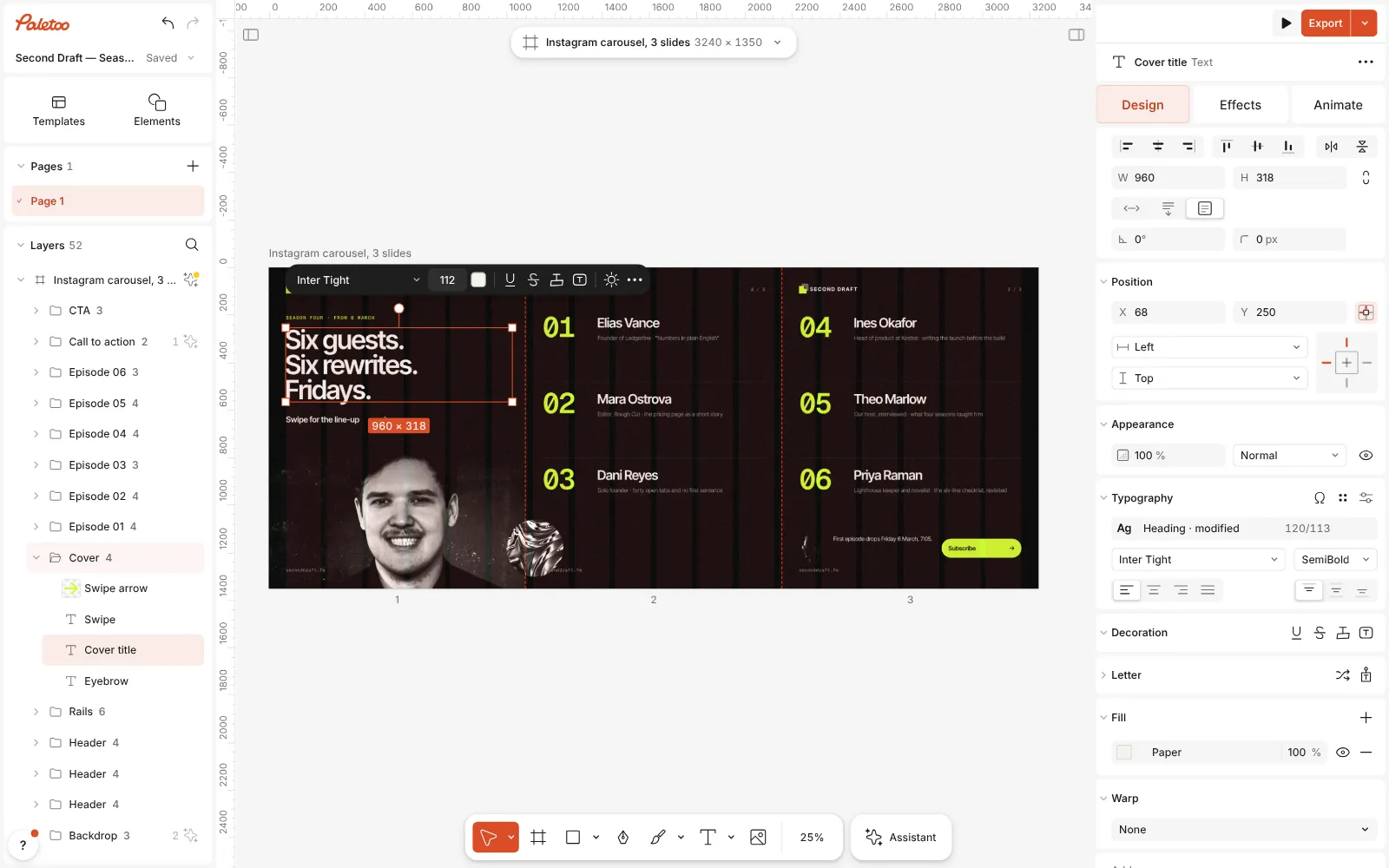
The words changed on the slides — a new title and new guest names — and the layout across the seams unchanged Press Export and choose PNG or JPG. The preview marks where the slides will be cut, the output line reads three slides of 1080 × 1350 px each, and the button offers to export them as a ZIP.
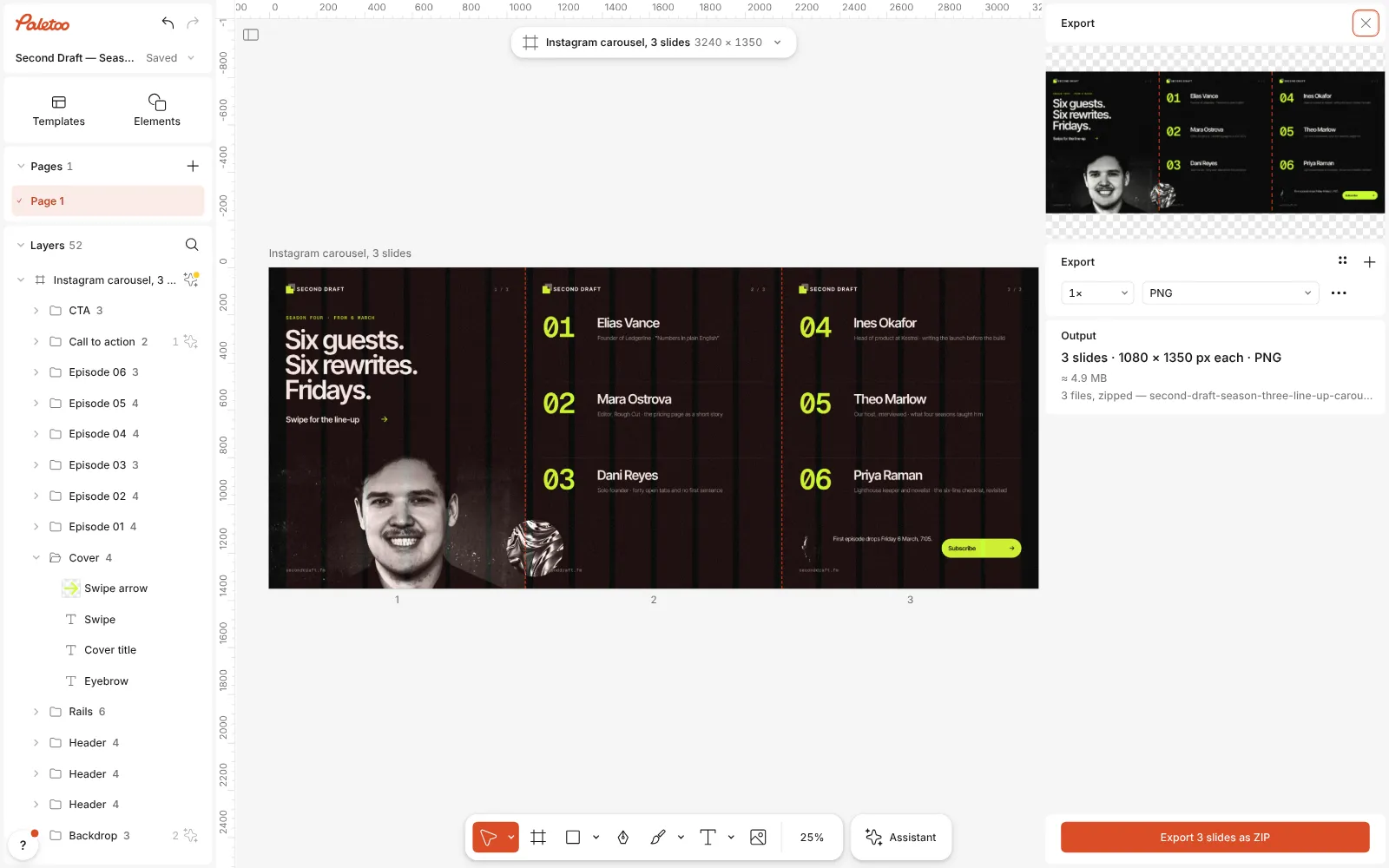
The Export window open: the slide cuts marked on the preview, three files ready to export To change that, open the row’s ⋯, Export settings: its Carousel row switches between one file per slide and Whole panorama, the single long image — handy for a preview or a portfolio.
Before posting, click the artboard’s name: the Carousel section in the Design tab has Preview carousel, which flips through the slides as Instagram will show them. Upload the files in order; their names are numbered.
Watch it
Make it your own
Write slide one as a hook, not a title page: a promise or a question in a few large words, plus a small swipe cue — the template’s arrow and “Swipe for the line-up” do exactly that. Then one idea per slide: one guest, one step, one number. If a slide needs a paragraph, it probably wants to be two slides.
Make the seam work for you. Let a photo, a line or a shape cross a cut so half of it waits on the next slide; objects snap to the slide edges as you drag, which also helps keep a word from landing on a cut. Keep text at least 60–80 px from every slide edge: Instagram lays its own dots and buttons over the slides, and the profile grid shows the cover cropped narrower than 4:5.
End with one clear action on the last slide — subscribe, book, order — and repeat your handle or site there. To add a slide, select the artboard and make it 1080 px wider; the editor counts the slides from the size, up to twenty. Check the result with Preview carousel before you Export again.
Templates with this look

Questions
Why is the carousel one artboard and not three?
So the design can run across the cuts. Paletoo reads the slide count from the size — 1080 px of width per slide at 1350 px tall — and only cuts the slides when you export.
Can I export the slides larger?
Yes: set the export row to 2× and each slide comes out 2160 × 2700 px. Instagram shows them 1080 px wide anyway, so 1× keeps the files small and exact.
What if a word falls on a cut?
Move it. The lines on the canvas show where each slide ends, and objects snap to them. Pictures and shapes can cross a cut; words should not, because each half is seen on a different screen.
How many slides should a carousel have?
Instagram allows up to twenty, and so does Paletoo, but most carousels read best at three to seven. Fewer, fuller slides keep people swiping to the end.
More effects

How to make a duotone effect
Two bold inks, punchy contrast and a fine poster grain.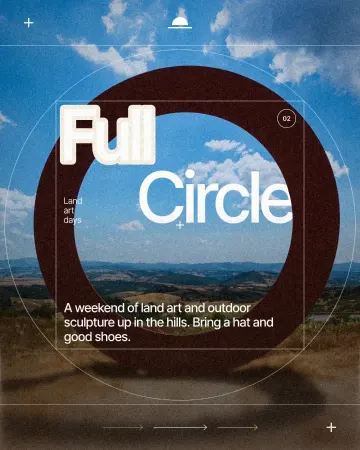
How to make a knockout outline that cuts through
A stroke that cuts through the layers under the text.
How to make a concert poster from a template
A ready-made gig flyer, your bands and your date, a file for print and one for social.
Read the overview: graphic design trends 2026
Make it online: Instagram post maker · Instagram story maker · Mockup generator · Presentation maker · Carousel maker · Social media post templates · Story and Reels templates · Poster templates · Presentation templates · Instagram carousel templates
Try it on your own design
Paletoo opens in your browser, with no sign-up. Every effect here is live: change the picture or the words and the effect follows.
Open in Paletoo