Stickers3 min readFreeUpdated 2026-11-24
How to turn your kids’ drawings into stickers
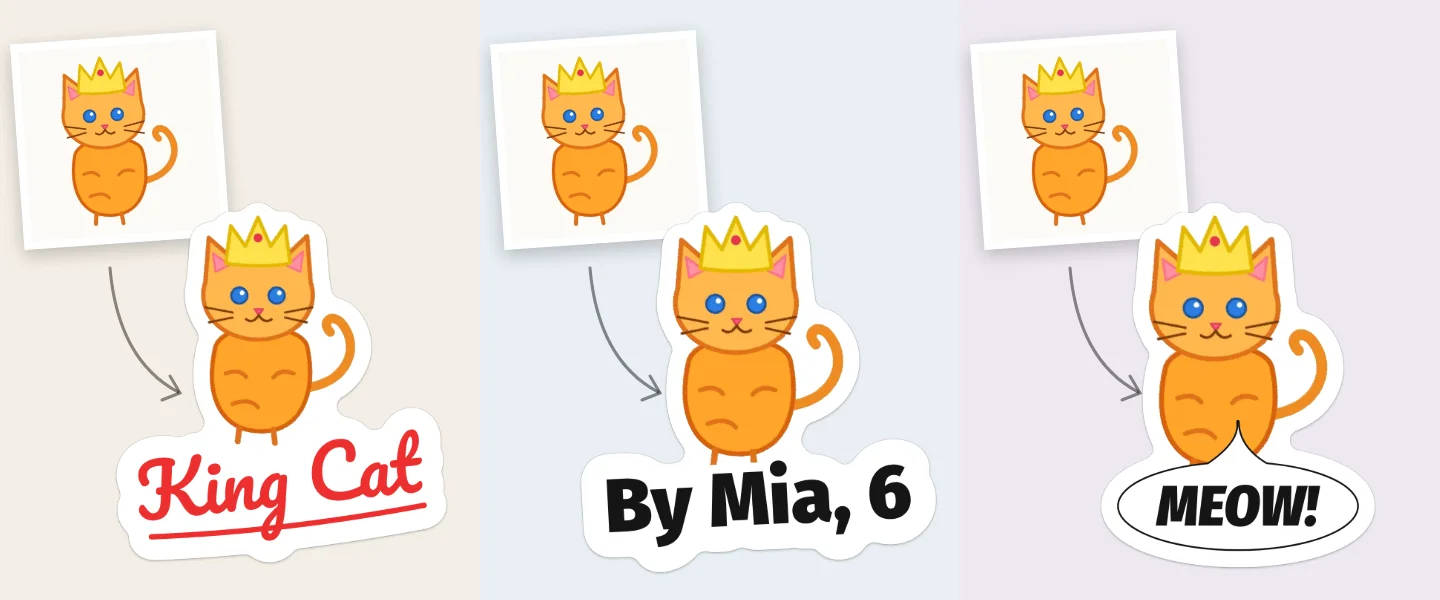
Photograph the drawing, cut it out of the paper, give it a rim and the artist’s name: a sticker pack the whole family will send. Try it with this crayon cat.
By Paletoo’s designers · every step done in Paletoo

The short answer
Photograph each drawing flat, in daylight, filling the frame, on plain white paper. The sticker maker cuts the drawing out of the paper on your device, adds a white rim that keeps thin crayon lines together, and a caption — the drawing’s name or the artist’s. Make the whole set at once on Paletoo’s sticker maker and send it to WhatsApp, Telegram or the family printer as PNGs.
Photograph the drawing, not the table
Lay the drawing flat by a window, hold the phone straight above it so the paper is not a trapezoid, and let the drawing fill the frame. Daylight without the phone’s shadow keeps crayon colours true; a flash leaves a glare.
Bold drawings cut best: a single figure in strong colours with a closed outline. A thin pencil sketch is cut too, but the rim does more of the work there.
Cut out of the paper, then the rim
The cut-out treats the drawing like any subject and drops the paper around it. Parts that float apart — a crown above a head, a sun in a corner — may be left out: the sticker keeps the main figure. Ask the artist to let the parts touch, or keep it as one sticker per figure.
The white rim joins the lines into one shape and makes the drawing look like a real sticker, which children love more than the drawing itself.
A pack from a whole year of drawings
Make a set from the fridge door: the cat, the house, the family, the dinosaur. Caption them with the drawing’s name or «By Mia, 6» — grandparents keep those.
Keep the pack in the family chat. The PNGs at 1024 px also print as real stickers on sticker paper.
Made with Paletoo
Each pair is a photo and the sticker our engine made of it, as it downloads: 512 × 512, a transparent background.
Make the whole pack on the site
Photograph the drawings flat in daylight, one per photo.
Open the sticker maker and press Choose photos: pick all the drawings at once.
Each drawing is cut out of the paper on your device; type its name under it.
Pick one style in Style for all and keep White rim on.
Take the pack: WhatsApp (a ZIP for a sticker app) or Download PNGs (for Telegram, Signal and anywhere else).
Add the pack to WhatsApp
WhatsApp cannot take a pack straight from a website, on any phone. Pick your way below; the menus are as of 11 November 2026 (WhatsApp Help Center). If you do not see Create or Add to sticker pack, update WhatsApp first.
A Android: the whole pack through a sticker app
- On the sticker maker press WhatsApp: a ZIP lands in Downloads with 512 × 512 WebP stickers, each under 100 KB, and a 96 × 96 tray icon.
- Install a free sticker app that opens WhatsApp packs, for example «Personal stickers for WhatsApp».
- Open the ZIP in that app (some apps want it unzipped into a folder first).
- Tap Add to WhatsApp, then Add. The pack appears in the sticker tab of every chat.
B iPhone: the whole pack through a sticker app
- On the sticker maker press WhatsApp and save the ZIP to Files.
- In Files, tap the ZIP once: it unzips into a folder of WebP stickers.
- Install a free sticker app such as «Sticker Maker», make a new pack in it and add the pictures from that folder (at least 3).
- Tap Add to WhatsApp. The pack opens in WhatsApp; tap Save.
C Any phone, no extra app: one sticker at a time
- On the sticker maker press Download PNGs and save the 512 px ones to your gallery.
- In a chat tap the emoji button, switch to stickers and tap Create; choose the PNG (Recents → See more → Photos).
- The PNG is already cut out: add nothing, or an emoji or text, and send it.
- Touch and hold the sticker in the tray → Add to sticker pack → New, give the pack a name and tap Save. Add the next ones to the same pack.
D WhatsApp Web or Desktop
- Open a chat, click the emoji button, then Stickers → Create.
- Choose a PNG from the sticker maker’s ZIP; the editor keeps its transparent edge.
- Send it. It stays in your stickers on the computer; on the phone, star it to keep it.
Want to share the whole pack? In a chat open stickers, tap ⋯ beside the pack and Send.
Add the pack to Telegram
Telegram keeps sticker packs in your account, so a pack you add on the phone is on every device. Two ways, both free; checked 11 November 2026.
A By hand in @Stickers: five minutes
- On the sticker maker press Download PNGs and unzip: the
512folder holds the files Telegram wants (PNG, one side exactly 512). - In Telegram open @Stickers (Telegram’s own bot) and send
/newpack, then the pack’s name. - Send the first PNG as a file (not as a photo, which loses the transparent edge), then one or more emoji for it.
- Repeat for each sticker, then send
/publish; send/skipfor the icon (or a 100 × 100 picture), then a short name for the pack’s link. - Open the link the bot sends and tap Add stickers. Later:
/addstickeradds more,/delstickerremoves one.
Share a pack by its link, t.me/addstickers/name: anyone who opens it can add it.
Questions
Can I make stickers from my child’s drawing for free?
Yes. The sticker maker, the WhatsApp pack and the PNGs are free, with no account and no watermark.
Why did part of the drawing disappear?
Parts that do not touch the main figure are dropped by the cut-out. Choose a drawing where the parts touch, or make each separate figure its own sticker.
Can I print the stickers?
Yes: Download PNGs gives each sticker at 1024 px with a transparent background, ready for sticker paper.
Are the drawings uploaded anywhere?
No. They are cut out and drawn in your browser, and the files are made there too.
Is it safe to share a sticker pack with my child’s drawings?
Keep it in the family chat. A Telegram pack link can be opened by anyone who has it, and a WhatsApp sticker can be forwarded; leave names and faces of children out of packs you share widely.
Make it online
Read next
- 01
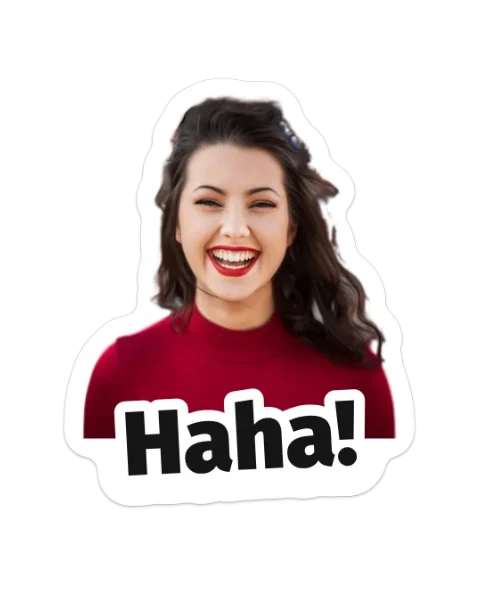 How to make stickers from your photosCut the subject out, give it a white rim and a short caption, keep one style for the set — then add the pack to WhatsApp or Telegram. Try it on this page.
- 02
 How to make stickers of your dog or catYour pet’s best faces as a sticker pack: which photos cut out cleanly with fur and whiskers, captions that fit a pet, and a set for every mood. Try it with these dogs and cats.
- 04
 How to remove the background from a photo online — free, on your deviceOne click cuts the subject out; the background is hidden, not deleted, so you can bring it back.