Free tools4 min readFreeUpdated 2026-11-24
How to make a logo on your phone, free, in 10 minutes
Type your name and see eight wordmarks at the sizes a phone shows them — app icon, profile picture, post — then open the one you like and finish it in the browser.
By the Paletoo team · steps tested in Paletoo on
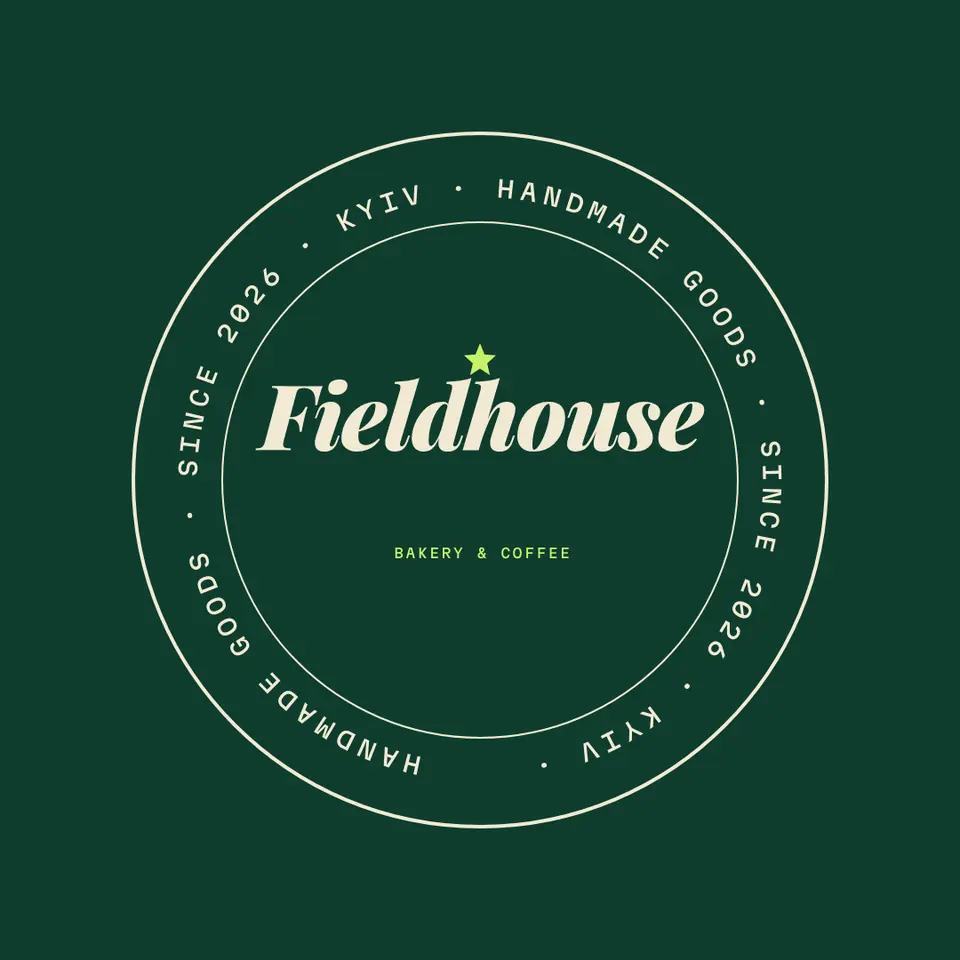
You can make a good logo on a phone without installing an app: Paletoo runs in the phone’s browser, so type your brand name, pick a wordmark in a font that suits the business, set two colours and download a PNG for social media and an SVG for print. The test that matters on a phone is size — a logo will mostly be seen as a 110-pixel profile picture or a tiny app icon — so the wordmarks below are shown exactly like that.
Type your name into the widget and switch between eight wordmarks in open fonts that also set Ukrainian; each one opens in the editor with your name already in it. Then: what makes a logo work small, which kind to choose, and the steps on a phone with «Fieldhouse», a bakery logo.
Type your name, pick a wordmarkLive
Eight wordmarks in open fonts that set Ukrainian too. Each is shown as a phone shows a logo — an app icon, a profile picture, a post — so you can see which still reads small.
Open this wordmark in PaletooOpens a new document with exactly this setup — free, no sign-up.
Design for the smallest size first
On a phone a logo lives in circles and squares: a profile picture of about 110 pixels on Instagram, a chat avatar of 40 or less, an app icon, a favicon of 32. A long name in a thin script that looks lovely at full size turns into a grey line at 40 pixels. Pick a weight that survives: bold or black for wordmarks, letters that do not touch, and enough contrast between the two colours.
If the full name does not read small, make a second version for small places — an initial, a monogram, or the first syllable — in the same font and colours. Big brands do the same: the full wordmark on the website, a single letter on the app icon.
Which kind of logo to make on a phone
A wordmark — the name set in a chosen font — is the most practical logo to make on a phone: no drawing, it reads everywhere, and the font carries the mood. A lettermark (one or two initials) is its small sibling. An emblem — the name inside a badge or a ring, like «Fieldhouse» — suits cafés, bakeries and crafts. A pictorial mark needs a drawn symbol; start from an icon in our element packs and keep it simple.
| Kind | Example | Small size |
|---|---|---|
| Wordmark | The name in a chosen font | Good if the name is short and the font heavy |
| Lettermark | One or two initials | Excellent — made for icons |
| Emblem | The name in a ring or a badge | Poor — needs a simpler version |
| Pictorial mark | A simple symbol | Excellent if the shape is bold |
Fonts, colours and the files you need
Choose one font with a character that fits the business — a soft rounded one for a café, a strict grotesk for a studio, a classic serif for a lawyer — and at most two colours: one for the mark and one for the background. Check the font has every letter of your name, including Ukrainian ones such as Ґ, Є and Ї if you need them; every font in the widget does.
Download three files: a PNG with a transparent background for social media and documents, the same on a solid colour for a profile picture, and an SVG for print, signs and anything that must be scaled up. Keep them in one folder named after the brand, so you never have to look for the logo again.
Made in Paletoo
Every picture on this page was made in Paletoo — these three with the same steps on other templates:

Make it free in Paletoo
Open the logo: press “Open in Paletoo” on this page, or one of the wordmarks above — it opens a new square logo with your name already set. «Fieldhouse» is a bakery emblem: the name, a star and a ring of small capitals.
Double-tap the brand name and type your own. With it selected, the Typography section of the Design tab shows its Font; tap the font name to try others.
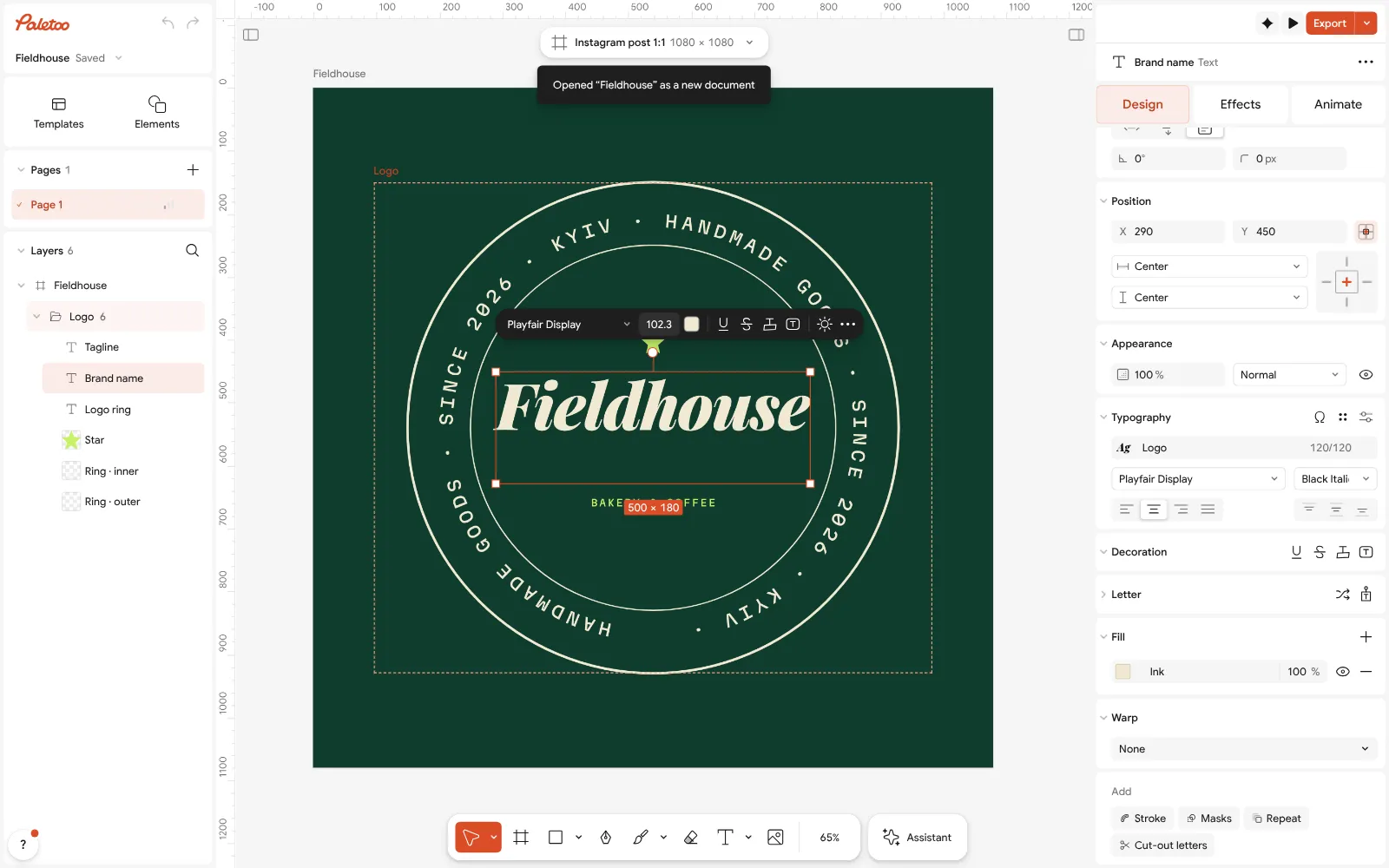
The «Fieldhouse» logo open in Paletoo, the brand name selected: its font under Typography Tap an empty spot to select nothing: the Design tab lists the logo’s Colour styles. Change the two colours there and the whole logo follows.
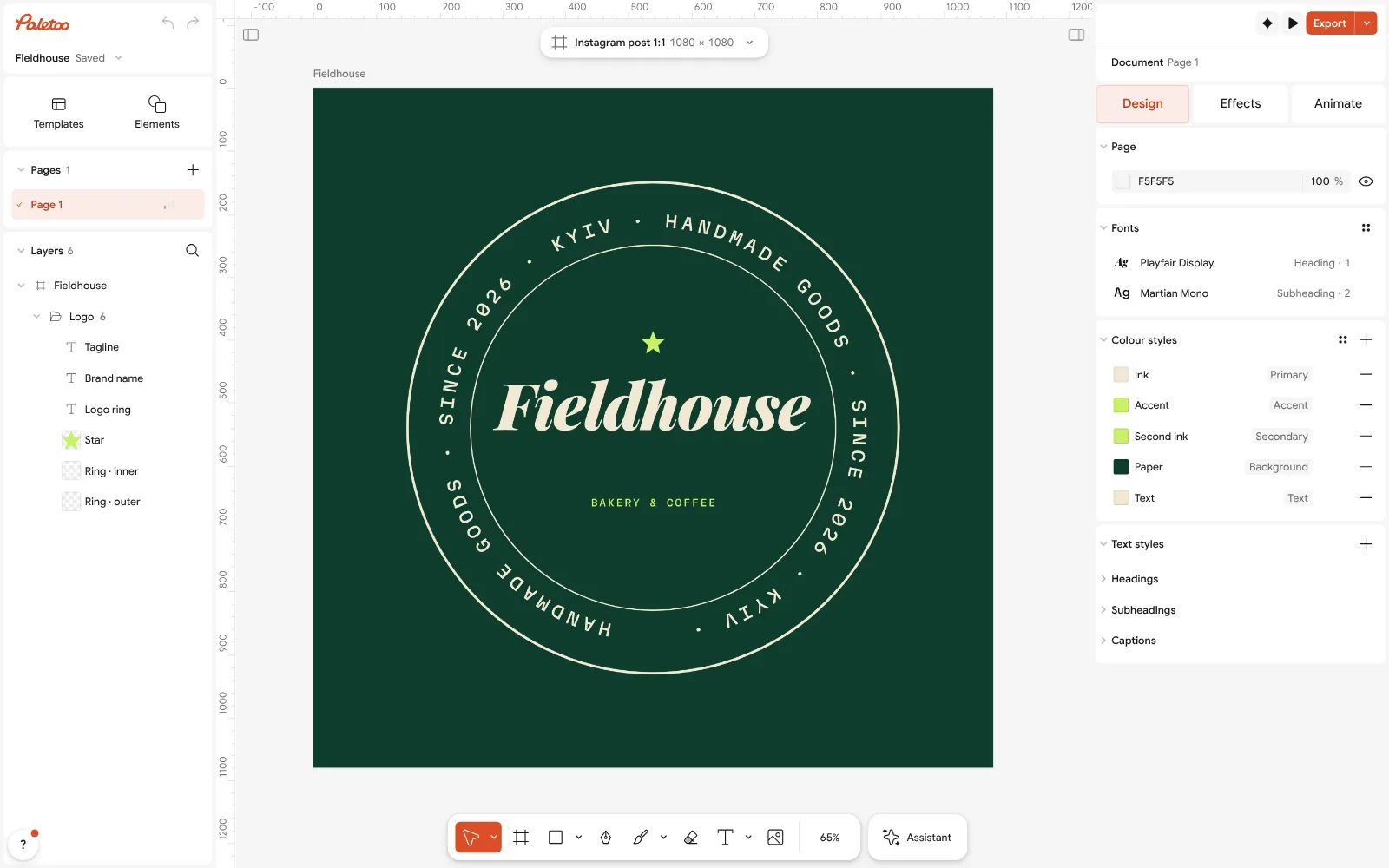
Nothing selected: the logo’s two colour styles, ready to change Check it small: pinch out until the logo is the size of a thumbnail, or use Fit. If the name stops reading, make it heavier with Weight or shorten it for a second, small version.
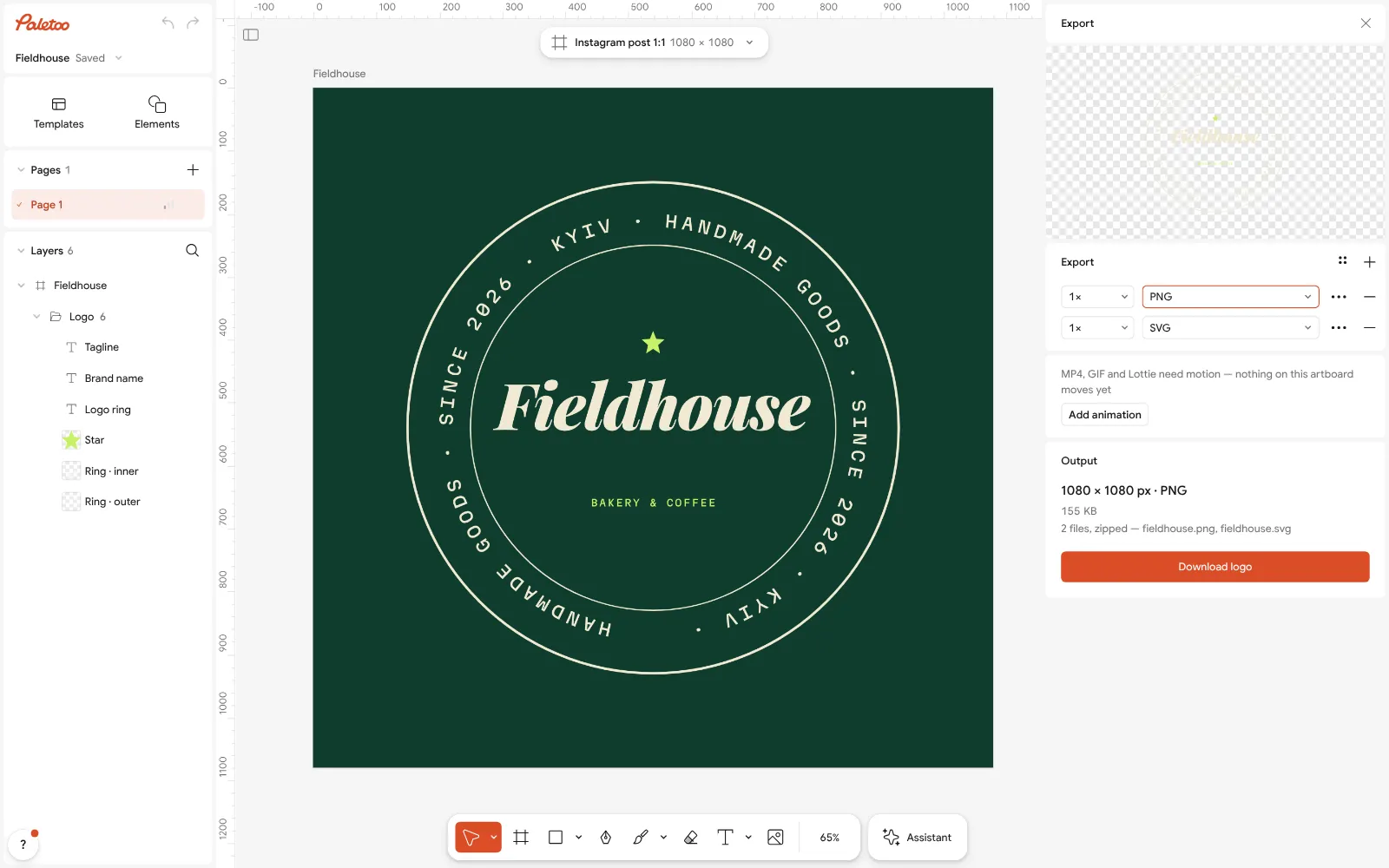
The Export window: the logo as a PNG with a transparent background For a profile picture, use the size chip and pick a square size under Resize this artboard; keep the logo inside a circle in the middle, as the avatar will crop the corners.
Tap Export: a PNG with Background set to Transparent for documents and posts, and an SVG for print — free, without a watermark.
Make it your own
If the name is long, try a condensed font or set the second word smaller with Size: a wordmark should fit in a square without shrinking below readability.
Two colours with strong contrast survive everywhere; if you need a third, keep it for one small detail and save it in Colour styles too.
Before you share it, export the PNG at the size of a profile picture and look at it on the phone’s home screen or in a chat.
Sources
Questions
Can I make a logo on my phone for free?
Yes. Paletoo runs in the phone’s browser: type your name, choose a wordmark, change the colours and download PNG and SVG, free and without an account.
Do I need to install an app?
No. Paletoo opens in Safari or Chrome on the phone; you can add it to the home screen to open it like an app.
What file formats do I get?
PNG with a transparent background, JPG, WebP and SVG. Use SVG for print and signs, PNG for social media and documents.
What size should a logo be for Instagram?
Upload a square of at least 320 × 320 pixels; Instagram shows it in a circle of about 110 pixels, so keep the logo inside the circle.
Can I use the fonts in my logo commercially?
The fonts in the wordmark widget are open-licence and can be used in a logo, including for a business.
Make it online
- Logo makerType your brand name, pick a logo, try fonts, colours and layouts, then download SVG, PNG and app icons — free, no watermark, no sign-up.
- Business card makerDesign a business card at the exact print size, add a QR code that really scans, and export a PDF the printer accepts.
- QR code generatorMake a free QR code that never expires, right here — eight styles, a logo or emoji in the middle, PNG, SVG or PDF — and see that it scans before you print. No sign-up.
Free design templates for posts, stories and posters: Brand guidelines templates · Contact and call-to-action templates
Try it on your own design
Paletoo opens in your browser, with no sign-up. Every effect here is live: change the picture or the words and the effect follows.
Open in PaletooOpens this design as your own copy — every layer and effect editable, free.
Read next
- 01
 How to make a logo for free: online, no sign-up, no watermarkA name, a typeface, two colours and the right files — the whole logo in ten minutes, for free.
- 02Wordmark logo: how to design one, with examples and a free makerA logo that is just the name, done well: the font, the spacing, one small detail that makes it yours — and the tests that tell you it works.
- 03
 Types of logos: 7 kinds with examples, and which one to chooseSeven kinds of logo, what each one is good at, the famous examples you already know — and a free one of each kind you can make your own.