Techniques4 min readFreeUpdated 2026-11-23
Knockout outline + other effects: 10 combinations that work
A knockout outline is the quiet partner of louder effects. Ten pairings that work — and the two that never do.
By the Paletoo team · steps tested in Paletoo on
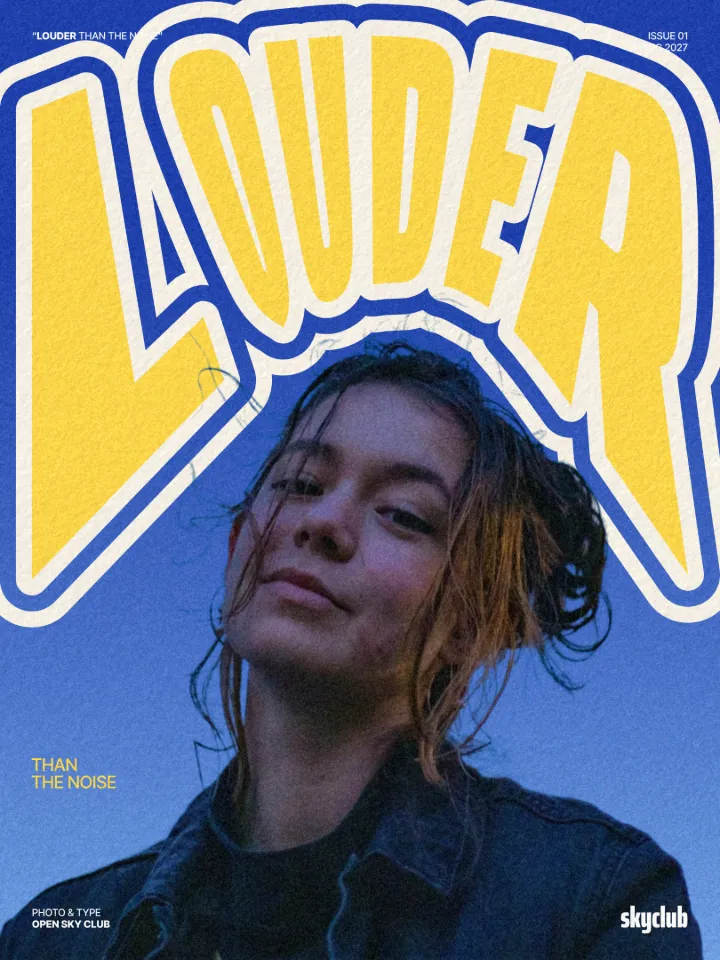
A knockout outline combines well with almost any effect on the photo and with one effect on the type, because it adds no colour of its own: it only opens a band of the background. The ten combinations below each pair the knockout with one other effect — an echo, a hard shadow, a halftone or duotone photo, grain, chrome, a gradient background — with the settings that make them work.
Use the demo to try the type-side pairings on your own word (Echo, Cut + shadow, Thick cut, painted), then open the setup in the editor and add the photo-side effects there. Everything was made and checked in Paletoo on 11 November 2026.
Try it: your word, cut out of a photo
Type a word, drag it over the photo, and switch between a painted outline and a knockout. Knockout shows the background through the band — swap the background and the band follows.

Opens the poster with your word and these settings, as your own copy. Free, no sign-up.
On the type: echo, shadow, thick, painted ring
1. Knockout + echo. Two lines, both cutting, with the photo left in the gap: the 70s ripple without a single new colour. Lines 2, width 2–3 %, gap 3 %.
2. Knockout + hard shadow. A solid, unblurred shadow offset down and right, inside the band: the word lifts off a cut-out page. Keep the shadow the darkest colour of the design and the offset under the band width, so the shadow stays inside the cut.
3. Thick knockout on a short word. 10–12 % on three to six letters turns the word into a sticker. Pairs with any photo, best with a bold sans.
4. Knockout + a painted outer ring. A knockout band, then a thin painted outline outside it: the die-cut sticker border. The painted ring can be white, or the brand colour.
On the photo: halftone, duotone, grain, blur
5. Knockout + halftone photo. Turn the photo into dots and keep the word clean: the band reads as the paper between the dots, and the poster looks screen-printed. The pairing of the 2026 print revival.
6. Knockout + duotone. Map the photo to two inks and cut the word out to the paper: a three-colour poster that still reads at a distance.
7. Knockout + grain. A fine grain over the photo hides the digital crispness, and the clean band keeps the word sharp next to it — film texture with legible type.
8. Knockout + soft blur. Blur the photo only slightly and cut the word through it: the sharp band edge gives focus to the type, like a shallow depth of field.
On the background: gradient and chrome — and two to avoid
9. Knockout + gradient background. Make the artboard background a two-colour gradient; the band shows a different part of it under each letter, a sweep no painted stroke can draw.
10. Knockout + chrome type. Chrome or metal letters with a knockout round them: the band separates the shiny letters from a busy photo, so the reflections read as metal, not noise.
Two never work: a knockout with a glow on the same word (the glow fills the band and the cut disappears) and a knockout on top of a heavy glitch photo (the band loses its edge in the noise). Choose one.
| № | Pair the knockout with | Where | Key setting |
|---|---|---|---|
| 1 | Echo (Lines + Gap) | Type | Lines 2, gap 3 % |
| 2 | Hard shadow | Type | Offset under the band width |
| 3 | Thick band | Type | 10–12 %, short words |
| 4 | Painted outer ring | Type | Thin ring outside the cut |
| 5 | Halftone | Photo | Clean type, dotted photo |
| 6 | Duotone | Photo | Two inks + paper |
| 7 | Grain | Photo | Fine, low amount |
| 8 | Soft blur | Photo | Slight, under 4 px |
| 9 | Gradient background | Background | Two colours, top to bottom |
| 10 | Chrome type | Type | Band 5–7 % |
Made in Paletoo
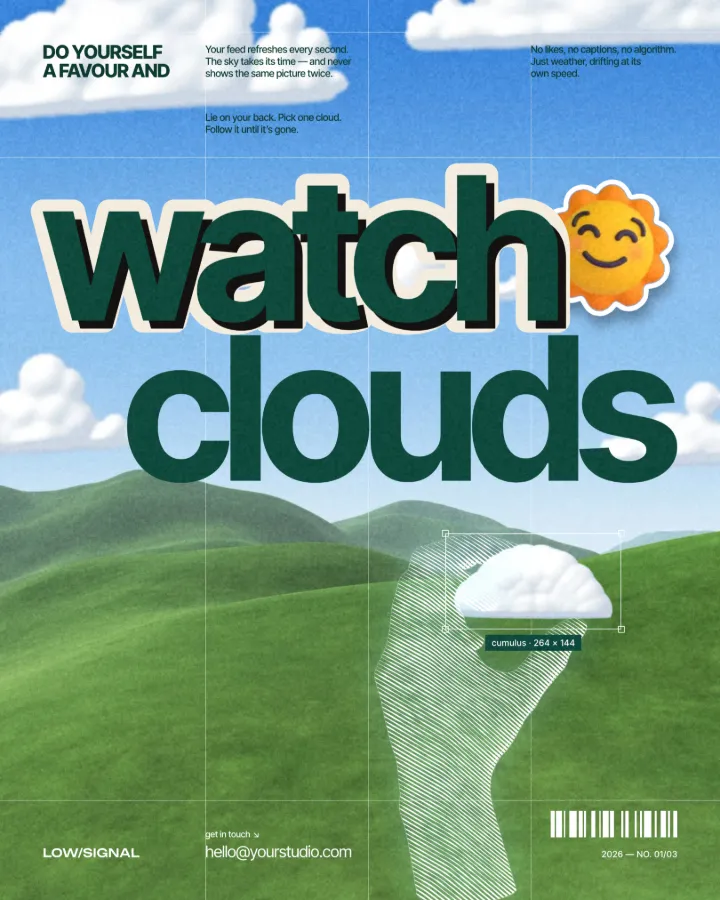
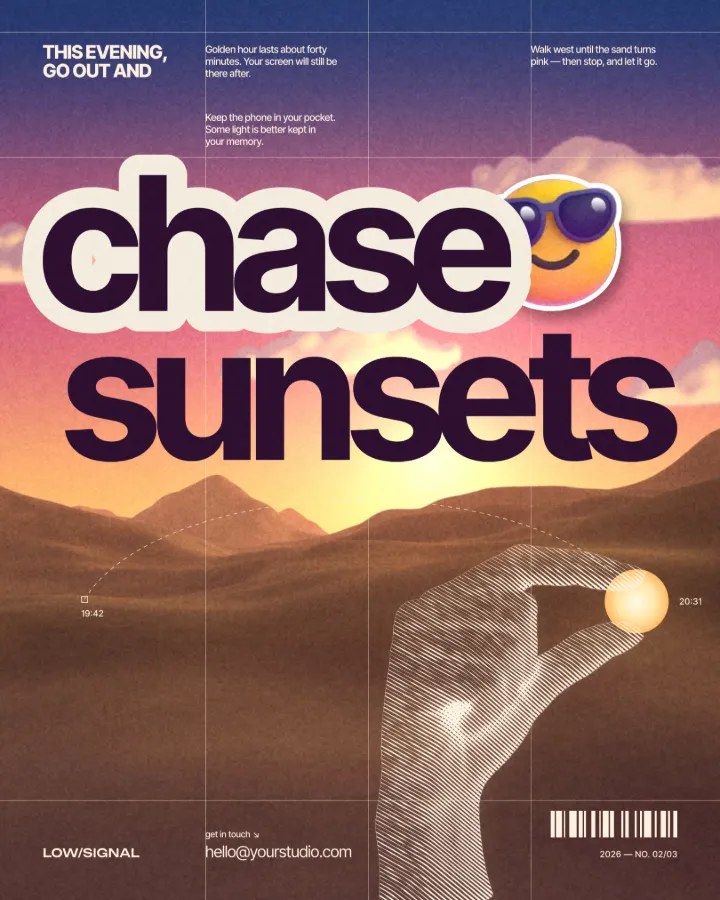
Every picture on this page was made in Paletoo — these three with the same steps on other templates:
Step by step in Paletoo
Open the example: press “Open in Paletoo” on this page. It is the land-art post “Full circle”, the word “Full” given a knockout echo over the sky — combination 1.
Select the word and stay in the Design tab. In the text’s Stroke section press Add a stroke, then its knockout button (Cut through the layers below).
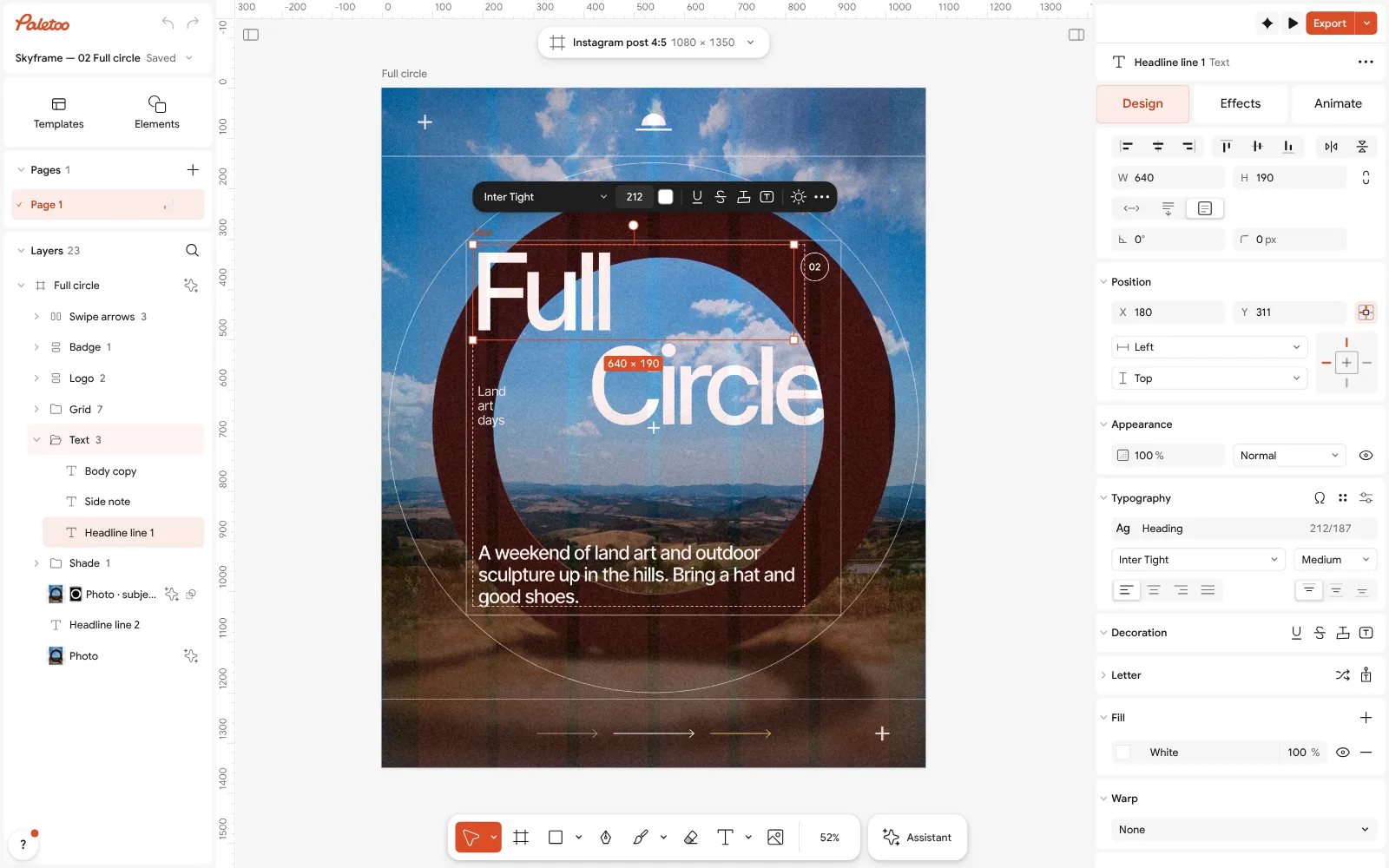
The “Full circle” post open in Paletoo, the word “Full” selected in the Design tab For the echo, open the outline in the Effects tab and set Lines to 2 and a Gap of about 3 % of the type size. Both lines cut; the photo stays between them.
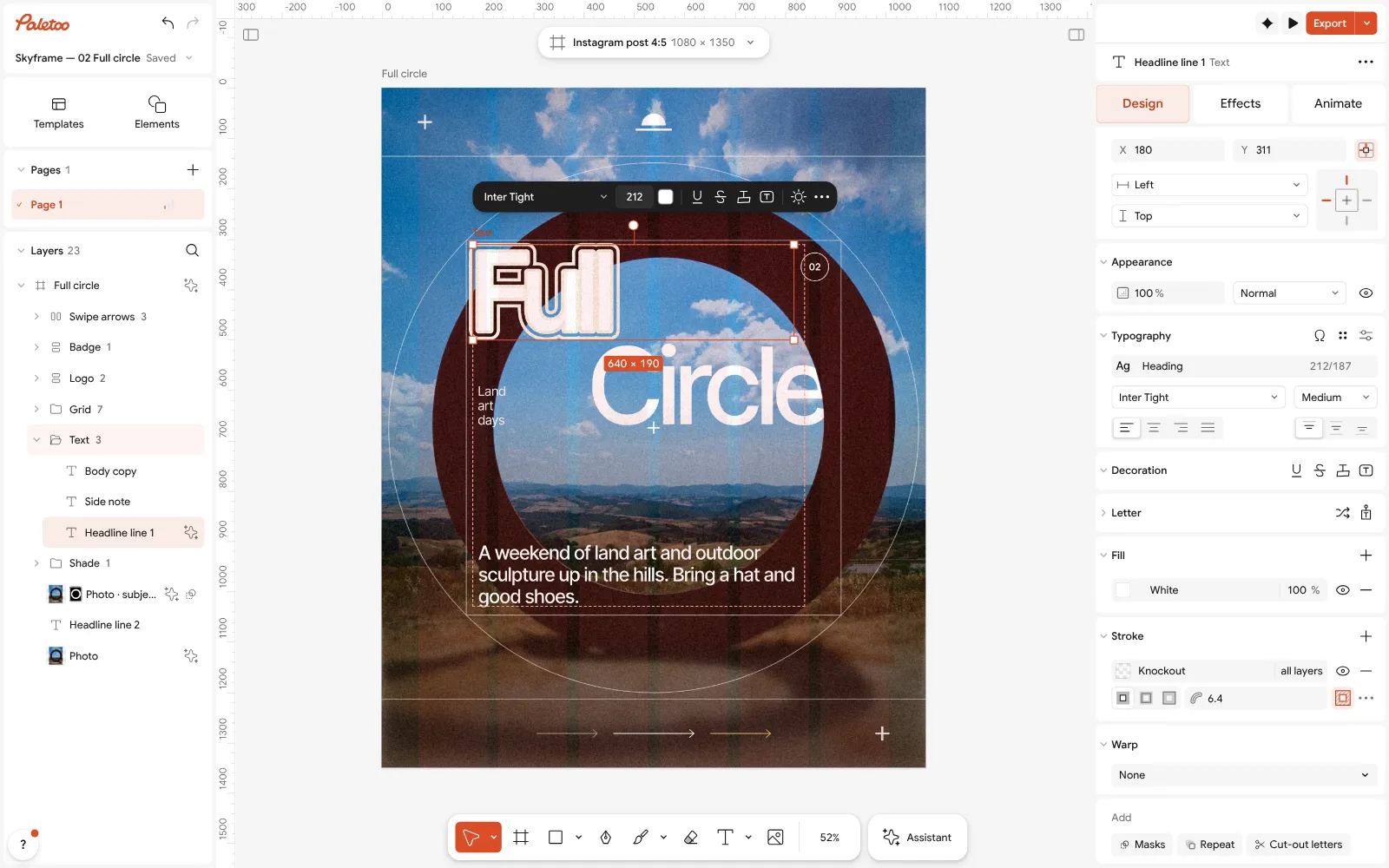
The knockout with Lines 2 and a Gap: two cut lines round “Full”, the sky between them For a hard shadow, add a shadow to the text with no blur and an offset smaller than the band, in the darkest colour of the design.
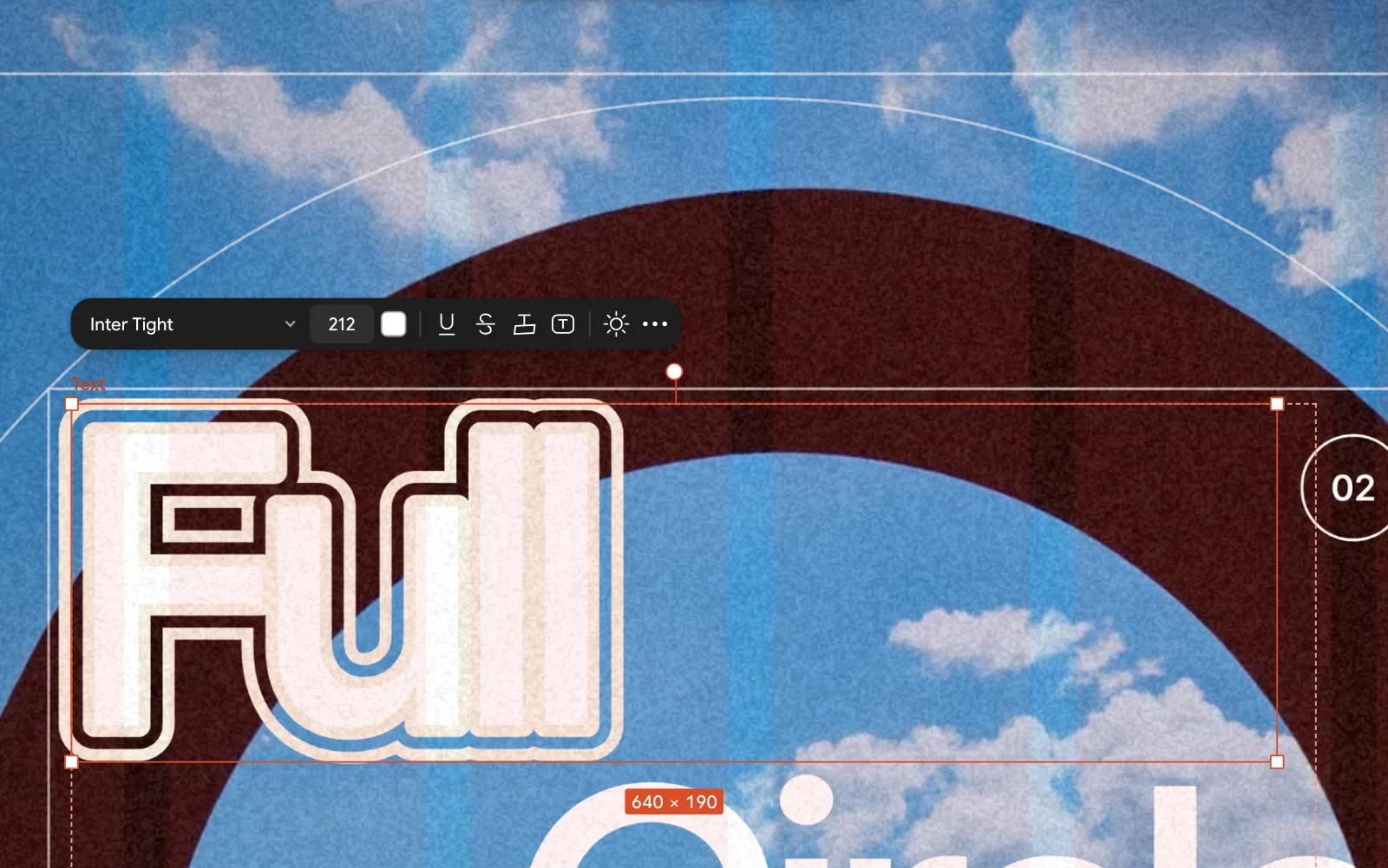
Close up: the echo of two knockout lines round the word For the photo-side pairs, select the photo and open the Effects tab: Halftone, grain or a duotone mix go on the photo, never on the word.
Press Export (Ctrl Shift E). Every combination exports as the canvas shows it, in PNG, JPG, PDF or video.
Make it your own
Add one effect at a time and look at the poster from across the room — or at 25 % zoom. If the word stops reading, the last effect goes.
Keep the shadow’s offset smaller than the band: with a 6 % band, an offset of 4–5 % keeps the shadow inside the cut. In the shadow’s settings, Blur at 0 makes it hard.
For a series, write your pairing down — band width, background, the photo effect — and reuse it: the combination becomes the series’ look.
Sources
Questions
What effects go well with a knockout outline?
An echo, a hard shadow, a thick band or a painted outer ring on the type; halftone, duotone, grain or a slight blur on the photo; a gradient background. Pair it with one effect at a time.
What should I not combine with a knockout?
A glow on the same word, which fills the band, and a heavy glitch on the photo, where the band’s edge gets lost.
Can I stack two strokes on one text?
Yes. Each stroke has its own row, so a knockout band and a painted ring, or a knockout and a hollow outline, can sit on the same word.
Do the combinations export correctly?
Yes. PNG, JPG, PDF and video show every combination exactly as on the canvas, with no watermark.
How many effects can one poster take?
Two is plenty: the knockout and one effect on the photo or on the type. A third effect rarely adds anything a reader can see at a glance.
Make it online
- Text effects onlineType your words, press one effect — chrome, gold foil, emboss, cut-out letters, outlines or warps — and download it in a minute, free and with no sign-up; the words stay editable text.
- Photo effects onlineDrop in a photo, press one mix — film, print or glitch — and download it in a minute; every step stays editable afterwards.
- Duotone, halftone and glitch photo effects onlineThree of the strongest looks for a photo, each one click away and every step still yours to tune.
Free design templates for posts, stories and posters: Social media post templates · Poster templates
Try it on your own design
Paletoo opens in your browser, with no sign-up. Every effect here is live: change the picture or the words and the effect follows.
Open in PaletooOpens this design as your own copy — every layer and effect editable, free.
Read next
- 01
 What is a knockout outline (and why designers love it)A stroke that is a hole, not a line: what the knockout outline is, why it reads on any photo, and how to make one in a minute.
- 02
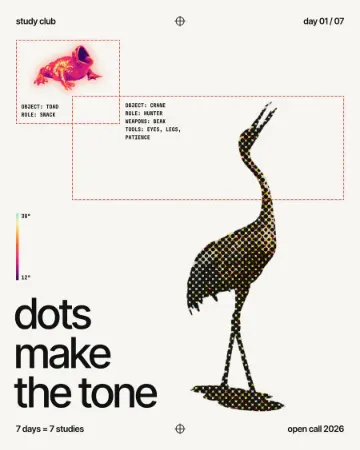 How to make a halftone effectComic-book CMYK dots, newspaper screens or one ink.
- 03
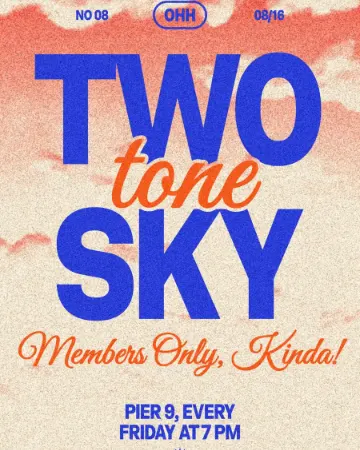 How to make a duotone effectTwo bold inks, punchy contrast and a fine poster grain.