Tools compared5 min readFreeUpdated 2026-11-13
Paletoo vs Adobe Express: an honest comparison
Two free editors in the browser. One brings Adobe’s library, the other keeps every effect live.
By the Paletoo team · steps tested in Paletoo on
Adobe Express and Paletoo are both free design editors that run in a web browser, and both will get a social post, a poster or a flyer out of the door in a few minutes. They are built around different ideas. Express brings Adobe’s fonts, stock and Firefly generative AI to people who want a quick, polished result. Paletoo is built for people who care how the type sits and how the picture is treated, with effects that stay editable to the last minute.
This comparison is written by the Paletoo team, so we have tried hard to be fair: every claim about Adobe Express comes from its own public pages, read as of November 2026, and we say plainly where Express is the better choice. Prices and limits change often, so check the vendor’s page before you decide.
At a glance, as of November 2026
Adobe Express wins on library and reach. Its pricing page lists more than 268,000 templates and over 4,000 Adobe fonts on the free plan, and more again on Premium; there are phone apps, video, scheduling for social media and one-click “Quick Actions” for jobs such as removing a background or resizing. For a team already in Adobe’s world, it fits in with the rest.
Paletoo wins on depth in type and effects, and on what is free. Text is shaped by a real type engine with variable fonts and text along any path; pictures and words take a stack of live effects that stay editable; and every export — PNG, JPEG, WebP, SVG, PDF with bleed, PowerPoint, GIF, MP4 and WebM — is free, with no watermark and no account needed to start.
| Adobe Express | Paletoo | |
|---|---|---|
| Start without an account | No: the editor asks you to sign in with an Adobe account | Yes: the editor opens at once and keeps the work in your browser |
| Free plan | Yes, with no time limit | Yes: the whole editor and every export |
| Paid plan | Premium, US$9.99 a month on the US page | Pro announced at $10 a month, not on sale yet |
| Templates | 268,000+ on Free, 519,000+ on Premium | Hundreds, made as series, with effects left live |
| Fonts | 4,000+ Adobe fonts on Free, 30,000+ on Premium | A curated library with Ukrainian fonts checked for Cyrillic, plus your own |
| Text effects | Classic shadow and outline; “Generate text effects” turns letters into a generated picture | Live effects on real type: 3D block, chrome, emboss, knockout, glow and more — retype and they follow |
| Generative AI | Generative credits: free daily generations, 250 a month on Premium | Background removal on your device, free; credits only for AI images and materials |
| Exports | PNG, JPG, PDF, MP4 and more | PNG, JPEG, WebP, SVG, PDF with bleed and crop marks, PowerPoint, GIF, MP4, transparent WebM |
| Phone apps | Yes, iOS and Android | No app: it runs in the phone’s browser |
Text effects: a generated picture or live type
This is where the two differ most. Express’s “Generate text effects” is genuinely fun: type a prompt such as “sequins” or “pizza”, and each letter comes back made of that texture. The result is an image of letters, though: to change a word, you generate again, and the shapes will not be quite the same. It uses generative credits, which are shared with the rest of Adobe’s generative features.
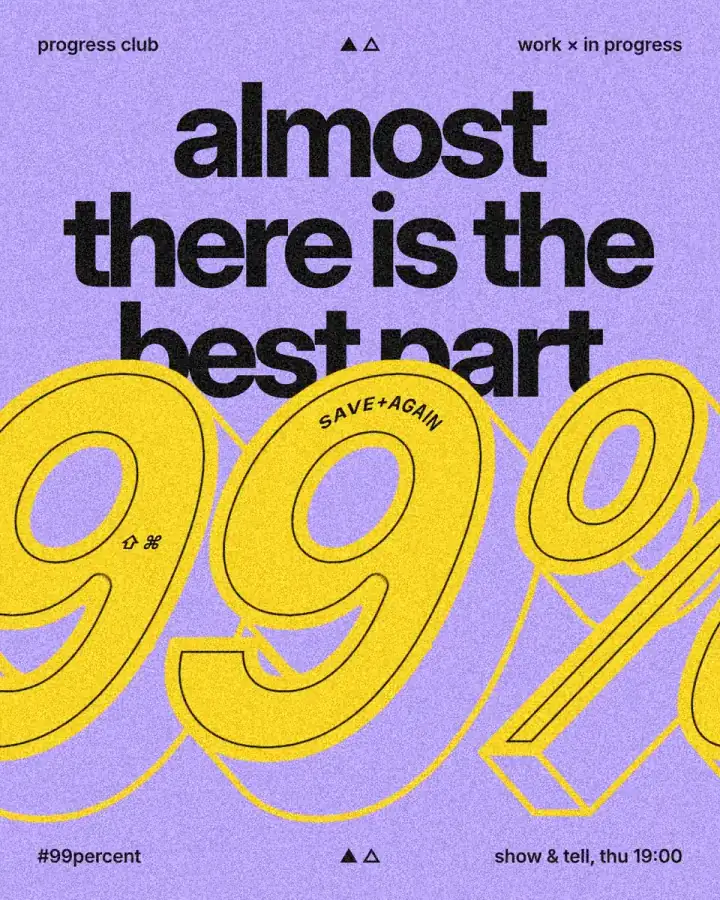
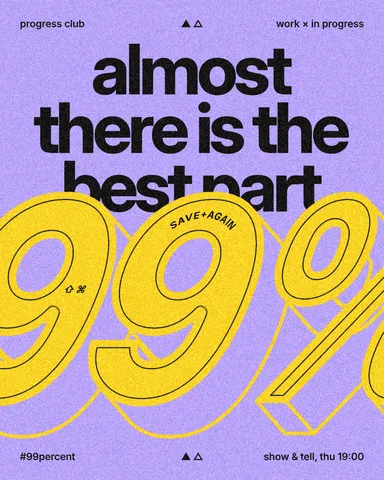
In Paletoo, a text effect is a step on the text itself. The poster on this page is a giant “99%” pushed back into a 3D block: double-click it, type your own name, and the block, its faces and its edges redraw around the new letters. Change the font and the effect follows. Nothing uses credits, and the letters stay vector in an SVG or a PDF.
Which one to choose
Choose Adobe Express if you want the biggest library of templates and stock, if your team already pays for Adobe, if you need video, scheduling and a phone app in one place, or if you like starting from an AI prompt. It is very good at that, and we would not try to talk you out of it.
Choose Paletoo if the design itself is the point — a poster, a cover, a gig flyer, a wordmark — and you want live text effects, a designer’s control of type and free print-ready files, without signing in or paying for exports. Many people use both: Express for quick social content, Paletoo for the pieces that have to look made rather than assembled.
Made in Paletoo
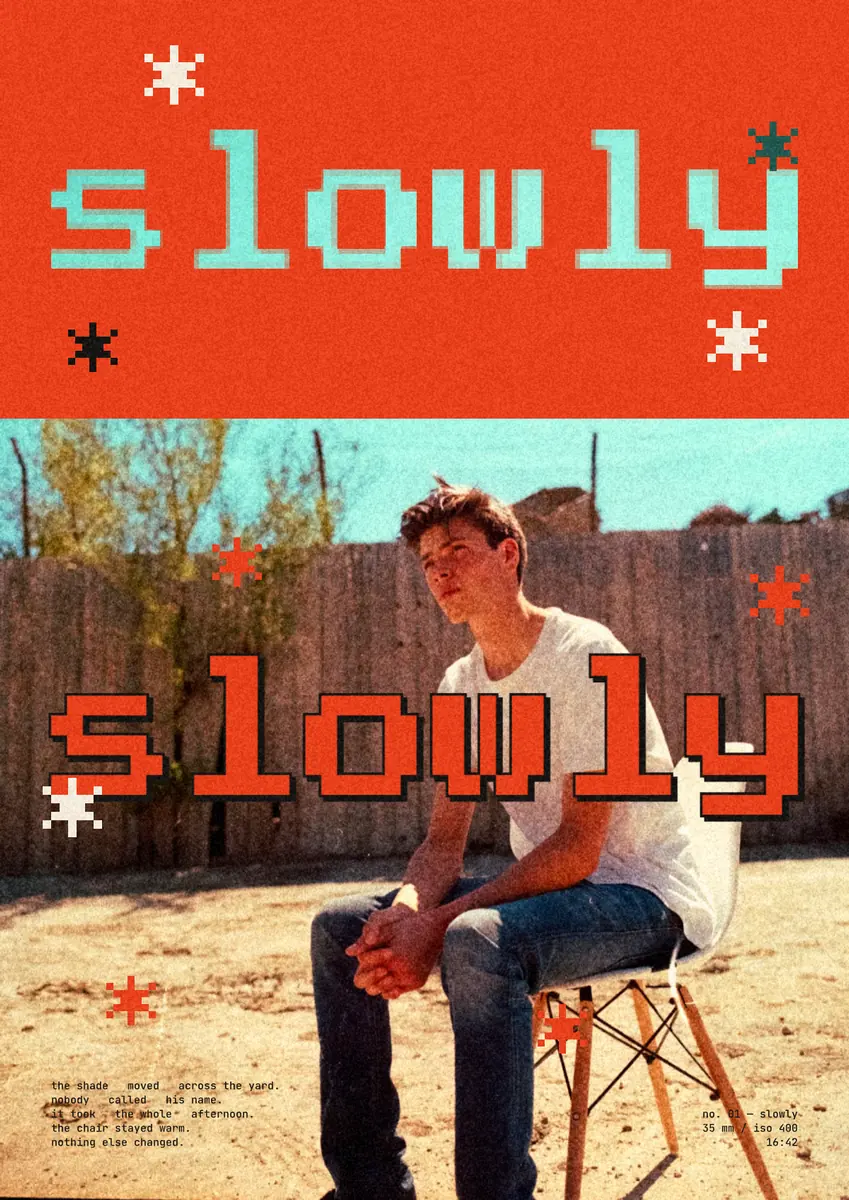
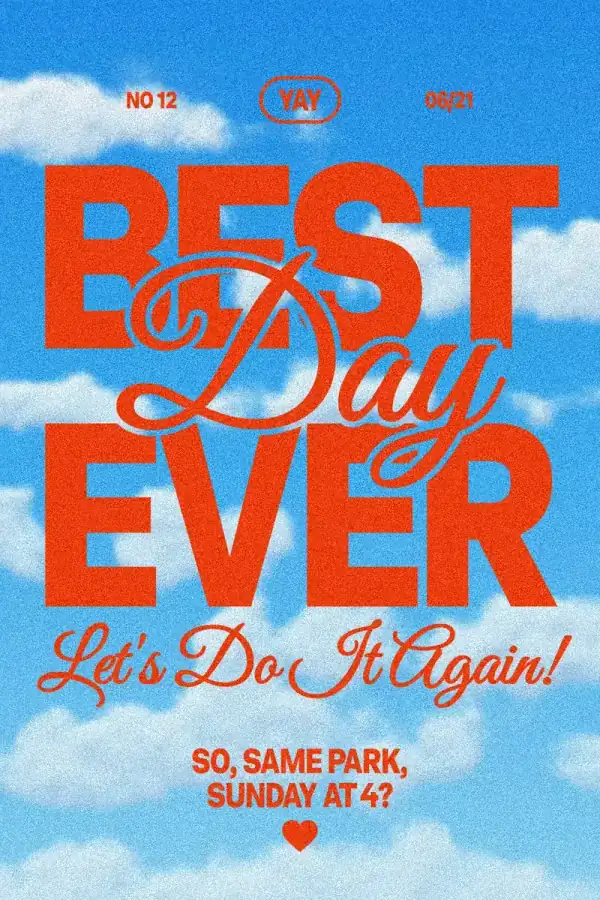
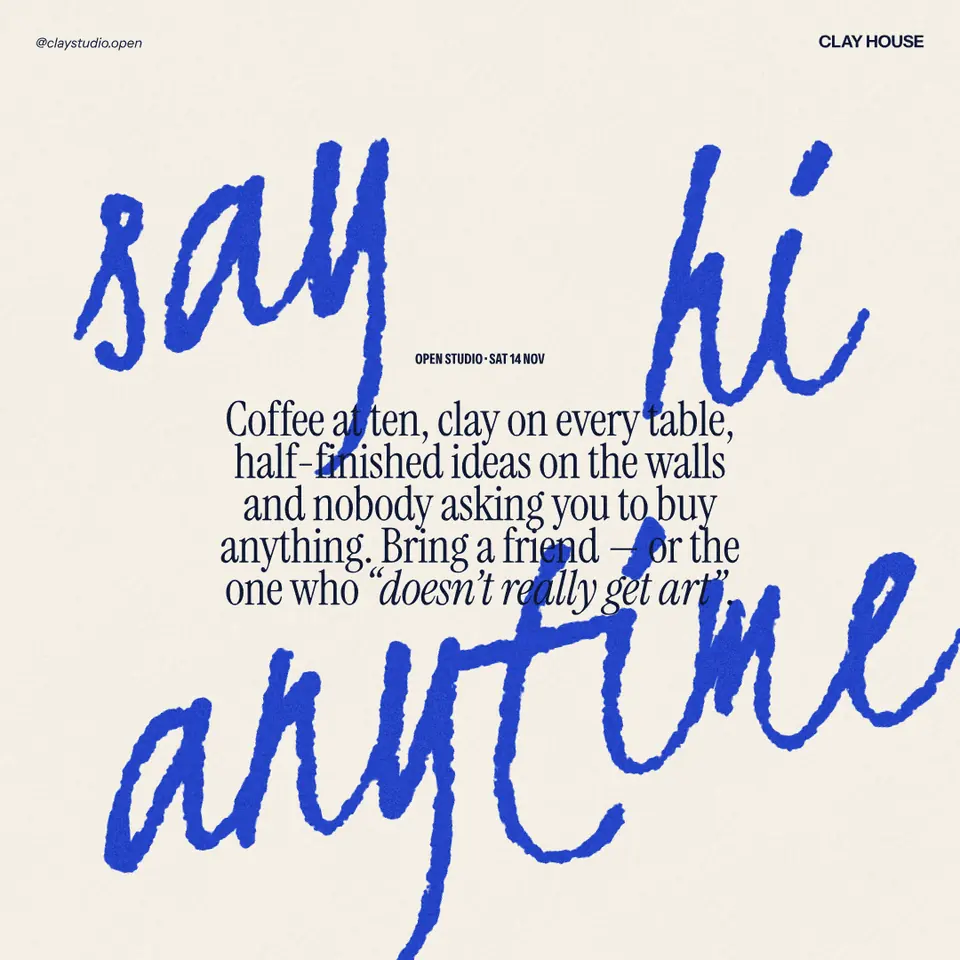
Every picture on this page was made in Paletoo — these three with the same steps on other templates:
Try it in Paletoo
Press “Open in Paletoo” to open the 99% post as your own document; no account is needed. Layers shows the header and the footer lines, the headline, and the big number in a group of its own.
Click “99%” to select it. The Design tab shows its place, and Typography its font: Inter at its heaviest weight, 790 px. Below, its Fill is yellow and its Stroke a thin black line inside a yellow one.
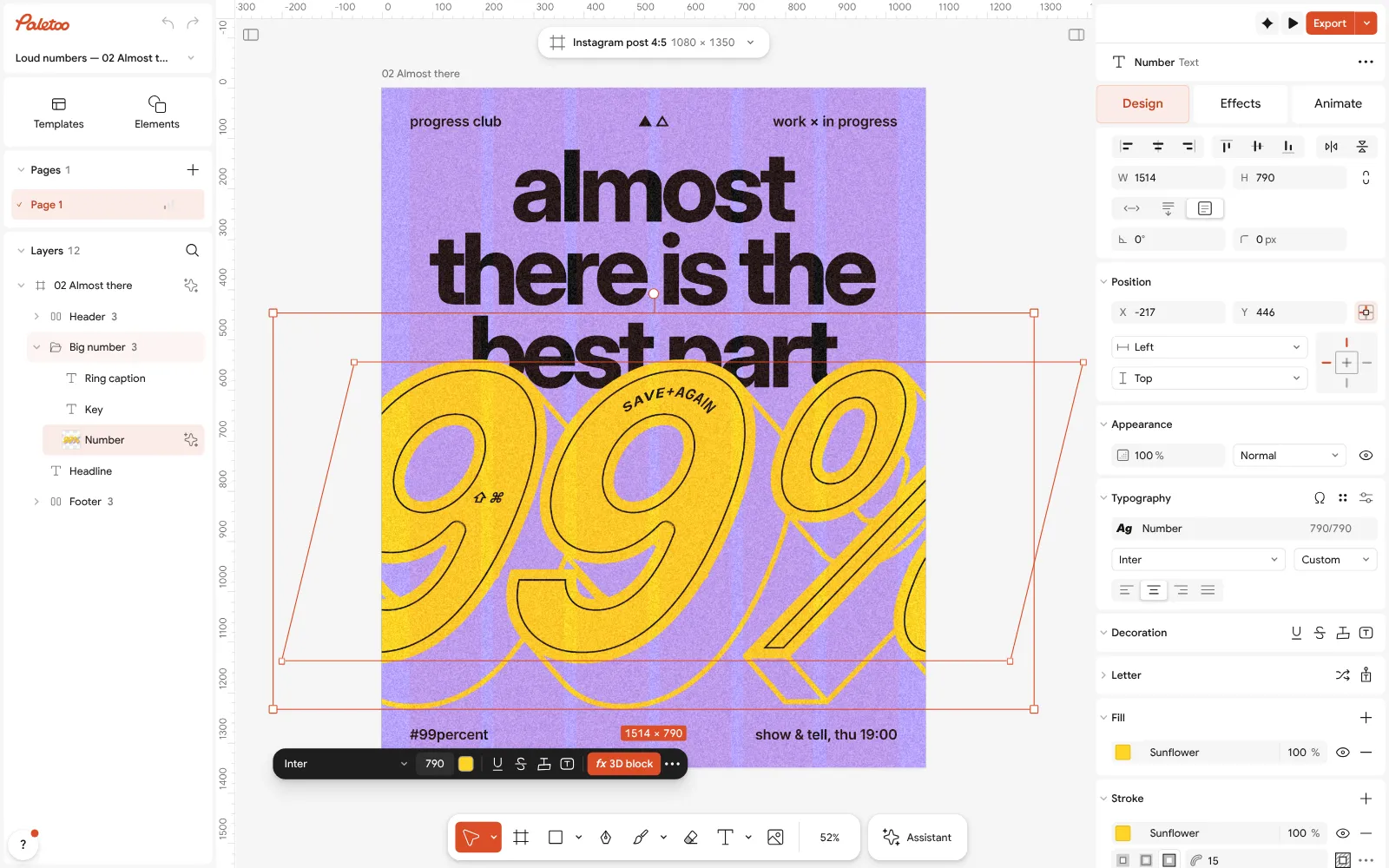
The 99% post open in Paletoo: the number selected, Inter at 790 px under Typography in the Design tab Open the Effects tab. Under Applied is one step, 3D block, which extrudes the number back into a solid block at one angle. It is a live step, not a picture: it is drawn again from the letters every time they change.
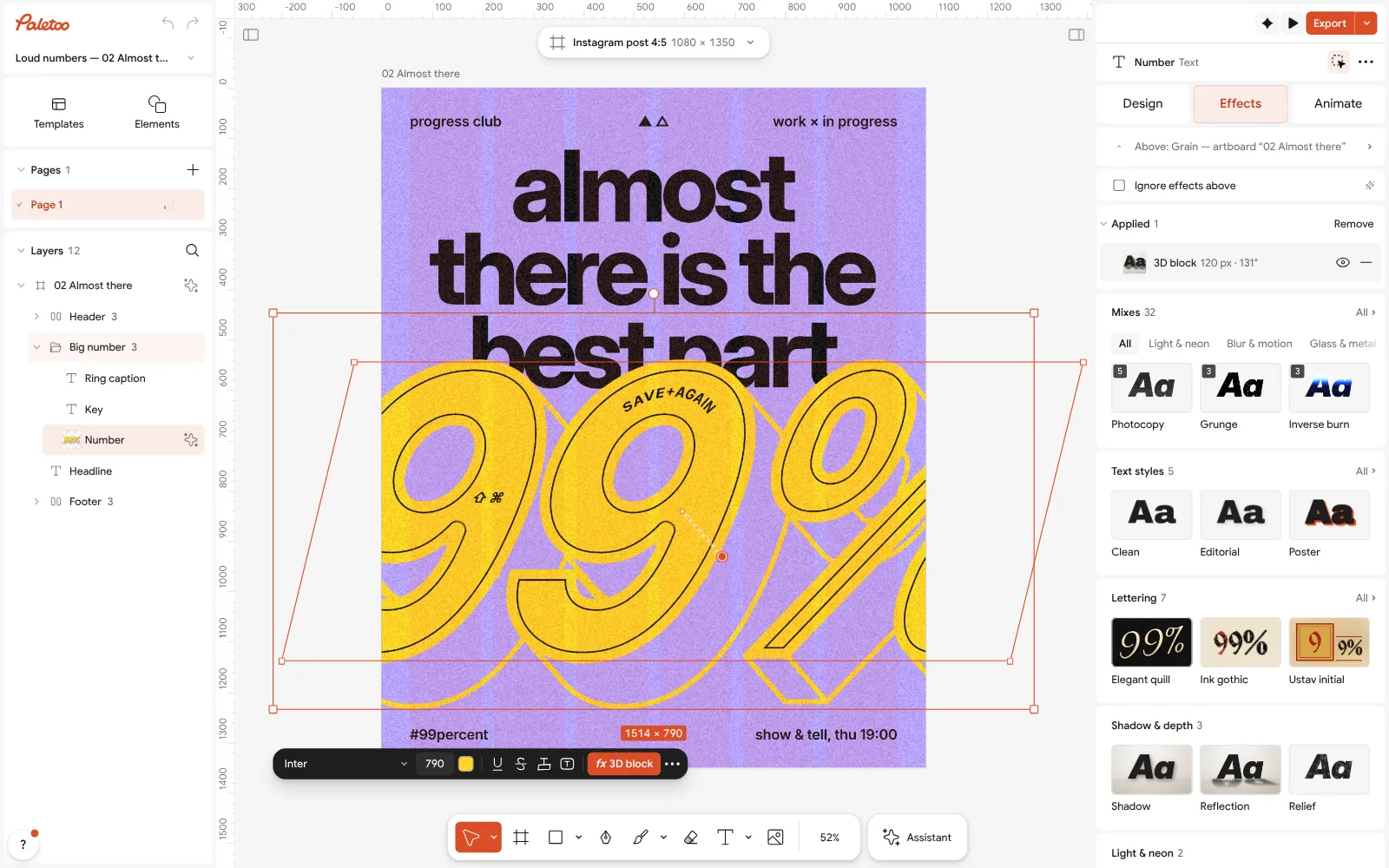
The number in the Effects tab: one 3D block step under Applied Click the 3D block row to open it. Depth is 120 px and Angle 131°; Style is set to Faces, which fills each side in the Colour of the background and draws its edges in the Edge colour, yellow.
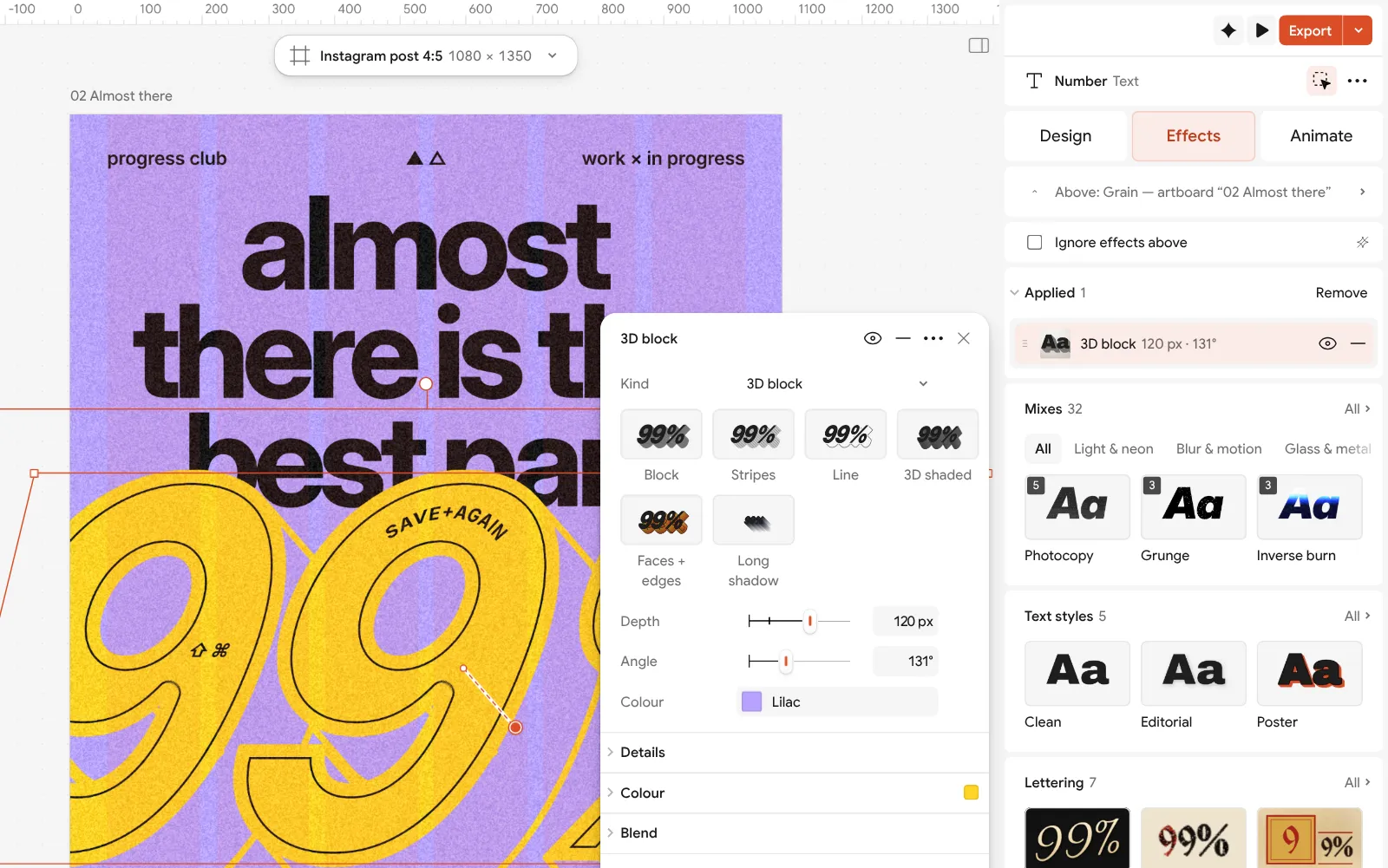
The 3D block step open beside the post: depth, angle, style, face colour and edge colour Double-click the number and type your own word: the block follows the new letters at once, with no prompt and no credits. Change the font in Typography to try another voice; a heavy, wide face gives the block the most to work with.
Press Export. Choose PNG for social media, with Background set to Transparent if you want the word alone; or SVG or PDF for print. There is no watermark, and Save to file… keeps the editable .paletoo file on your disk.
Make it your own
Turn the Angle and watch the block swing round the letters; a block falling down and to the right is the classic retro sign. Lower the Depth for a small wordmark, so the block stays bold without swallowing the counters.
For a one-colour version, set the Style to Outline, or remove the step and keep a heavy Stroke. If your team works in Adobe Express, a transparent PNG or a PDF from Paletoo drops into an Express design like any other picture.
Sources
Questions
Is Paletoo better than Adobe Express?
Not across the board. Adobe Express is better for its huge template, font and stock library, for video, for phone apps and for teams already on Adobe. Paletoo is better at live text effects, type control and free print-ready exports without an account. Pick by the work you do most.
Is Adobe Express free?
Yes, Adobe Express has a free plan with no time limit, as of November 2026. Premium adds more templates, fonts and assets, brand kits and 250 generative credits a month; its price is on Adobe’s pricing page and differs by country.
Do I need an account to use Paletoo?
No. The editor opens at once and keeps your work in the browser; you sign in only if you want your documents in the cloud. Every export is free and has no watermark.
Can I make the same text effects as in Adobe Express?
Not the same ones. Express can generate letters made of a texture from a prompt. Paletoo has live effects on real type — 3D block, chrome, emboss, knockout, glow and more — that stay editable when you retype the word.
Can I bring an Adobe Express design into Paletoo?
Download it from Express as a PDF and open it with Import PDF… in Paletoo: the pages come in with live, editable text where the PDF keeps it. Check the fonts after importing, as one may be replaced.
Make it online
- Text effects onlineType your words, press one effect — chrome, gold foil, emboss, cut-out letters, outlines or warps — and download it in a minute, free and with no sign-up; the words stay editable text.
- Poster makerMake a poster from a template that already has the layout right, then export a print-ready PDF or an image for screens.
- Instagram post makerDesign a post at the right size from a real template, then export a sharp PNG or JPG — free, in your browser.
Free design templates for posts, stories and posters: Social media post templates · Poster templates
Try it on your own design
Paletoo opens in your browser, with no sign-up. Every effect here is live: change the picture or the words and the effect follows.
Open in PaletooOpens this design as your own copy — every layer and effect editable, free.
Read next
- 01
 Paletoo vs Canva: an honest comparison for designersTwo editors in the browser, two ideas of what design is. Here is where each one wins.
- 02
 A Kittl alternative for type posters, merch and printBold type, 3D numbers and print-ready files, compared fairly with Kittl.
- 03
 Free logo text effects: seven looks that work on a wordmarkSeven text looks for a wordmark, and how to keep them sharp at 32 px.