Art for designers · 4 min read · Save to Pinterest
Remix a masterpiece: duotone, halftone and poster colours on famous paintings
A public-domain painting is not only something to look at. It is raw material: recolour it, print it in dots, cut it into a collage. Try it below.
To remix a famous painting legally, start from a public-domain museum file, then change it with design effects — reduce it to a few poster colours, map it to two inks (duotone), turn it into halftone dots — and add your own type. The widget below does the three remixes live; Paletoo has the full effects.

- #22190D
- #4A473A
- #9D8663
- #C5A479
- #E5CDB4
How do I remix a famous painting online for free?
Try the three remixes in the widget below on a public-domain masterpiece, then open it in Paletoo: the painting is placed at the museum’s size, and the Effects tab has the full versions — Duotone with your two colours, Halftone dots and fewer poster colours — as live steps you can change. Add your own type and export a PNG, JPG or PDF, free and with no watermark.
Remix one now
OriginalRemix
Johannes Vermeer Girl with a Pearl Earring, 1665Wikimedia Commons · Public domain · Museum page
Poster colours runs Paletoo’s own colour engine on the painting; duotone and halftone here are quick previews of the editor’s effects of the same name, which have every control.
Three remixes, and when to use each
| Remix | What it does | Use it for |
|---|---|---|
| Poster colours | Sorts every pixel into the painting’s five main colours (Paletoo’s colour engine). | Flat, screen-printed posters; a vector-like look; merch with few inks |
| Duotone | Maps dark to one colour and light to another. | Brand colours on any painting; risograph and music posters |
| Halftone | Turns tone into dots of different sizes, like a newspaper. | Pop, zine and retro looks; texture on big type |


Two classics that remix well: Botticelli’s Venus (big shapes, clear figure) and Van Gogh’s night (strong strokes).
Beyond filters: collage and cut-outs
- Cut out a figure with Paletoo’s background removal and place it on a flat colour from its own palette.
- Mix eras: a Vermeer face on a Mondrian grid, a Hokusai wave under modern type.
- Outline it: a knockout outline around a cut-out makes it look like a sticker.
- Crop hard: one eye, one hand, one flower — a detail at poster size is a new image.
Remix in Paletoo
- Open Paletoo — free in your browser, no sign-up — and start any document.
- Click Place an image in the toolbar and choose the Art tab (or press ⌘K / Ctrl K and type Search art…).
- Type an artist, a title or a subject; the chips narrow it to Painting, Prints, Botanical, Japan, Maps or Photos.
- Click a work to place it at the museum’s full size; its credit stays with the layer, ready for your caption.
Then select the picture and add effects from the Effects panel — duotone, halftone, posterise, grain — and stack them. For a halftone or duotone on your own photos without the editor, there are also free duotone and halftone tools.
Questions
Is it legal to remix famous paintings?
Yes, if the painting is in the public domain and you start from a free file — a museum’s CC0 image or a Wikimedia Commons public-domain file. You can then sell your remix.
How do I make a duotone of a painting?
Map its dark tones to one colour and its light tones to another. In the widget above choose Duotone; in Paletoo add the Duotone effect to the placed painting and choose the two colours.
What is a halftone effect?
A way of printing tones as dots of different sizes, used in newspapers and comics. As a design effect it gives pictures a printed, pop or retro texture.
Can I copyright my remix of a public-domain painting?
Your own creative additions — your layout, type, collage — can be yours, but the painting itself stays free for everyone. A simple filter alone usually does not create a new work.
The works on this page
Every picture is the museum’s own file, shown from its site at the size this page needs. The institutions mark each one public domain or CC0 on its record; this is how they ask to be credited.
- Johannes Vermeer, Girl with a Pearl Earring, 1665. Wikimedia Commons, public domain — www.wikidata.org
- Art Institute of Chicago, Clarence Buckingham Collection — www.artic.edu
- Vincent van Gogh, The Starry Night, 1889. Wikimedia Commons, public domain — www.wikidata.org
- Gustav Klimt, The Kiss, 1907. Wikimedia Commons, public domain — www.wikidata.org
- Sandro Botticelli, The Birth of Venus, 1485. Wikimedia Commons, public domain — www.wikidata.org
- Art Institute of Chicago, Helen Birch Bartlett Memorial Collection — www.artic.edu
More art for designers

Palette from a masterpiece: pick a painting, get its colours, use them
Old masters solved colour harmony long before colour wheels. Take their answer: five colours from one painting, tested on a poster, opened in your design.
Ukiyo-e for designers: what Hokusai and Hiroshige can teach a poster
Japanese woodblock prints were the posters and magazines of 19th-century Edo. Their rules — flat colour, a bold line, a daring crop — still make the strongest layouts.
Free art for commercial use: a million museum works, and how to use them safely
Great museums give away high-resolution files of works whose copyright has ended. Here is where they are, what the labels mean, and how to put one in your design in a minute.
Art movements for graphic designers: seven styles, their palettes and a poster for each
Not a history lecture: what makes each style recognisable, the colours its real works use, the type that fits and a poster idea you can start in a minute.
Art Nouveau posters: Mucha’s grammar for today’s posters and labels
In 1895 an unknown Czech illustrator made a poster for Sarah Bernhardt and Paris queued to tear copies off the walls. His rules still sell perfume, beer and concerts.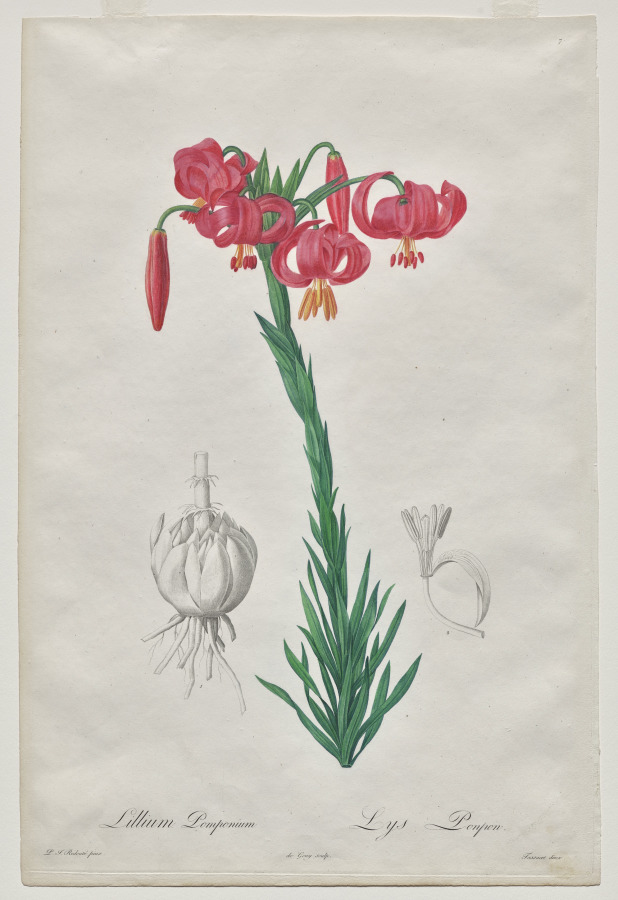
Vintage botanical illustrations: free plates for labels, packaging and posters
Two hundred years ago the best botanical artists drew roses and lilies leaf by leaf for kings and scientists. Today their plates are free, and they make the most beautiful labels.
Make it: Duotone, halftone and glitch effects · Duotone generator · Halftone generator · Templates
Five museums in one search box
Paletoo’s Art tab searches the Art Institute of Chicago, the Met, the Cleveland Museum of Art, SMK, the Wellcome Collection and Wikimedia Commons at once, keeps only what they mark public domain or CC0, and places the work with its credit. Free, in your browser.
Open in Paletoo