Techniques4 min readFreeUpdated 2026-11-15
How to make a science poster: layout, size and a free template
A poster people stop at in a busy hall: a title they read from the aisle, six short sections, one chart and a code to the full paper.
By the Paletoo team · steps tested in Paletoo on
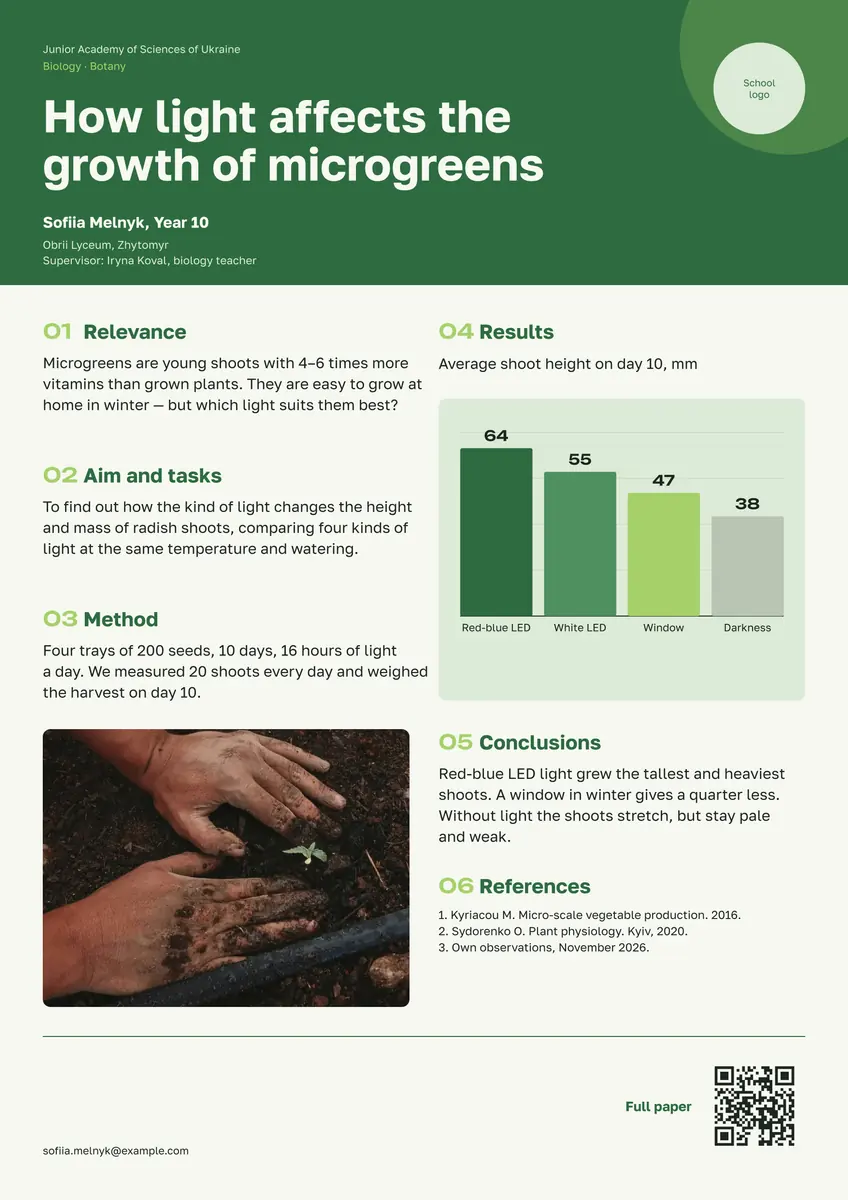
To make a science poster, set a one-line title across the top, split the page into six short sections — introduction, aim, method, results, conclusions, references — put your main result in a chart in the middle, add a QR code to the full paper and export a print PDF at A0 or A1 (36 × 48 in in the US). Keep it under about 800 words: a poster is read standing up, in two or three minutes.
This guide is built on «How light affects the growth of microgreens», a school research poster from our science set, made at A1 for a science fair — title band, numbered sections, a bar chart, a photo and a code. It explains the sizes conferences ask for, the text sizes that read from two metres, and what to cut. Every step was run in Paletoo on 11 November 2026; the pictures are the editor itself.
What goes on a research poster
A poster follows the paper’s order, shortened to what someone can take in at a glance. The title says the finding or the question in plain words. The introduction (or «relevance») is two or three sentences on why it matters. The aim states what you set out to find. The method says what you did in numbers: how many samples, how long, what you measured. The results are a chart, not a table, with one sentence saying what it shows. The conclusions answer the aim in three bullet points. The references are short, in small type, and a QR code leads to the full paper or your data.
Most posters fail by carrying the whole paper. Cut every sentence that a listener could ask you about instead: you are standing next to it.
Scientific poster sizes and text sizes
Always check the conference’s or contest’s rules first — they say the size and whether it is portrait or landscape. When they do not, these are the usual ones:
| Size | Note | |
|---|---|---|
| A0 portrait | 841 × 1189 mm | Most European conferences |
| A1 portrait | 594 × 841 mm | School and student science fairs |
| 36 × 48 in (landscape 48 × 36) | 914 × 1219 mm | Most US conferences |
| Title | 72–120 pt | Reads from 5 m — the aisle |
| Section headings | 36–48 pt | Reads from 3 m |
| Body text | 24–32 pt | Reads from 1.5–2 m |
| References, captions | 16–20 pt | For the people who come close |
Layout that guides the eye
Readers go down columns, left to right, so put sections in two or three columns with the reading order numbered (01, 02, 03…), as the microgreens poster does. Give the result the most space and the strongest colour; use one accent colour and keep everything else neutral. Align every block to the same grid, leave real margins (at least 2.5 cm on A0), and use the same space between all sections. A light background prints more reliably than a dark one, and charts with thick bars and big labels survive printing better than thin lines. Before you print, look at the whole poster at the size of your phone screen: if the title and the chart still read, the hierarchy works.
Made in Paletoo
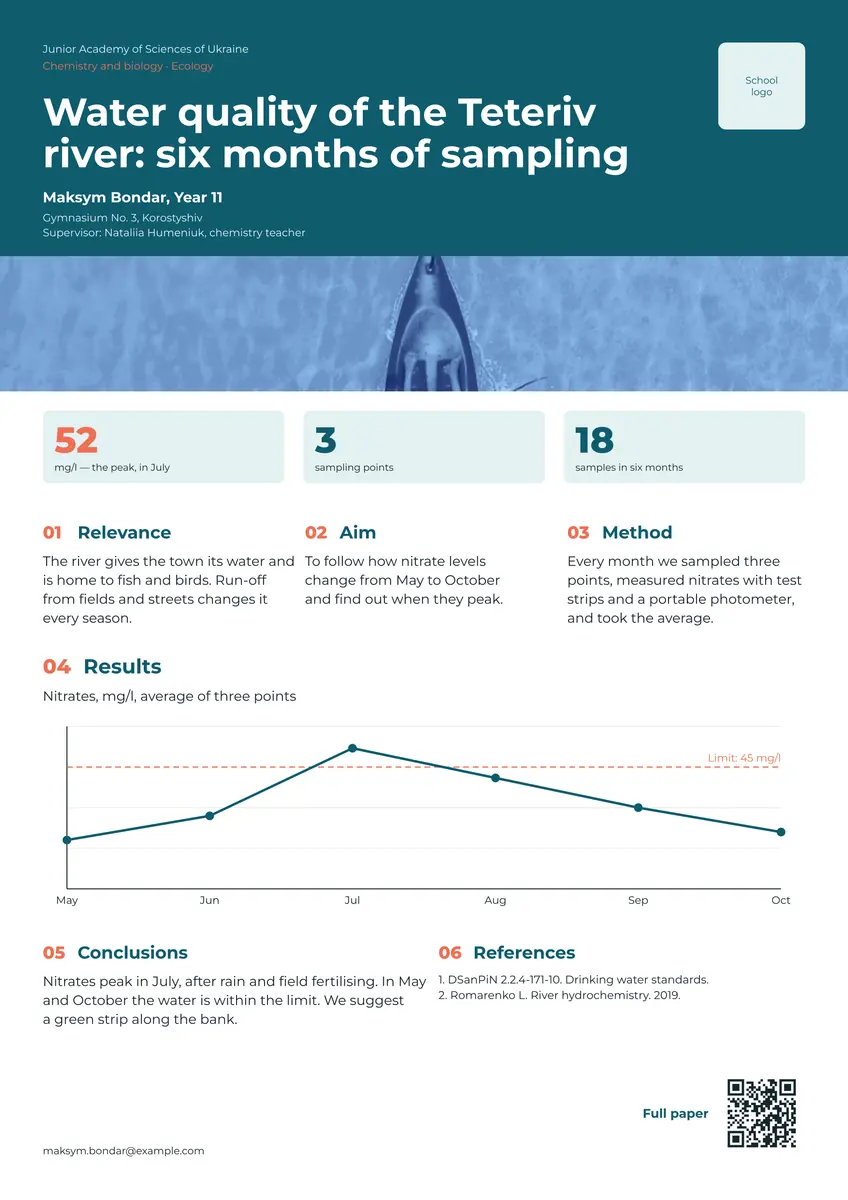
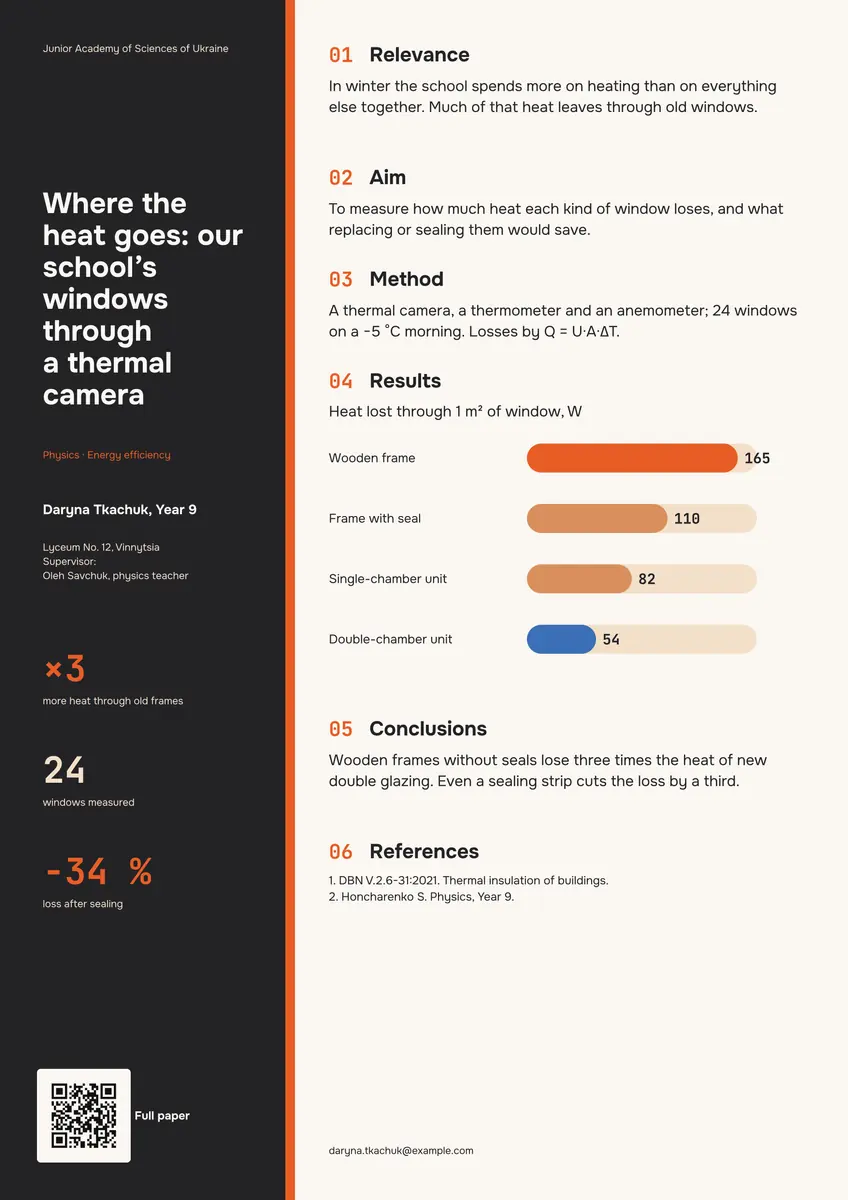
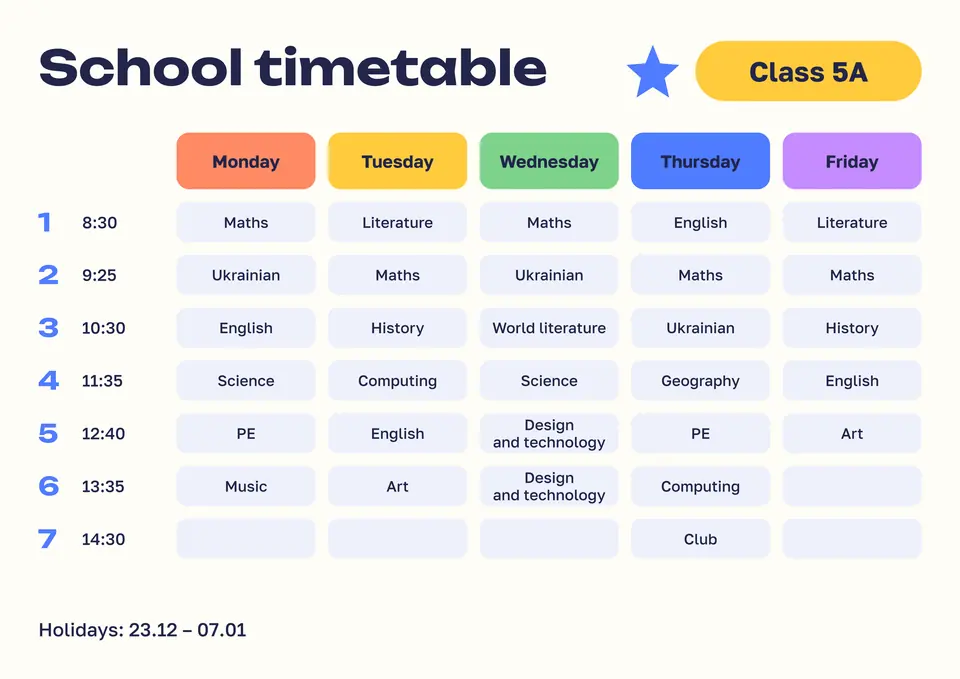
Every picture on this page was made in Paletoo — these three with the same steps on other templates:
Step by step in Paletoo
Open the poster: press “Open in Paletoo” on this page, or start from the poster maker. It opens as your own A1 document; the Layers panel lists the title band, each section’s number, heading and text, the chart and the QR code.
Double-click the title and type your own in one line, then your name, school and supervisor. The fonts and sizes are under Typography in the Design tab; keep the title above 72 pt at print size.
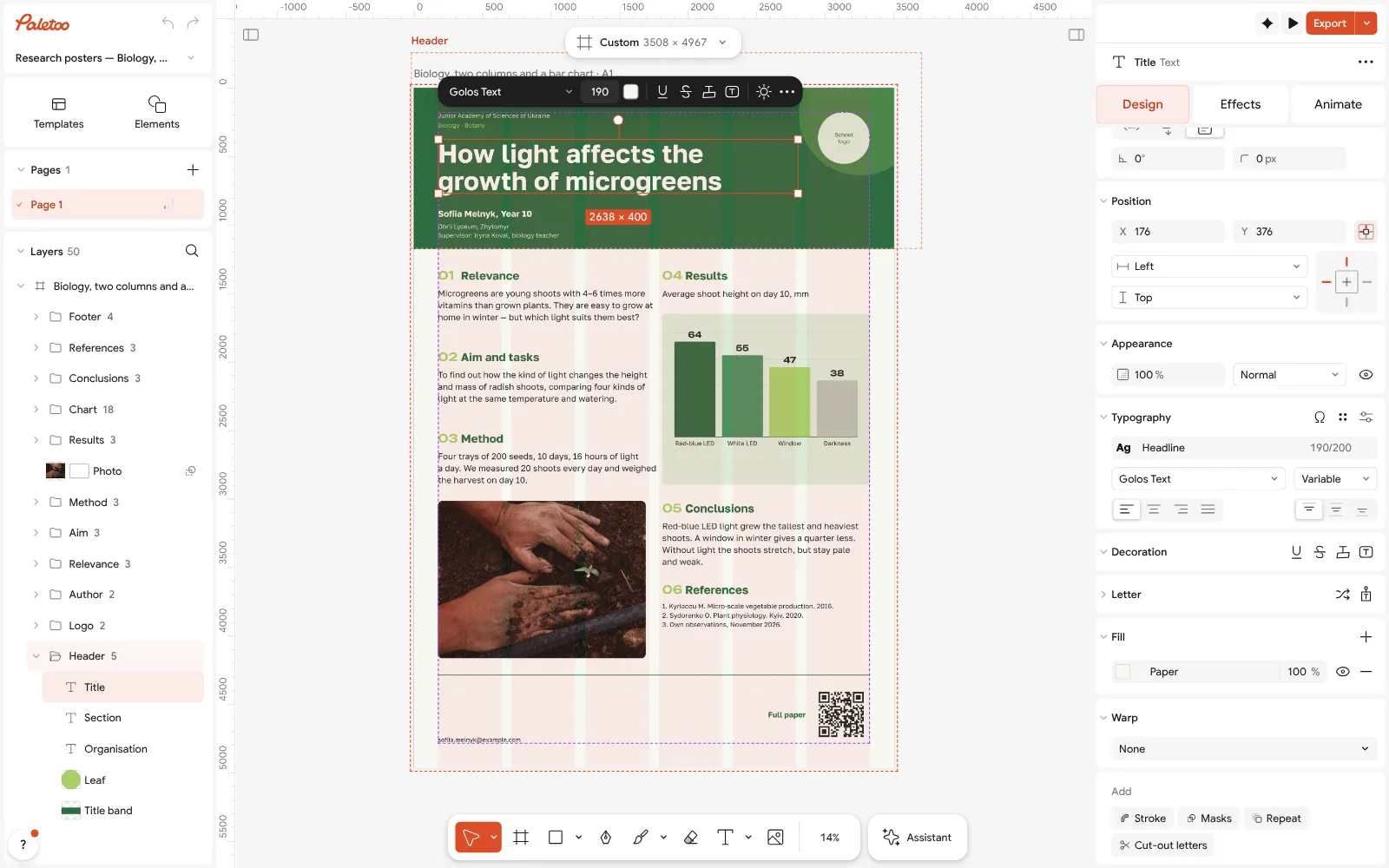
The microgreens research poster open in Paletoo: the title selected, its font under Typography Replace each section’s text with yours. If a section grows, shorten it rather than shrinking the type — two metres is the reading distance. Swap the photo with Replace picture.
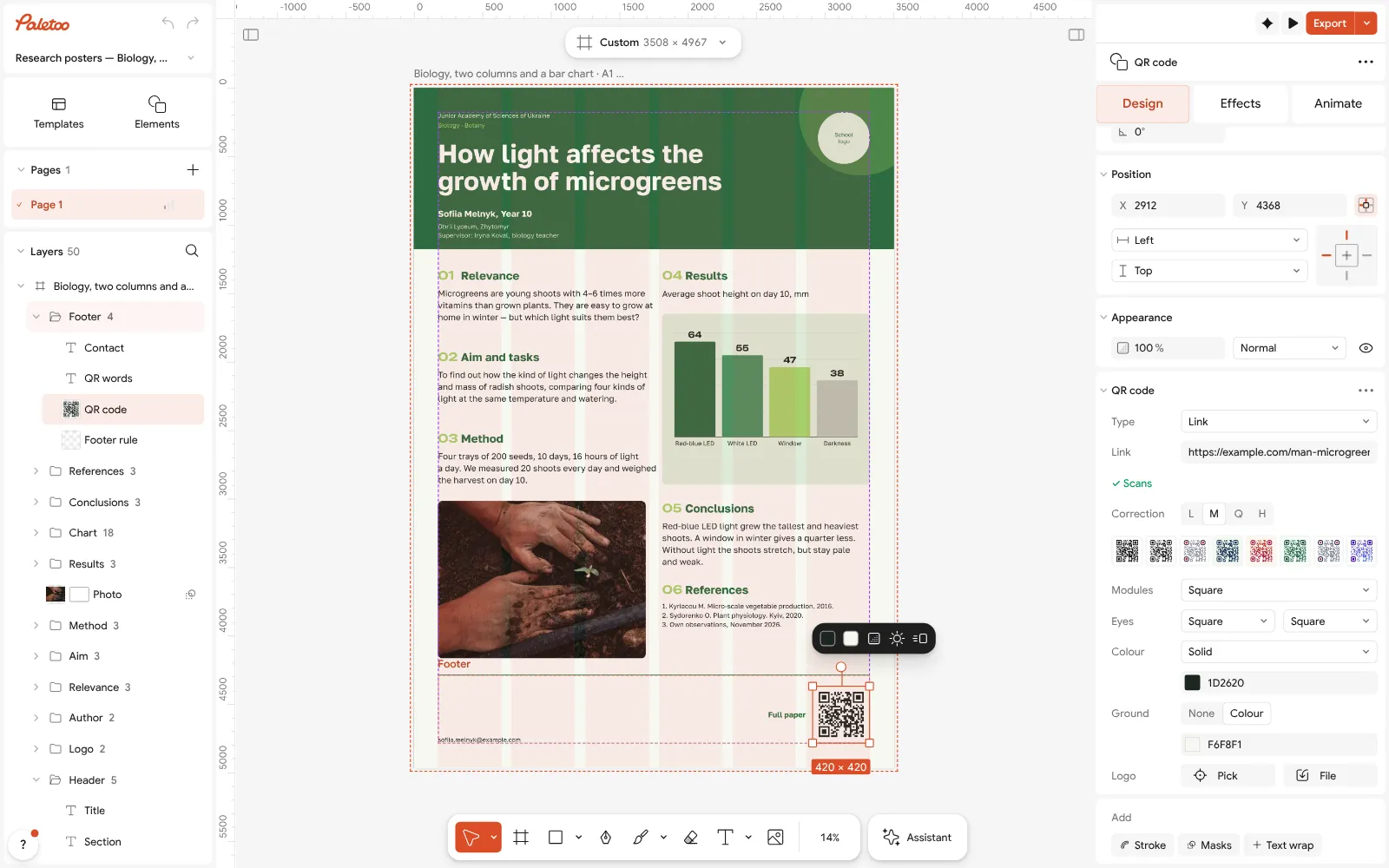
The QR code selected: its link, colours and size in the QR code section of Design Edit the bar chart: type your values into the number labels and drag each bar to its height, or add a new one with Chart. One chart that answers the aim beats four small ones.
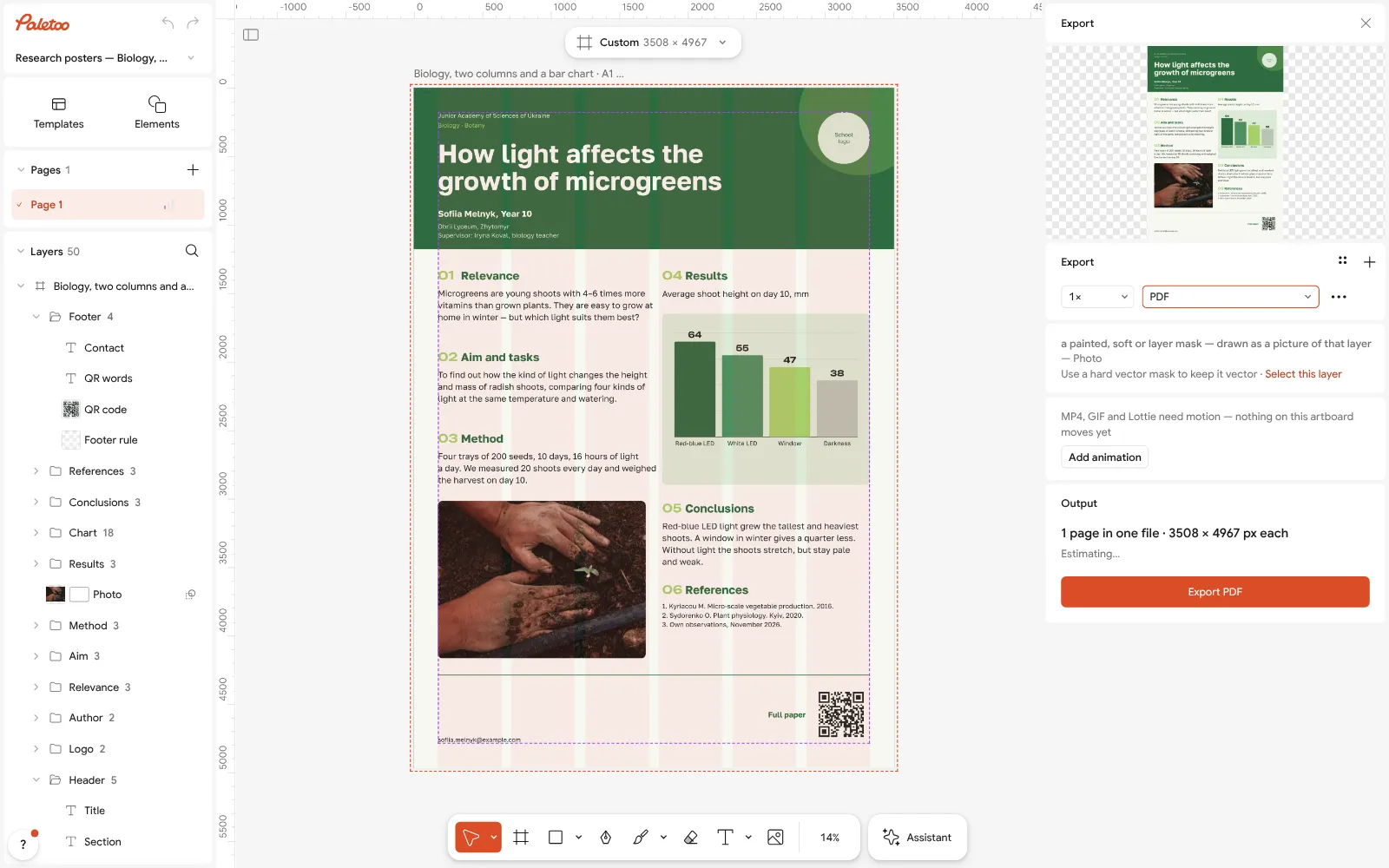
Export as PDF for the print shop Select the QR code: its link, colours and size are in its QR code section on the Design tab. Point it at your full paper or data, and keep it at least 3 cm wide on the printed poster.
Press Export (Ctrl Shift E) and choose PDF. For A0, make a copy at that size from the size chip with Scale artwork on first; turn on Include bleed if the print shop asks for it.
Make it your own
Make the poster in your school’s or lab’s colours by changing the green in Colour styles: the title band, numbers and chart change together.
For a landscape US poster, press the size chip and use Make a copy as with a custom 48 × 36 in page, then move the columns from two to three.
Turn on a Layout grid of three columns while you rearrange, so every block lines up again — reviewers notice crooked edges before they read a word.
Sources
Questions
What size is a scientific poster?
A0 (841 × 1189 mm) at most European conferences, 36 × 48 in at most US ones, A1 (594 × 841 mm) at school science fairs. Always check the event’s rules for size and orientation.
How many words should a research poster have?
About 300–800. People read posters standing, in two or three minutes; you are there to explain the rest.
What font size should a poster use?
Title 72–120 pt, headings 36–48 pt, body text 24–32 pt, references 16–20 pt — readable from five, three and two metres.
What sections does a science poster have?
Title, introduction, aim, method, results, conclusions and references, plus your name, school or lab, and a QR code to the full paper.
Can I make a research poster for free?
Yes. Paletoo’s science posters are free to edit and export as a print PDF, with no watermark and no account.
Make it online
- Poster makerMake a poster from a template that already has the layout right, then export a print-ready PDF or an image for screens.
- QR code generatorMake a free QR code that never expires, right here — eight styles, a logo or emoji in the middle, PNG, SVG or PDF — and see that it scans before you print. No sign-up.
- Presentation makerOpen a designed deck, change the words, present it full screen or send it as a PDF or PowerPoint — the first slide is yours in a minute.
Free design templates for posts, stories and posters: Poster templates · Contact and call-to-action templates · Presentation templates
Try it on your own design
Paletoo opens in your browser, with no sign-up. Every effect here is live: change the picture or the words and the effect follows.
Open in PaletooOpens this design as your own copy — every layer and effect editable, free.
Read next
- 01
 Print-ready PDF: bleed, crop marks and CMYK, freeEverything a printer means by “print-ready”, and a checklist before you send the file.
- 02
 QR code size for print: the «will it scan» checklistSize, quiet zone, contrast, correction and a proof: the five checks that decide whether a printed code scans.
- 03
 Swiss grid poster: how to design with a modular gridColumns, rows, a margin and one accent: the oldest system in poster design, built on a real poster.