Free tools4 min readFreeUpdated 2026-11-17
Business card size: inches, mm and pixels for every country
The size your printer expects — in inches, millimetres and pixels — with the bleed and the safe area, on a card that opens at that size.
By the Paletoo team · steps tested in Paletoo on
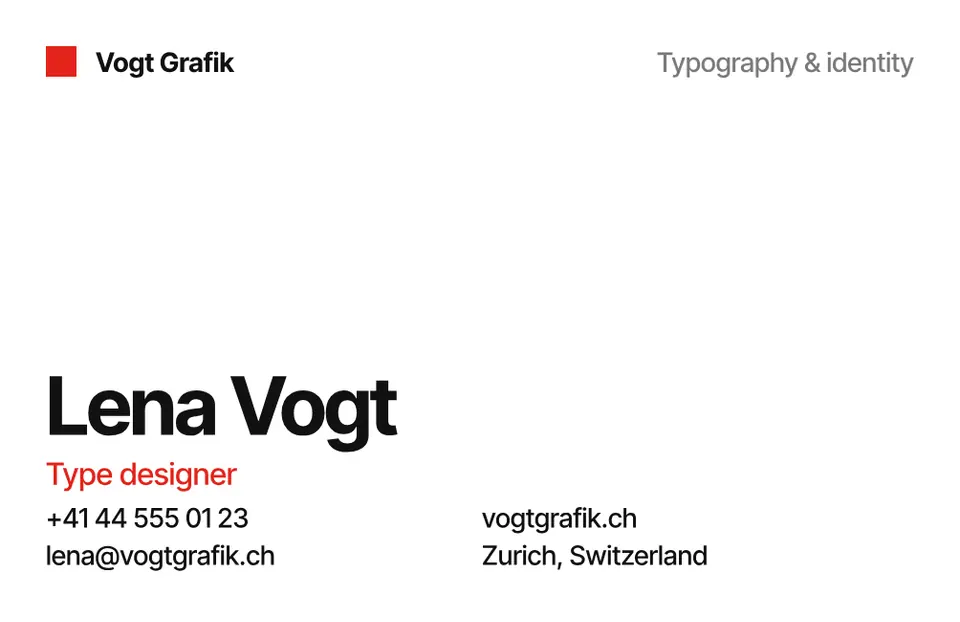
A standard business card is 3.5 × 2 inches (88.9 × 50.8 mm) in the United States and Canada, 85 × 55 mm in most of Europe and the UK, and 90 × 50 mm in Ukraine and much of Eastern Europe; at 300 dpi that is 1050 × 600, 1004 × 650 and 1063 × 591 pixels. Add 3 mm of bleed on every side (⅛ in in the US) and keep text 3–5 mm inside the edge.
This guide puts every common size in one table, explains bleed and the safe area so the printer does not cut your phone number in half, and switches a real card — «Vogt Grafik», a Swiss-minimal card with a red back and a QR code — between the sizes in one menu. Every step was run in Paletoo on 11 November 2026; the pictures are the editor itself.
Business card sizes by country
There is no world standard: each market settled on its own. The European size happens to be almost exactly a bank card (85.6 × 54 mm), which is why it fits every wallet; the US card is a little longer and narrower. If you order abroad, ask the printer which size they cut — the difference of 2–5 mm shows when someone puts your card next to theirs.
| Where | Millimetres | Inches | Pixels at 300 dpi |
|---|---|---|---|
| US, Canada | 88.9 × 50.8 | 3.5 × 2 | 1050 × 600 |
| Europe, UK | 85 × 55 | 3.35 × 2.17 | 1004 × 650 |
| Ukraine, Eastern Europe | 90 × 50 | 3.54 × 1.97 | 1063 × 591 |
| Japan | 91 × 55 | 3.58 × 2.17 | 1075 × 650 |
| Australia, New Zealand | 90 × 55 | 3.54 × 2.17 | 1063 × 650 |
| Bank-card size (ISO 7810 ID-1) | 85.6 × 54 | 3.37 × 2.13 | 1011 × 638 |
Bleed, trim and the safe area
Cards are printed many to a sheet and cut with a guillotine that can wander by a millimetre or two. So a design that runs to the edge — a coloured back, a photo — must run past it: that extra is the bleed, usually 3 mm per side in Europe and ⅛ in (3.175 mm) in the US. A European card with bleed is therefore 91 × 61 mm, 1075 × 720 px at 300 dpi.
The safe area is the opposite margin inside the card: keep names, phone numbers and the QR code at least 3–5 mm from the trim line, or the cut may graze them. Small text should be 7 pt or larger; thin hairlines under 0.25 pt can vanish in print.
Paper, finish and how many to print
Most cards are printed on 300–400 gsm card; below 300 they feel flimsy. Matte paper is easy to write on and hides fingerprints; gloss makes photos pop; soft-touch and foil cost more and suit fewer designs than you think. A run of 100–250 is plenty for most people now that a QR code can carry the details that change. Print one proof first: at 100 % on plain paper you can check the size against a card you already have.
Made in Paletoo
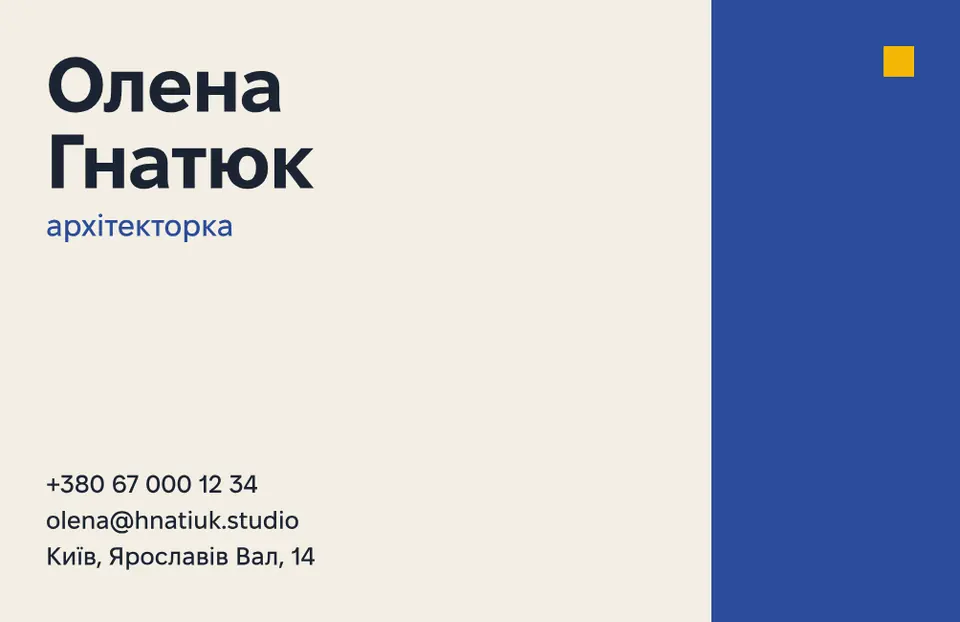
Every picture on this page was made in Paletoo — these three with the same steps on other templates:


Make it free in Paletoo
Open the card: press “Open in Paletoo” on this page, or start from the business card maker. The document holds a front and a back at the European 85 × 55 mm and the same pair at the US 3.5 × 2 in; with nothing selected, the chip above the canvas shows the size of the artboard you are on — 1004 × 650 for the European one, at 300 dpi.
For another country, press the chip and pick Business card, US or Business card, 90 × 50 mm under Resize this artboard, with Scale artwork on. Do it for the front and the back.
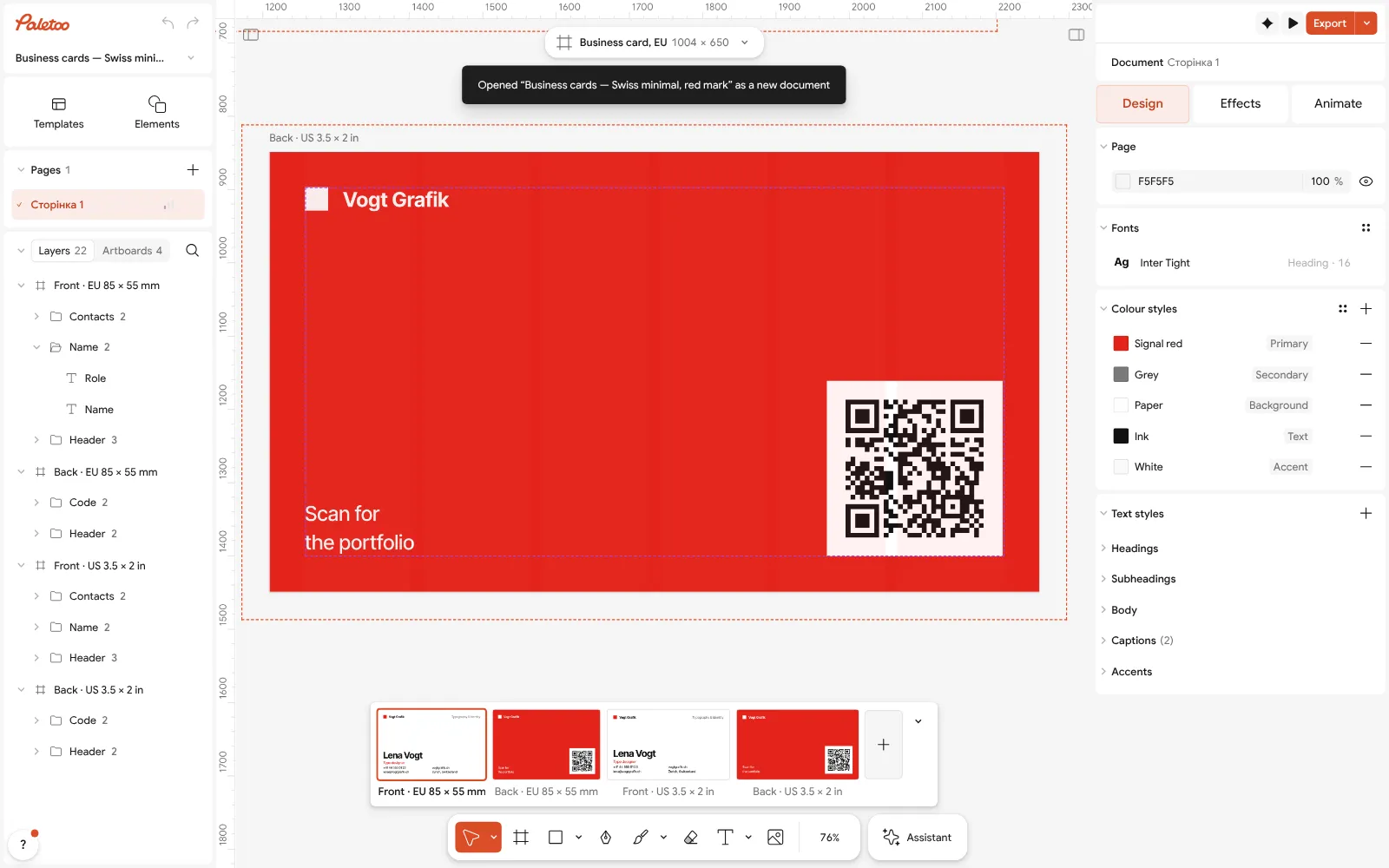
The «Vogt Grafik» card open in Paletoo with nothing selected: 1004 × 650 on the size chip — 85 × 55 mm at 300 dpi Double-click the name, the role and the contacts and type your own; fonts and sizes are under Typography in the Design tab. Keep everything at least 40 px (3–4 mm) from the edge.
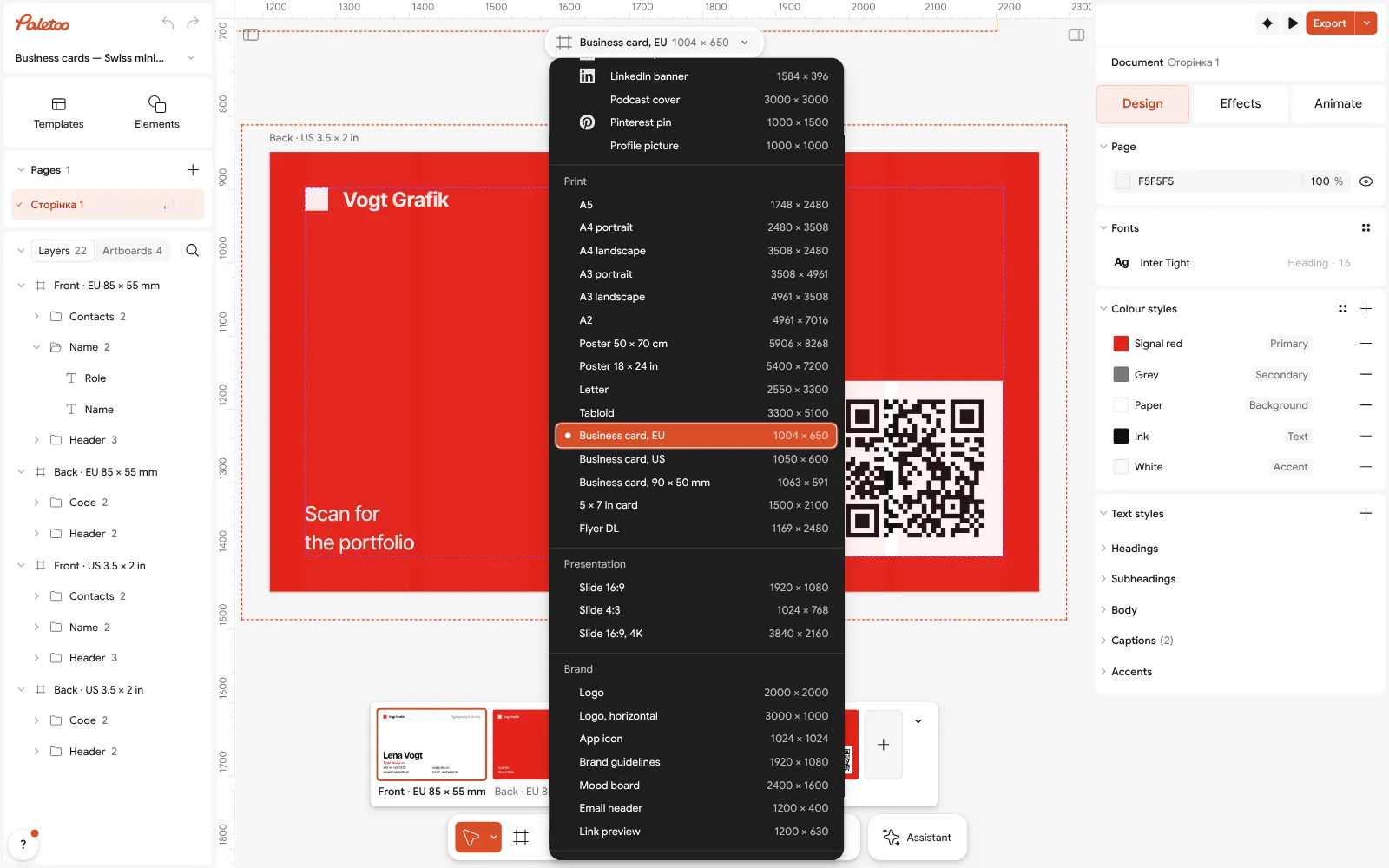
The size chip pressed: Business card, US and the other print sizes, with Scale artwork Select the QR code on the back: its link, colours and size are in its QR code section. Point it at your site or contact card and keep it at least 2 cm wide when printed.
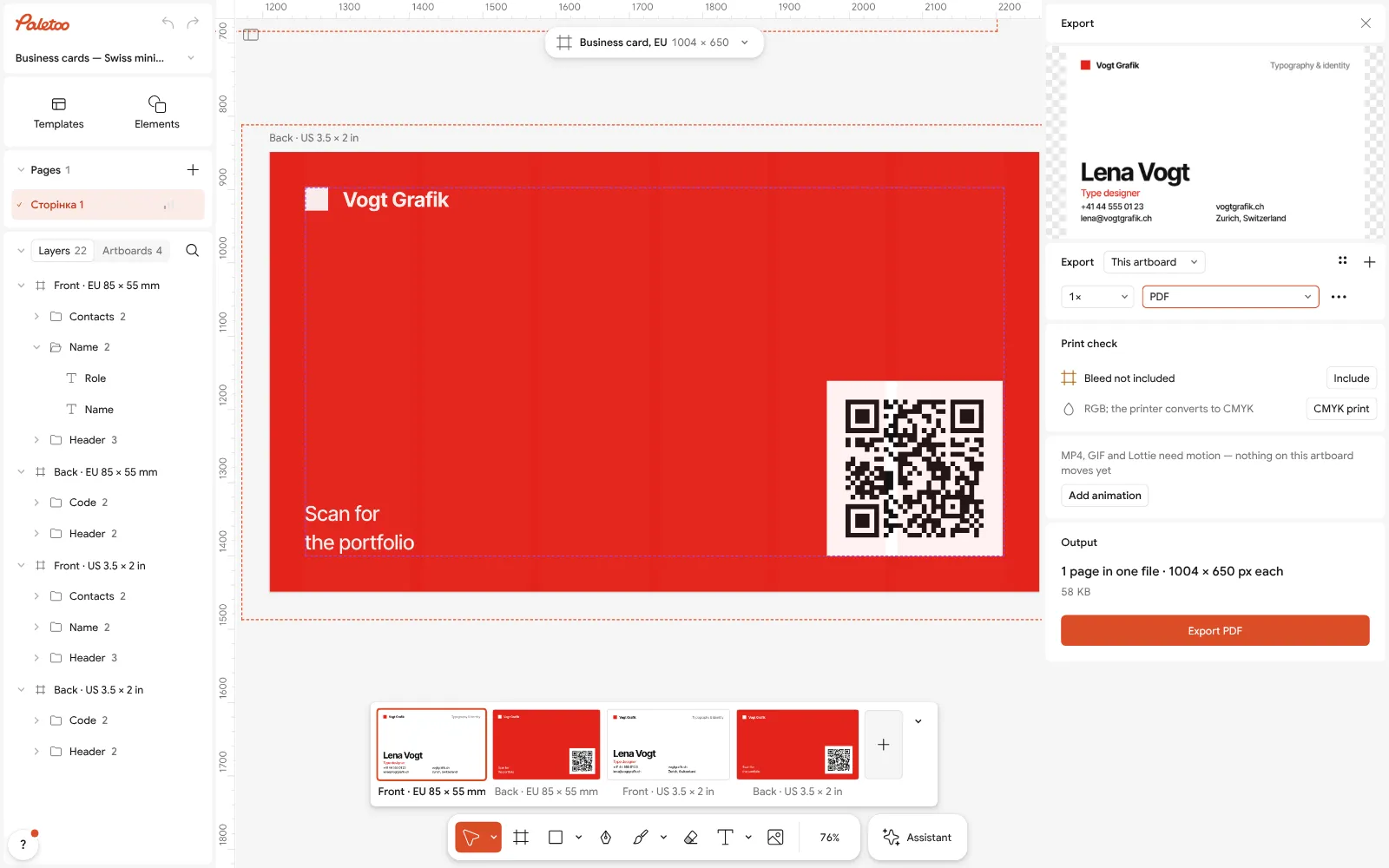
Export as PDF, both sides, for the printer Press Export (Ctrl Shift E), choose PDF and turn on Include bleed and Crop marks. The PDF has both sides, ready for the printer.
For a messenger or an email signature, export the front again as PNG. Nothing you export carries a watermark.
Make it your own
For a vertical card, make a copy with Duplicate artboard and swap its width and height in the size chip’s Custom — the same 85 × 55 mm, stood on end.
Use Colour styles to keep the front and the back in the same two colours, so changing your brand colour once updates both sides.
If the printer asks for outlined text, open Export settings and turn the text into curves there — the file stays editable in Paletoo.
Sources
Questions
What is the standard business card size?
3.5 × 2 inches (88.9 × 50.8 mm) in the US and Canada, 85 × 55 mm in Europe and the UK, 90 × 50 mm in Ukraine and much of Eastern Europe.
What is a business card size in pixels?
At 300 dpi: 1050 × 600 px for a US card, 1004 × 650 px for a European one, 1063 × 591 px for 90 × 50 mm — before bleed.
How much bleed does a business card need?
3 mm on every side in Europe, ⅛ inch in the US. A European card with bleed is 91 × 61 mm.
What paper is best for business cards?
300–400 gsm card. Matte is easy to write on, gloss suits photos; ask the printer for a sample.
Can I make a business card for free?
Yes. Paletoo’s card templates are free to edit and export as a print PDF with bleed and crop marks, with no watermark and no account.
Make it online
- Business card makerDesign a business card at the exact print size, add a QR code that really scans, and export a PDF the printer accepts.
- QR code generatorMake a free QR code that never expires, right here — eight styles, a logo or emoji in the middle, PNG, SVG or PDF — and see that it scans before you print. No sign-up.
- Logo makerType your brand name, pick a logo, try fonts, colours and layouts, then download SVG, PNG and app icons — free, no watermark, no sign-up.
Free design templates for posts, stories and posters: Contact and call-to-action templates · Brand guidelines templates
Try it on your own design
Paletoo opens in your browser, with no sign-up. Every effect here is live: change the picture or the words and the effect follows.
Open in PaletooOpens this design as your own copy — every layer and effect editable, free.
Read next
- 01
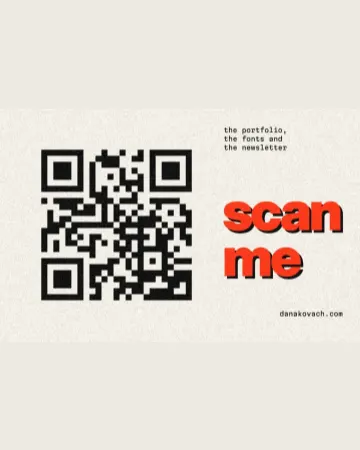 How to make a business card with a QR codeThe right size, your details, a QR code that scans and a PDF for the printer.
- 02
 Print-ready PDF: bleed, crop marks and CMYK, freeEverything a printer means by “print-ready”, and a checklist before you send the file.
- 03
 Poster sizes: A4 to A0, 18 × 24, 24 × 36 and pixels for printEvery common poster size in one table — millimetres, inches and the pixels to export — and a poster that switches size in one menu.