Free tools6 min readFreeUpdated 2026-11-20
A free online graphic design editor with no watermark
Design in your browser, press Export, and get the file clean — no watermark, no account, no upload.
By the Paletoo team · steps tested in Paletoo on
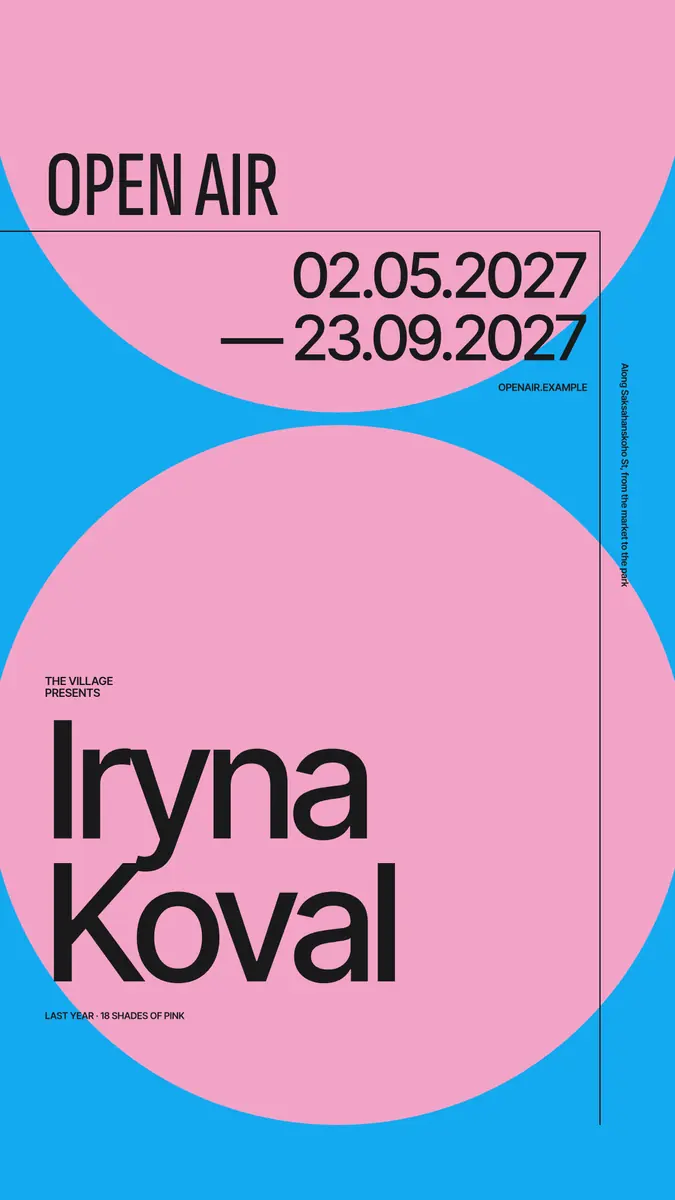
A free online graphic design editor with no watermark lets you design in the browser and download the file clean, with nothing stamped on it. Paletoo is one: open it, start from a template or a blank size, change the words, photos and colours, and press Export — PNG, JPG, PDF, SVG, MP4 or GIF, free, with no watermark on any file, no sign-up, and your photos are not uploaded.
Below: where watermarks on free plans come from, a two-minute test that tells you whether an editor will mark your work before you spend an hour in it, what the common free plans ask of you, and the whole thing done on a real design — «Open air», a 1080 × 1920 event poster with a huge name on two pink circles — from opening it to a clean PNG and a PDF for print.
Where watermarks on free plans come from
A watermark is the price tag of a free plan. It comes in three kinds, and they behave differently. The first is a stamp on every export: the app’s name or logo in a corner of each file until you pay. It is common in phone apps, video editors and AI generators, and it is the one people mean when they search for an editor without a watermark.
The second marks only some of what is in your design. Canva Free works this way: its own elements are free, but a premium photo, graphic or template element on the Free plan carries a watermark when you download, and the mark goes away when you buy that element, upgrade, or swap it for a free one. A design made only of free parts downloads clean.
The third is not a watermark at all, but it does the same job. A free download is held to a small size, or the format you need — a transparent PNG, an SVG, a PDF for print, a video — is behind the paid plan, or you must create an account before the download button works. The file is clean, but it is not the file you needed.
No watermark of ours — and if you want your own on a photo, add a watermark to a photo free. The same editor answers in your assistant: connect it to ChatGPT, Claude, Claude Code or Codex.
A two-minute test before you design anything
Open the editor, put one word and one shape on a blank page, and export it in each format you will need. Then open the files. Look at the corners at 100 % zoom, check the pixel size the editor promised, and check that a transparent PNG really is transparent. If the editor asked you to sign up on the way, you have learned that too.
Then read the plan page for two lines: what changes when you pay, and whether templates, fonts and photos may be used commercially. A design you sell or print for a client needs both the editor’s permission and the licences of what is inside it. Fonts under the SIL Open Font License are free for commercial work; stock photos depend on their own licence.
What the common free plans ask of you
The table below is a snapshot of November 2026, from each product’s own pages. Plans change, so treat it as a list of questions to ask, and run the two-minute test on whatever you choose.
| Editor | Account to download | Watermark | What the free plan leaves out |
|---|---|---|---|
| Paletoo | No | None, on any export | AI image generation and materials use credits; the editor, templates, effects and every export are free |
| Canva Free | Yes | On premium elements only | Premium elements, transparent PNG, SVG and brand kits are paid |
| Photopea | No | None | Free with ads; a small subscription removes them |
| Figma Starter | Yes | None | Three design files in a team space; no CMYK; built for interfaces |
What a free plan should cover for real work
For a post or a story, a PNG or JPG at the full size of the platform: 1080 × 1350 for an Instagram post, 1080 × 1920 for a story or a Reel cover. For print, a PDF with bleed and crop marks, the fonts embedded. For a logo or a cutting machine, an SVG. For a motion post, an MP4 or a GIF. If an editor makes any of these paid, it is not free for that job, whatever its plan is called.
Two quieter things matter as much. Your photos: an editor that runs in the browser can keep them on your device instead of sending them to a server, which matters for portraits of children, clients’ products and documents. And your files: you should be able to save your work as a file of your own and open it again, so a change of plan never locks a design away.
Made in Paletoo
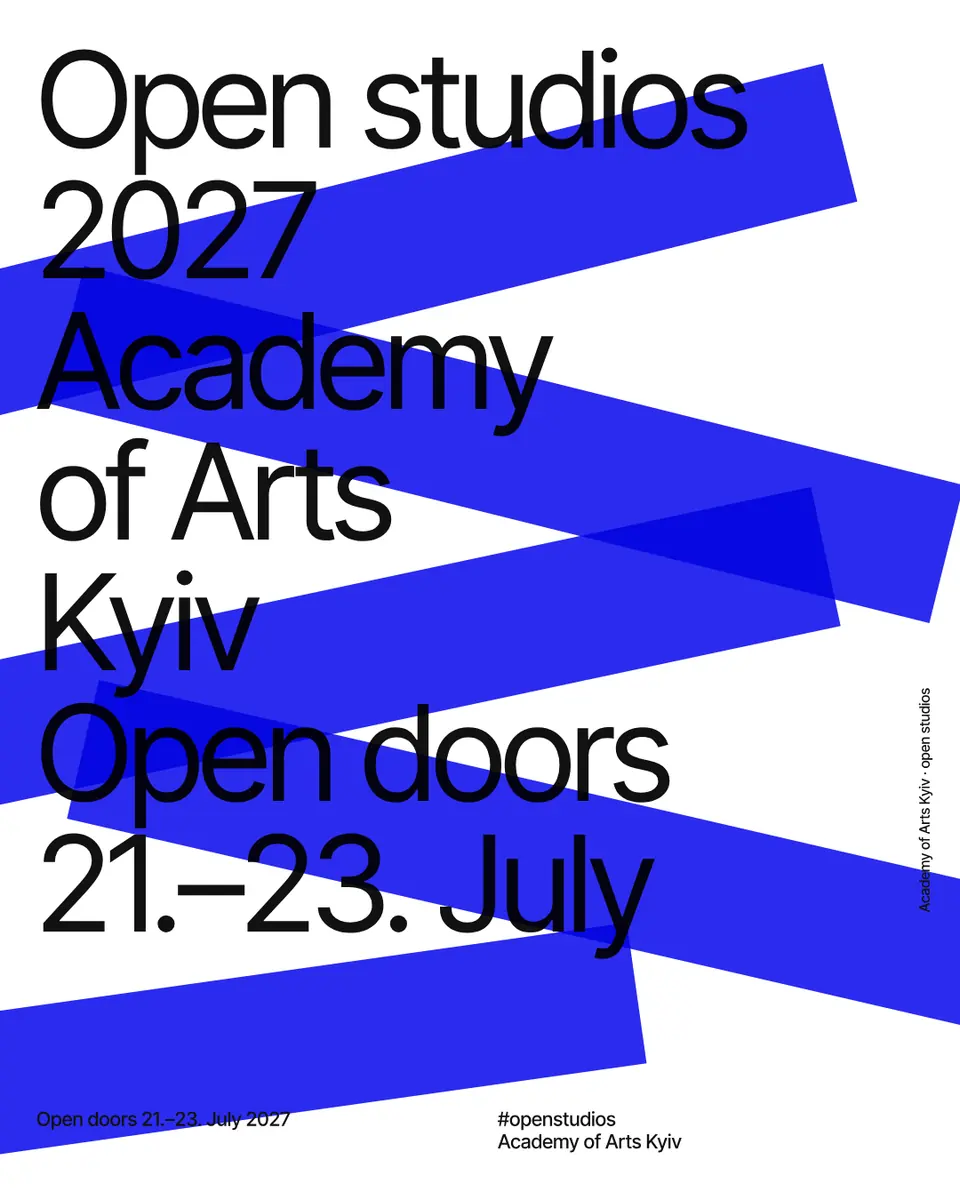
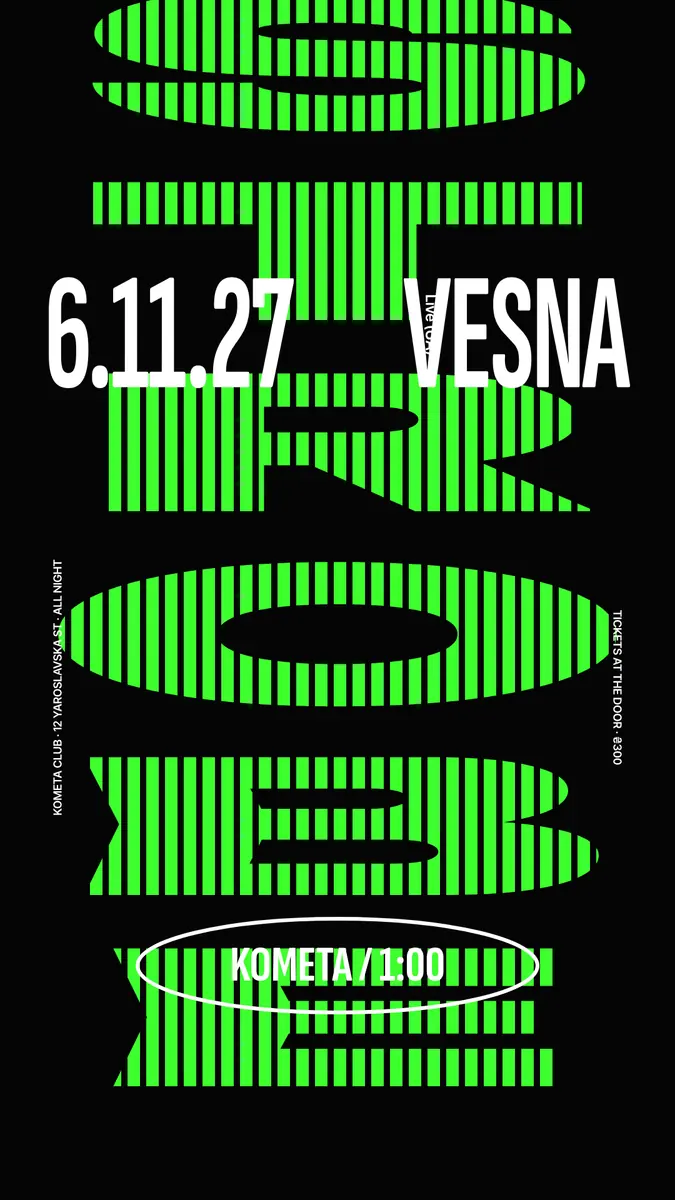
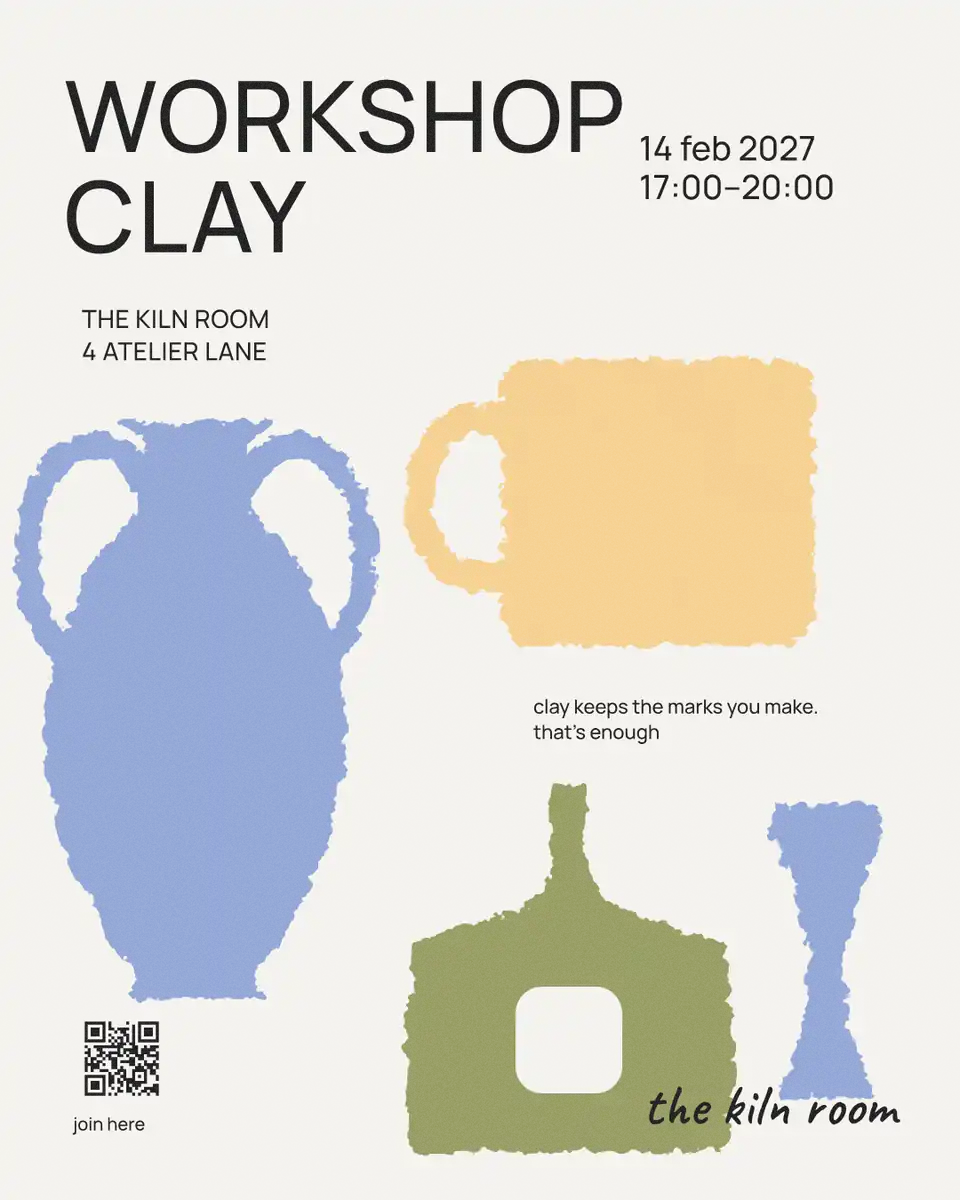
Every picture on this page was made in Paletoo — these three with the same steps on other templates:
Make it free in Paletoo
Press “Open in Paletoo” on this page. «Open air» opens as your own 1080 × 1920 document, with no account and nothing to install: «OPEN AIR» and the dates at the top, «Iryna Koval» in huge type over two pink circles on blue. To start from your own picture instead, press Open file….
Click the name, the layer «Artist». Under Typography in the Design tab: Inter Tight, 260 px, tight tracking. Double-click and type your own name or headline; the frame shrinks the words to fit.
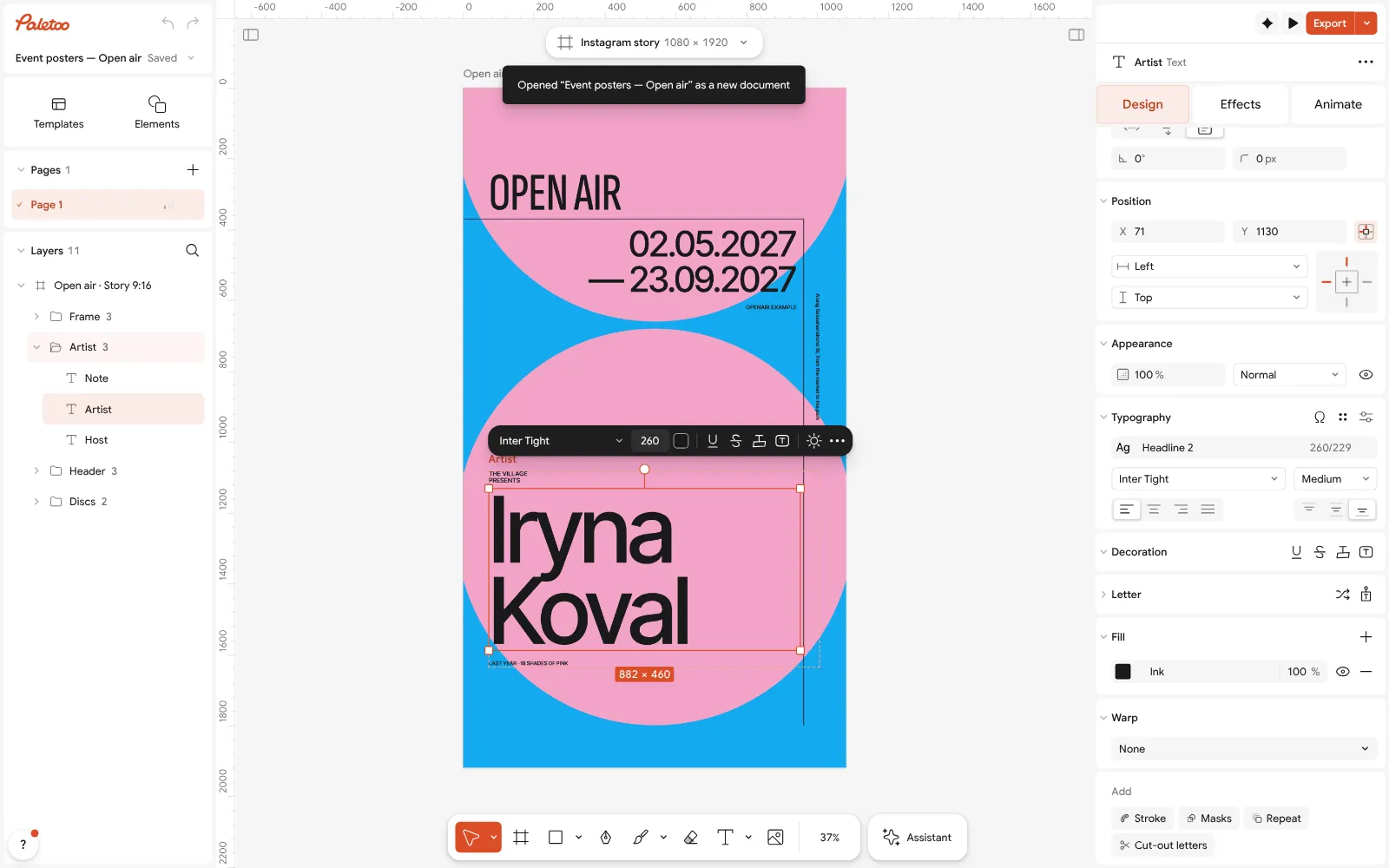
Open air open in Paletoo: the name selected, Inter Tight under Typography in the Design tab Press Select all (Ctrl A). Selection colours lists the pink of the circles and the near-black of the type and rules. Click the pink and choose your own colour: both circles change at once.
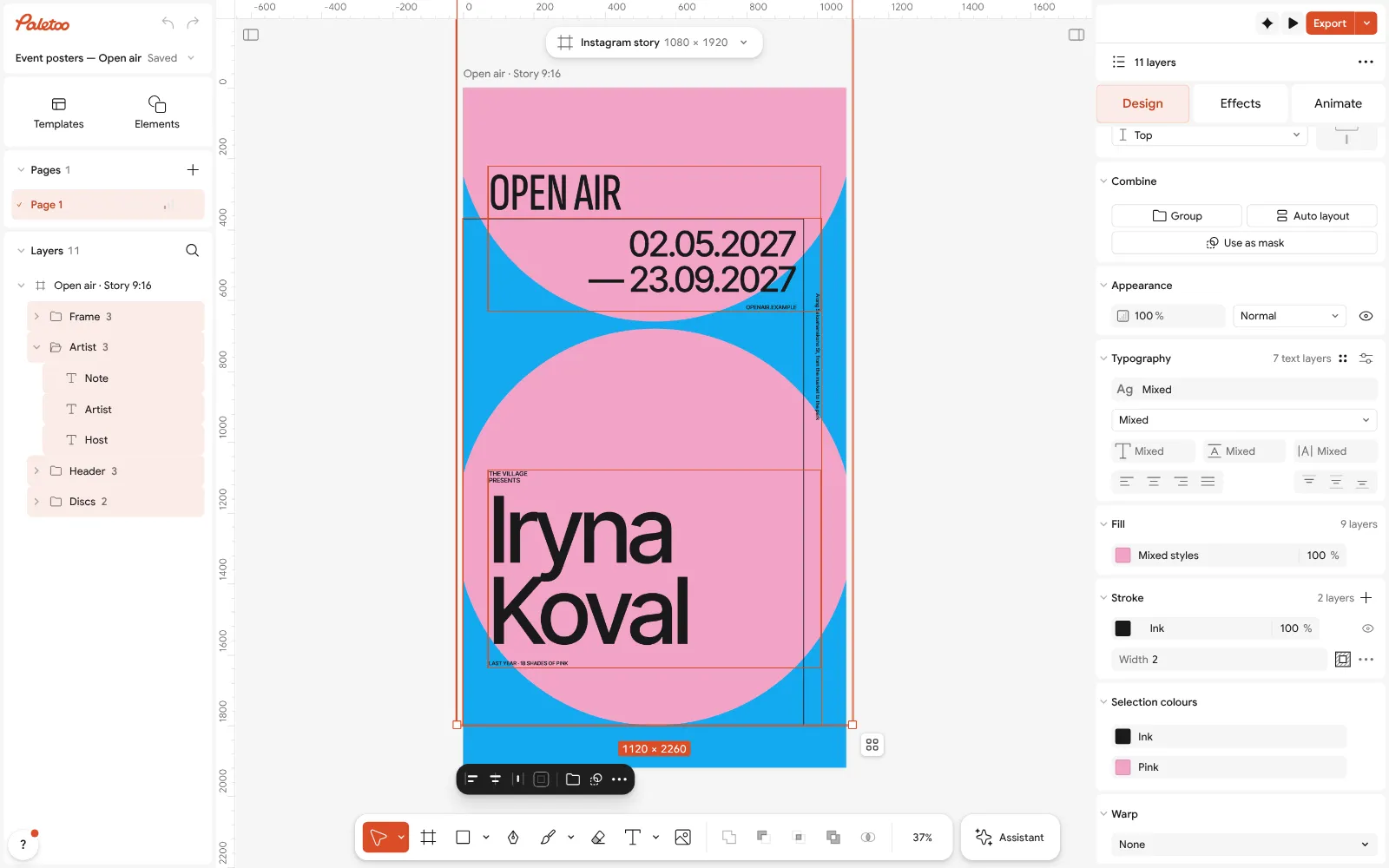
Everything selected: the pink and the near-black under Selection colours Press Export (Ctrl Shift E). Leave the scale at 1× and choose PNG in the list beside it: Output shows 1080 × 1920 px and the file’s weight before you save; 2× doubles both sides. Nothing is added to the picture — no logo, no corner mark.
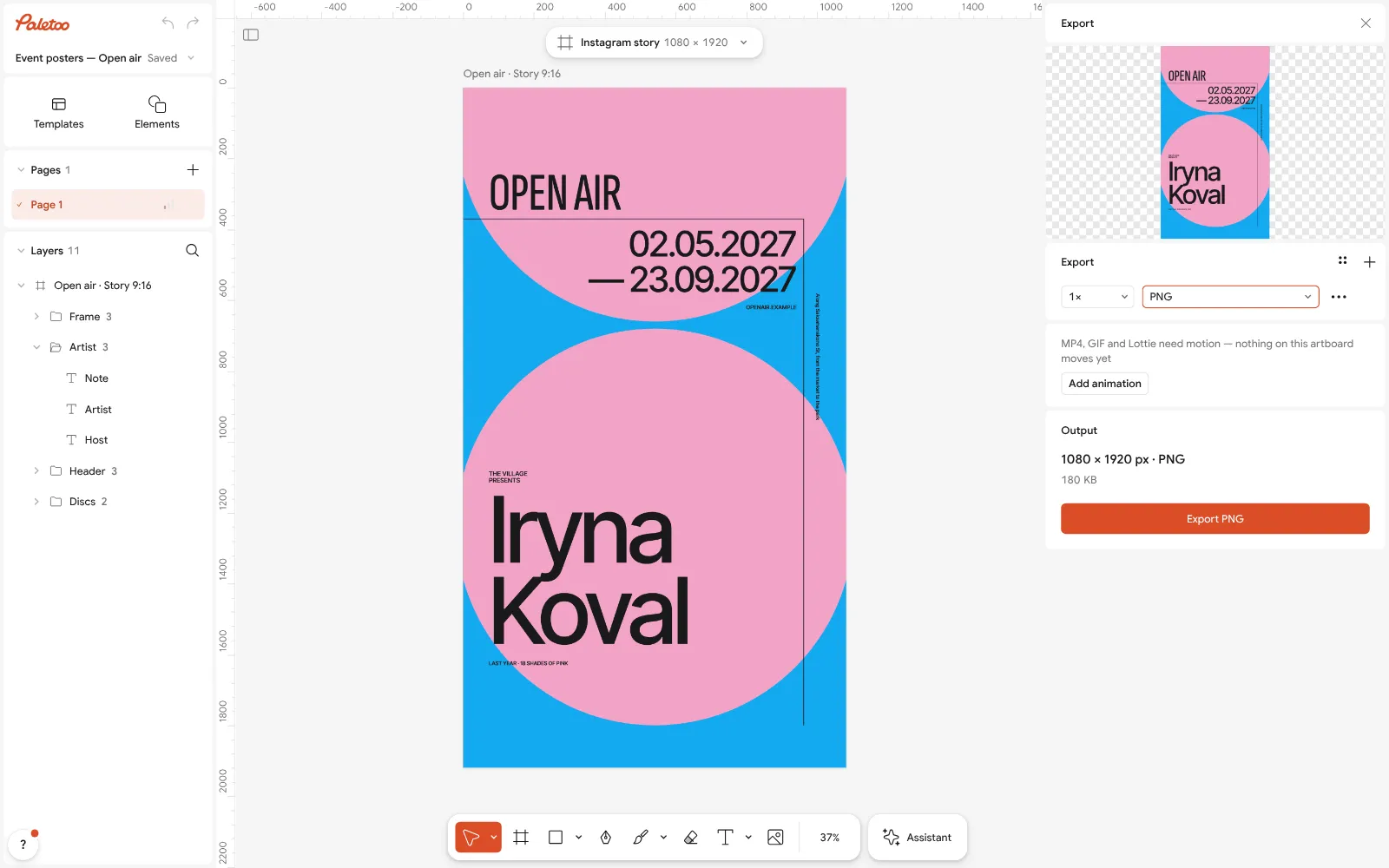
The Export window with PNG chosen, the file’s size shown, nothing added For a cut-out headline or a sticker, set Background to Transparent in the export settings: everything outside the shapes stays empty. For a printer, choose PDF instead; for a motion post, MP4 or GIF.
Open the downloaded file and look at it at 100 %. It is the design as you left it, at full size. Save the design too, as a .paletoo file on your computer, so you can open it again with or without an account.
Make it your own
If an export looks soft, check the size the Export window shows: a 1080 × 1920 design is meant for phones; for a printed poster, make the artboard the paper’s size and export PDF.
If the words run long, the name’s frame shrinks them to fit. For a fixed size, set it under Typography and break the line yourself.
Before you send a file, open it on black and on white: a transparent PNG with a halo shows it on one of them.
Sources
Questions
Is there a free online graphic design editor with no watermark?
Yes. Paletoo is free in the browser and puts no watermark on any export — PNG, JPG, PDF, SVG, MP4 or GIF. You do not need an account to design or to download, and photos stay on your device.
Why does my free design have a watermark?
Either the app marks every free export, or the design uses a paid element on a free plan — on Canva Free, premium photos and graphics carry the mark until you buy them, upgrade, or swap them for free ones.
Do I need to sign up to download my design?
Not in Paletoo: open the editor, design and press Export. A free account only adds cloud storage, share links and comments. Many other editors ask for an account before the first download.
Can I use the designs commercially?
Yes. Paletoo’s terms let you use its templates and elements in your designs, commercial ones included, as long as you do not resell them as stand-alone files; the library fonts are under open licences such as the SIL Open Font License. Your own photos and fonts follow their own licences.
Does it work on a phone?
Yes. Open Paletoo in the phone’s browser: you can change words, photos and colours and export the same clean files. For long sessions a computer with a mouse is quicker.
Make it online
- Poster makerMake a poster from a template that already has the layout right, then export a print-ready PDF or an image for screens.
- Instagram post makerDesign a post at the right size from a real template, then export a sharp PNG or JPG — free, in your browser.
- Logo makerType your brand name, pick a logo, try fonts, colours and layouts, then download SVG, PNG and app icons — free, no watermark, no sign-up.
Free design templates for posts, stories and posters: Poster templates · Social media post templates · Brand guidelines templates
Try it on your own design
Paletoo opens in your browser, with no sign-up. Every effect here is live: change the picture or the words and the effect follows.
Open in PaletooOpens this design as your own copy — every layer and effect editable, free.
Read next
- 01
 A free Canva alternative for designers — no watermark, real type, print filesKeep the speed of templates, and get back the controls a designer expects.
- 02
 The best free tools for graphic designers in 2026Ten free tools worth knowing, what each is best at, and where each one stops.
- 03
 Free poster maker: make a poster online with no watermarkA real poster, from the size to a print-ready PDF, without paying or signing up.