Design trends 20276 min readFreeUpdated 2026-11-06Save to Pinterest
Instagram post design trends 2027: five looks for your feed
Five looks that stop the thumb, each made on a real post template.
Open in Paletoo Seamless carousels: one picture across the swipe
A post has less than a second to stop a thumb, and the feed punishes anything that looks like the post above it. The looks rising into 2027 do two things at once: they feel personal — film grain, soft light, a worn tape — and they reward a second look — a carousel that keeps going past the edge, a number that shines like metal.
Here are five, each made on one of our own post templates and exported from Paletoo. Every trend has why it works, how to use it without copying everyone else, a short «make it» block and a live example you can open and change.
Every picture in this article is a real design made in Paletoo, on our own templates — exported from the editor, not stock.
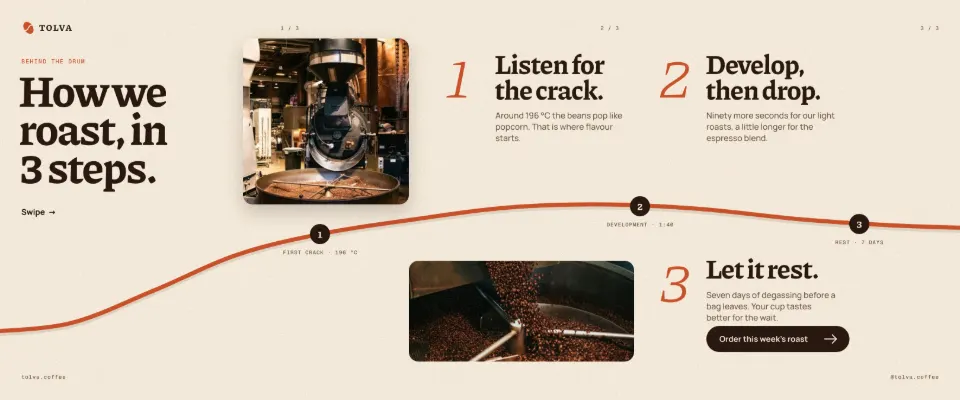
Seamless carousels: one picture across the swipe
A seamless carousel is one long design cut into slides, so a line, a photo or a curve runs across the joins and pulls people into the next swipe. Instagram now lets carousels hold many slides, and brands use them for step-by-step guides, product stories and lists that would never fit one square. The seam is the hook: something half-visible at the edge asks to be swiped.
Plan the story before the layout. The first slide carries the promise, each middle slide one step, the last one the action. Put something across every cut, but never a face or a word — a seam through a letter is the first thing people notice. Check the order in a preview before you post.
Make it in Paletoo
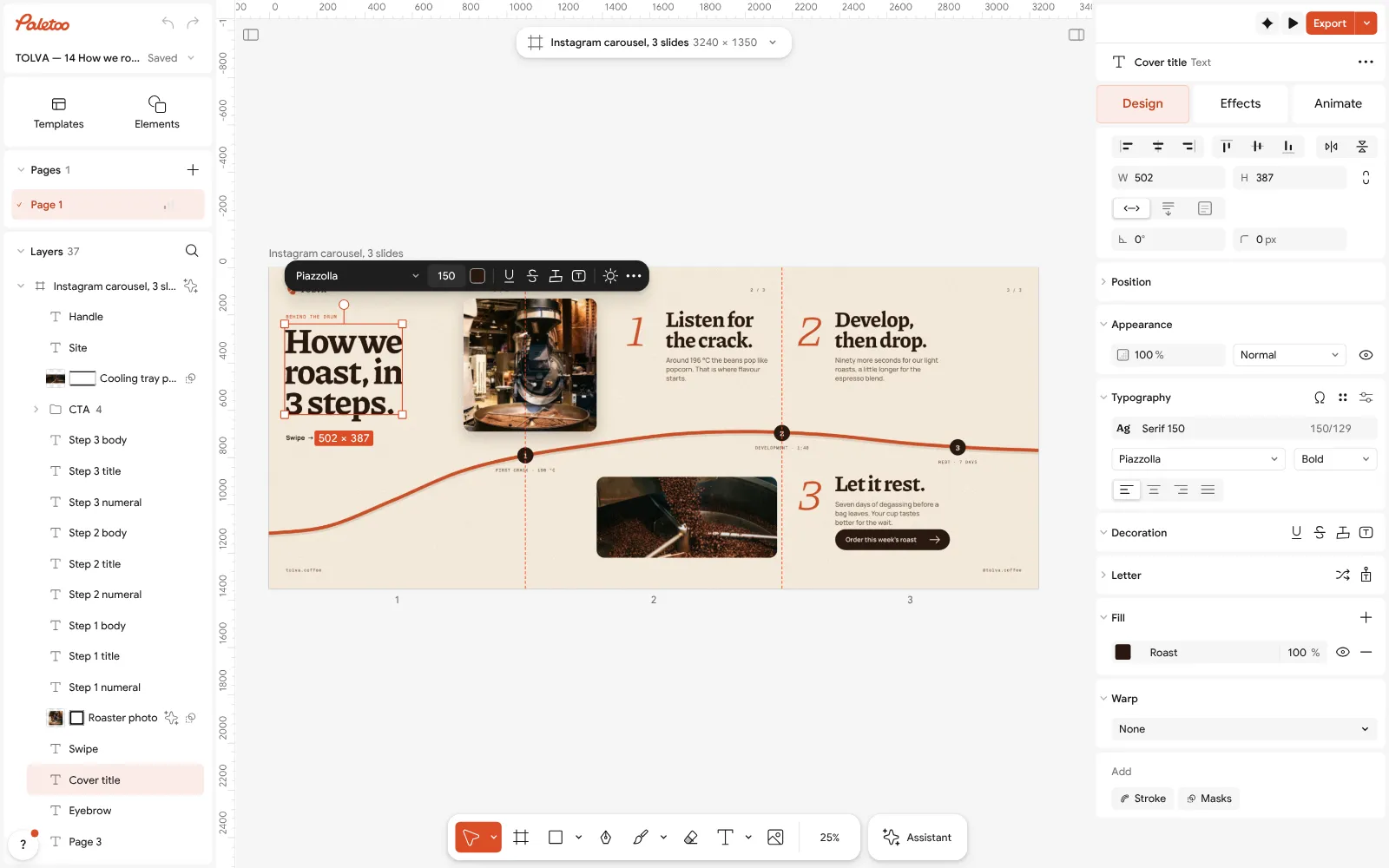
Choose Make a carousel on the home screen, or open the example: the slides sit side by side on one artboard.
Click the artboard’s name; the Design tab shows a Carousel section with the slide count.
Press Preview carousel to swipe through it, then Export: each slide becomes its own numbered file.
Open this example in Paletoo Step-by-step guide: How to make a seamless Instagram carousel that lines up at every cut
Film photos: warm, faded and a little dusty
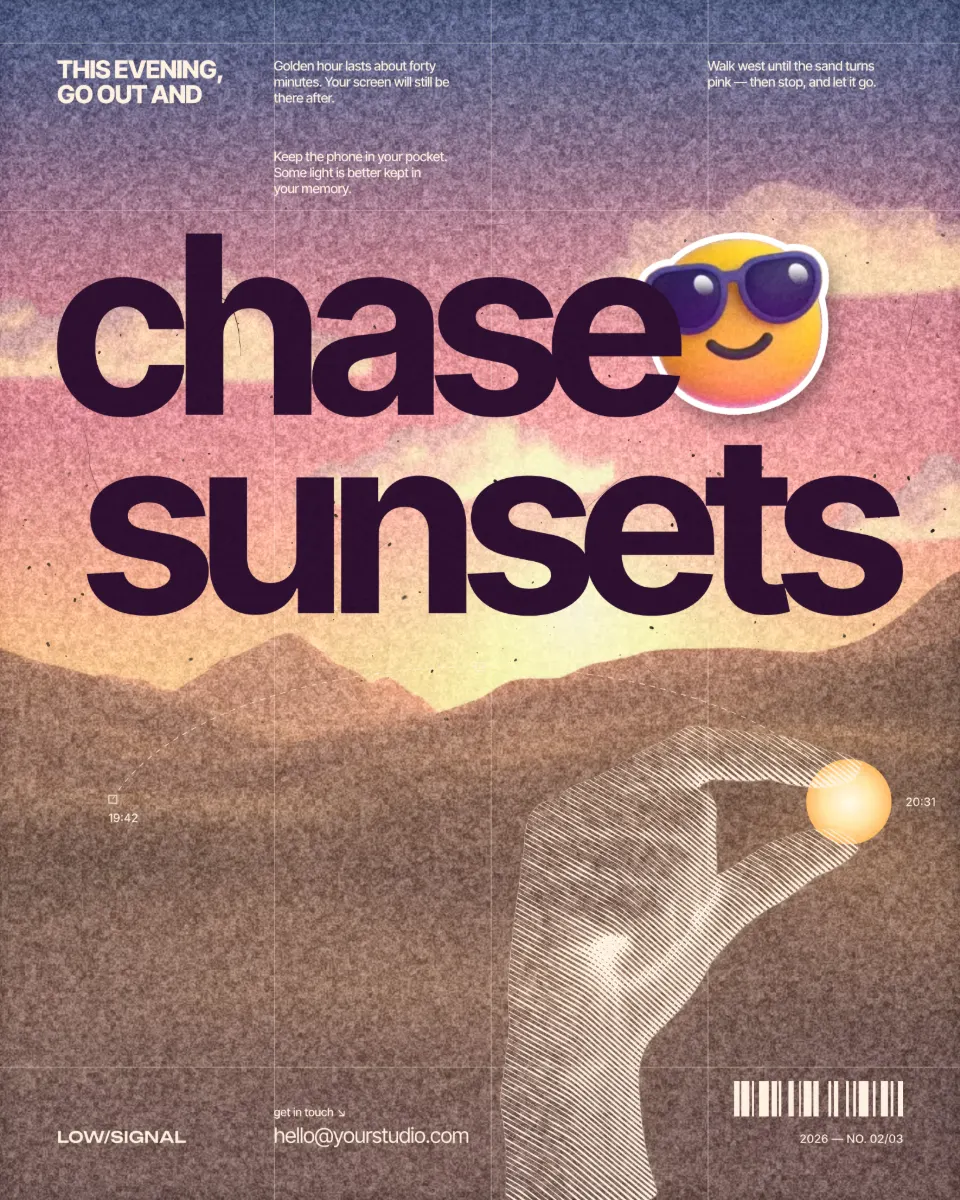
The film look — warm highlights, lifted blacks, soft grain and a few specks of dust — has moved from photographers’ accounts to brands, coaches and cafés. It makes a phone photo feel like a memory rather than an advert, and it hides the over-sharpened, over-processed quality that many feeds share. On people it is especially kind: the glow softens skin without the plastic of a beauty filter.
Keep one film recipe across the whole grid, so the feed reads as one roll. Pair it with simple, warm type — a rounded sans or a light serif — and leave the graphics flat; grain on a sticker or a button looks like a mistake. Do not overdo the fade, or the picture loses its blacks on small screens.
Make it in Paletoo
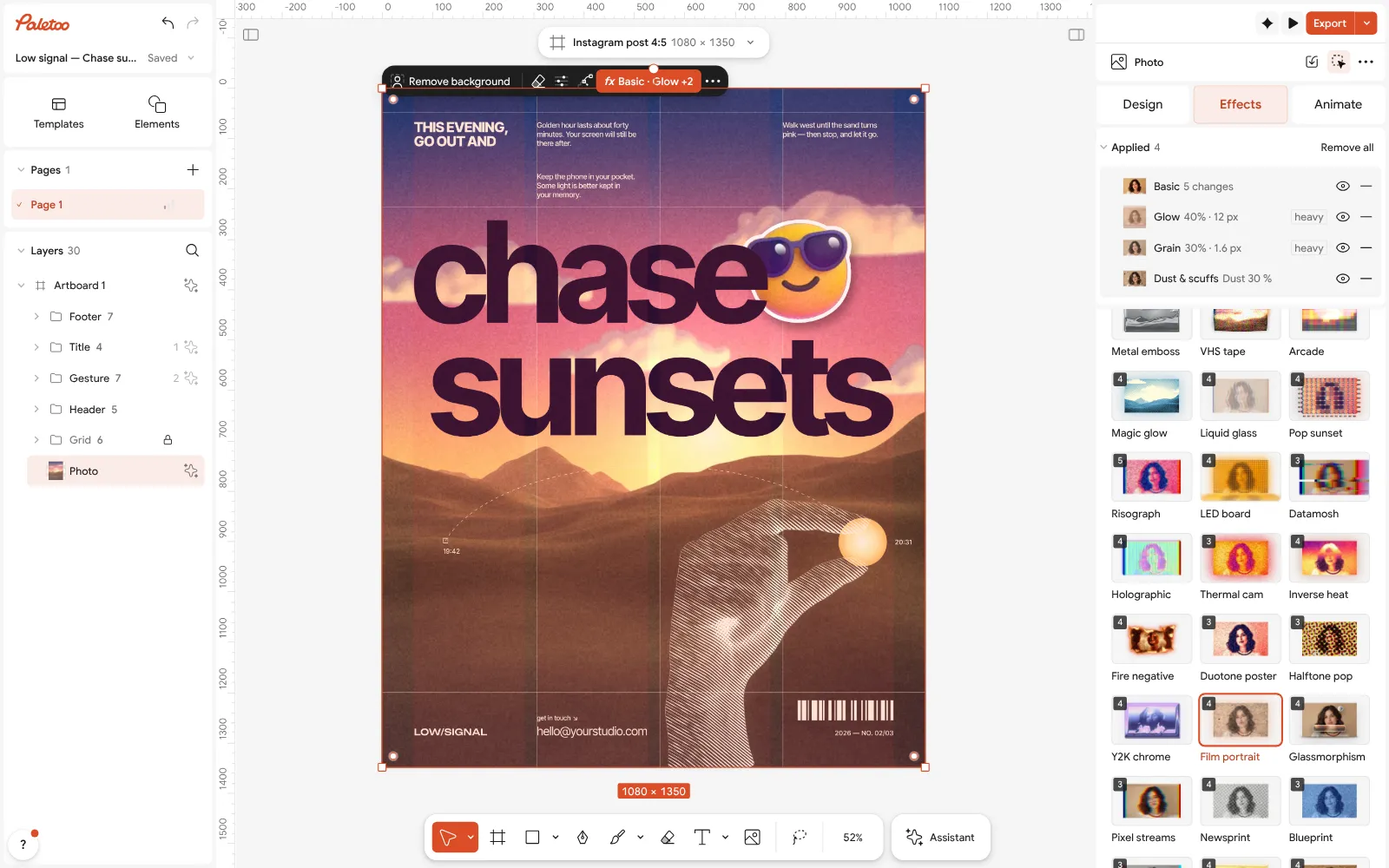
Select the photo, open the Effects tab and go to Mixes.
Press Film portrait: Basic, Glow, Grain and Dust & scuffs go on under Applied.
Open Basic to change Temperature and Fade for your own film stock.
Open this example in Paletoo Step-by-step guide: How to give a portrait an analog film look
Soft glow: light that blooms off the picture
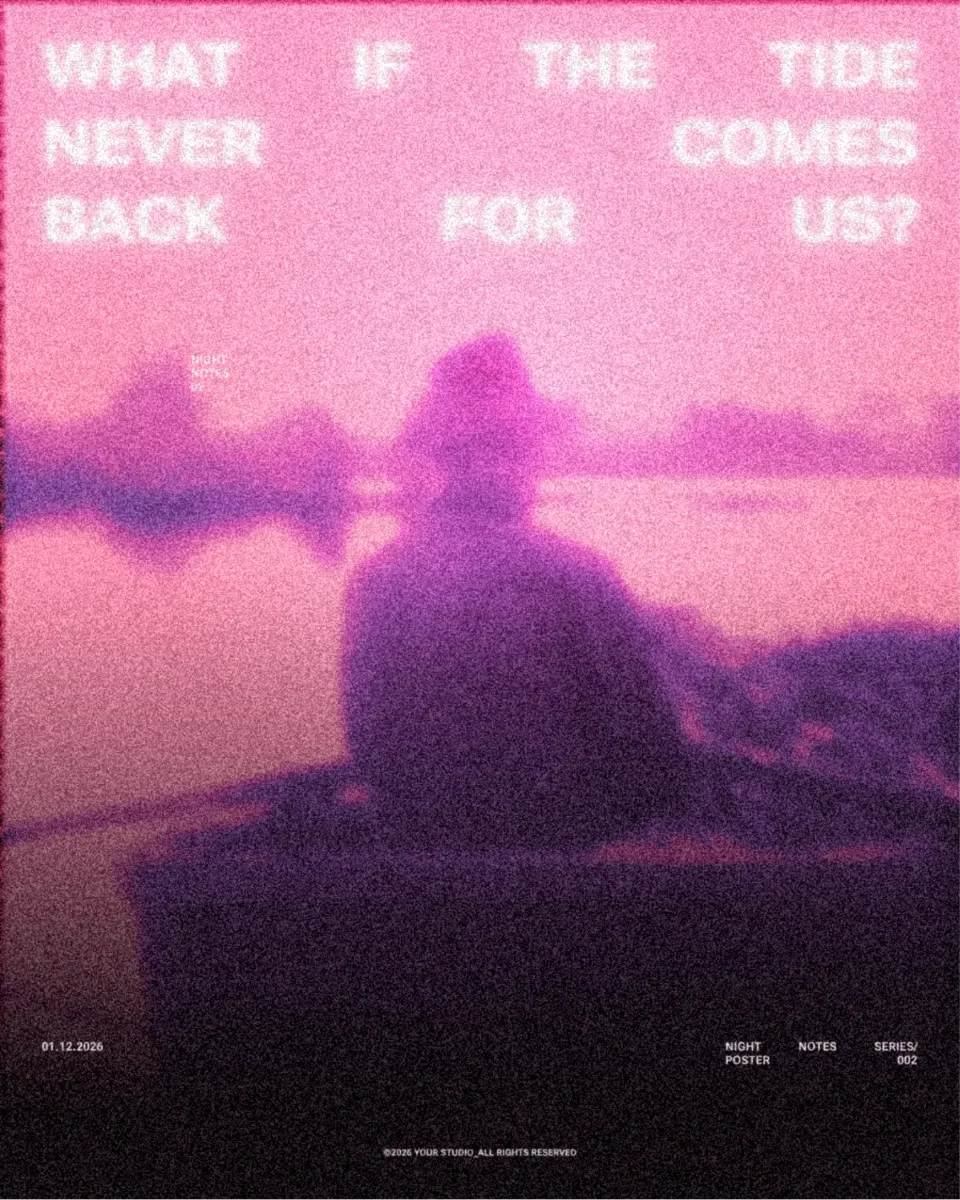
Bloom, haze and long light streaks give a post the feel of a music video still or a late-night photo. It has grown with dreamy, nostalgic edits on short video and now spills into still posts — announcements, playlists, event teasers. The trick is that the glow comes from the brightest parts of the photo itself, so it looks like light, not a filter laid on top.
It needs dark and bright areas to work; on a flat, evenly lit photo it only greys everything out. Use it for mood posts, not for information — small text inside a glow is hard to read. Keep the type crisp and outside the bloom, and use the same glow on a series so it becomes recognisable.
Make it in Paletoo
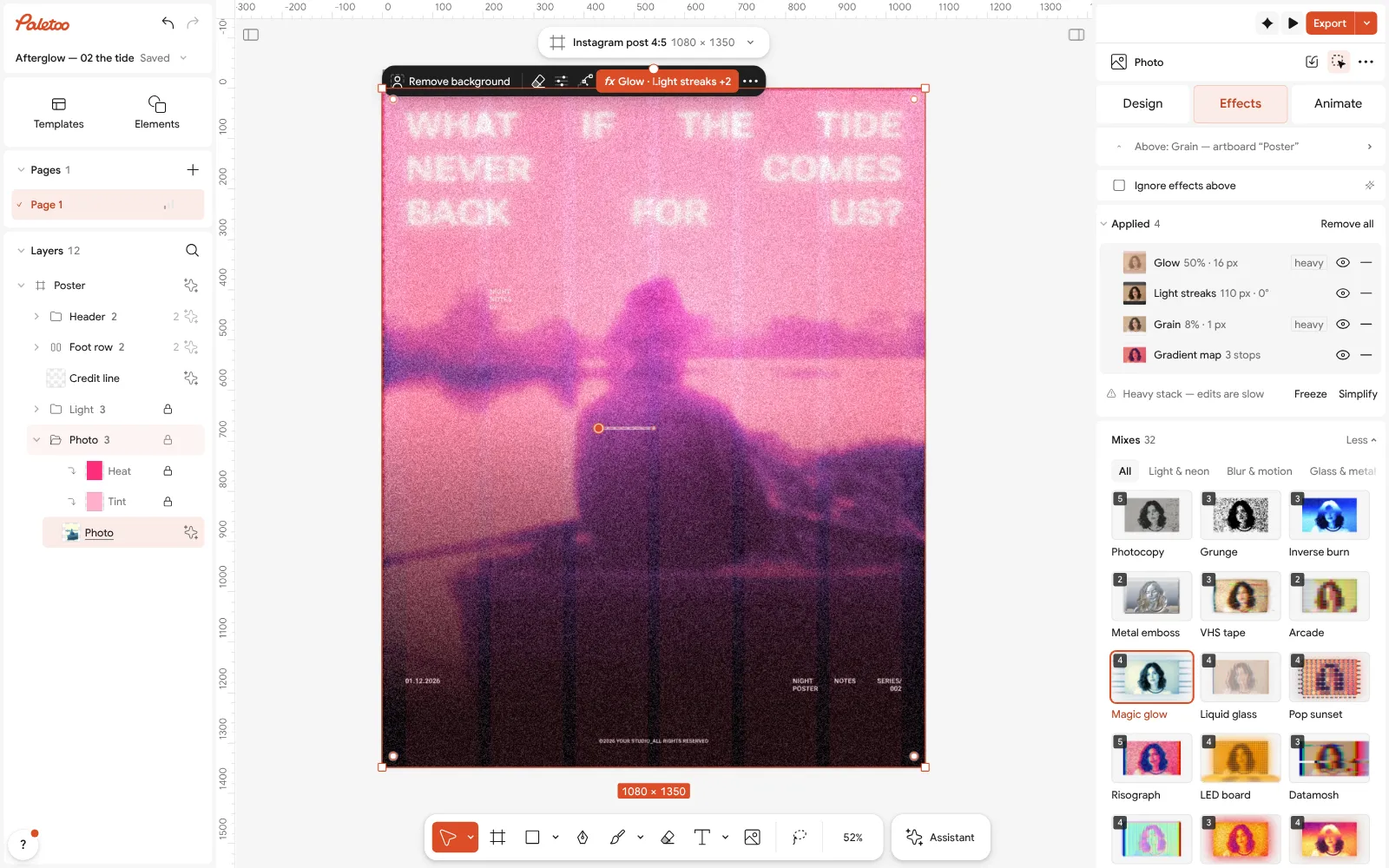
Select the photo, open the Effects tab and the Mixes.
Press Magic glow: Glow, Light streaks, Grain and Gradient map appear under Applied.
Open Glow and lower Brightness if the picture or the words start to wash out.
Big-number posts with a metal finish
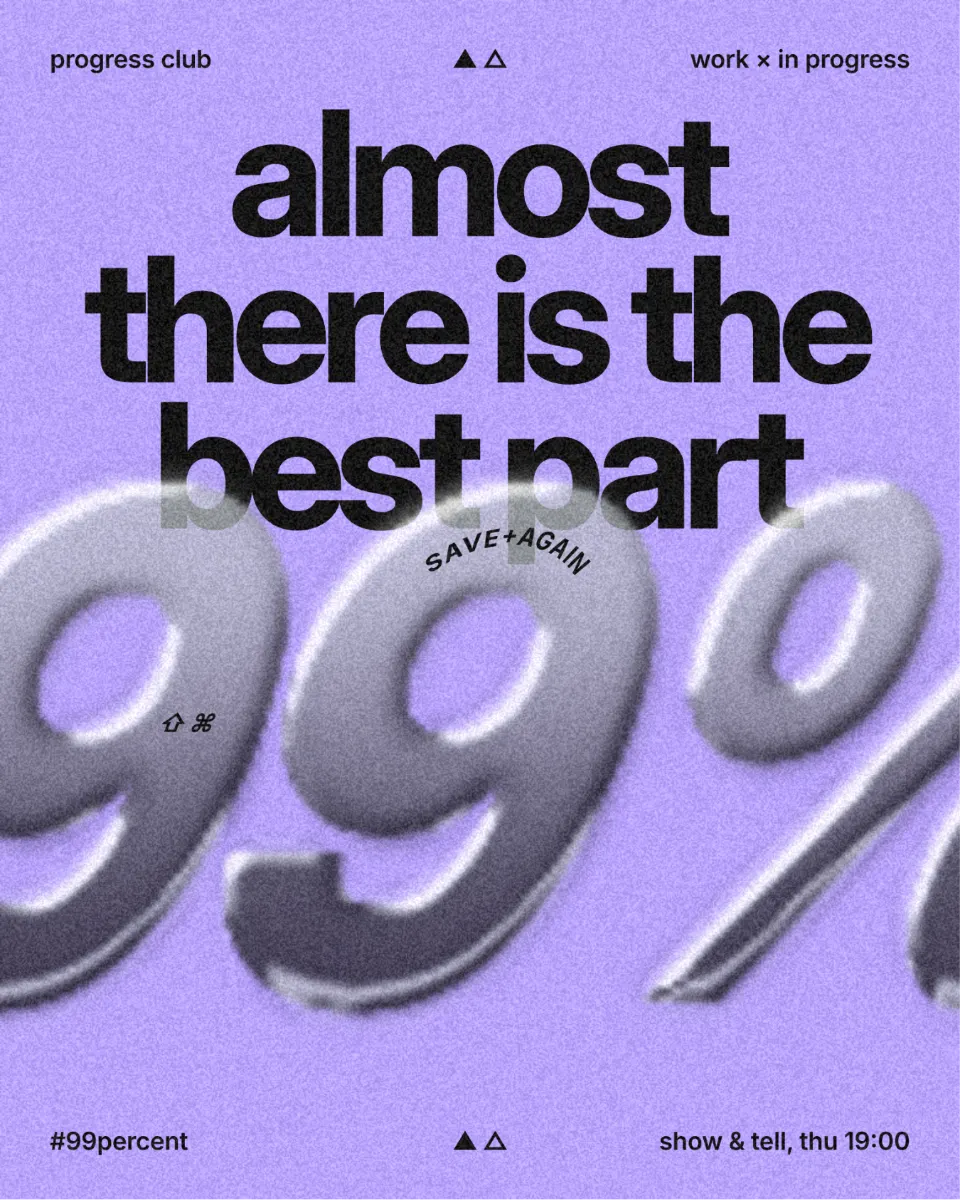
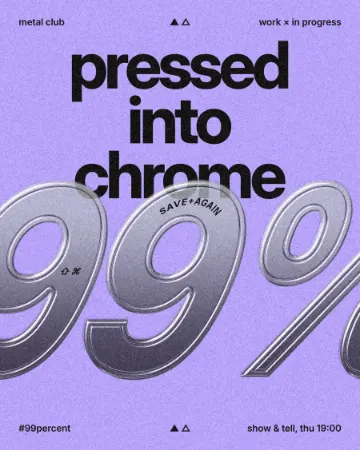
Stat posts — one big number and a line about it — are some of the most shared formats on professional feeds, because they say something in a glance. In 2027 the number itself is getting a material: chrome, pressed steel, foil. A shiny 99% looks like an award or a trophy and gives a dry statistic some weight without adding any more words.
Use one number per post and make sure it is real and sourced — a metal finish on an invented figure only draws attention to it. Heavy, wide figures take the bevel best; thin ones turn into lines. Keep the background dark or plain so the highlights read, and leave the explanation flat underneath.
Make it in Paletoo
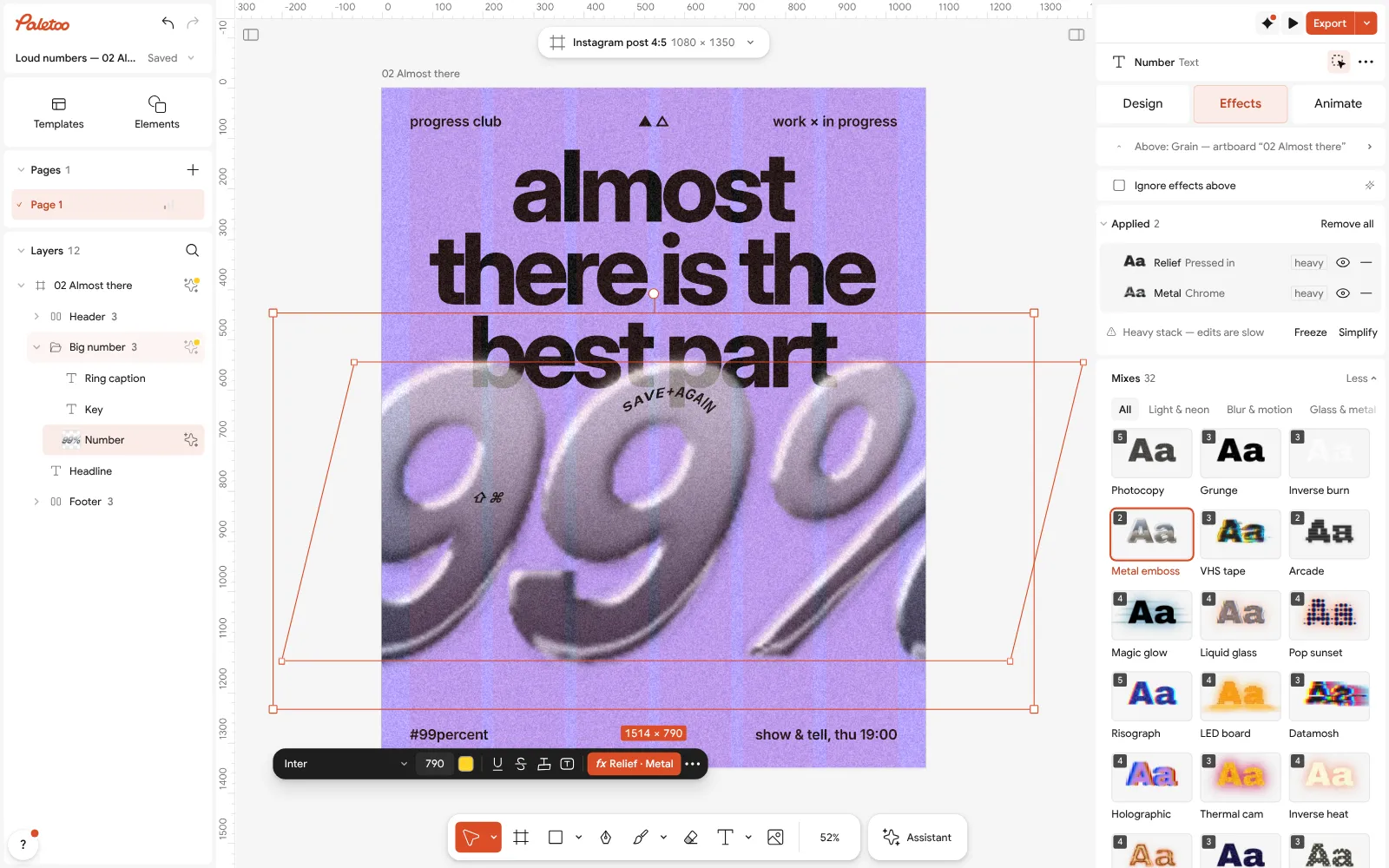
Select the number and open the Effects tab, then Mixes.
Press Metal emboss: Relief and Metal go on under Applied.
Open Metal to set Bevel and Shine. The number stays text, so you can type a new figure.
Open this example in Paletoo Step-by-step guide: How to make an embossed metal effect
VHS frames: the lo-fi video still
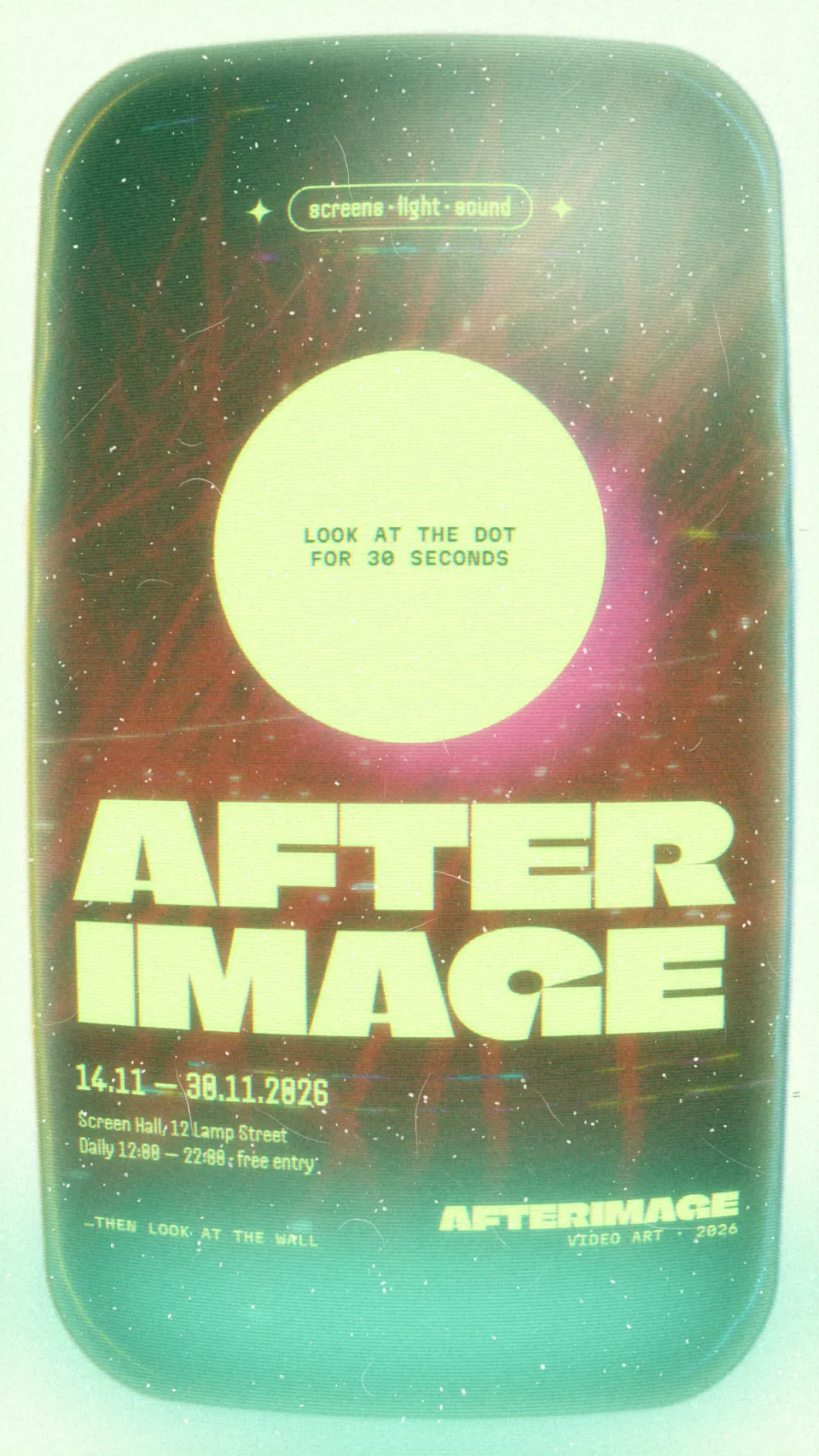
Colour that wobbles off the edges, scanlines and noise: the VHS look makes a still post feel like a frame paused from an old tape. It sits naturally next to Reels and stories, which already train people to read posts as video, and it fits music, nightlife and anything with a nostalgic streak. A paused-tape frame also implies there is more to watch, which helps teasers.
It is strongest on a cut-out subject or a high-contrast photo; on a pale photo the noise just looks dirty. Keep the type sharp and on top of the effect, so the post still reads as designed. If you use it across a series, keep the same strength so the feed does not flicker.
Make it in Paletoo
Select the picture, open the Effects tab and Mixes.
Press VHS tape: Colour split, CRT and Grain go on under Applied.
Open CRT and change Scanlines or Noise for a cleaner or a more worn tape.
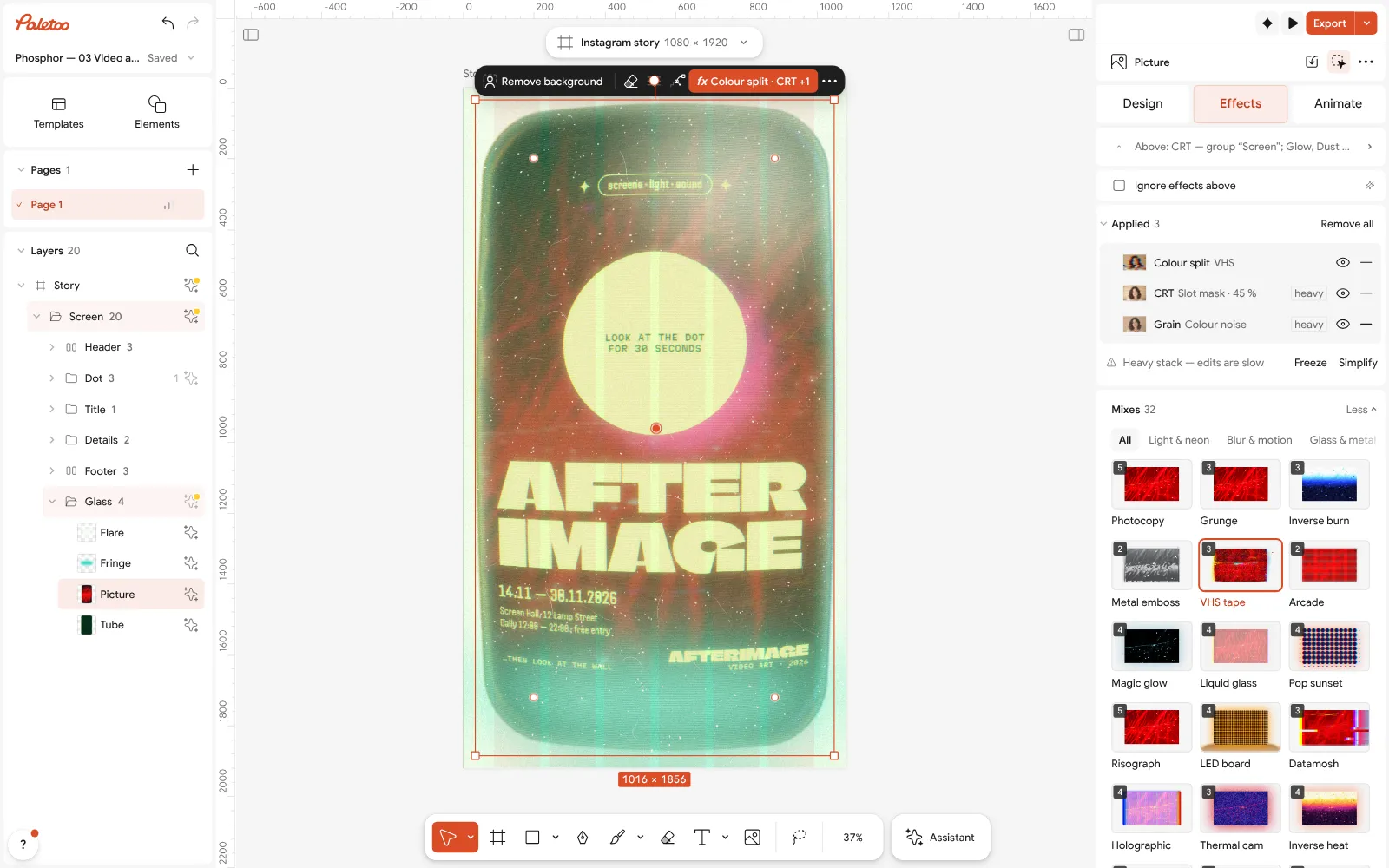
Open this example in Paletoo Step-by-step guide: How to make a glitch effect
Building a feed, not a post
A trend works on social media when it repeats. Pick one or two of these looks for a season, use them on every post, and let the layout and the words change. Export at the platform’s full size, look at the post on a phone before it goes out, and keep the template so the next one takes minutes.
More 2027 trends, by topic, are in Graphic design trends 2027. For print work, read poster design trends 2027; for palettes, color trends 2027.
Questions
What size should an Instagram post be?
A portrait post of 1080 × 1350 px shows the most in the feed; a square is 1080 × 1080. The templates here are already set to the right formats.
Can I use these looks on stories and Reels covers?
Yes. Change the artboard to a story size or start from a story template, and the effects stay on the layers.
Will the effects survive Instagram’s compression?
Strong looks — film, glow, VHS — survive well. Very fine grain is the first thing lost, so export at the post’s full size and use a slightly coarser grain.
Can I animate a post?
Yes. The Animate tab moves layers and text, and the post can be exported as a video.
Is it free?
Yes. Every effect, mix and export is free and carries no watermark. Credits are only for AI image generation and materials.
Make it online
- Instagram post makerDesign a post at the right size from a real template, then export a sharp PNG or JPG — free, in your browser.
- Carousel makerDesign all the slides of an Instagram carousel on one wide artboard, let a photo run across the cuts, and export one file per slide.
Free design templates: Social media post templates · Instagram carousel templates
Try it on your own design
Paletoo opens in your browser, with no sign-up. Every effect here is live: change the picture or the words and the effect follows.
Open in PaletooRead next
- 01
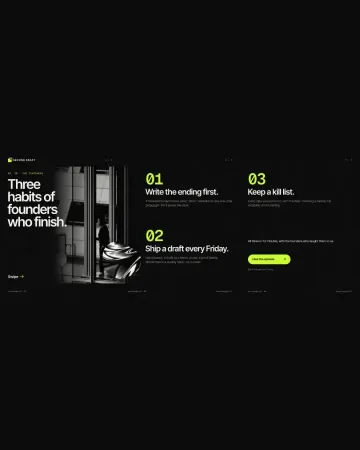 How to make a seamless Instagram carousel that lines up at every cutOne wide artboard, a picture that runs across the cuts, and a file for every slide.
- 02
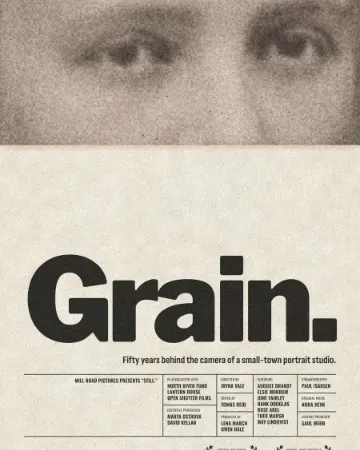 How to give a portrait an analog film lookWarm, faded, a soft halo round the lights, grain and dust.
- 03
 How to make an embossed metal effectLive text pressed into the sheet and turned to chrome.