Design trends 20276 min readFreeUpdated 2026-11-06Save to Pinterest
Photo effect trends 2027: riso, film grain, halftone, glitch
Six ways to give a plain photo a voice next year, each one live and editable.
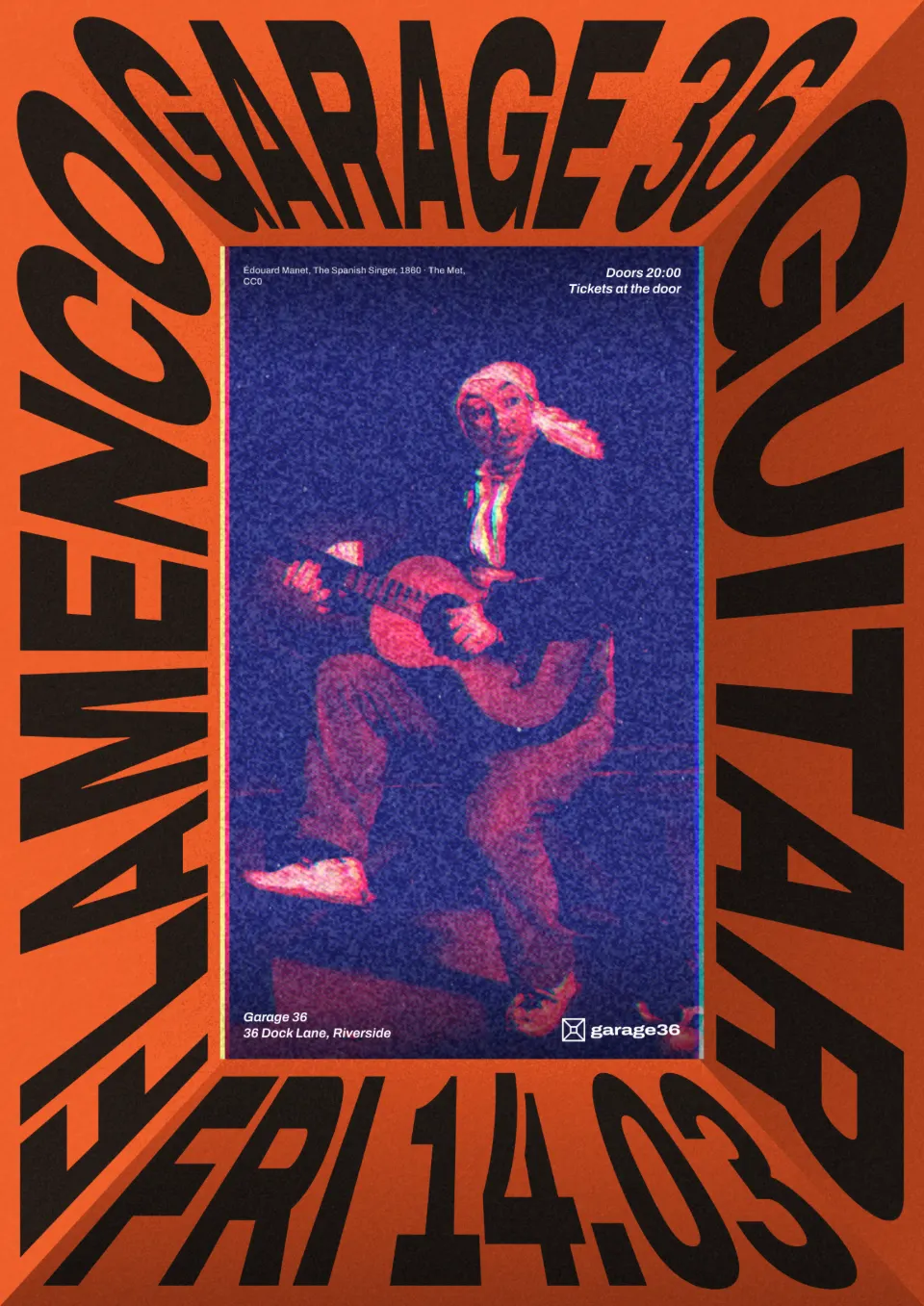
Photo editing trends used to be about filters: one preset, one mood, done. The looks rising into 2027 are more physical. They imitate a process — a risograph drum, a roll of film, a halftone screen, a broken video file, even thread on cloth — and they make an ordinary photo look made, printed or found rather than shot on a phone a minute ago. That is exactly why they work on social feeds full of smooth, similar pictures.
Here are six of them, each shown on one of our own templates with the editor’s export, each with the steps in Paletoo and a live example document to open. Every look is a stack of ordinary steps, so you can see how it is built and tone it up or down.
Every picture in this article is a real design made in Paletoo, on our own templates — exported from the editor, not stock.
Risograph inks
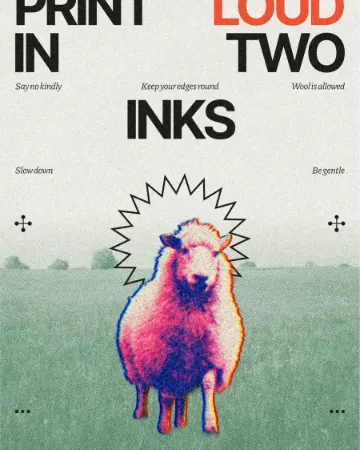
Riso printing — two or three soy inks, a little misregistration, grain and uncoated paper — has gone from art-school zines to brand campaigns. On a photo it flattens the tones into a couple of bright inks, typically blue and fluoro pink, and adds the texture of a real print.
It suits portraits with strong light and clear shapes; a busy, low-contrast photo turns to mush. Keep the type flat on top and resist adding a second print effect.
Make it in Paletoo
Select the photo, open the Effects tab and press Risograph in Mixes.
Five steps go on under Applied: a two-ink Gradient map, a Halftone, a Colour split for the misregistration, Grain and a paper Texture.
Open the Gradient map to swap the inks; lower the Colour split Distance for a tighter print.
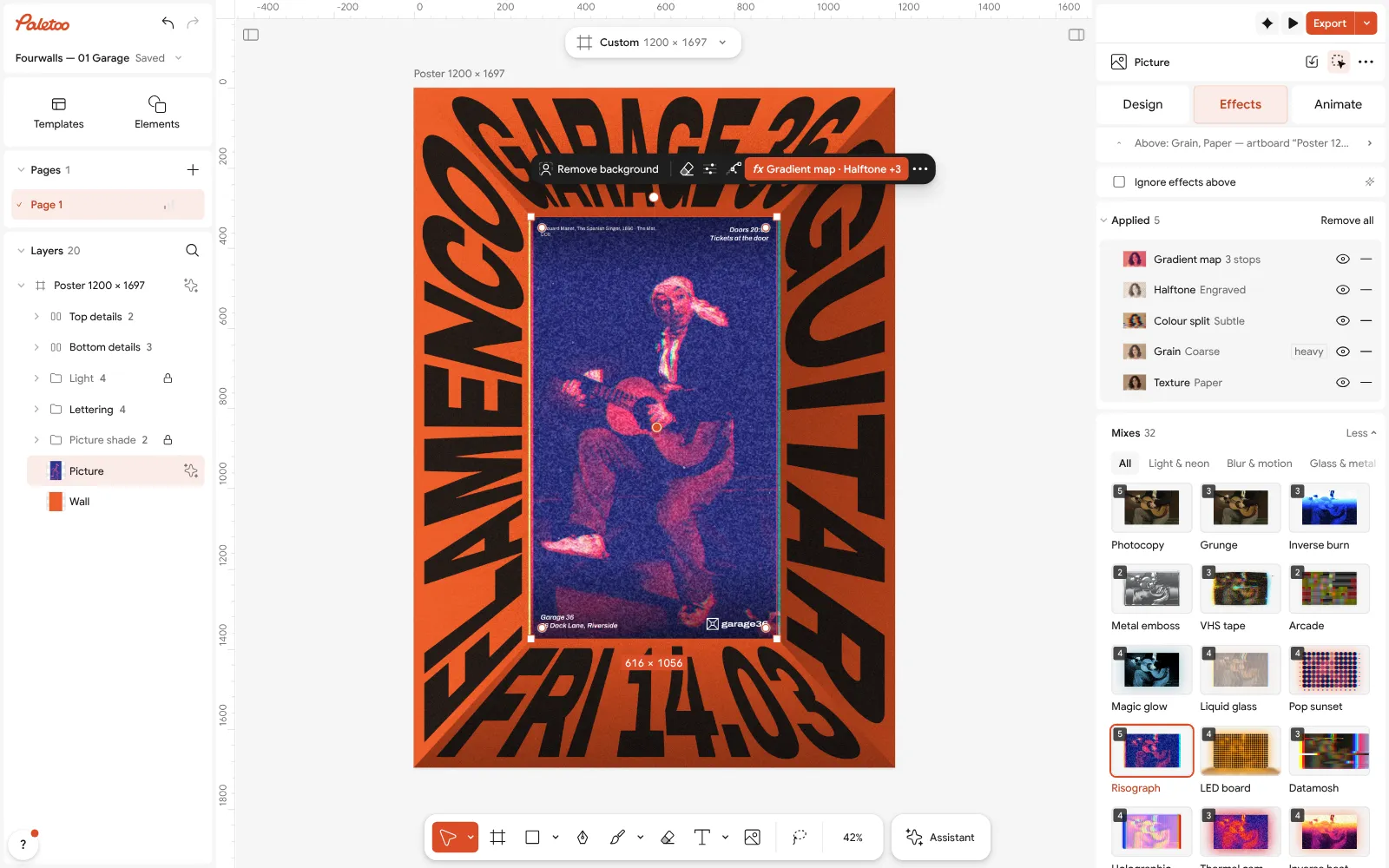
Open this example in Paletoo Step-by-step guide: How to make a risograph effect
Film grain and warm halation
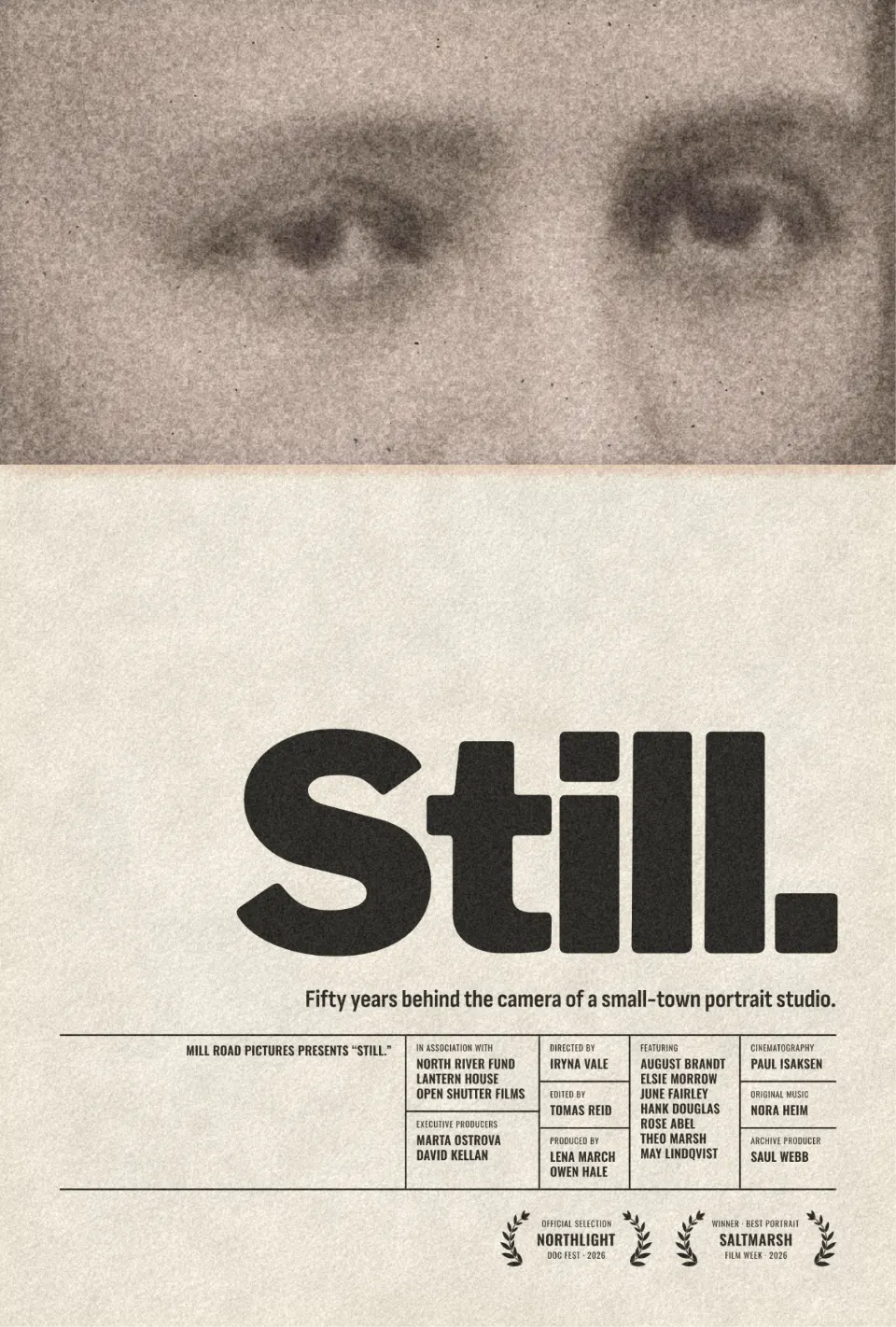
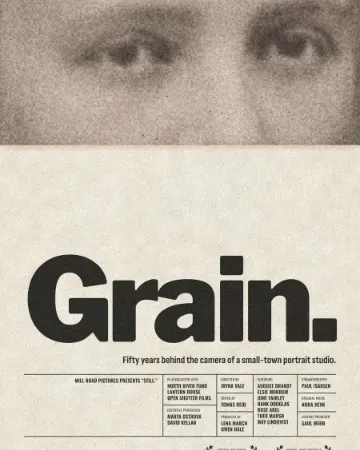
The film look has outlived several waves of filter apps because it answers a real wish: photos that feel remembered rather than captured. In 2027 it is less about heavy vintage fading and more about texture — fine grain, slightly lifted blacks, a warm glow around highlights, a few specks of dust.
Use it where you want warmth and honesty: portraits, behind-the-scenes posts, small brands. Keep it subtle on faces; strong dust and grain can look like a dirty screen on a phone.
Make it in Paletoo
Select the photo and press Film portrait in Mixes on the Effects tab.
Four steps go on under Applied: Basic warms and fades the colour, Glow adds the halation, Grain the film texture and Dust & scuffs the specks.
Open Grain and set its Density, or switch off Dust & scuffs with the eye on its row for a cleaner result.
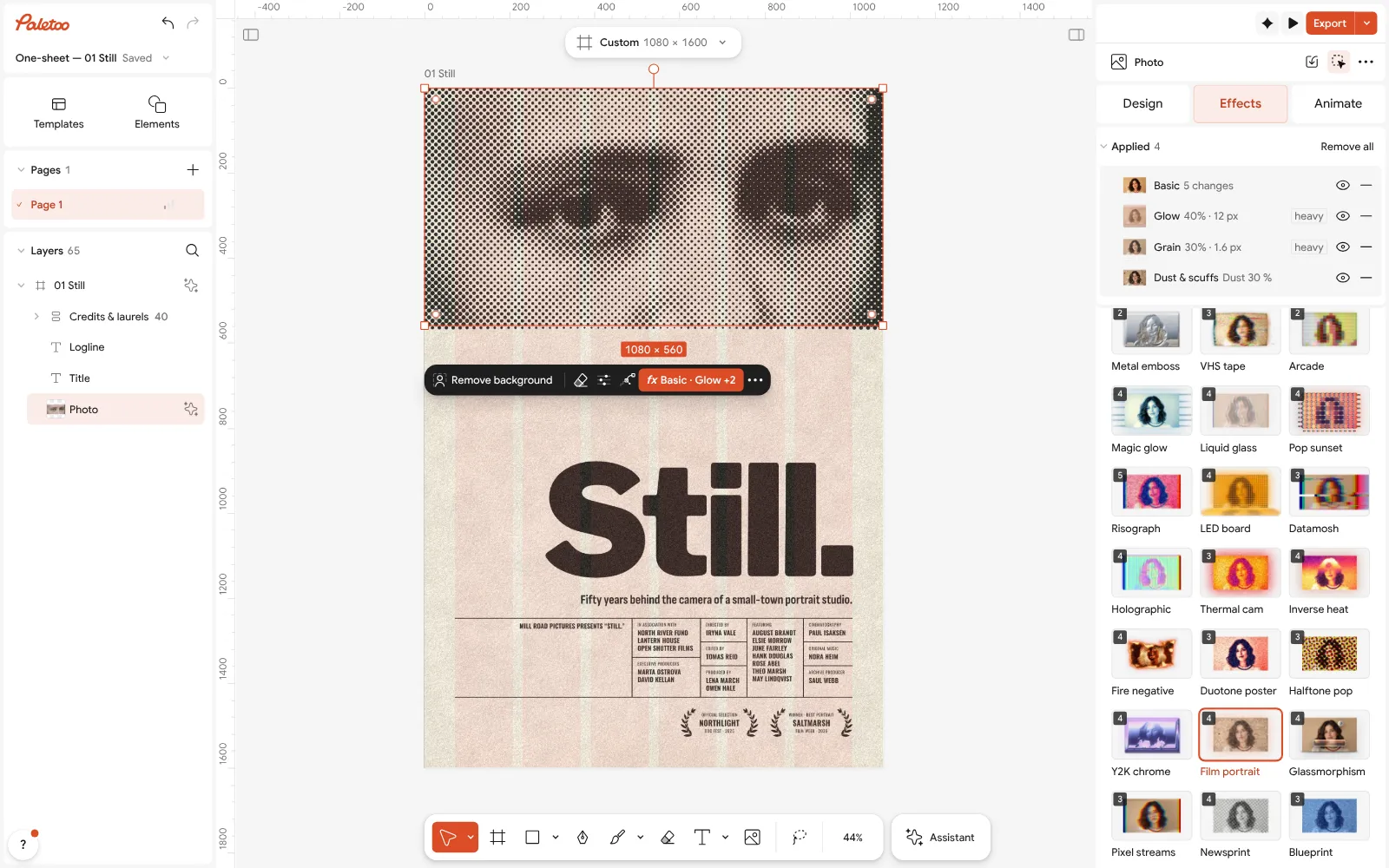
Open this example in Paletoo Step-by-step guide: How to give a portrait an analog film look
Big halftone dots
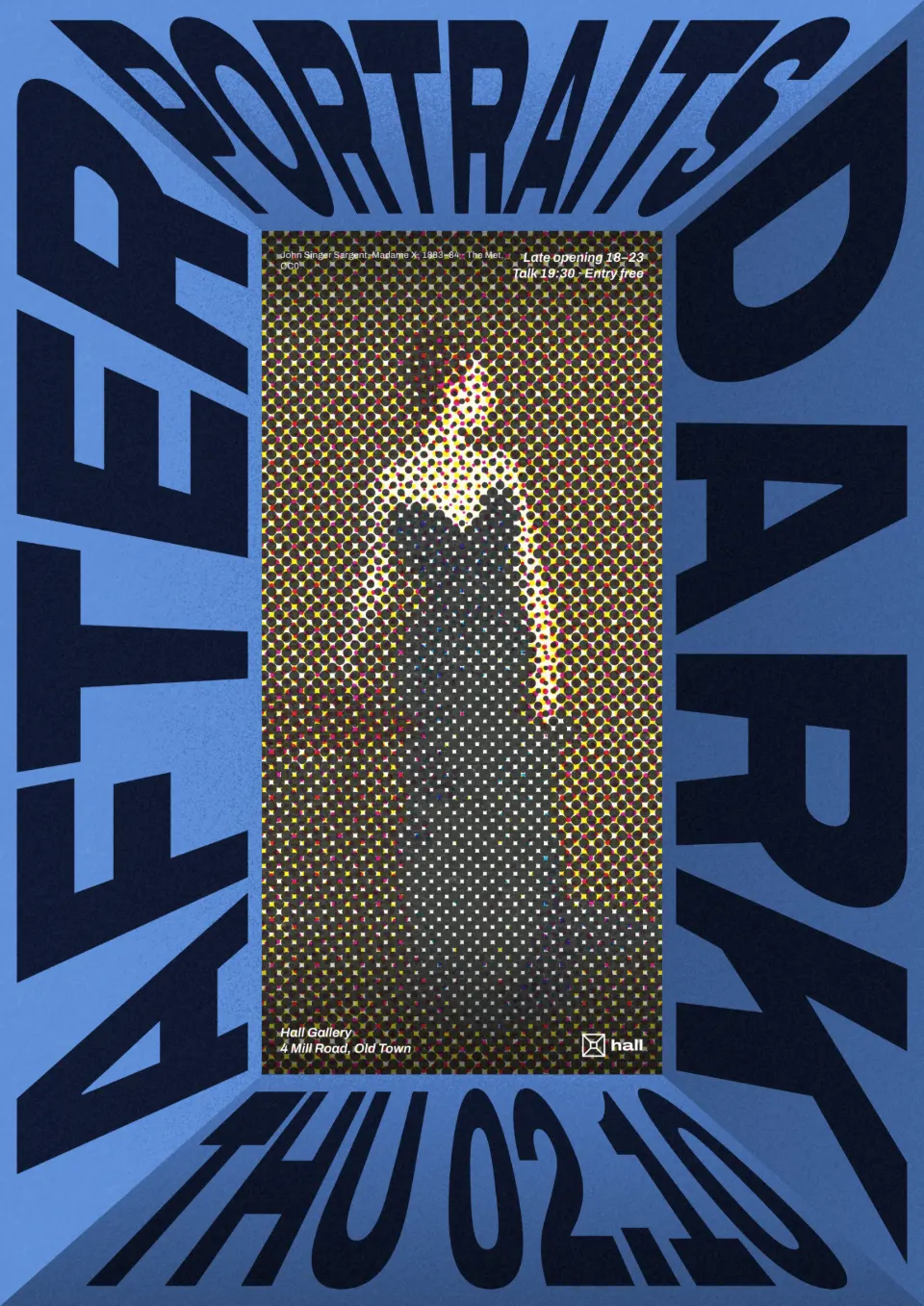
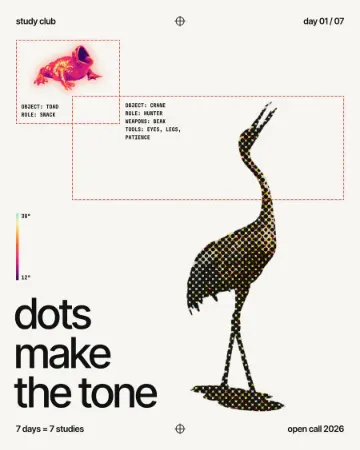
Halftone — the dot pattern of comics, newspapers and cheap magazines — is back at a bigger scale, where the dots are part of the design rather than a hidden print trick. CMYK dots drifting slightly apart read as pop and energetic; a single ink reads as poster.
Scale is everything: judge the dot at the size people will see it, and keep faces large enough that the eyes survive the screen.
Make it in Paletoo
Select the photo and press Halftone pop in Mixes.
Three steps go on under Applied: Basic for contrast and colour, a CMYK Halftone and a newsprint Texture.
Open Halftone and change Size for bigger or finer dots, then Export.
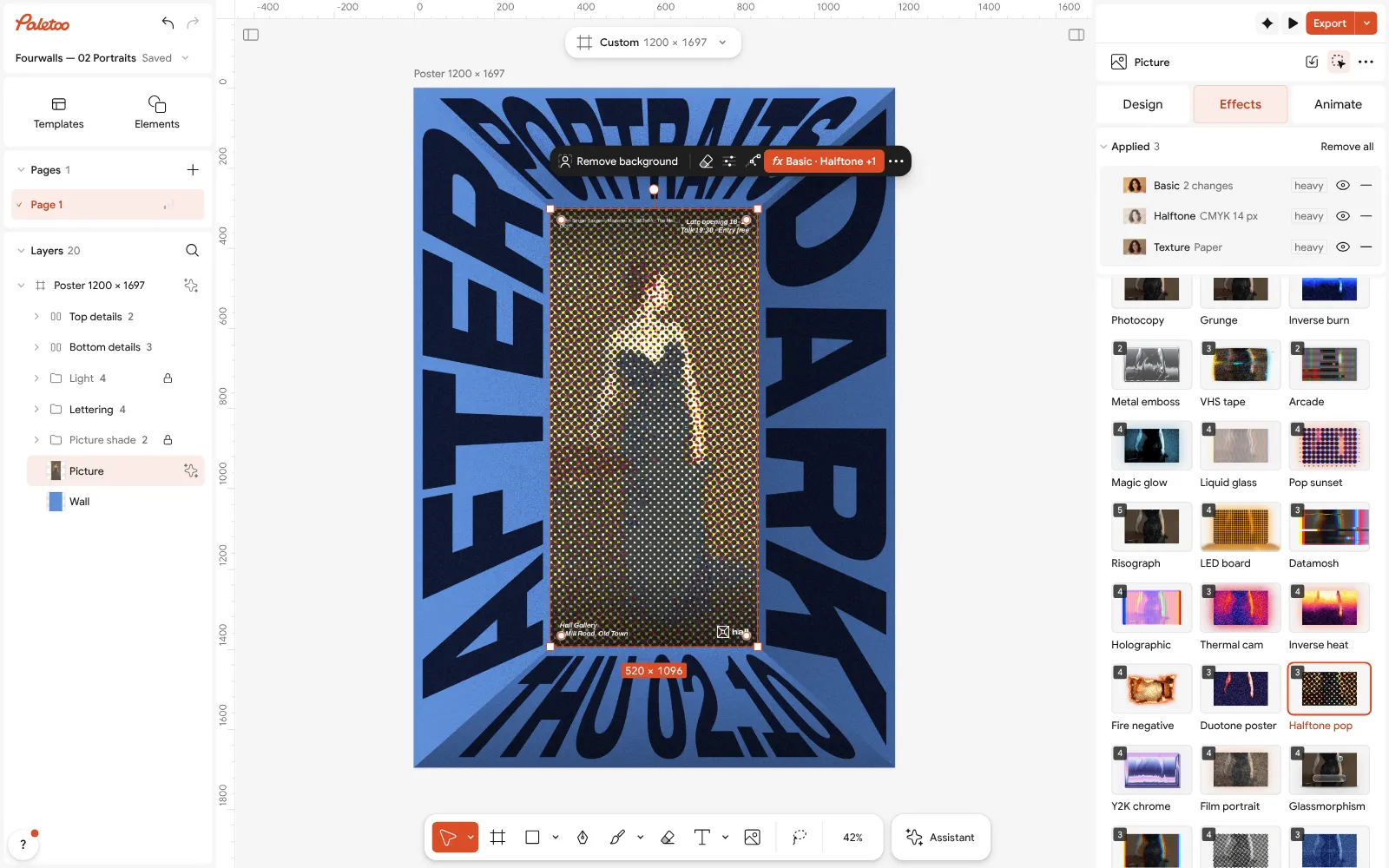
Open this example in Paletoo Step-by-step guide: How to make a halftone effect
Inverse colour
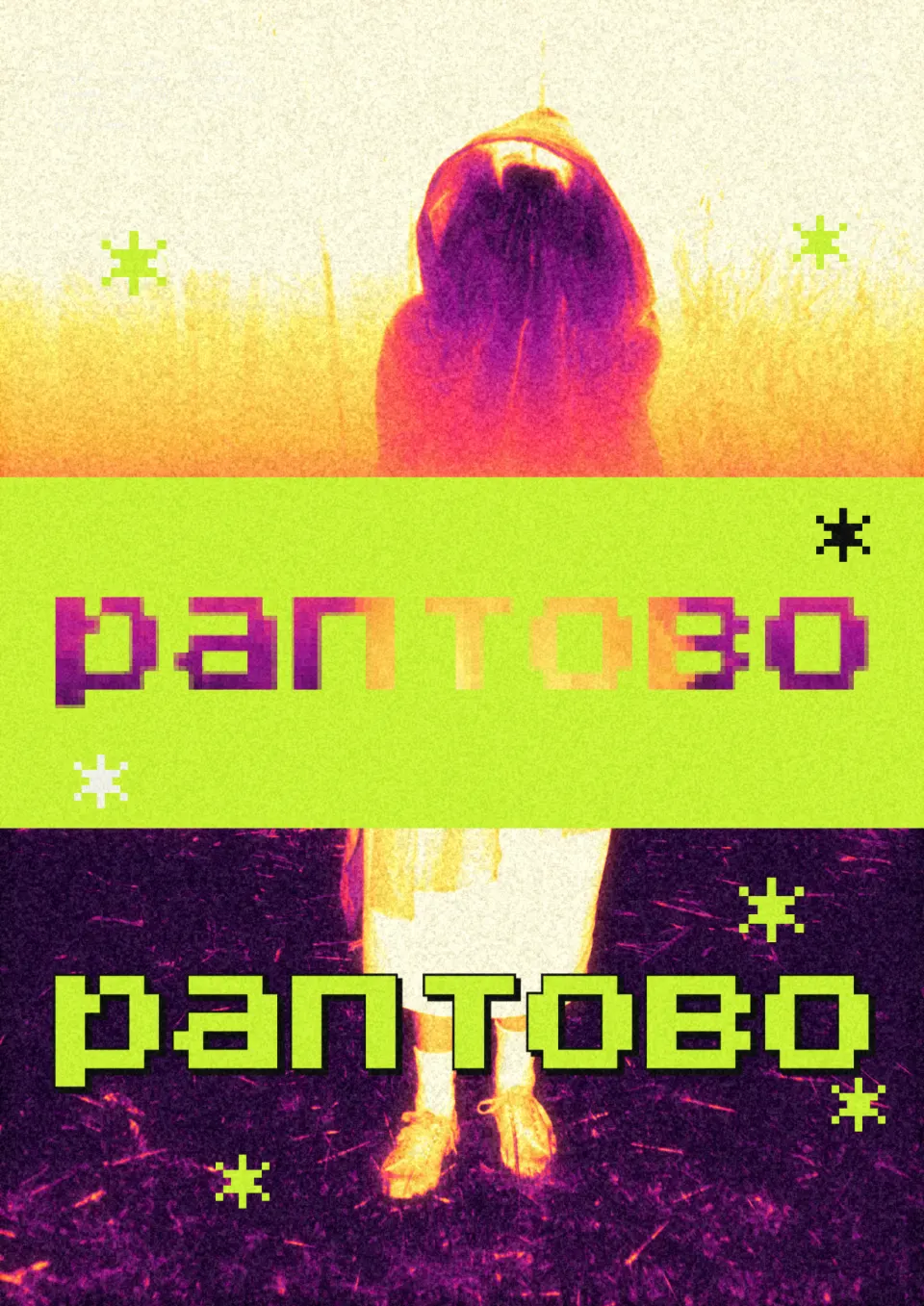
Inverted photos — negatives mapped onto a hot gradient — keep growing on music covers and event posters because they turn a familiar picture strange in one move. Skin glows orange and yellow, the shadows sink into magenta and violet, and the photo looks like a thermal scan or a film negative held up to the light.
It needs a clear silhouette; a cluttered background inverts into noise. Pair it with simple, heavy type, and check that the text still contrasts after the colours flip.
Make it in Paletoo
Select the photo and press Inverse heat in Mixes.
Four steps go on under Applied: Invert, a hot Gradient map, a Glow and Grain.
Open the Gradient map and drag its stops to move the colours, or switch Invert off to compare.
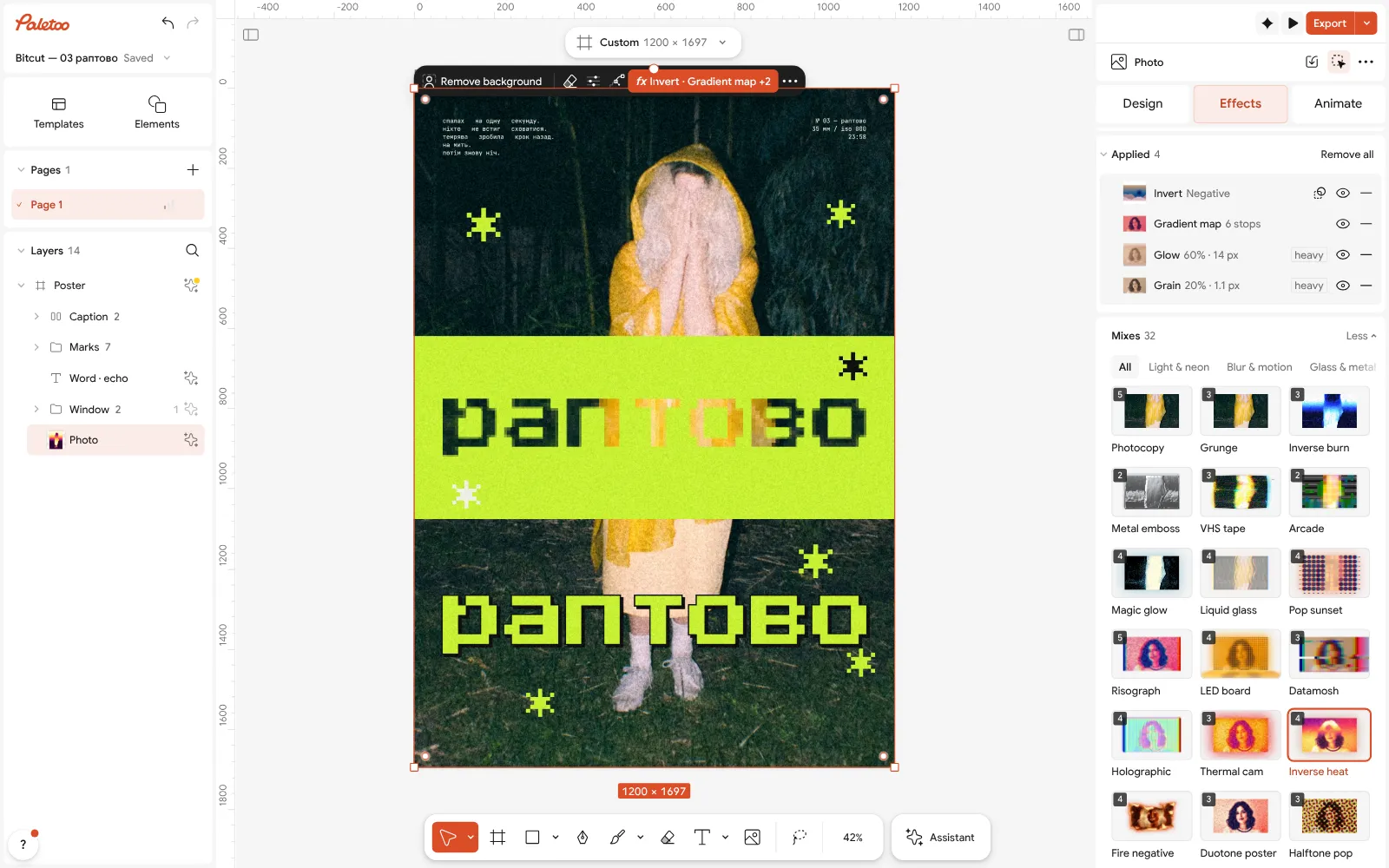
Open this example in Paletoo Step-by-step guide: How to make an inverse heat effect
Glitch and datamosh
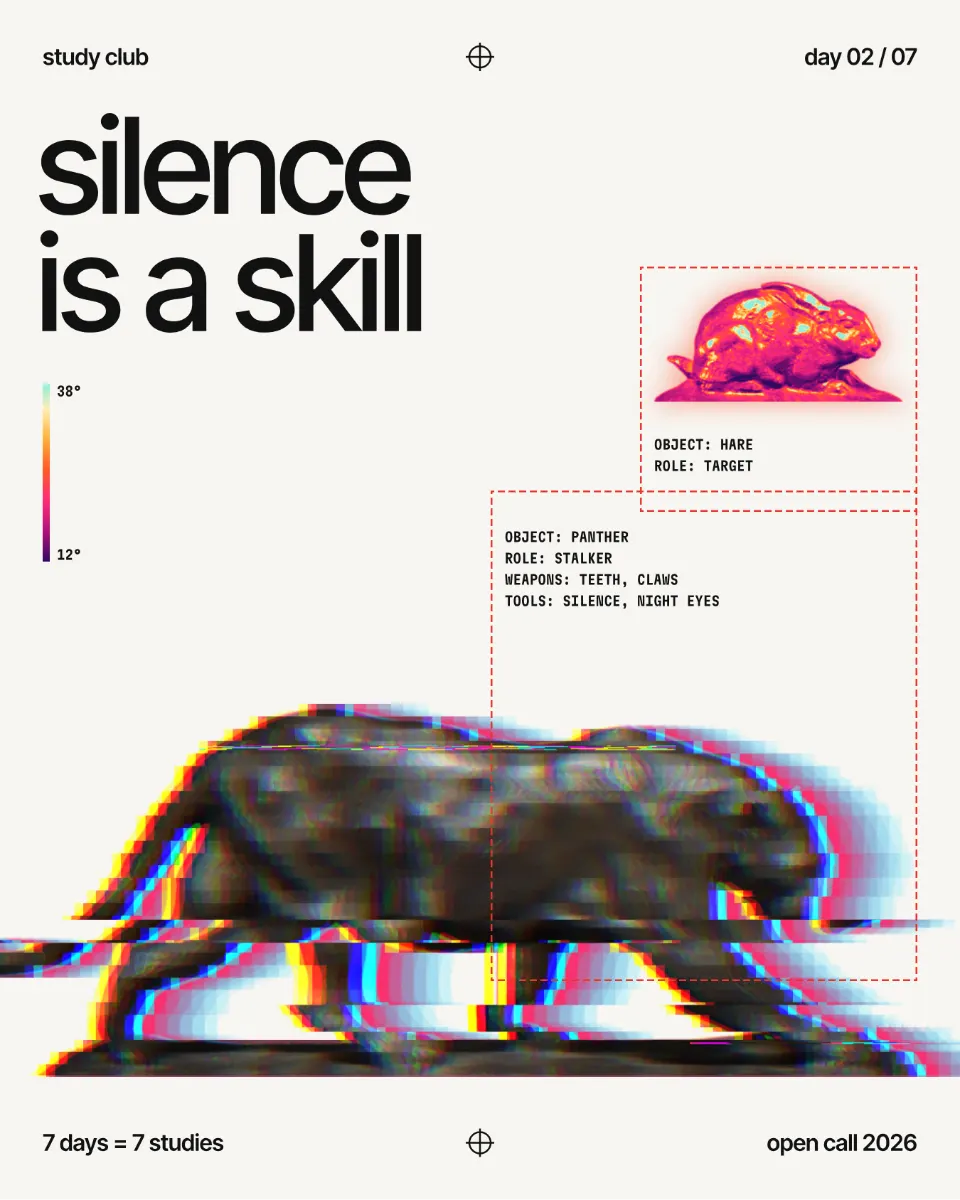
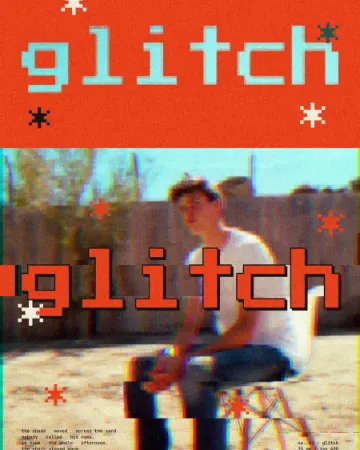
The glitch look — blocky pixels, torn colour channels, a frame smeared sideways — comes from broken video files, and it keeps returning wherever brands want to look fast and digital: music, gaming, tech launches, sports. The 2027 version is more controlled, used on one photo or one word rather than over everything.
Give it a strong subject and leave space around it. Glitch on a whole layout looks like a rendering error; on the action shot alone it reads as speed.
Make it in Paletoo
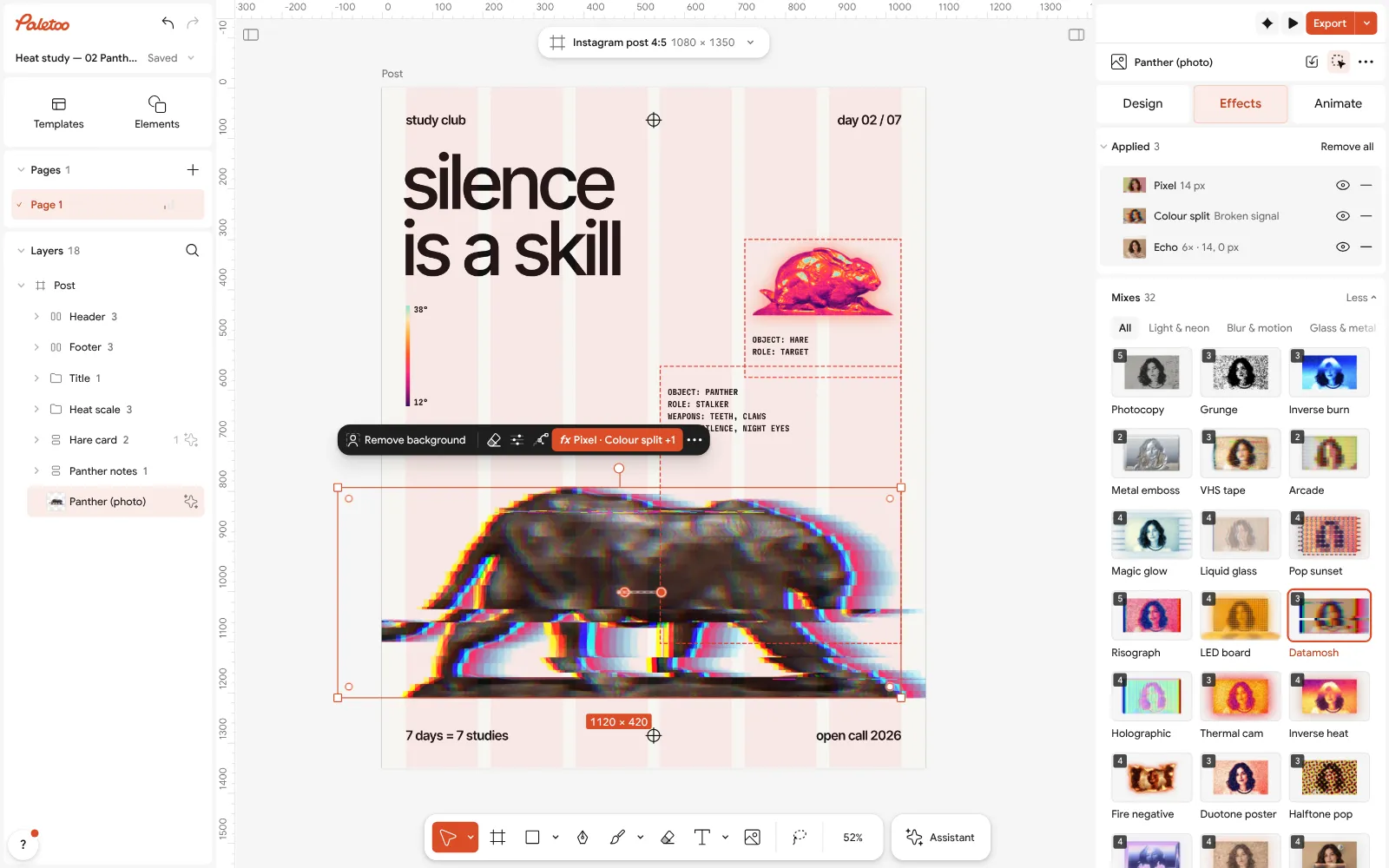
Select the photo and press Datamosh in Mixes.
Three steps go on under Applied: blocky Pixel, a broken Colour split and an Echo that smears the frame sideways.
Open Echo and change its Copies, or lower the Pixel step for a lighter glitch.
Open this example in Paletoo Step-by-step guide: How to make a glitch effect
Cross-stitch and textile textures
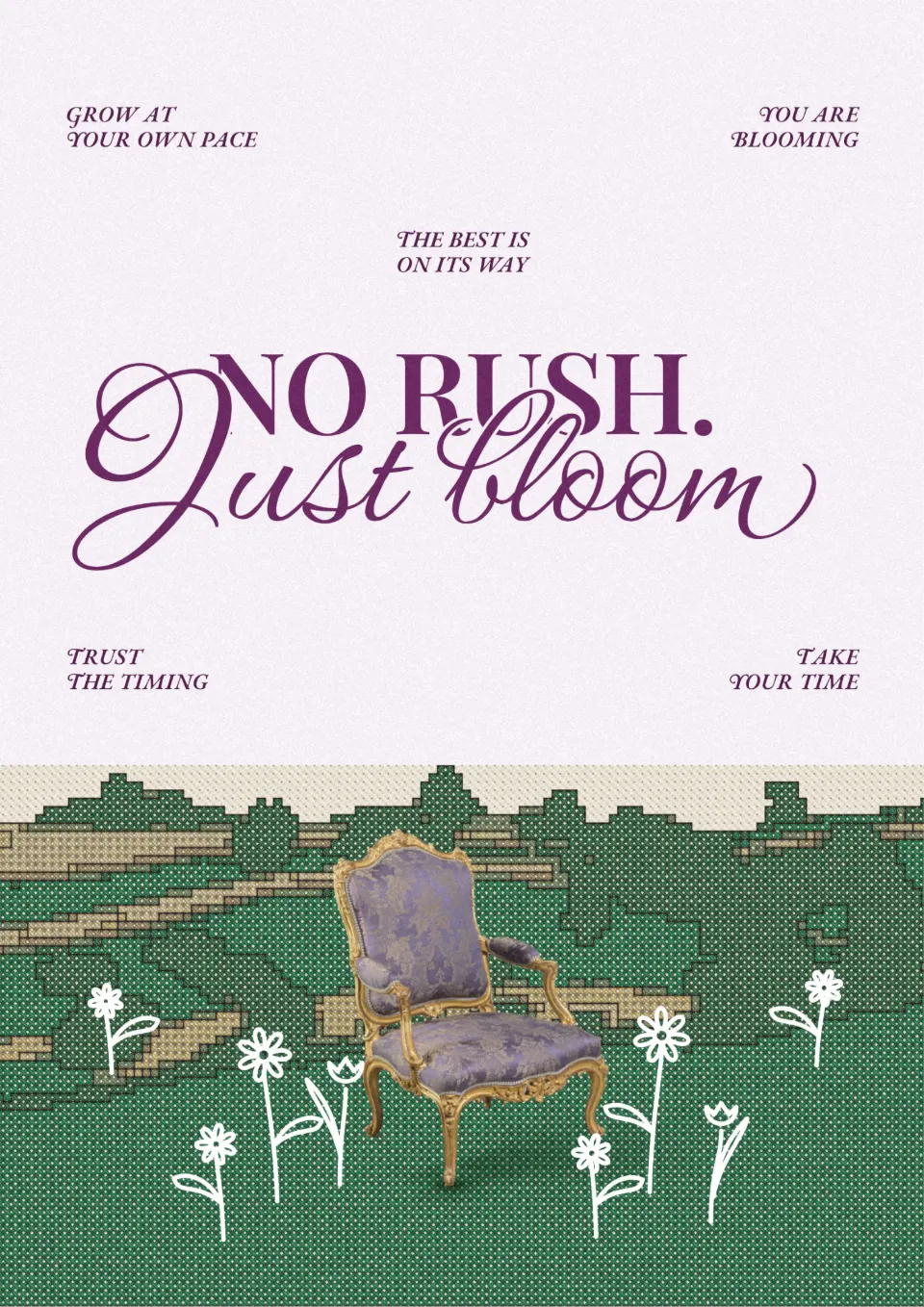
Craft textures are one of the warmest corners of the trend: photos rebuilt as embroidery, knitting or woven cloth. Cross-stitch has a special place in Ukrainian design, where embroidery is part of the visual language, and it works anywhere a brand wants to feel handmade and local.
Keep the subject simple and large, with few colours; small details disappear into stitches. It is ideal for greetings, posters and avatars, less so for a photo full of tiny faces.
Make it in Paletoo
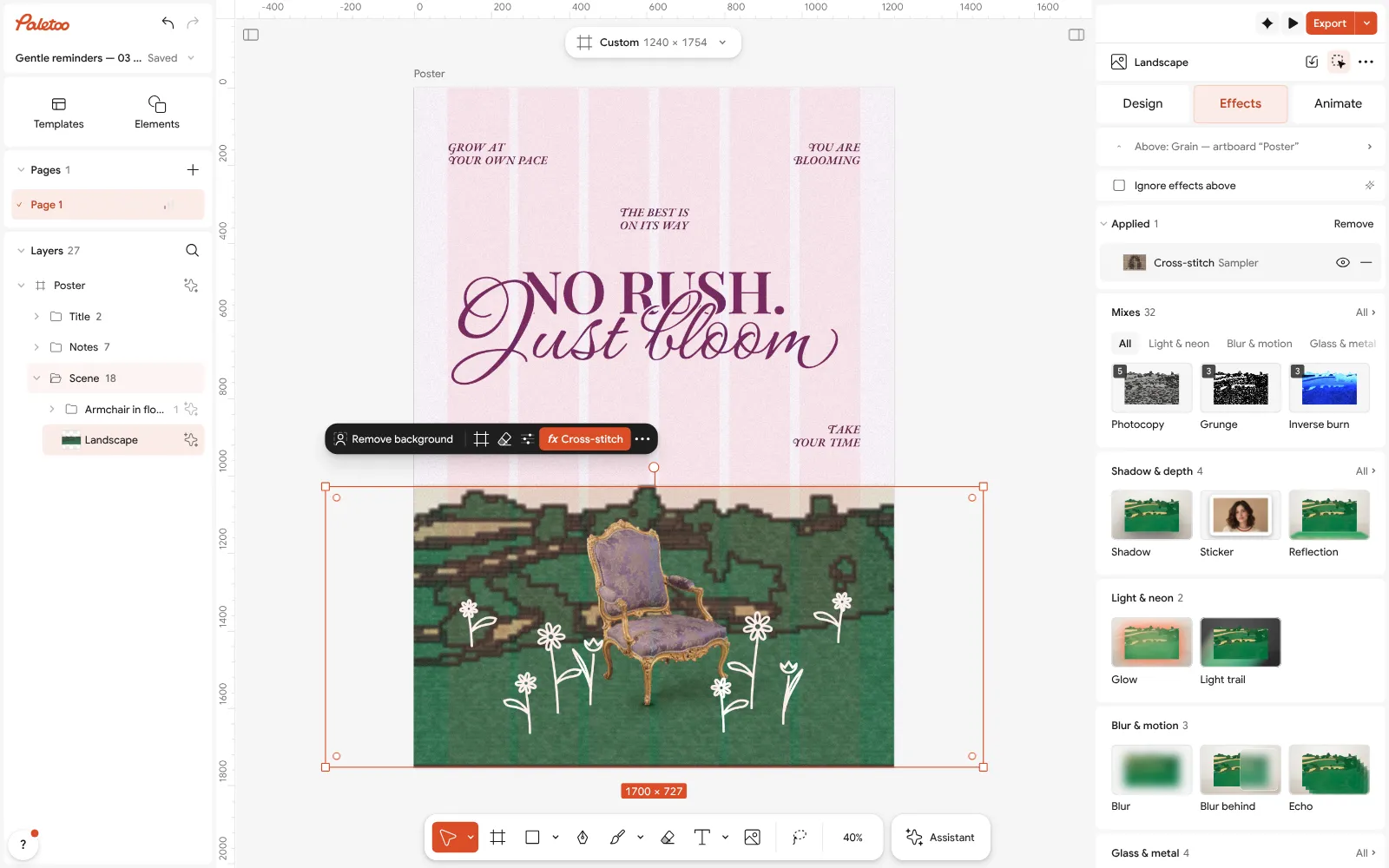
Select the photo, open the Effects tab and unfold Retro & print; press the Cross-stitch card.
Two steps go on under Applied: Basic and Cross-stitch. Open the stitch row: the presets are Sampler, Pixel stitch, Folk and Bold outline.
Set Stitch size and Colours, choose the Threads, then Export.
How to pick a photo effect
Pick the process that matches the message: riso and halftone for print and energy, film for warmth, inverse for strangeness, glitch for speed, cross-stitch for the handmade. Use one per design, apply it to the photo rather than the whole layout, and keep the type clean on top.
More looks for next year are in the design trends 2027 overview, with poster design trends and social media design trends to put these photos to work.
Questions
Do these effects change my original photo?
No. Every look is a stack of steps on the layer; the photo underneath stays untouched, and you can switch a step off, change it or remove the whole stack at any time.
Can I use the same effect on several photos?
Yes. Select another photo and press the same mix or card; the steps are fitted to each picture separately.
Why does my effect look weaker on Instagram?
Apps recompress uploads, and fine grain and small dots go first. Export at the post’s full size and use a slightly coarser grain or a bigger dot.
Which effect works best on a phone photo?
Film grain and riso forgive the most, because they flatten noise into texture. Halftone and inverse need a clear subject with strong light.
Is it free?
Yes. Every effect, mix and export is free and carries no watermark. Credits are only for AI image generation and materials.
Make it online
- Photo effects onlineGive a photo a film, print or glitch look in one click — and keep every step editable afterwards.
- Duotone, halftone and glitch photo effects onlineThree of the strongest looks for a photo, each one click away and every step still yours to tune.
Free design templates: Poster templates
Try it on your own design
Paletoo opens in your browser, with no sign-up. Every effect here is live: change the picture or the words and the effect follows.
Open in PaletooRead next
- 01
 How to make a risograph effectTwo riso inks out of register, a coarse screen, riso paper.
- 02
 How to give a portrait an analog film lookWarm, faded, a soft halo round the lights, grain and dust.
- 03
 How to make a halftone effectComic-book CMYK dots, newspaper screens or one ink.
- 04
 How to make a glitch effectBlocky pixels, torn colour channels and a smeared trail.