How-to3 min readFreeUpdated 2026-11-20
How to remove a white background from an image
Make the white transparent without a white fringe, keep the white that belongs to the logo, save a PNG — try it on a real logo right here.
By Paletoo’s designers · every step done in Paletoo

The short answer
- 1
Un-mix the white, don’t just delete it. Edge pixels are part white: take the white out of each one (colour to alpha) so the edges stay smooth instead of keeping a pale fringe.
- 2
Clear only the white that touches the edge. A logo’s counters, eyes and highlights are white too — remove the background from the outside in, so they stay.
- 3
Save as PNG (or WebP), never JPEG. JPEG has no transparency and puts the white straight back.
The tool below does exactly that, on your device: drag the tolerance, switch «only the outside» off to see the triangle disappear, then drop in your own logo or signature.
Try it right here
Works best on logos, signatures, scans and products shot on white. For a person or a busy photo, use the background remover.
The tool wakes up as you scroll to it…
Engine: colour-to-alpha against white, with a flood from the picture’s border for «only the outside» — all on this page, nothing uploaded.
Why a simple «delete white» leaves a halo
Every smooth edge in a picture is anti-aliased: the pixels along a black letter on white are greys, a mix of the letter and the paper. A magic wand or a «remove white» filter treats each pixel as either white or not, so those greys stay, solid, and the logo gets a pale outline the moment you put it on a dark background.
Colour to alpha does the opposite: for every pixel it works out how much white is in it and turns that share into transparency, keeping the colour that is left. A 50 % grey becomes black at 50 % opacity — exactly what the edge was before it met the paper. The same goes for soft shadows and thin hairlines in a signature.
The opposite job — a cut-out that needs a plain backdrop — is one step: add a white background or a black background. For a shop listing, the product photo maker puts the product on white at a marketplace’s size. A remover for photos rather than logos: Paletoo vs remove.bg.
Keep the white that belongs to the logo
White is often part of the design: the hole of an «o», the eye of an icon, the play triangle in the logo above. Removing every white pixel punches those out. The fix is to remove the background from the outside in — start at the picture’s edge and clear only the white that is connected to it. Turn Only the outside off in the tool and watch the triangle go; turn it back on and it returns.
When the white inside a shape should go too — a ring, a stencil — switch it off on purpose. For photos of people and products on a coloured background, a cut-out model is the right tool: Paletoo’s background remover runs one on your device.
Which format keeps the transparency
Only a few formats store an alpha channel. Save as PNG for logos and anything with hard edges, WebP when file size matters, SVG if you want to vectorise it afterwards.
| Format | Transparent? | Best for |
|---|---|---|
| PNG | Yes | Logos, signatures, icons, screenshots |
| WebP | Yes | Web pages, smaller files |
| SVG | Yes | Logos you will scale (vectorise first) |
| JPEG | No — white comes back | Photos without transparency |
Made in Paletoo
Real designs from Paletoo’s templates and tools — open any of them and change it.



Open this in Paletoo
Paletoo opens your files: drop the picture on the canvas, select it and use Remove background for photos, or vectorise a logo with white as the ground. Export as PNG with a transparent background.
Open your picture in PaletooFree, no sign-up. Everything stays editable.

Questions
How do I make a white background transparent for free?
Use colour to alpha (white to transparent) and save as PNG. The tool on this page does it in your browser, free, with no upload and no sign-up.
Why does my logo have a white outline after removing the background?
The edge pixels were kept as solid light greys. Un-mixing the white (colour to alpha) turns them into partly transparent pixels of the logo’s own colour, so no halo is left.
How do I remove the white background but keep white parts of the logo?
Clear only the white connected to the picture’s edge — «Only the outside» in the tool. White enclosed by the shape stays.
Can I remove a white background from a signature?
Yes. Photograph or scan it on white paper in good light, raise the tolerance until the paper grain is gone, and save as PNG.
Which format keeps a transparent background?
PNG, WebP and SVG. JPEG cannot store transparency.
Keep going
- Remove background onlineCut the subject out of any photo in one click — on your own device, with no upload and no credits.
- How to make a transparent PNG for free: a logo, words or a cut-out photoA logo, a line of words or a cut-out photo that sits on anything — no white box, no watermark, on a computer or a phone.
- How to remove the background from a photo online — free, on your deviceOne click cuts the subject out; the background is hidden, not deleted, so you can bring it back.
- How to turn a logo into a vector — free, no IllustratorFrom a blurry PNG to a logo you can print on a van — in a minute, in the browser, for free.
More how-tos you can try on the page
- 01
 How to make a sticker from a photoCut the subject out, give it a white die-cut border and a caption, save it at 512 px — try the border and the caption right on this page.
- 02
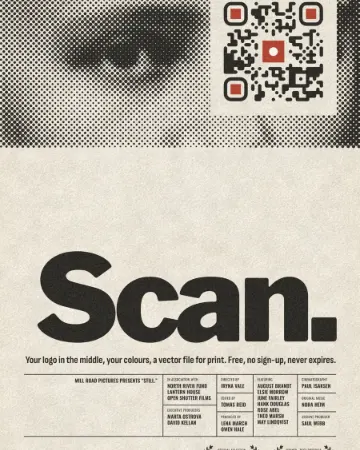 How to put a logo in a QR code (and keep it scannable)Error correction H, a logo of about a tenth of the code, a white quiet zone — and a scan check that shows you the exact moment it breaks.
- 03
 How to make a price listType your services and prices the way you would in a note — the page sets them as a finished price list for Instagram, Stories or A4.
- 04
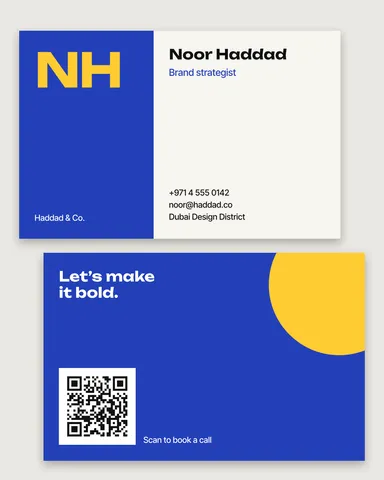 How to make a business card online, freeType your name and contacts, pick one of six designs, and the card lays itself out — front and back, with a QR code that saves your contact.
- 05
 How to make a poster on your phoneOne photo, a title of a few words, a date line — the layout sets itself for an A3 print, an Instagram post or a story, on the phone in your hand.
- 08
 How to make a Black Friday banner in 2 minutesOne number people read in half a second, the dates and your shop’s name — as a post, a story and a site header from the same words.
- 09
 How to make a gift voucher with a unique codeEach voucher gets its own number and a code that cannot be guessed or misread — and you keep the list to check them off.